
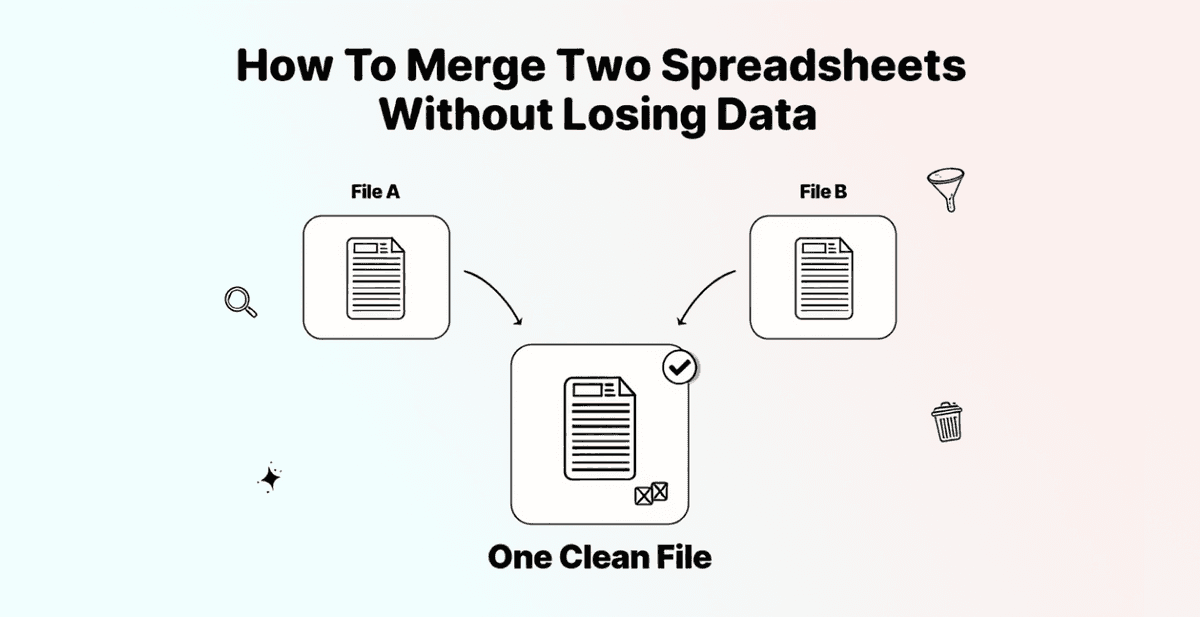
You have two spreadsheets, overlapping records, and no interest in learning VLOOKUP. That's not a skill issue; that's a tool issue.
Most people open Excel, copy-paste something from ChatGPT into the formula bar, get a #REF! error, and close the tab. Fifteen minutes later, they start Googling "how to merge Excel files" and land on a 40-minute Power Query tutorial.
This guide shows two ways to merge spreadsheets and remove duplicates without a single formula. Both take under 3 minutes and work with CSV and XLSX files. The tool doing the heavy lifting is Datablist.com, which uses AI-powered matching to catch duplicates that Excel would miss entirely.
📌 Summary For Those In a Rush
This article covers two methods to merge spreadsheets and remove duplicates without using Excel formulas.
- Problem: You have two spreadsheets with overlapping data and need one clean, duplicate-free file. Excel makes this harder than it should be.
- Why it matters: Excel formulas only catch exact matches, break on large files, and require technical knowledge most people don't have. Plus, Excel's built-in "Remove Duplicates" permanently deletes rows with no preview.
- Solution: Datablist.com handles both merging and deduplication with AI-powered matching, zero formulas, and a free tier.
The Two Methods Covered:
- Merge two spreadsheets into one file, then remove duplicates (best for creating a single clean list)
- Deduplicate across two separate spreadsheets without merging (best for cleaning overlap while keeping files separate)
In This Article You'll Learn
- Why combining spreadsheets in Excel creates more problems than it solves
- How to merge two spreadsheets into one and remove duplicates (Method 1)
- How to deduplicate across two spreadsheets without merging them (Method 2)
- When to use Datablist.com vs. Excel for merging spreadsheets
Why Merging Spreadsheets in Excel Is Harder Than It Sounds
The Formula Wall
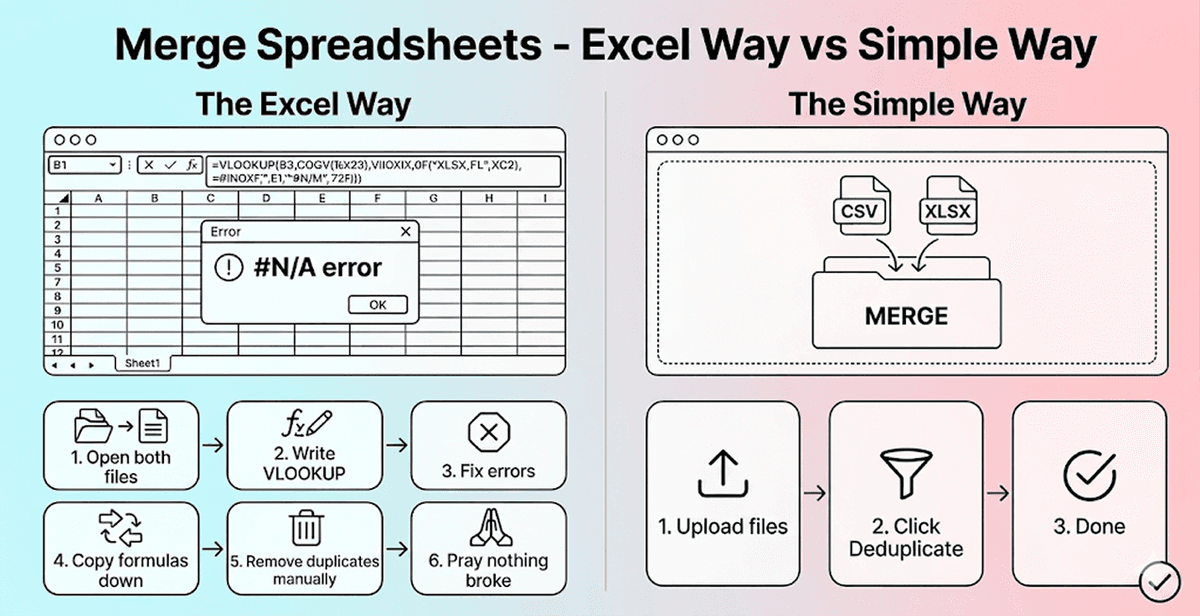
Excel gives you several options for merging spreadsheets: VLOOKUP, XLOOKUP, INDEX-MATCH, and Power Query. All of them work, technically. But all of them assume you already know how they work.
VLOOKUP breaks when columns shift. XLOOKUP only exists in newer Excel versions. INDEX-MATCH requires nested formulas that look like math homework. And Power Query is a full afternoon commitment for someone who just wants to combine two spreadsheets.
On top of that, every one of these methods only matches exact values. To Excel, "John Smith" and "john smith" are two completely different people. Same goes for "Acme Corp" and "Acme Corporation." If your data has even minor inconsistencies, Excel will miss them, and you'll end up with duplicates you thought were gone.
What Happens When Duplicates Slip Through
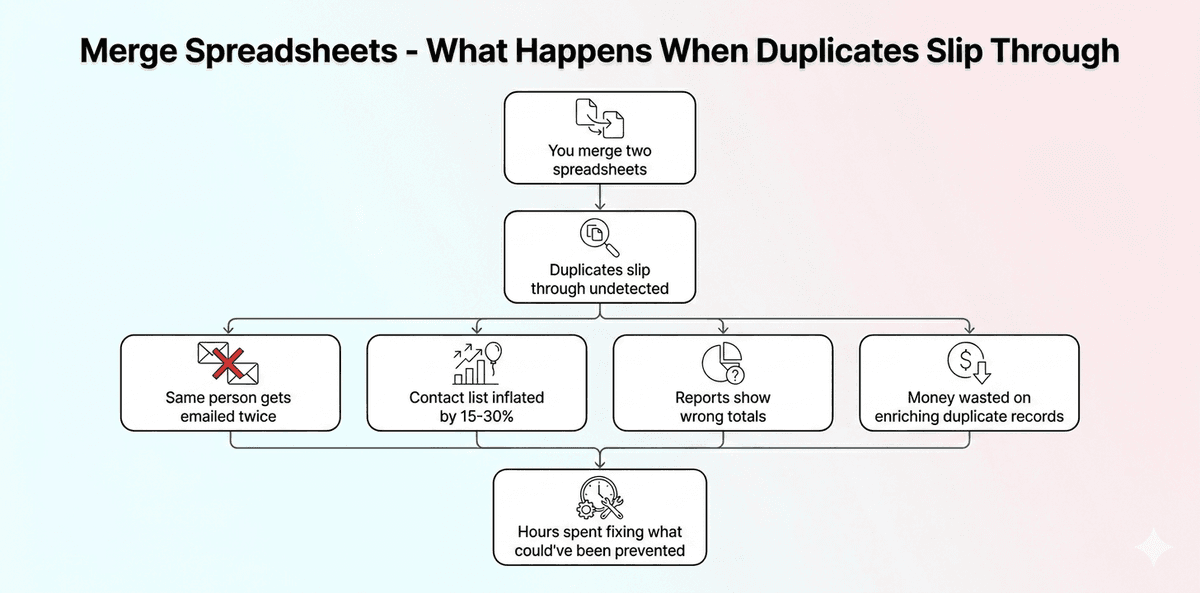
Missed duplicates aren't just messy data. They lead to real consequences: inflated contact lists, double outreach to the same person, and skewed reporting numbers because you're counting records that shouldn't exist.
For lead lists, the damage is even more direct. Sending the same email twice makes your company look disorganized. Enrichment credits get wasted on records you already have. And your conversion data becomes unreliable because you're tracking duplicated entries.
The good news: there's a way to merge spreadsheets and clean duplicates in one workflow without any formulas, and it takes about 3 minutes.
❗️ Excel's "Remove Duplicates" Is Destructive
Most people don't know that Excel's built-in "Remove Duplicates" permanently deletes rows, with no review step and no undo after save.
Datablist.com, on the other hand, shows every flagged duplicate before anything gets deleted, so you decide what stays.
How To Merge Two Spreadsheets and Remove Duplicates (Method 1)
What This Method Does
This method combines both spreadsheets into a single file, then runs deduplication on the merged result. It's the right choice when you want one clean, unified spreadsheet with no repeated records. The entire workflow is free and costs 0 credits.
Step 1: Sign Up & Upload Your Data
Go to Datablist.com and create a free account.
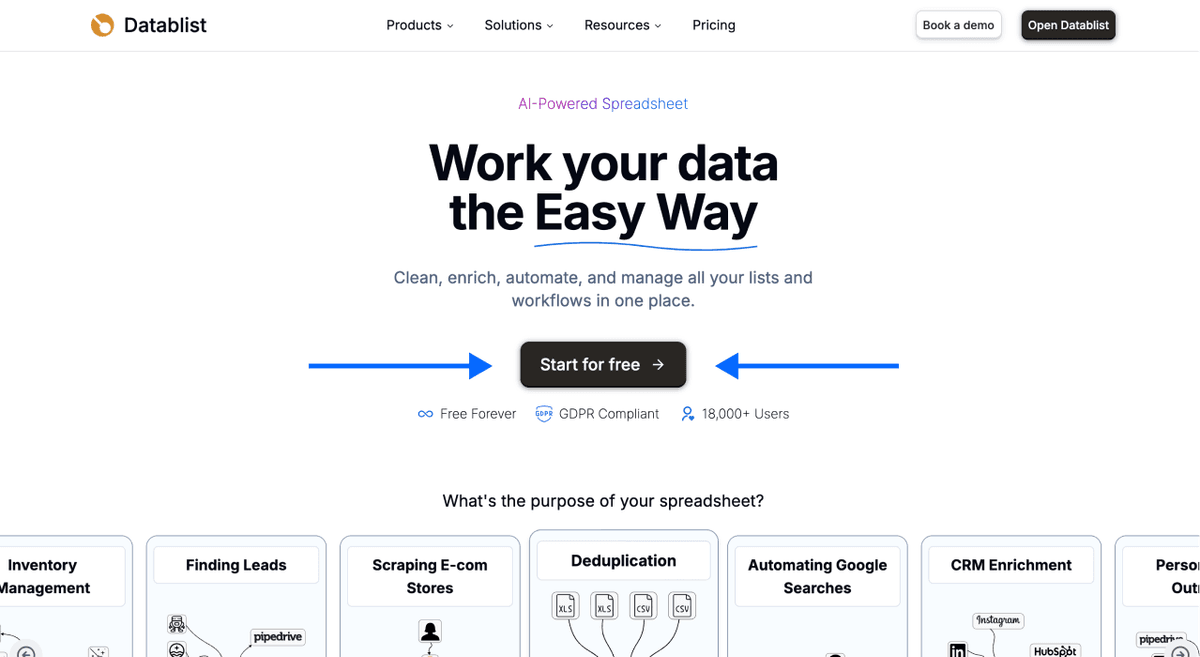
Once you're in, import your first CSV or Excel file to create a collection.
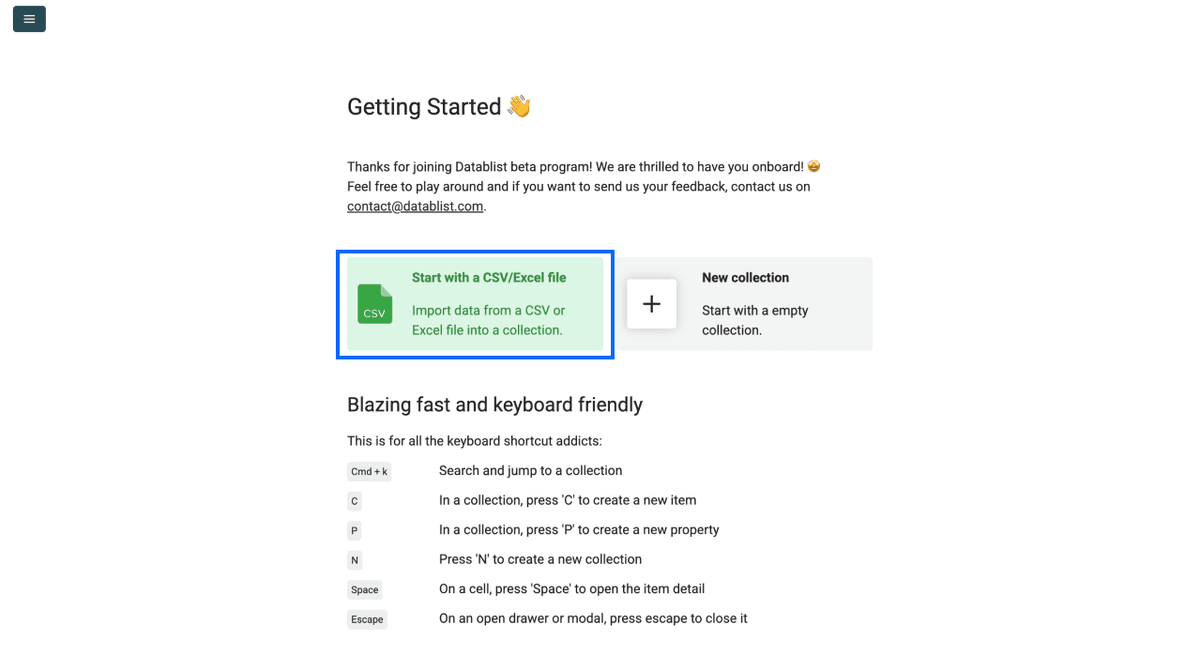
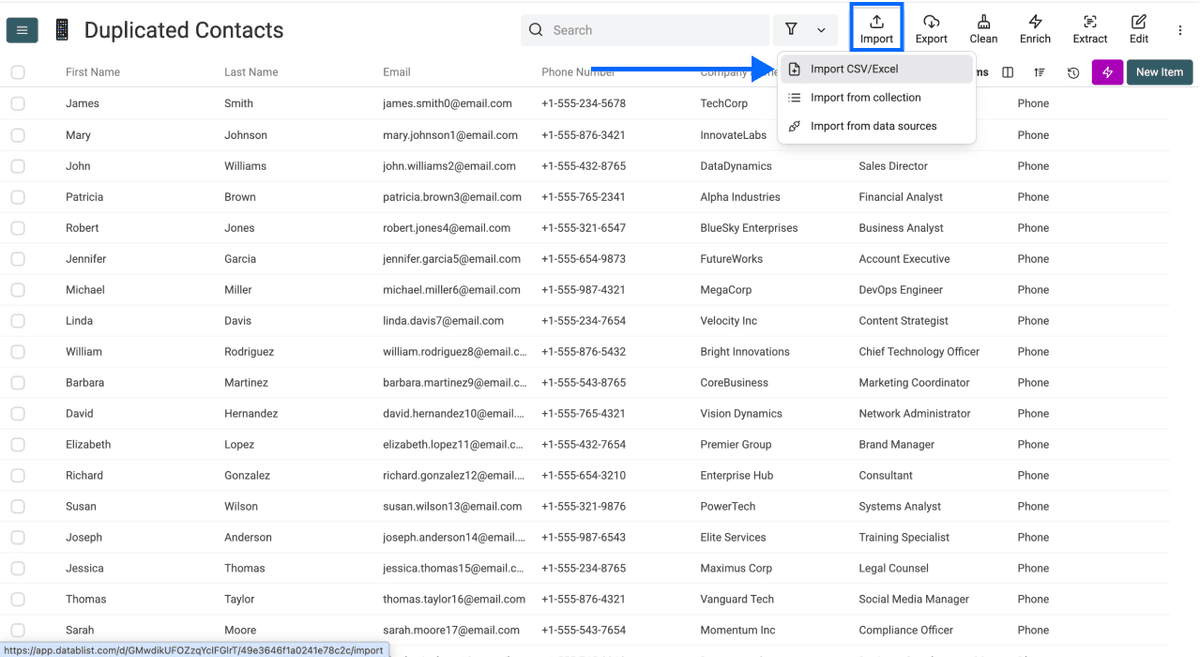
Then import your second spreadsheet into the same collection. This is the step that merges the files. Both spreadsheets are now combined into one dataset.
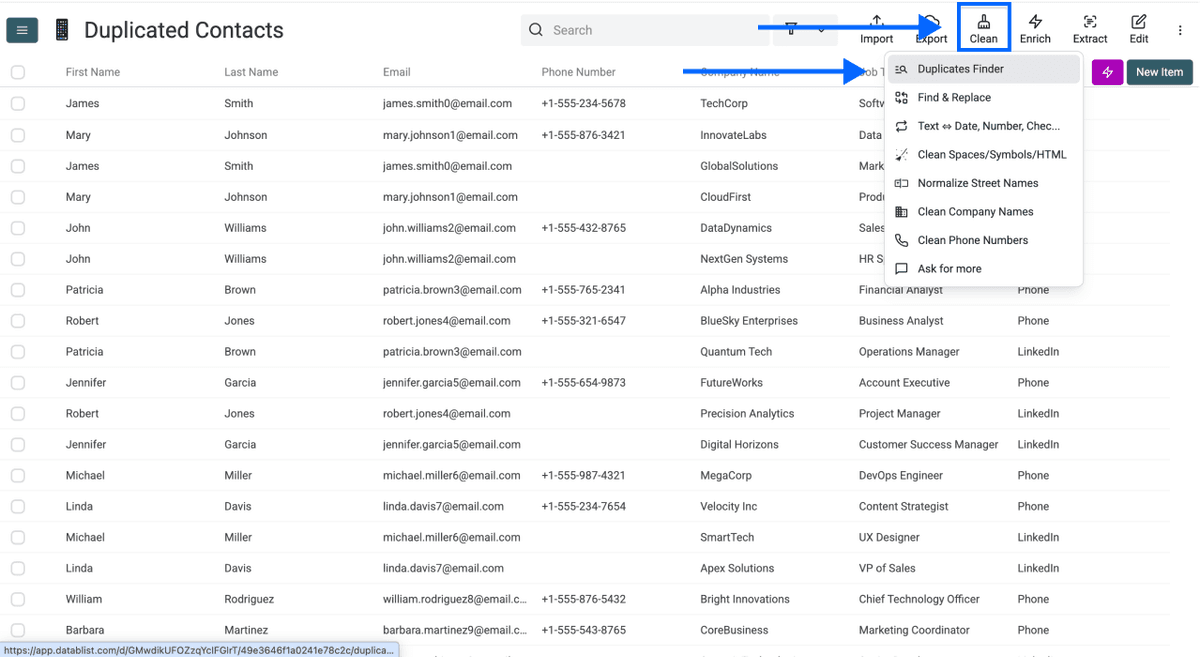
Step 2: Navigate to the Duplicates Finder
Click Clean in the top menu, then select Duplicates Finder.
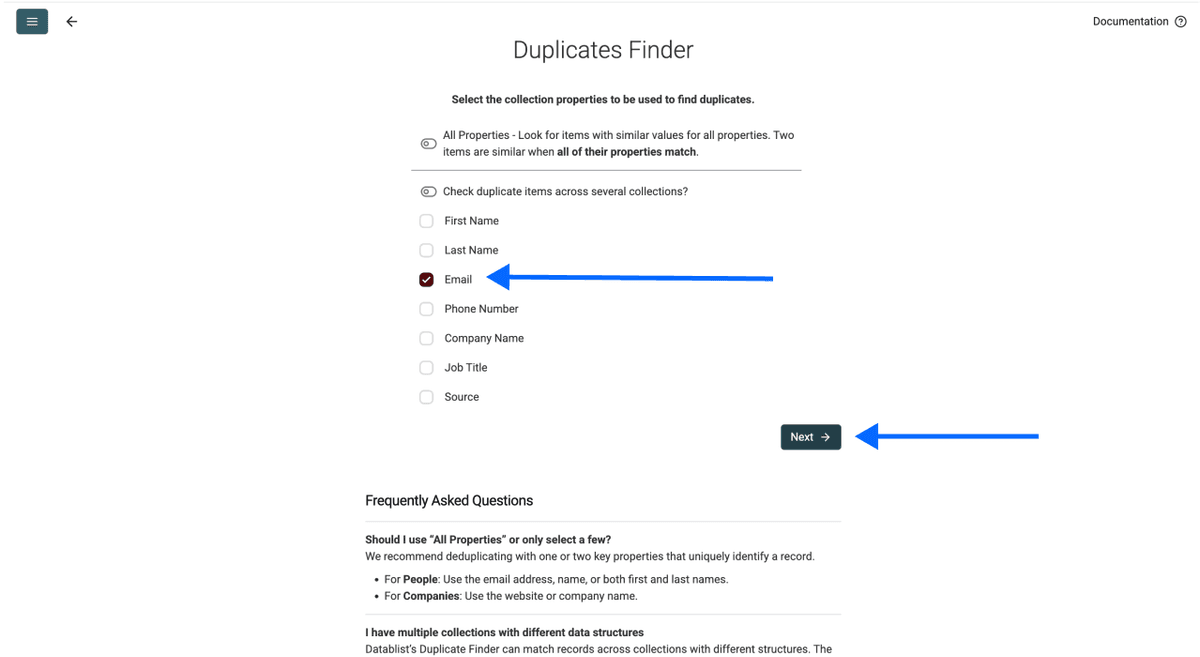
Step 3: Choose Your Unique Identifier
Select the column(s) that make each record unique. This could be an email address, LinkedIn URL, company domain, or phone number.
A quick rule of thumb: start with one or two columns. The more you select, the stricter the matching. If you go too broad, you'll miss duplicates that have slight variations across other fields.
Once selected, scroll down and click Next.
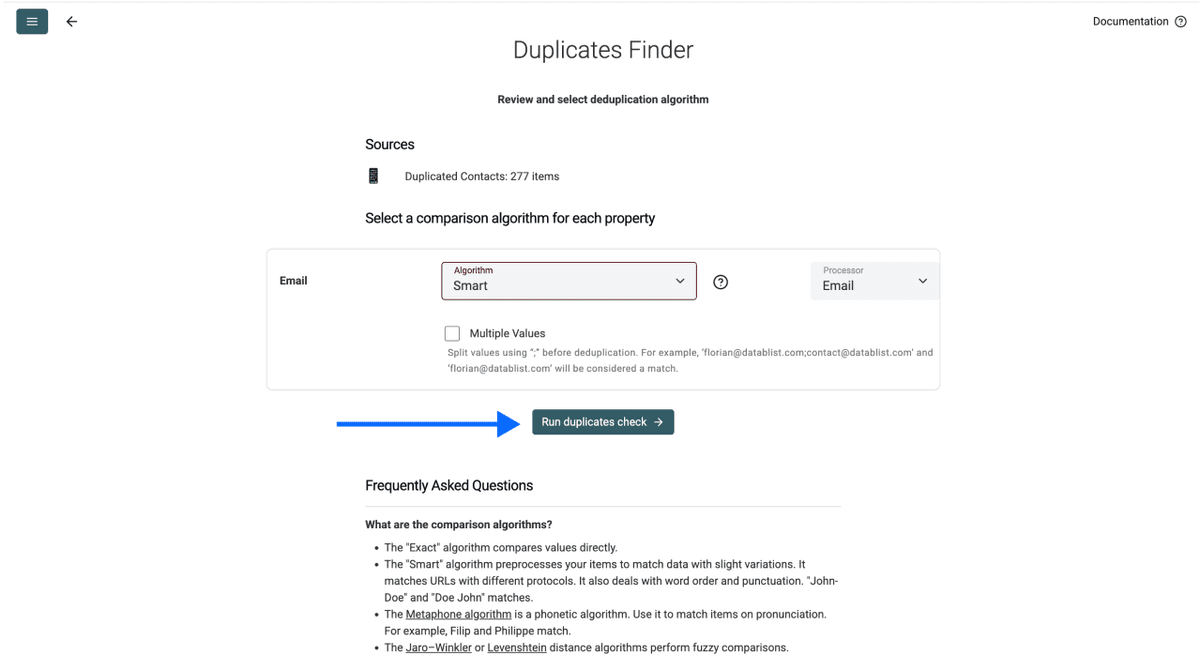
Step 4: Select Comparison Algorithm
Choose how Datablist should compare values for each selected property:
- Exact: Best for URLs, domains, and IDs where precision matters
- Smart: Best for text-based properties like names and company names. This is where AI matching catches near-duplicates that Excel would miss ("John Smith" vs "Smith John")
We recommend keeping the defaults except for company names, where you should select the company names processor.
Click Run duplicates check when ready.
Step 5: Select Master Item, Review & Resolve Conflicts
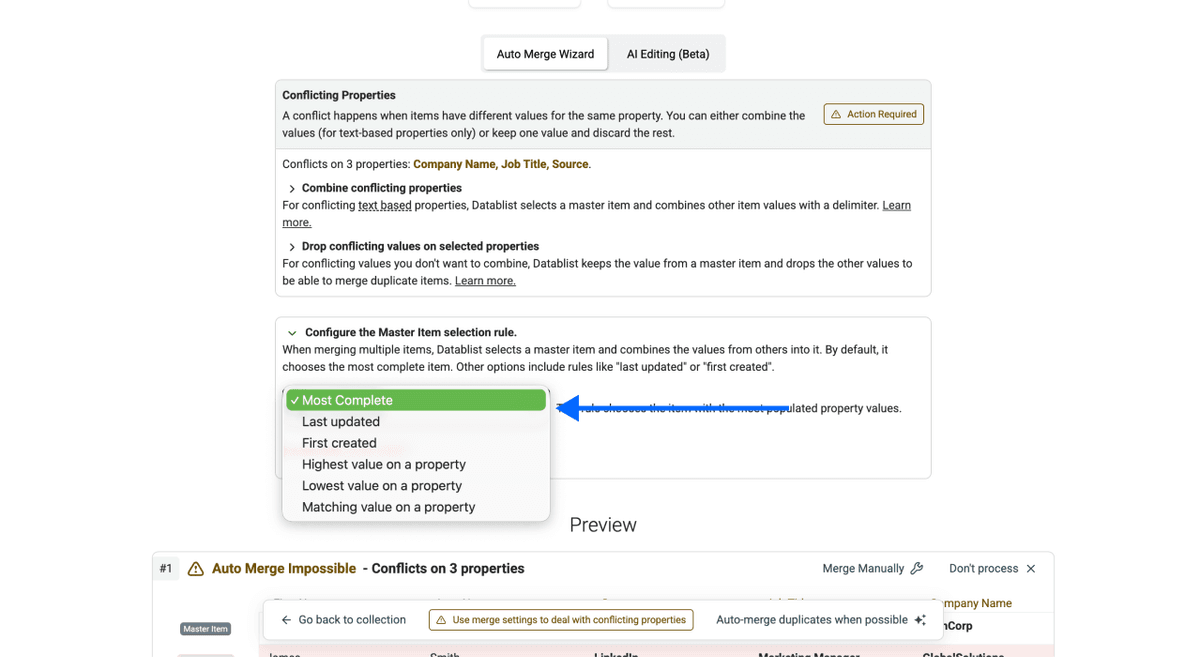
Datablist.com asks you to pick a Master Item Rule, which determines which record to keep when there's a conflict between duplicates.
Your options:
- Most complete: Keeps the record with the most filled-in fields
- Last updated: Keeps the most recently modified record
- First created: Keeps the oldest record
- Matching value: Keeps the record matching a specific value you define
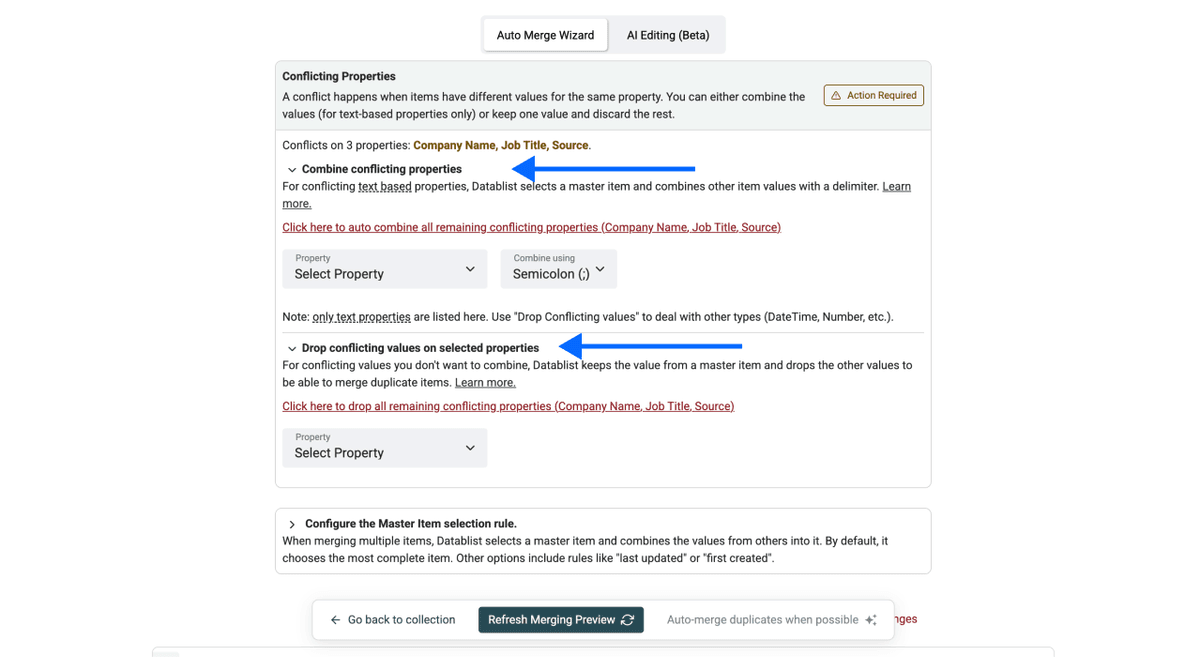
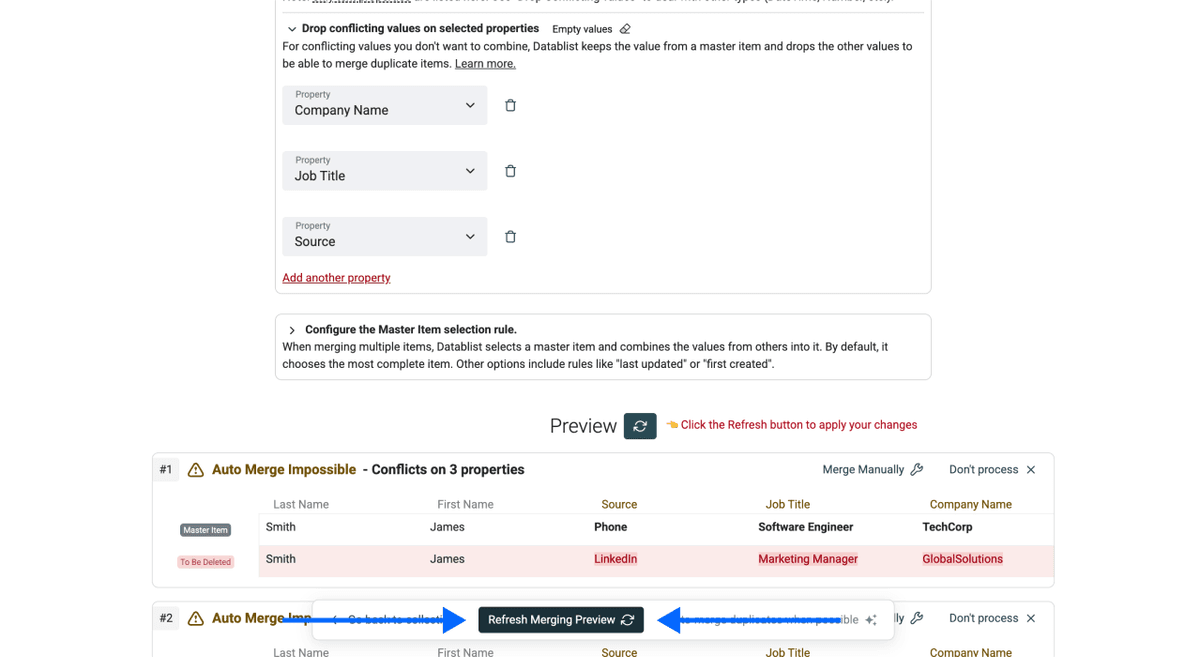
For conflicting values between records, choose either combine (merges text values together) or drop (keeps only the master item's value).
Click Refresh Merging Preview to see exactly what changes before committing. Nothing gets deleted until you approve it. That's the opposite of Excel's destructive approach.
Step 6: Run, Review & Export
Click Auto-merge when possible.
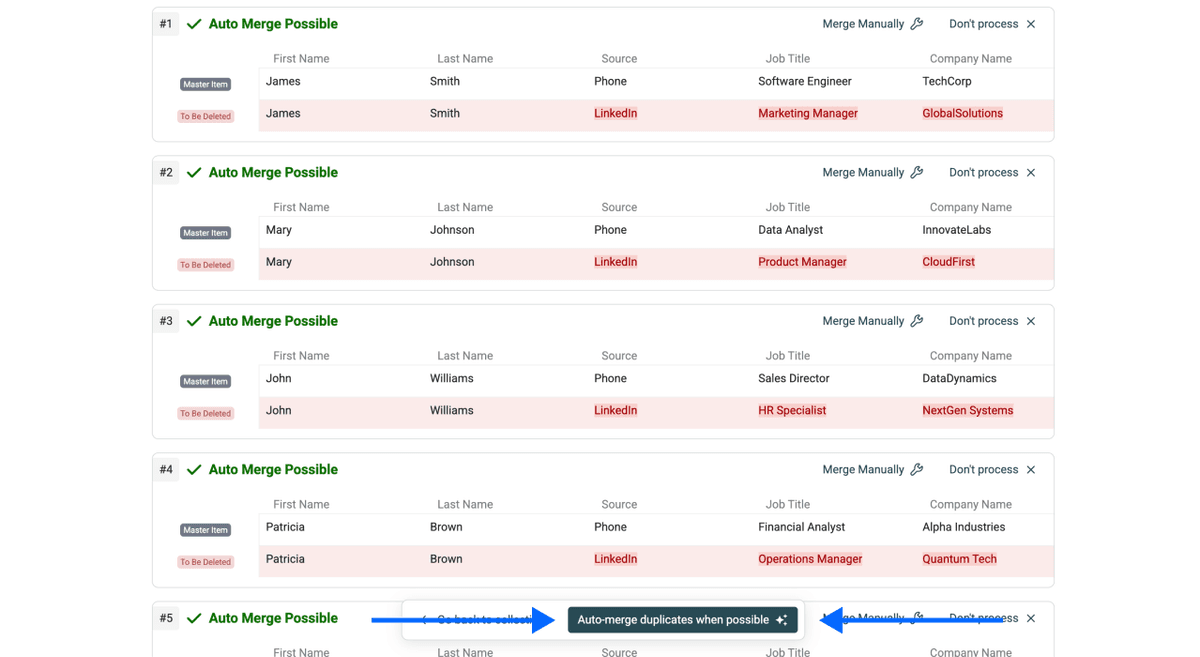
Datablist.com shows a summary of every change, with an optional CSV download of the merge log. Export your clean, deduplicated file, and you're done.
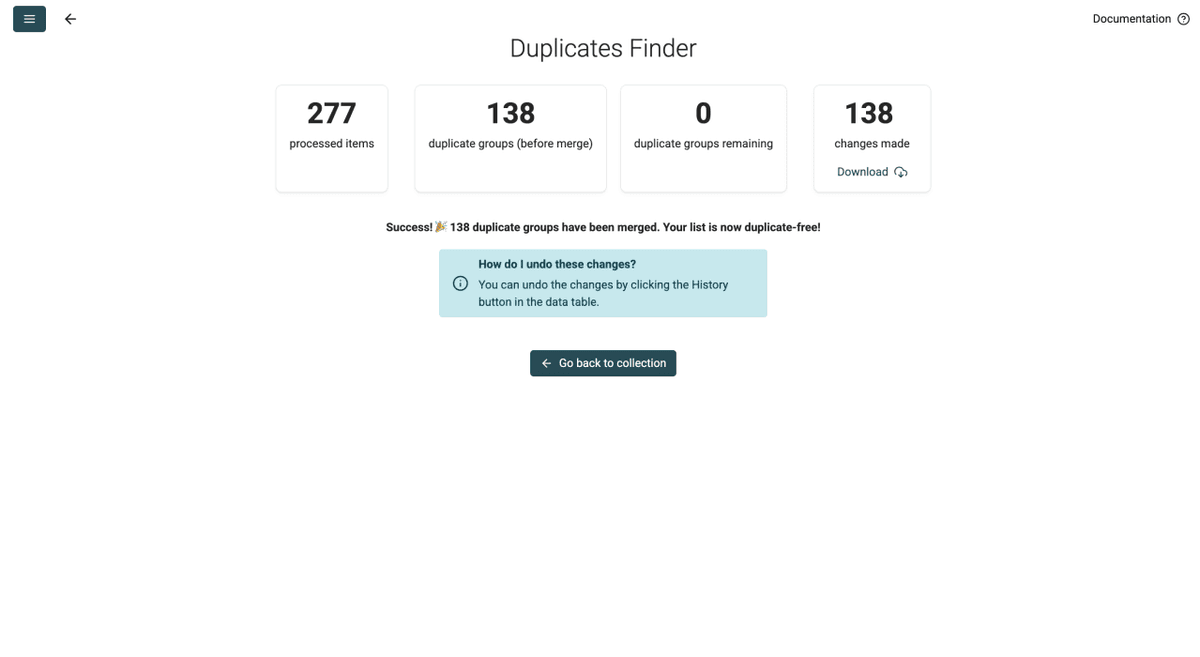
💡 Made a Mistake?
You can revert any changes by clicking the history button and undoing actions from your spreadsheet view. Nothing is permanent until you decide it is.
What About Spreadsheets With Different Columns?
If your two files have different column structures, that's not a problem. When you merge two spreadsheets into the same collection, Datablist merges the column layouts automatically. Records from File A will have empty cells for columns that only existed in File B, and the other way around. No data gets lost.
When To Use This Method
- Consolidating multiple lead lists into one clean database
- Combining event attendee spreadsheets from different registration platforms
- Merging supplier or vendor lists from different departments
For exact, Smart, fuzzy, and AI-assisted duplicate processing, follow the guide to dedupe a list without losing data.
How To Deduplicate Across Two Spreadsheets Without Merging (Method 2)
What This Method Does
This method keeps both spreadsheets separate but identifies and removes records that appear in both. It's the right pick when you want to clean overlaps across CSV or Excel files without combining them. Unlike Method 1, this method requires a paid plan on Datablist.com.
Step 1: Sign Up & Upload Your Files
Go to Datablist.com and sign up if you haven't already.
Import your first CSV or Excel file (this creates Collection A).
Then import your second file into a separate collection (this creates Collection B).
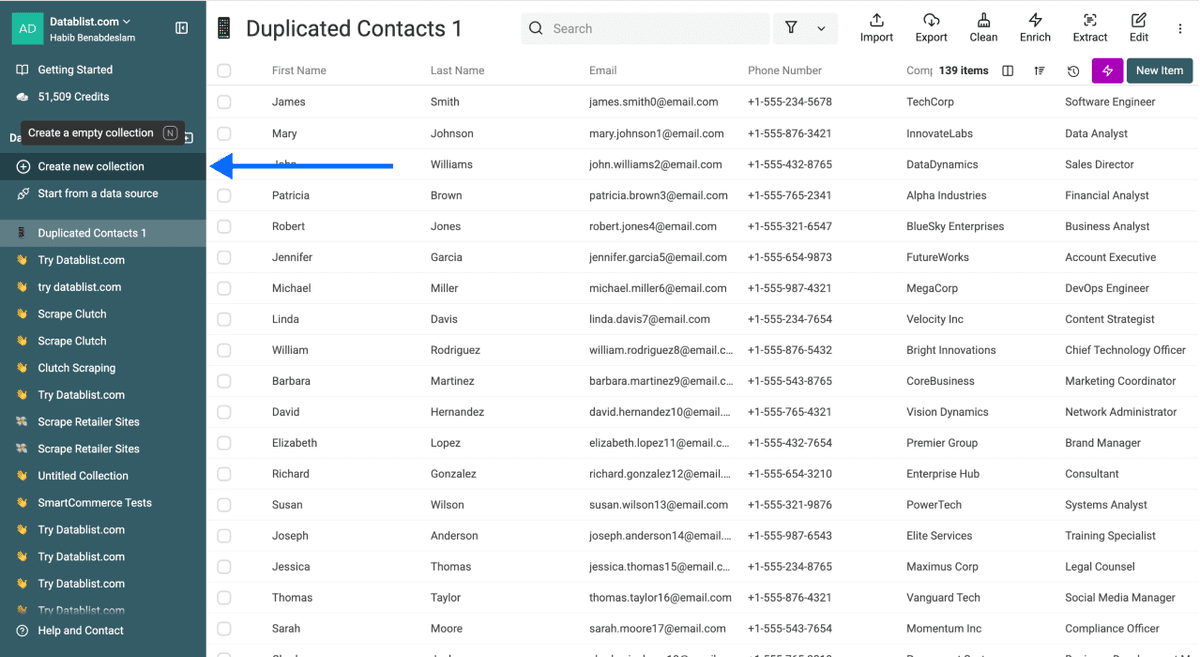
The key difference from Method 1: separate collections means the files stay separate. Your spreadsheets won't be combined.
💡 Important To Know
Make sure both files share at least one common column (email, LinkedIn URL, company domain, etc.) to serve as a unique identifier.
Step 2: Navigate to the Duplicates Finder
Click Clean in the top menu, then select Duplicates Finder. You can start from either collection. The process and results are the same regardless of which one you begin with.
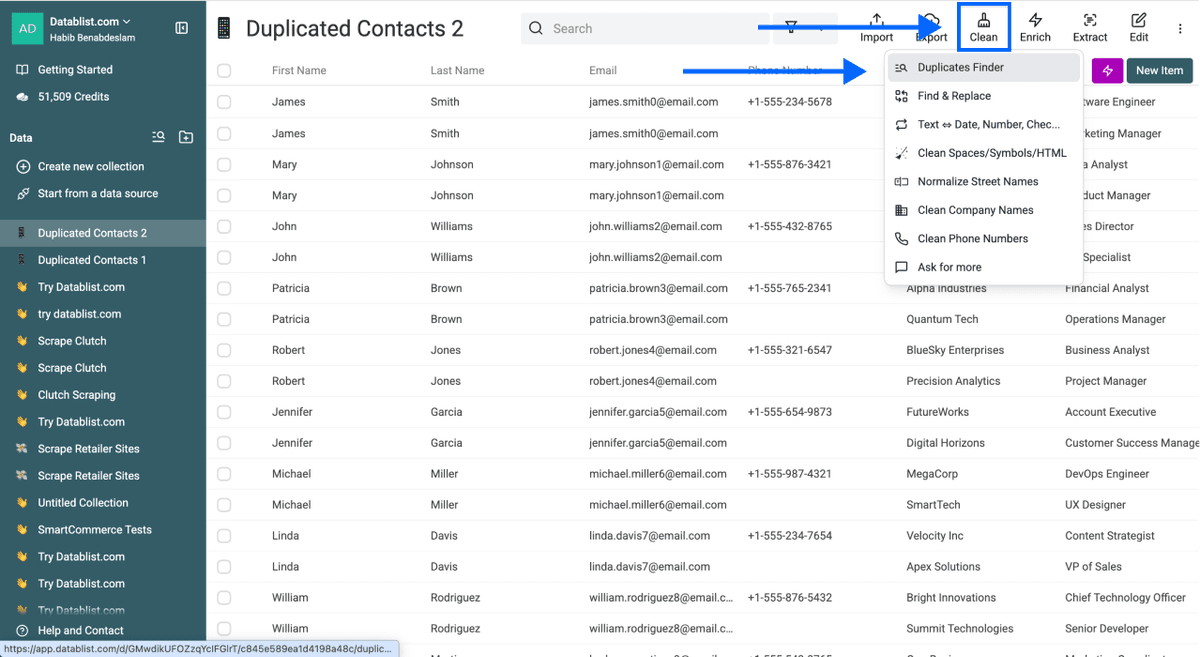
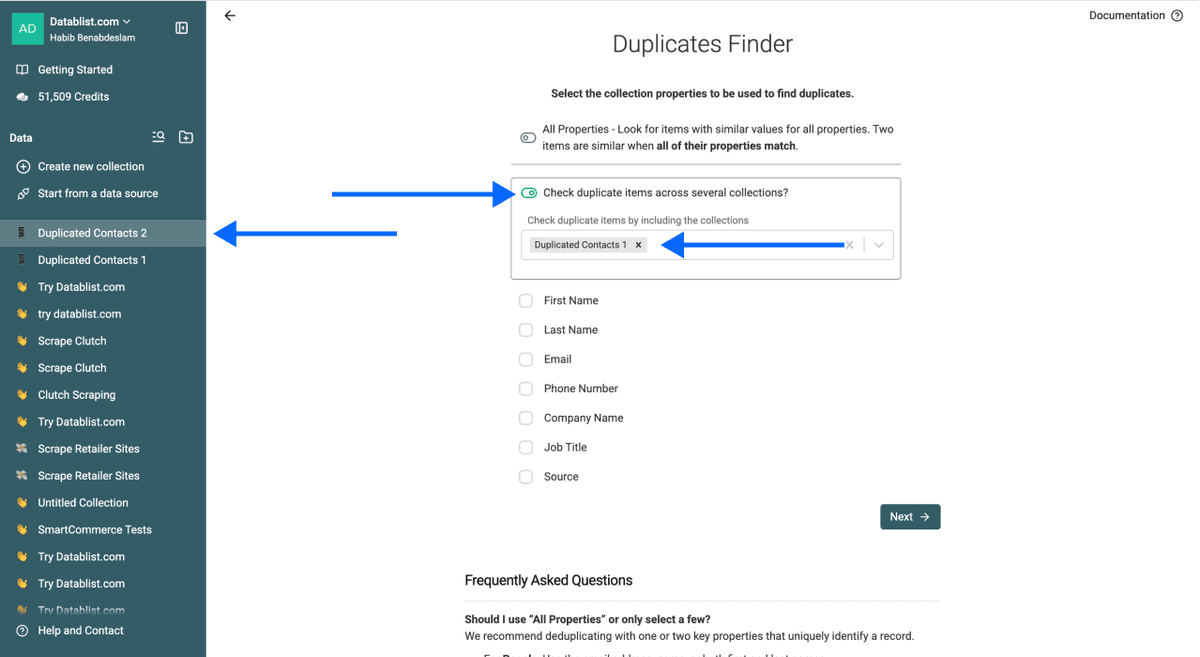
Step 3: Enable Multi-Collection Deduplication
- Click Selected Properties and Multi Collections
- Check Check Duplicate Items Across Several Collections
- Select the other collection(s) you want to deduplicate against (no limit on the number of files)
Step 4: Choose Your Unique Identifier & Comparison Algorithm
- Select the property you want to match duplicates on across both files. You can pick multiple properties, but make sure all files contain them. Datablist will auto-match columns with identical names.
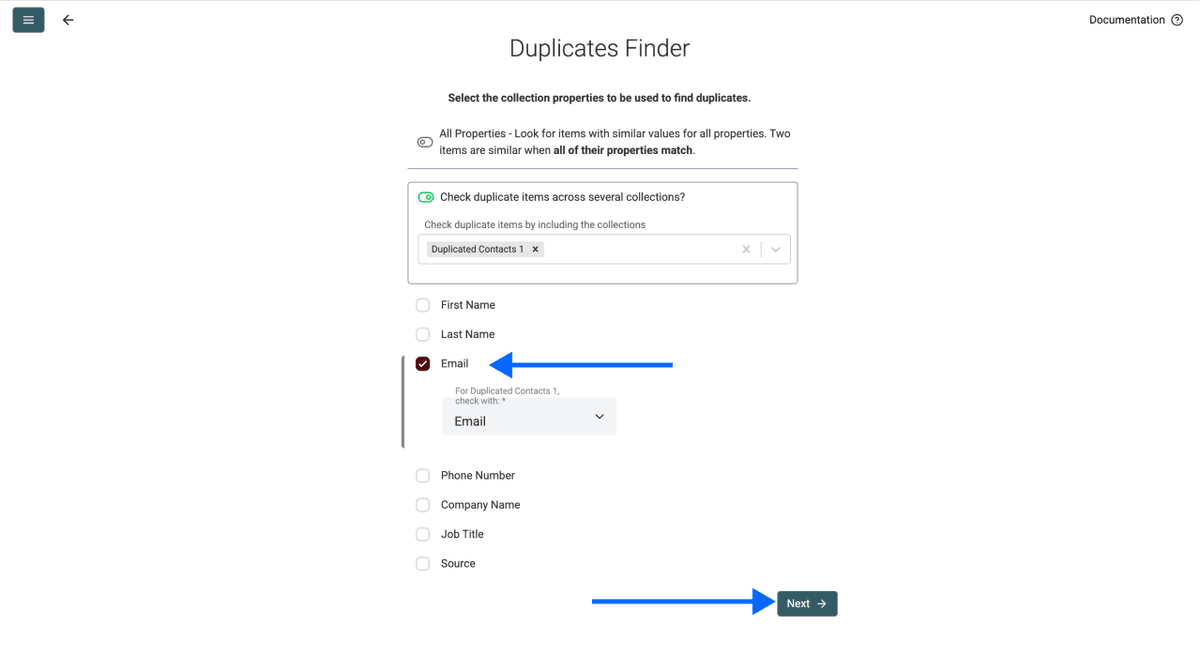
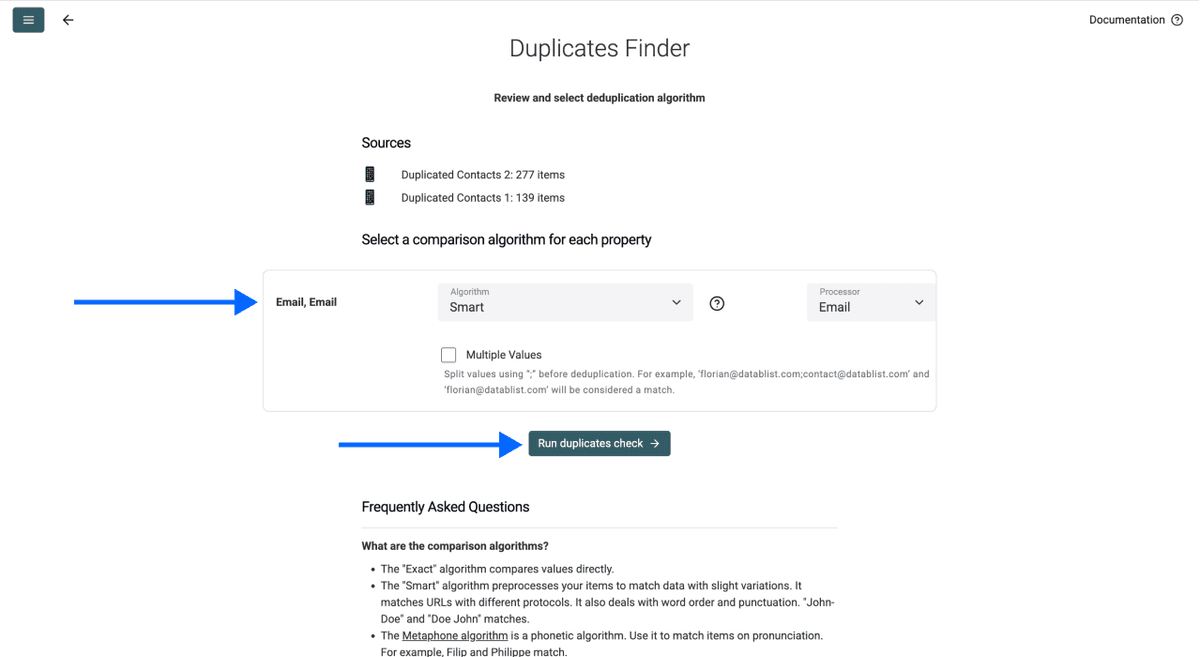
- Then choose your comparison method: Exact for URLs and IDs, Smart for text-based fields.
- Click Run duplicates check once everything is configured.
Step 5: Set Up Cleaning Rules
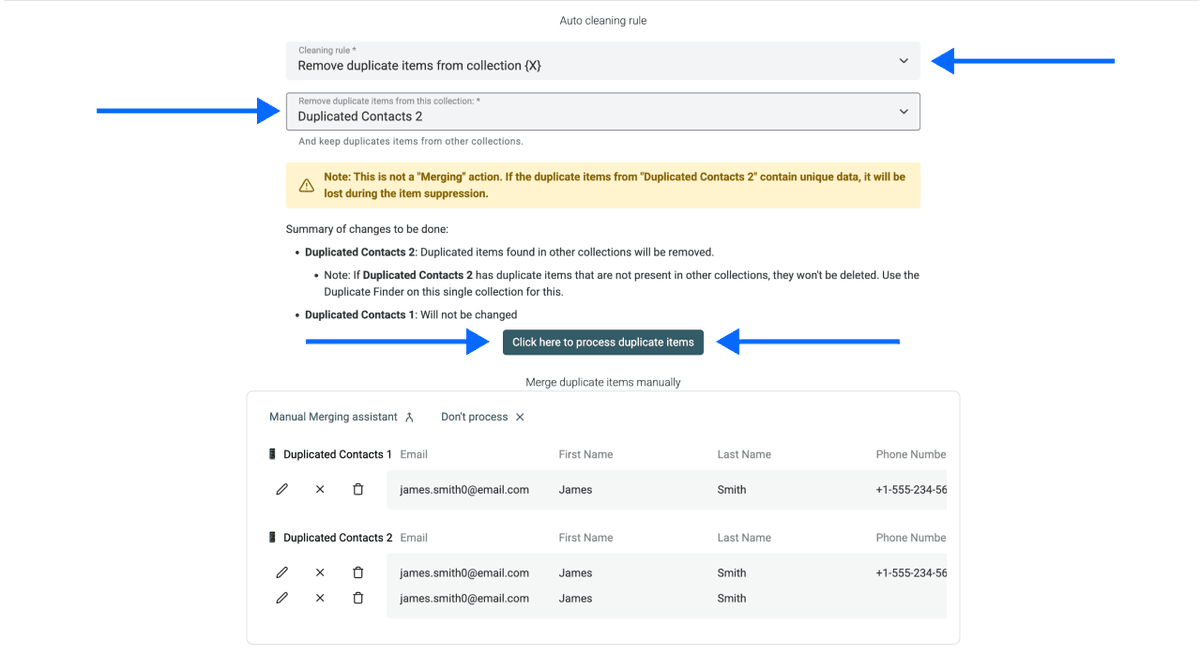
Choose what should happen with the duplicates:
- Remove duplicate items from collection X: Removes duplicates from whichever file you select
- Keep duplicate items only in collection X: Only available when deduplicating across 3 or more collections
You pick which file "wins." Full control over what stays and what gets removed.
Click Process duplicate items to continue.
Step 6: Run & Export
Your cleaned file now contains only unique records with no cross-file duplicates. Export the result.
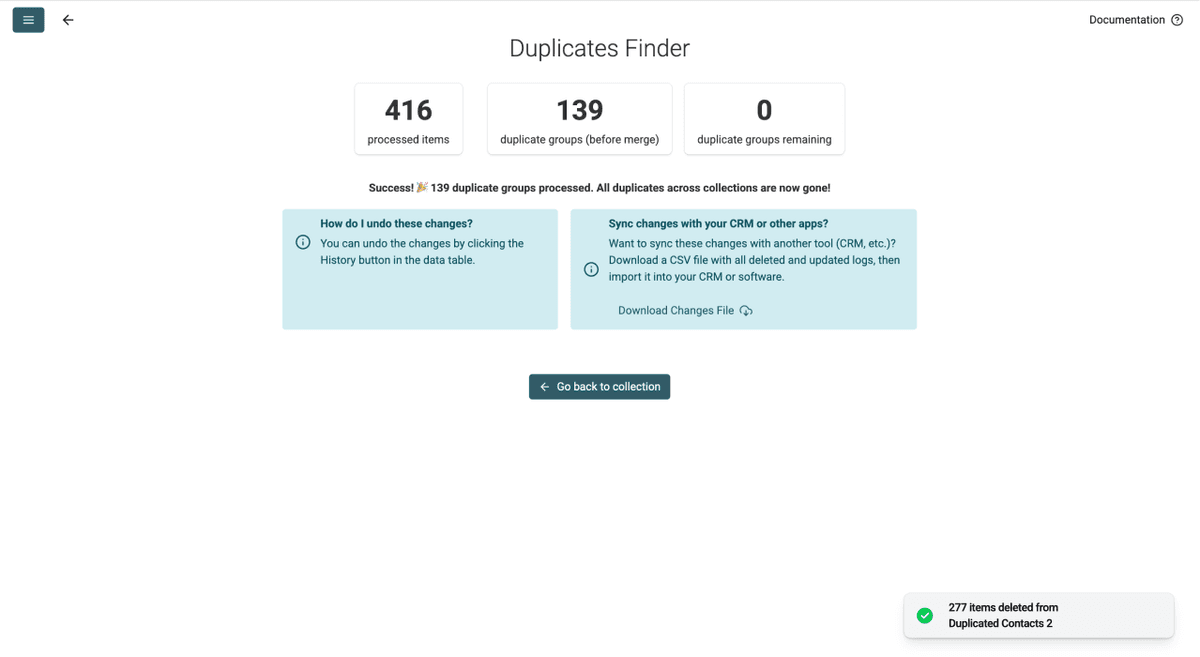
For a more detailed walkthrough of cross-file deduplication with advanced scenarios, take a look at How to Deduplicate Across Several Excel Files 👈🏽
When To Use This Method
- Removing existing customers from a new prospect list before outreach
- Cleaning overlap between event registrations from different sources
- Comparing supplier lists submitted by two different teams
- Preventing double outreach by cross-referencing your CRM export against a new lead list
Datablist vs. Excel for Merging Spreadsheets
Where Datablist Wins
If you're looking to merge spreadsheets, the differences between the two come down to speed, accuracy, and simplicity.
| Factor | Excel | Datablist |
|---|---|---|
| Setup time | 15-60 min (formula complexity) | Under 3 minutes |
| Formula knowledge | VLOOKUP, XLOOKUP, Power Query | None needed |
| Duplicate detection | Exact matches only | AI-powered (near-duplicates) |
| Cost | Requires Excel license | Free for deduplication |
| File formats | XLSX primarily | CSV and XLSX |
| Review before deleting | No (destructive removal) | Yes (full preview + undo) |
When Excel Still Makes Sense
Excel is still the better choice if you need advanced conditional logic after the merge, pivot table analysis on the combined dataset, or deep macro-based automation workflows. For merging and deduplication specifically, Datablist is faster and more accurate. But if your work requires heavy post-merge data manipulation, Excel's formula engine offers more flexibility there.
Conclusion: Merging Spreadsheets Without Losing Data Takes 3 Minutes
If you made it this far, you already know which method works for your case. One to merge spreadsheets and clean, another to clean without merging. Either way, your spreadsheet is duplicate-free in under 3 minutes, without any Excel formulas needed.
What to do next:
- Clean up company names in your merged list before outreach
- Enrich your merged list with company data from just company names
And if those don't match your use case, check the recommendations below.
Frequently Asked Questions
How Much Does It Cost To Merge Spreadsheets With Datablist?
Method 1 (merge + single-file dedup) is completely free on Datablist.com, costs 0 credits, and you can sign up without a credit card. Method 2 (cross-file deduplication) requires a paid plan.
How Long Does It Take To Merge Two Spreadsheets and Remove Duplicates?
Under 3 minutes from upload to export. The longest part is reviewing the duplicate matches, which Datablist.com previews for you before applying any changes. The actual processing runs in seconds.
Is There a Row Limit When Merging Spreadsheets on Datablist?
Datablist.com supports files up to 1 million rows on the free tier and 2 million rows on paid plans. Most users merging two standard spreadsheets won't hit any limits on the free tier. For files larger than 2 million, we have enterprise plans that scale with your data volume.
What File Formats Does Datablist Support for Merging Spreadsheets?
Both CSV and XLSX. You can even mix formats by uploading one file as CSV and the other as XLSX into the same collection or across separate collections.
Do I Need Technical Skills To Merge Spreadsheets With Datablist?
No. The entire process is point-and-click. No formulas, no code, no configuration files. If you can upload a file and click a button, you can merge and deduplicate your spreadsheets.
Can I Also Enrich My Data After Merging Spreadsheets?
Yes. Datablist.com offers over 60 enrichment tools, from email finders to company data enrichment. Once you merge CSV files or Excel sheets into a clean list, you can run enrichments directly on the same collection without re-uploading.
Can I Merge Two Spreadsheets Without Using Excel?
Yes, Datablist.com handles the merging and deduplication without formulas. Upload your files, run the AI-powered dedup workflow, and export the clean result. No Excel needed.
What's the Difference Between Merging and Deduplicating Spreadsheets?
Merging combines two files into one dataset. Deduplicating identifies and removes records that appear more than once. In most cases, you need both: merge spreadsheets first, remove duplicates second.
What Happens if I Merge Two Spreadsheets With Different Columns?
It depends on the tool you use. Datablist.com, for example, handles mismatched columns automatically. Columns from both files get combined into one structure. Records from File A will have empty cells for columns that only existed in File B, and the other way around. No data gets lost.
How Do I Know if My Spreadsheets Have Duplicates Before Merging?
Run Datablist's Duplicates Finder on each file individually before merging. This gives you a count of existing duplicates and lets you clean each file first. Most users merge first and deduplicate after, since the process catches everything in one pass.
Is There a Free Way To Merge Excel Files Online?
Yes. Datablist.com offers a free tier that covers merging spreadsheets into one collection and running the Duplicates Finder on the merged file. No trial period, no credit card, no hidden limits for standard use. That's Method 1 in this article.
What's the Best Tool To Merge Spreadsheets for Lead Lists?
For lead lists, Datablist.com is purpose-built for this. It supports AI-powered matching (catching "John Smith" vs "john smith"), handles CSV and XLSX, and offers enrichment tools to clean and expand your data after merging. The deduplication suite is free, and the platform is designed for lead generation workflows.