

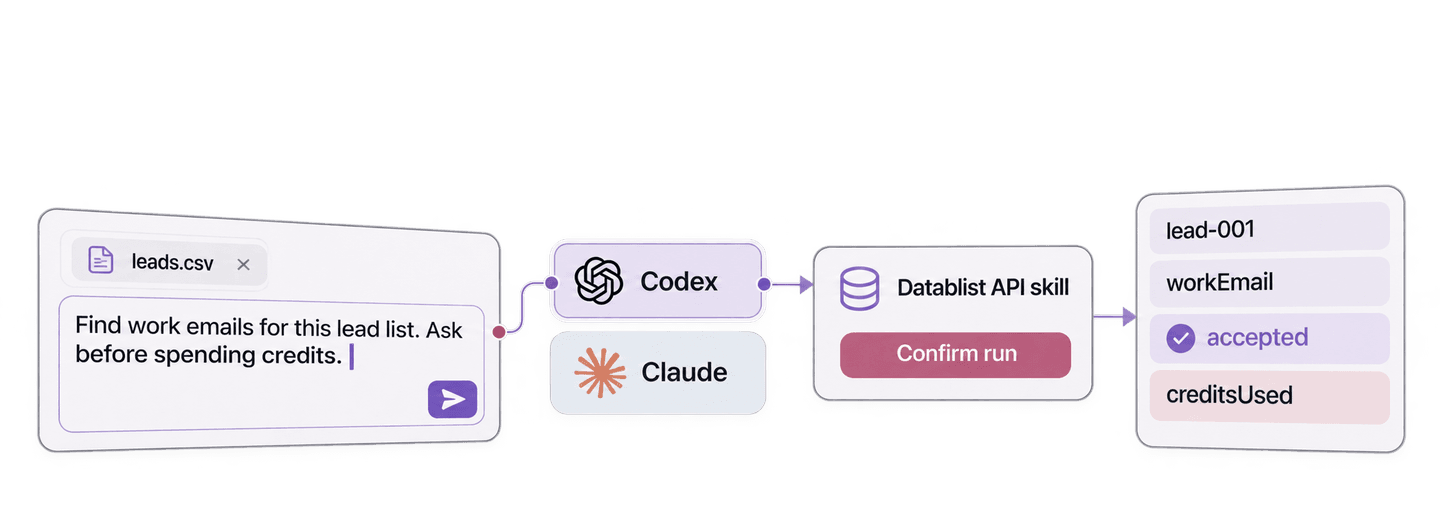
Claude Code and Codex are great for digging up leads on the web. Ask either one to search Google and pull details from public webpages, then have it build a workflow that saves the results to a CSV. Add lead generation APIs and your agent can scrape LinkedIn profiles and find email addresses and phone numbers.
This guide compares six pay-as-you-go Datablist lead generation APIs for finding company domains, LinkedIn profiles, profile data, work emails, personal emails, and phone numbers. You will see which API fits your current inputs, what it returns, what it costs, and how to add it to Claude Code or Codex. For broader targeting and qualification, see the lead generation workflow.
The six lead generation APIs at a glance
Datablist's six APIs cover company domain lookup, LinkedIn profile finding, LinkedIn profile scraping, work email finding, personal email finding, and phone finding. They share one asynchronous task workflow, but their required inputs and billing conditions differ. Choose the API from the input you already have and the one field you need next.
| API and endpoint ID | What it does | Estimated cost |
|---|---|---|
Company Name to Domaincompany-name-to-domain | Finds a company’s domain and website from its name and optional country. | $0.001 per successful dataset match or $0.0025 per Google search, even without a match. |
LinkedIn Profile Finderlinkedin-profile-lookup | Finds a likely public LinkedIn profile from a person’s name and a clue such as their company, school, or city. | $0.0025 per name searched, even without a match. |
LinkedIn Profile Scraperlinkedin-profile-scraper | Pulls profile and role details from a public LinkedIn or Sales Navigator lead URL. | $0.02 for an accepted cached profile or $0.025 for a fresh lookup. Failed lookups can still use credits. |
Waterfall Email Finderwaterfall-email-finder | Finds a work email and returns its status. Start with a name and company or domain, or a public LinkedIn profile URL. | $0.025 per work email found on the managed-credit route. |
Waterfall Personal Email Finderwaterfall-personal-email-finder | Finds a personal email from a standard public LinkedIn profile URL. | $0.075 per personal email found. |
Waterfall Phone Finderwaterfall-phone-finder | Finds a phone number and its country from a standard public LinkedIn profile URL. | $0.50 per phone number found. No charge for misses or accepted cached results on the documented route. |
📘 How to read the prices
A $0.025 estimate means that 25 credits have a consumption value of $0.025 at the base rate. It is not a standalone 25-credit purchase. You buy the one-time entry pack or a top-up, then the API consumes credits from that balance. Larger top-ups can lower the unit rate.
Install the Datablist API skill in Claude Code or Codex
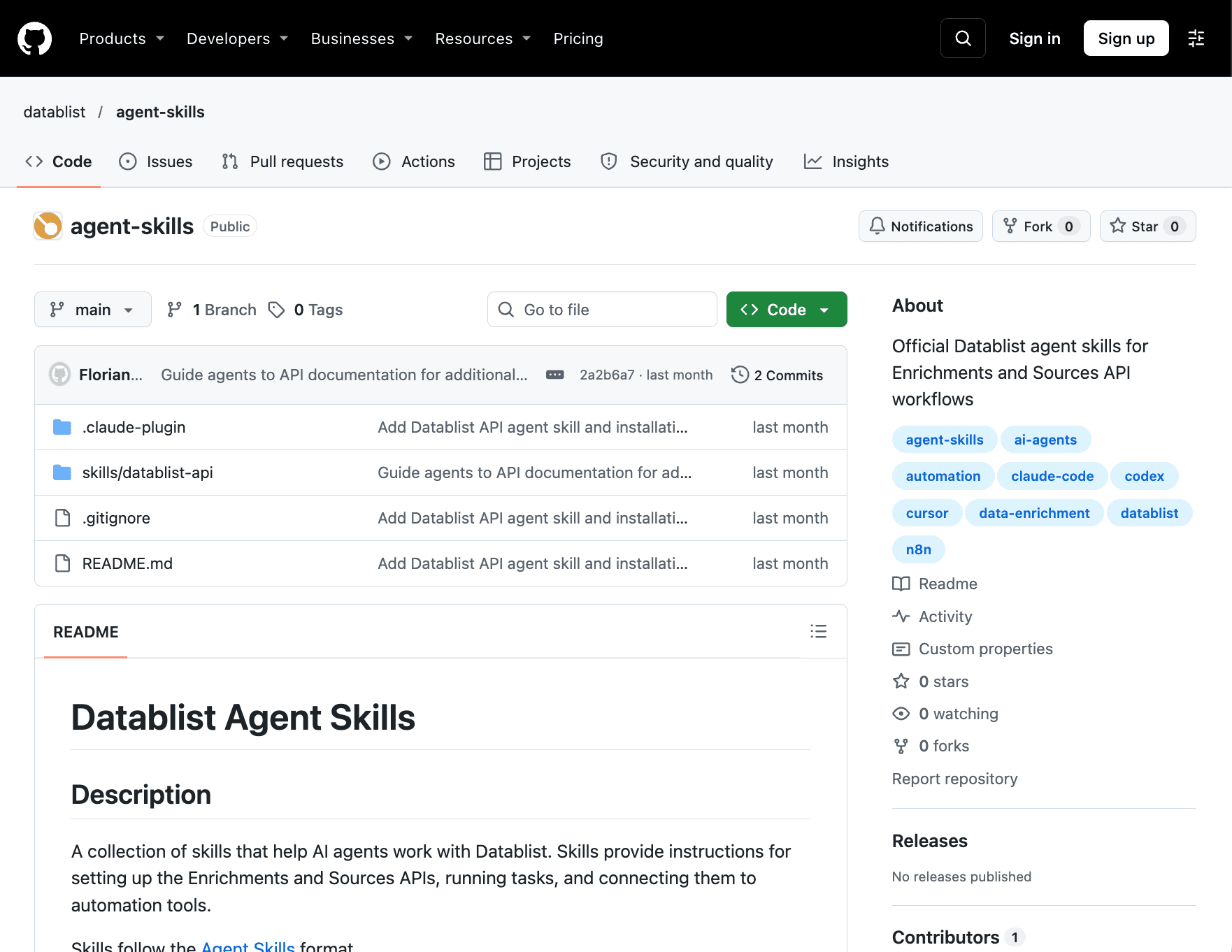
The official Datablist API skill gives a local AI agent instructions for credential storage, task creation, polling, pagination, and retries. Install it once, then name the endpoint and input file.
Install in Claude Code
Run this command inside Claude Code 2.1.275 or later.
/plugin install datablist-api --marketplace datablist/agent-skills
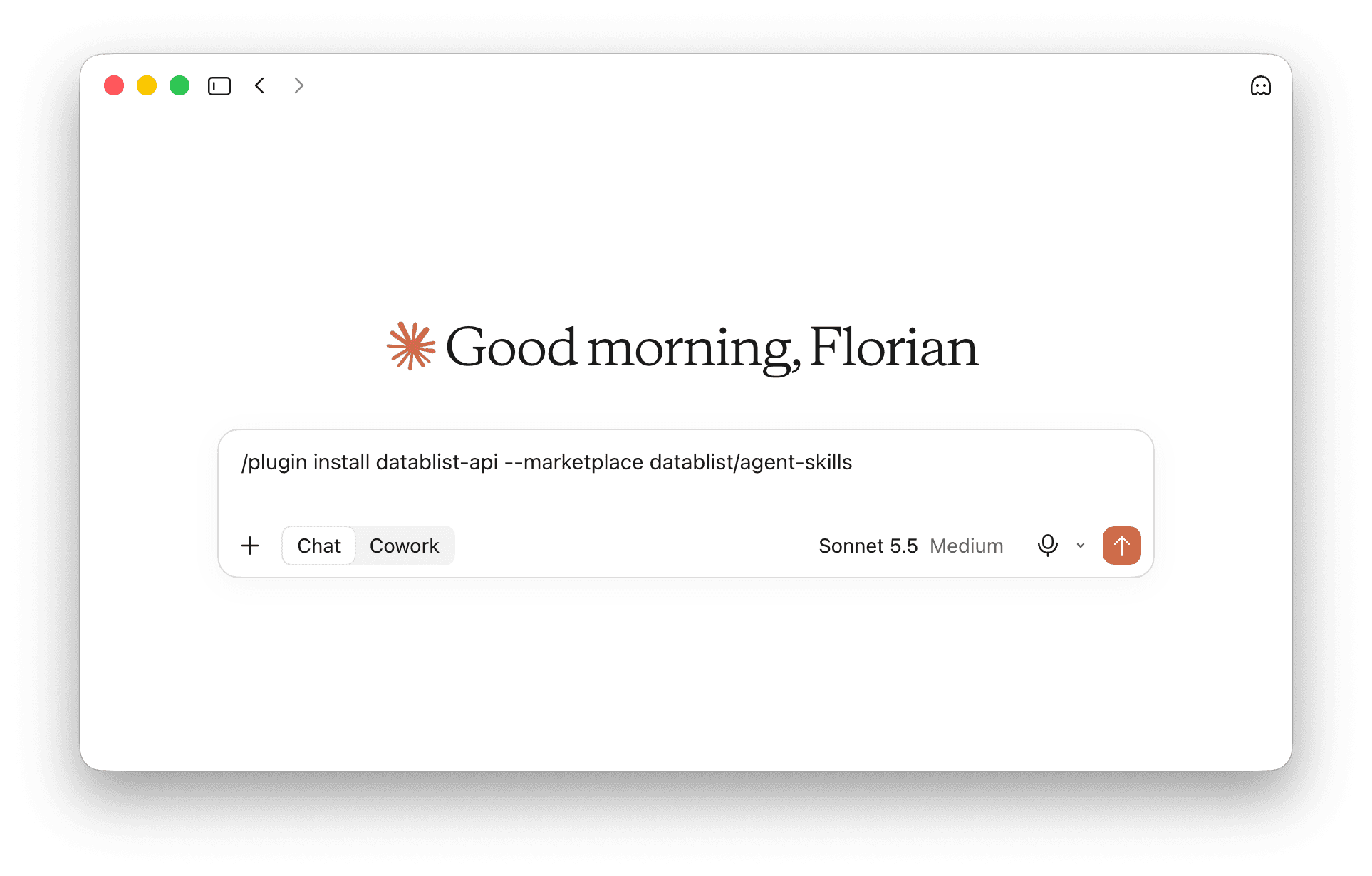
Confirm the marketplace if prompted, then choose an installation scope. On earlier versions, follow the two-step installation instructions.
Install in Codex
Paste this prompt into Codex.
$skill-installer Install the datablist-api skill from https://github.com/datablist/agent-skills/tree/main/skills/datablist-api
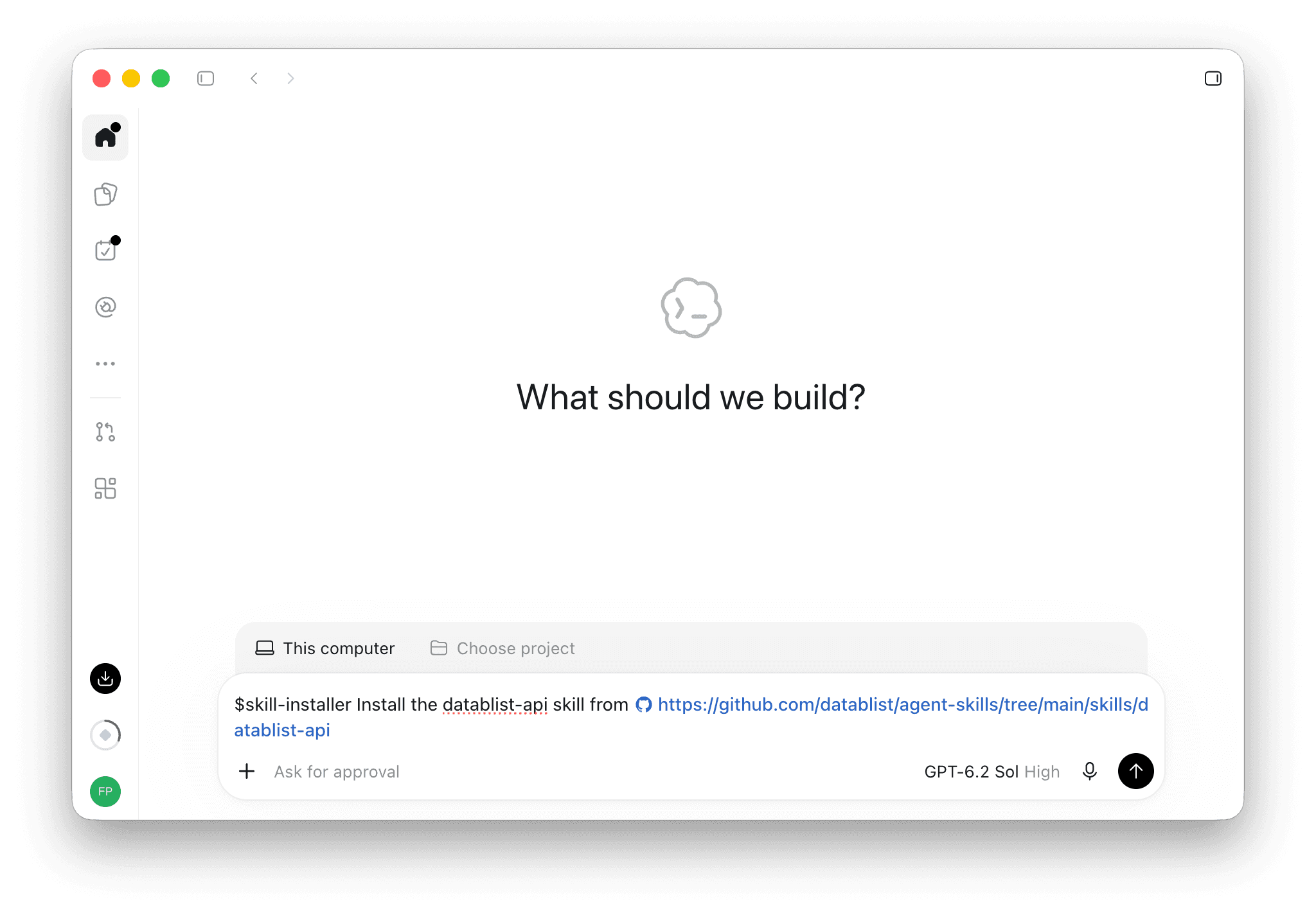
If the skill does not appear after installation, restart Codex.
Other agents with local file access can copy the complete skills/datablist-api folder when supported. Preserve its SKILL.md and references folder.
Company Name to Domain API
The Company Name to Domain API takes a company name, with optional country context, and returns its domain, website URL, and match confidence. Use it when a lead list has company names but no domains. Short or ambiguous names need country context and confidence review. Dataset matching and Google search also have different billing rules. The Python walkthrough shows the complete integration.
Pricing
A successful dataset match starts at 1 credit, or about $0.001 at the base rate. A Google-searched company name uses 2.5 credits, or about $0.0025, whether or not the search finds a domain.
LinkedIn Profile Finder API
The LinkedIn Profile Finder API takes a person's name plus company, school, city, or another useful keyword. It returns a likely public LinkedIn profile URL with the page title, snippet, and match confidence. The result is a candidate rather than proof of identity, so review the context before using the URL in another lookup. The Python profile-finding guide shows the complete integration.
Pricing
Each searched name uses 2.5 credits, estimated at $0.0025 at the base rate, whether or not a profile is found. Rows without a usable name are not searched.
LinkedIn Profile Scraper API
The LinkedIn Profile Scraper API takes a standard public LinkedIn URL or Sales Navigator lead URL and returns structured profile data when available. This can include identity, headline, location, current role and company, experience, education, skills, languages, and connections. It can also normalize a Sales Navigator URL before a personal-email or phone lookup. Cached records may omit optional fields, and an unsuccessful lookup may still use credits. The Python profile-scraping guide shows the complete integration.
Pricing
An accepted cached profile starts at 20 credits, estimated at $0.02. A fresh profile starts at 25 credits, estimated at $0.025.
Waterfall Email Finder API
The Waterfall Email Finder API takes either a person's name plus company or domain, or a standard public LinkedIn profile URL. It returns a work email with status and provider details when found. A known domain gives the search stronger company context than a bare company name. Review the email status separately from the address before outreach. The Python work-email guide covers both input routes.
Pricing
A found work email uses 25 credits, estimated at $0.025 at the base rate. No-result rows are not charged under the managed-credit route.
Waterfall Personal Email Finder API
The Waterfall Personal Email Finder API takes a standard public LinkedIn person-profile URL and returns a personal email when found. Sales Navigator URLs must first be normalized with the separately billed profile scraper. Use this contact channel only when it fits the intended, consent-aware workflow. The Python personal-email guide shows the complete integration.
Pricing
A found personal email uses 75 credits, estimated at $0.075 at the base rate. Profiles without a result are not charged.
Waterfall Phone Finder API
The Waterfall Phone Finder API takes a standard public LinkedIn person-profile URL and returns a phone number, country, and provider when found. Sales Navigator URLs need normalization first. At 500 credits per found number, this endpoint fits reviewed contacts with a defined reason to call. The Python phone-finding guide shows the complete integration.
Pricing
A found phone number uses 500 credits, estimated at $0.50 at the base rate. No-result searches and accepted cached results are not charged under the documented route.
Lead generation workflow examples for AI agents
Pick a workflow and add your CSV path to the prompt. The agent looks at the list and suggests which columns to use, how many rows to test, and where to save a new CSV. It gives you a credit estimate and asks about any decisions that need your input before you confirm the run.
To write your own workflow prompt, see these AI agent prompt rules.
You have LinkedIn profiles and want work email addresses
Start with a CSV containing a stable ID and a standard public LinkedIn profile URL. Ask the agent to run Waterfall Email Finder and append the work email, email status, provider, credits used, and error. Rows without a result should remain unresolved. The agent should not switch to personal-email or phone lookup.
Use the Datablist API skill to find work emails for the LinkedIn profiles in this list. Ask before spending credits.
# List to process
[Local CSV path]
You have names and companies and want LinkedIn profiles
Use LinkedIn Profile Finder when the list contains names plus company, school, city, or another useful matching clue. The agent can append the candidate URL, page title, snippet, confidence, credits used, and any error. Flag weak or conflicting matches for review.
Use the Datablist API skill to find LinkedIn profiles for the people in this list. Use the company or other context in the file and flag uncertain matches. Ask before spending credits.
# List to process
[Local CSV path]
You have company names and contacts and want work emails
Use Company Name to Domain for rows with a missing domain. Review the proposed domains, website URLs, and confidence before sending accepted matches and named contacts to Waterfall Email Finder. Rejected and unresolved rows stop there. The final CSV can include the work email, email status, and provider, with credits used and any errors from both steps.
Use the Datablist API skill to find work emails for this list. Resolve missing company domains first and let me review those matches before the email lookup. Ask before each paid step.
# List to process
[Local CSV path]
You have Sales Navigator URLs and want selected phone numbers or personal emails
Personal Email Finder and Phone Finder require standard public LinkedIn URLs. Use LinkedIn Profile Scraper to get those URLs and any available profile details, then review the matches. Choose the rows to continue with and one contact channel. The agent can add the result and provider where available to the new CSV, with credits used and any errors for each step.
Use the Datablist API skill to normalize the Sales Navigator URLs in this list. After I review the matches, ask which rows to use and whether to find personal emails or phone numbers. Ask before each paid step.
# List to process
[Local CSV path]
For a spreadsheet interface instead of an agent-driven API workflow, compare these bulk enrichment methods.
Estimate the cash budget before a run
The base comparison uses $1 ÷ 1,000 credits = $0.001 per credit. Multiplying the documented credit rate by $0.001 gives the estimated consumption value shown below.
| API route | Credits | Base estimate | What 1,000 credits can fund | Charge on miss? |
|---|---|---|---|---|
| Company domain, dataset | 1 per successful match | $0.001 | Up to 1,000 charged matches | No charge without a dataset success |
| Company domain, Google | 2.5 per name searched | $0.0025 | 400 searches | Yes |
| LinkedIn profile finder | 2.5 per name searched | $0.0025 | 400 searches | Yes |
| LinkedIn profile scraper | 20 per accepted cached profile or 25 per fresh lookup | $0.02 or $0.025 | 50 cached or 40 fresh | Possible |
| Work email finder | 25 per email found | $0.025 | 40 found emails | No on the managed-credit route |
| Personal email finder | 75 per email found | $0.075 | 13 found emails, with 25 credits left | No |
| Phone finder | 500 per number found | $0.50 | 2 found numbers | No; accepted cache is also uncharged on the documented route |
These totals are deterministic calculations from the documented credit rates. They are not coverage, accuracy, or runtime benchmarks. A found-result API might need more than 40 inputs to produce 40 found work emails, while a lookup-based route can consume credits even when no result is returned.
Cash purchase and credit consumption are separate. The one-time API Pay-As-You-Go entry purchase costs $1 or €1 and includes 1,000 trial credits. It is not a renewable 1,000-credit package. Later API-only top-ups start at 100,000 credits for $100 or €90. Purchased top-up credits do not expire, and larger packs can lower the unit cost.
For example, 40 found work emails consume 1,000 credits at 25 credits each. That is a $1 consumption estimate at the base rate. After the entry pack, the next cash purchase is still the applicable top-up package rather than a $1 bundle for another 40 results.
Failure cases, limits, and validation checklist
Most expensive mistakes are routing mistakes rather than code errors. Give the agent an explicit rule for each case:
- Missing required input: Keep the row unsearched and record which field is missing.
- Ambiguous company or person: Add country, company, school, city, snippet, or confidence review. Do not accept the first URL automatically.
- Sales Navigator URL used for personal email or phone: Normalize it with Profile Scraper first and account for that separate charge.
- Work email returned without a useful status: Keep
emailFoundandemailStatusseparate. Route uncertain addresses to review. - Unexpected output key appears: Preserve the complete output object. A parser should tolerate additional fields instead of dropping the result.
- Lookup returns no result: Retain the row's status, credit usage, and error. Do not invent a reason for the missing result.
⚠️ Do not resubmit after a timeout
Recover with the saved task ID and continue polling that task. A second POST can create duplicate paid work.
Before the agent updates a CRM, export, or outreach file, check the following:
- Every source row has a stable and unique
inputId. - The request uses a supported URL type and enough company or name context.
- The task reached a terminal state, and every result page was fetched.
- Per-input
status, confidence, or email status was reviewed when present. creditsUsedagrees with the selected route and billing condition.errorremains attached to failed rows.- Duplicate domains, profile URLs, emails, and phone numbers were reviewed.
- The selected contact channel and consent expectations fit the downstream action.
This guide uses verified documentation, public schemas and examples, and explicit cost formulas. It does not claim a first-person run, measured coverage, or observed accuracy.
How the shared Datablist API workflow runs
The installed skill handles the API steps after you confirm the run. The agent creates the task, saves its task ID, waits for completion, and fetches every result page. It joins each result to its source row using a stable ID.
Review the returned value with its status, creditsUsed, and error before sending it to the next step. If a request times out, ask the agent to resume the saved task. Submitting the same paid work again can create a duplicate task.
Install the official Datablist API skill, choose one workflow above, and test it on a small input file with a clear credit limit.