
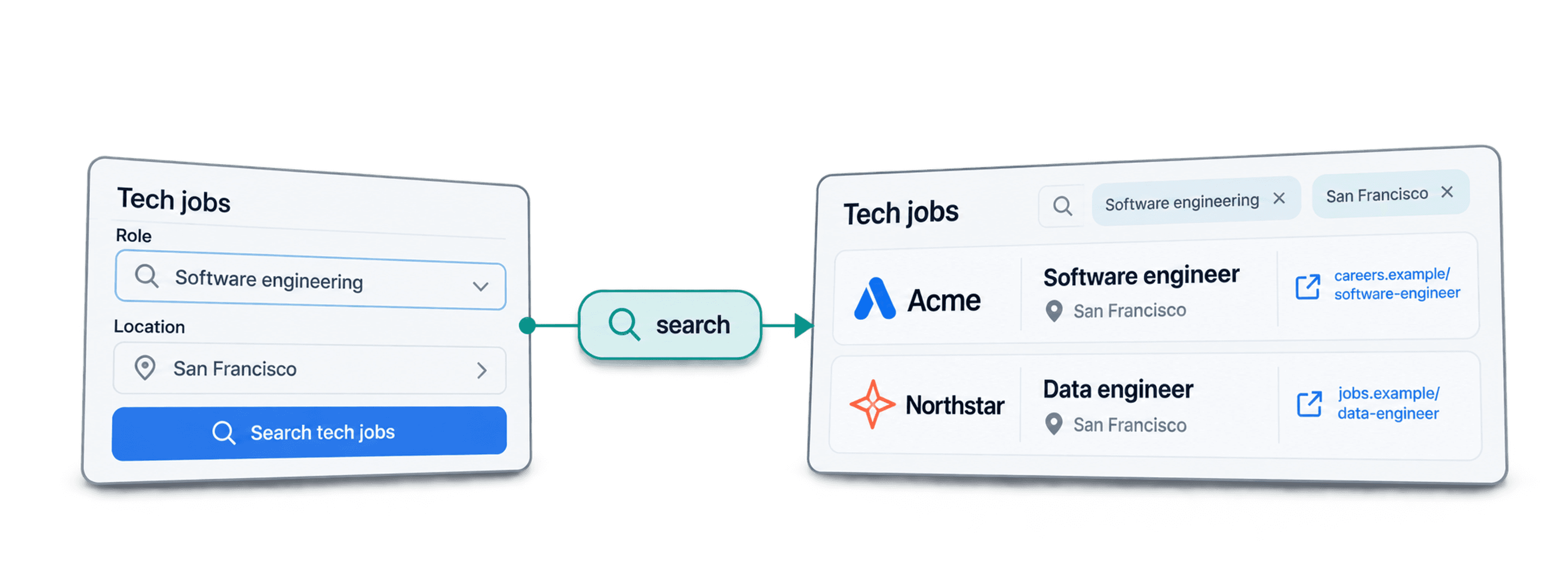
To scrape finance jobs in San Francisco, open Datablist's Job Postings Search, choose the roles and job location you need, and import a small sample. You get a structured list of vacancies to review, filter and export without collecting postings one by one.
I would start with the role and work location. Those choices determine whether the list answers your recruiting or prospecting brief. A matching employer name alone does not establish that a vacancy belongs in your list.
If you are comparing US finance markets, build a separate New York finance-job list and retain each posting’s location and source link before comparing employers.
📌 Summary For Those In a Rush
Build a San Francisco finance job list you can use for recruiting or company research. Datablist brings matching postings into one collection so you can review the roles and move on to the next step.
- Input: the job titles, location and posting period you want.
- Output: a reviewed vacancy list with employer details, posting IDs and source links.
What This Guide Covers
- Why source coverage needs a review
- Configure and run the search
- Budget for postings and follow-up research
- Export the reviewed list
Check What the Job Search Covers
Datablist searches an aggregated job dataset rather than promising a fresh scrape of every board for every request. Multiple sources broaden discovery, but the result is still limited by indexed postings, your filters and source availability.
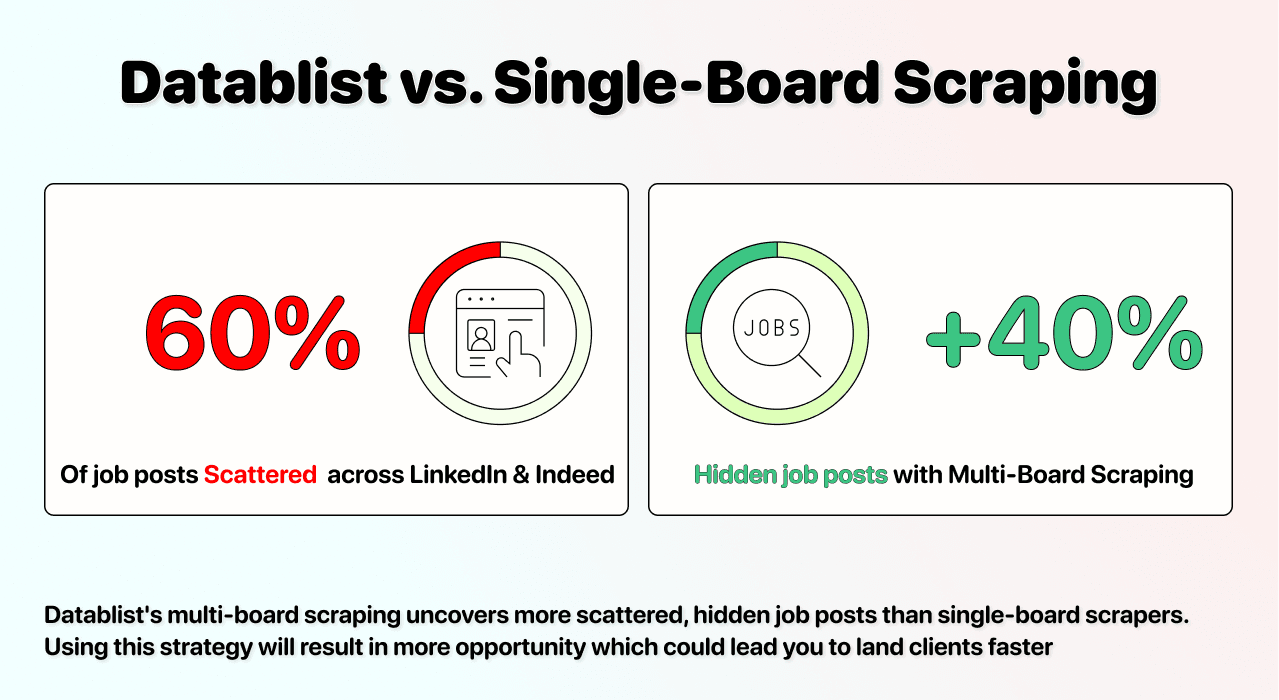
Companies Can Advertise in Several Places
An employer may publish a role on its own careers site and on one or more job boards. Preserve the posting identifier and source URL so you can check whether similar-looking records describe the same vacancy.
Coverage Extends Beyond a Single Board
The underlying provider describes its job sources and coverage limitations. Indexed public hiring is not a census of every open position. Do not use the returned row count as the total size of the local job market.
Search Multiple Job Sources with Datablist
The Job Postings Search source turns your filters into rows containing job and employer fields. Keep one vacancy per row during the first review; build an employer list separately if that is your final goal.
How to Scrape Finance Jobs in San Francisco: Step by Step
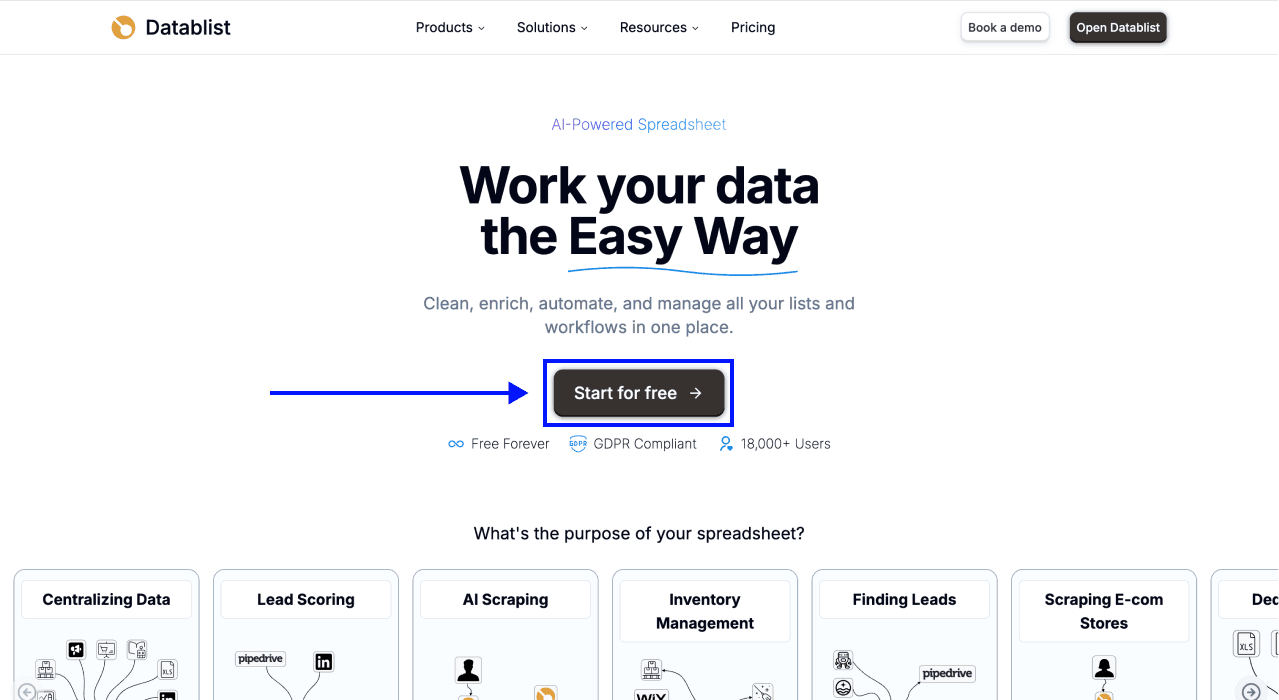
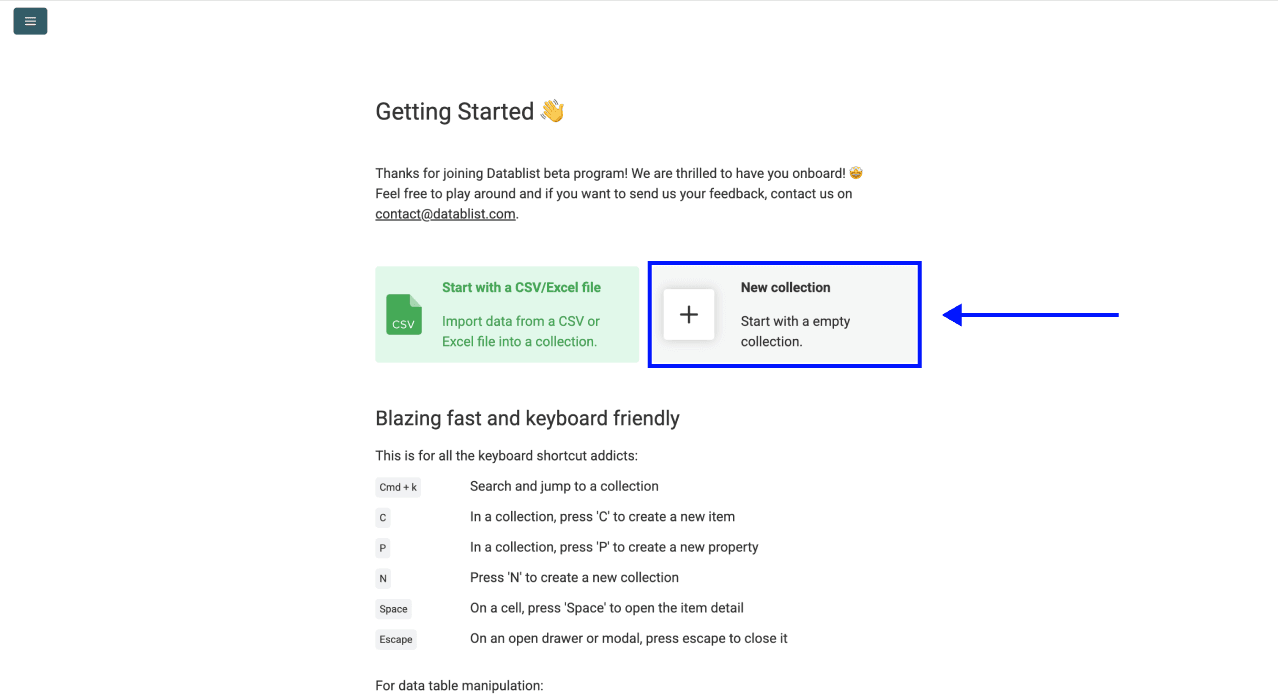
Step 1: Create a Collection
Open Datablist and create a New Collection for this search. Name it with the role family, location and search period so you can distinguish it from later imports.
Step 2: Open Job Postings Search
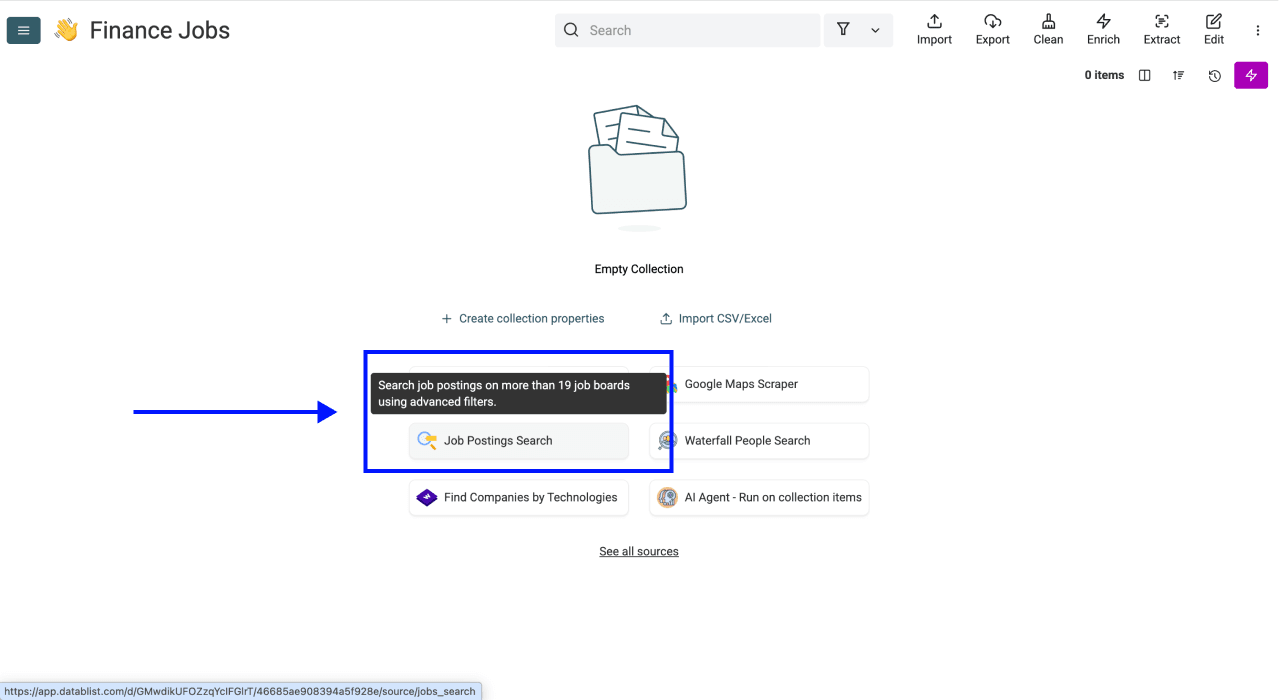
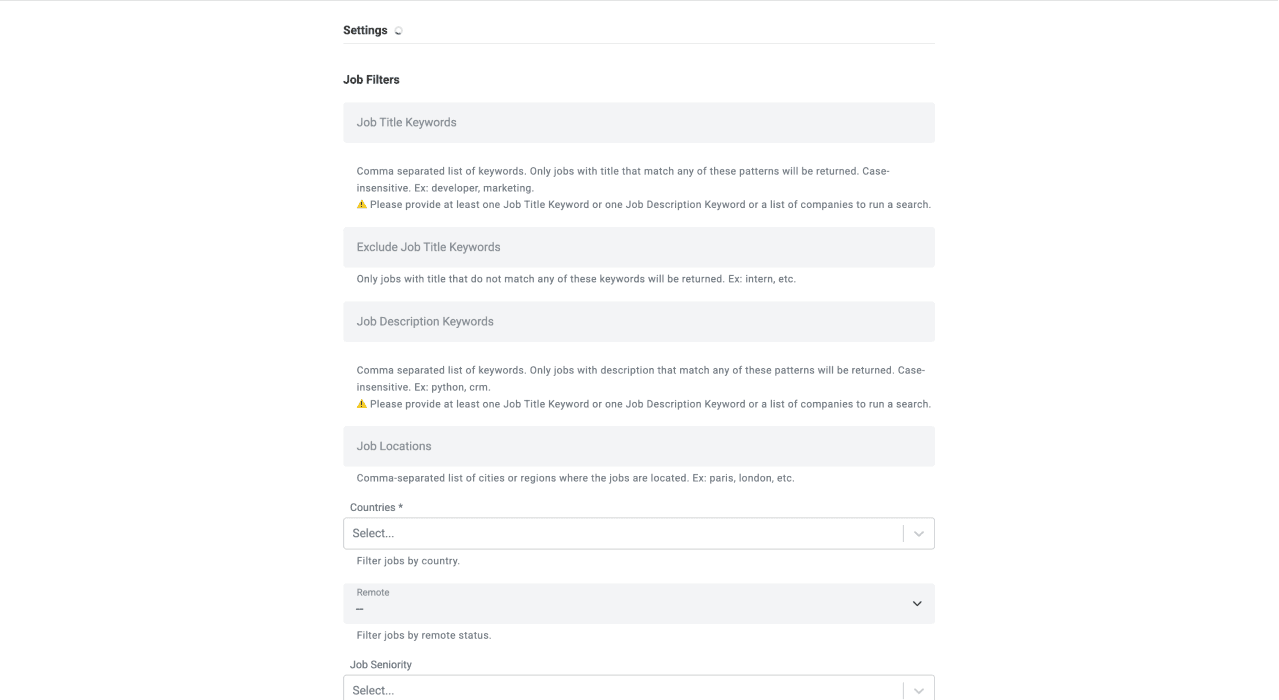
Choose Job Postings Search from the source selection. The screenshots below illustrate the interface with an earlier New York search. Enter the San Francisco settings described here; do not copy the city or titles from the screenshot.
Step 3: Configure Your Filters
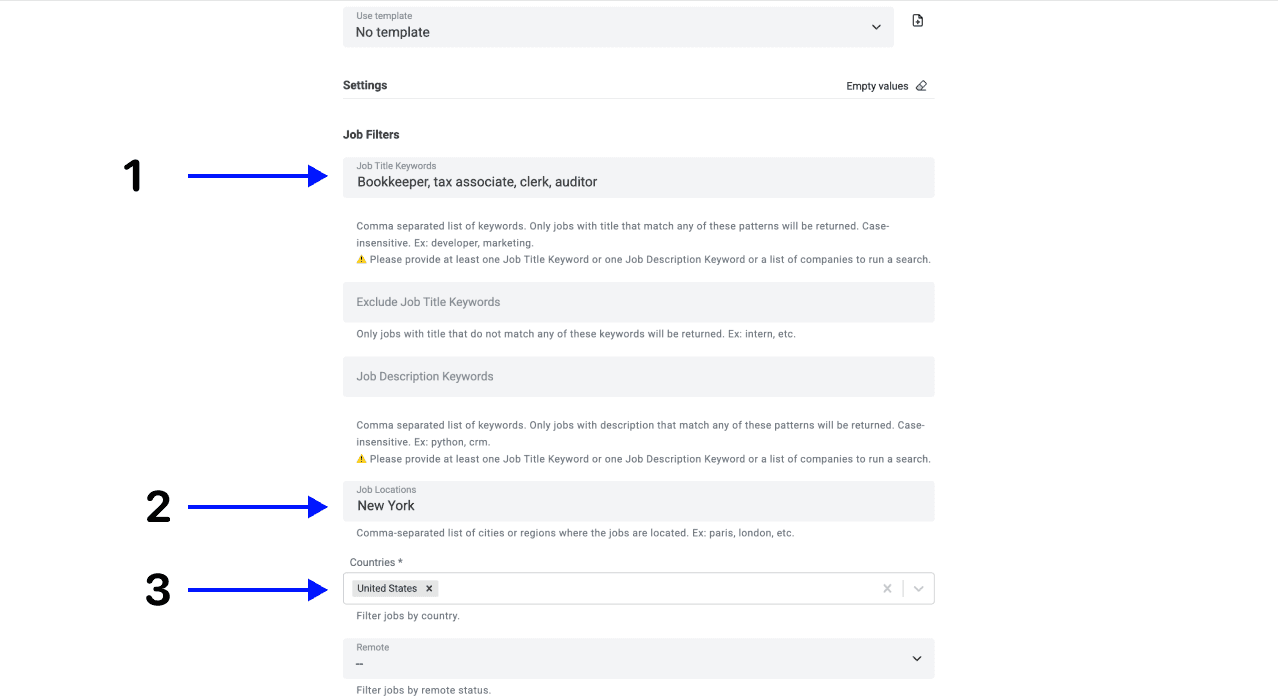
Use this starting configuration, then narrow it after reviewing a sample:
- Job Title Keywords:
financial analyst, accountant, finance manager. - Job Locations:
San Francisco. - Countries:
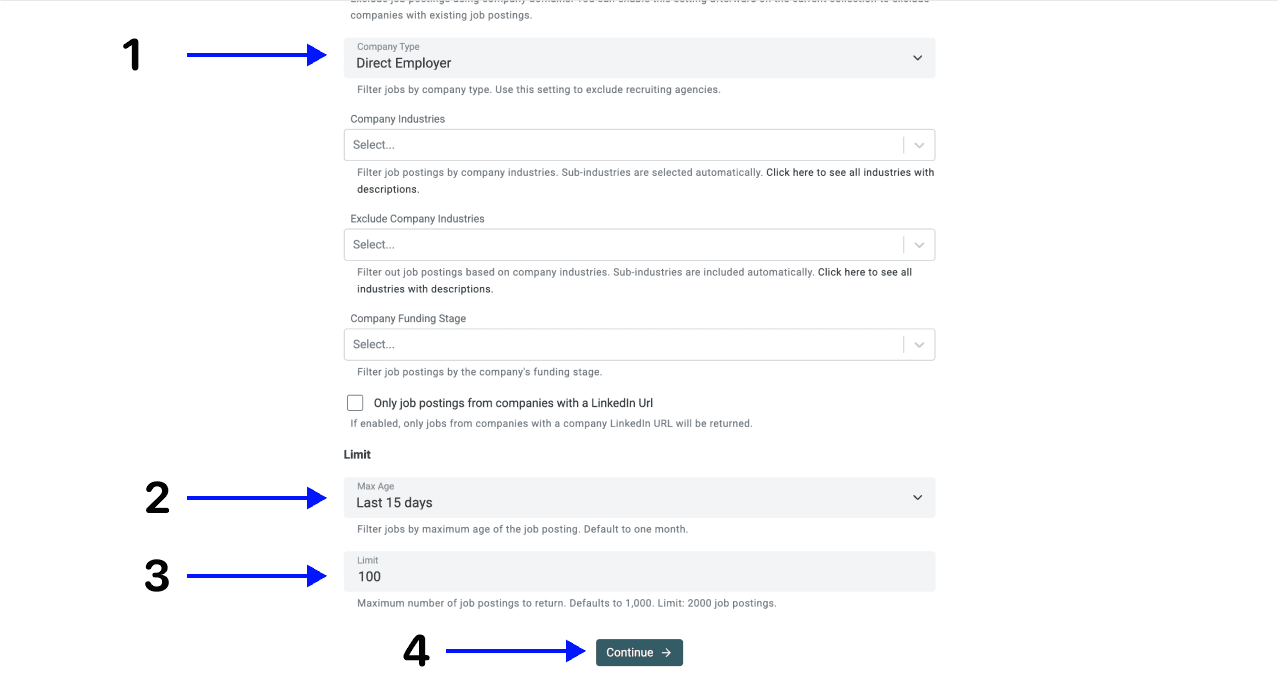
United States. - Company Type: Direct Employer when you want to exclude recruiting agencies.
- Max Age: Last 15 days for a recent-postings list.
- Limit:
25as a small review sample, not a guaranteed result count.
Title phrases are separated by commas. A title can match any phrase, and all words in a phrase must occur, regardless of their order. Use actual role names rather than a vague sector word.
Job Locations filters where the job is located. Company HQ Locations filters the employer's headquarters. Keep them separate unless both are part of your brief. Workplace Types lets you distinguish on-site, hybrid and remote work; read eligibility restrictions in the posting before accepting a remote role.
For a fixed reporting period, use Posted On or After and Posted On or Before. An exact date range overrides Max Age. The Job Status filter defaults to open jobs; still check the original listing before acting on it.
Finance roles versus finance employers
Decide whether you want finance functions at any employer or jobs inside financial-services companies. A financial analyst at a software company fits the first list. A software engineer at a bank fits the second. Job-title filters and company-industry filters answer different questions.
For engineering or product-design vacancies, use the San Francisco tech-job filters instead.
For finance functions, start with financial analyst, accountant, finance manager and leave company industry open. For financial-services employers, choose the relevant industry separately and then specify the functions you need. This avoids turning a finance search into a generic tech-jobs list.
San Francisco versus the wider Bay Area
Keep San Francisco jobs in one segment. If your brief includes Oakland, Berkeley or San Jose, search those locations separately and preserve the city in the export. A San Jose posting does not become a San Francisco vacancy because the employer serves the Bay Area.
For remote finance roles, check the posting's US eligibility, state restrictions and any office-attendance requirement. Company headquarters in San Francisco does not establish where the employee can work.
Step 4: Keep the Outputs Needed for Review
Map the fields you need to collection properties. Optional company, salary and hiring-manager fields can be empty; do not treat a missing value as proof that the company has no relevant contact or that the role is unpaid.
| Purpose | Fields to keep |
|---|---|
| Identify the vacancy | Job Posting Id, Job Title, Job Posting URL, Job Posting Source URL |
| Check fit | Job Description, Job Location, Job Country, Workplace Type, Job Seniority |
| Review freshness and pay | Date Posted, Closed At, Salary Range, Job Type |
| Identify the employer | Company Name, Company Website, Company LinkedIn URL |
| Optional contact research | Hiring Manager Name, Hiring Manager Job Title, Hiring Manager LinkedIn |
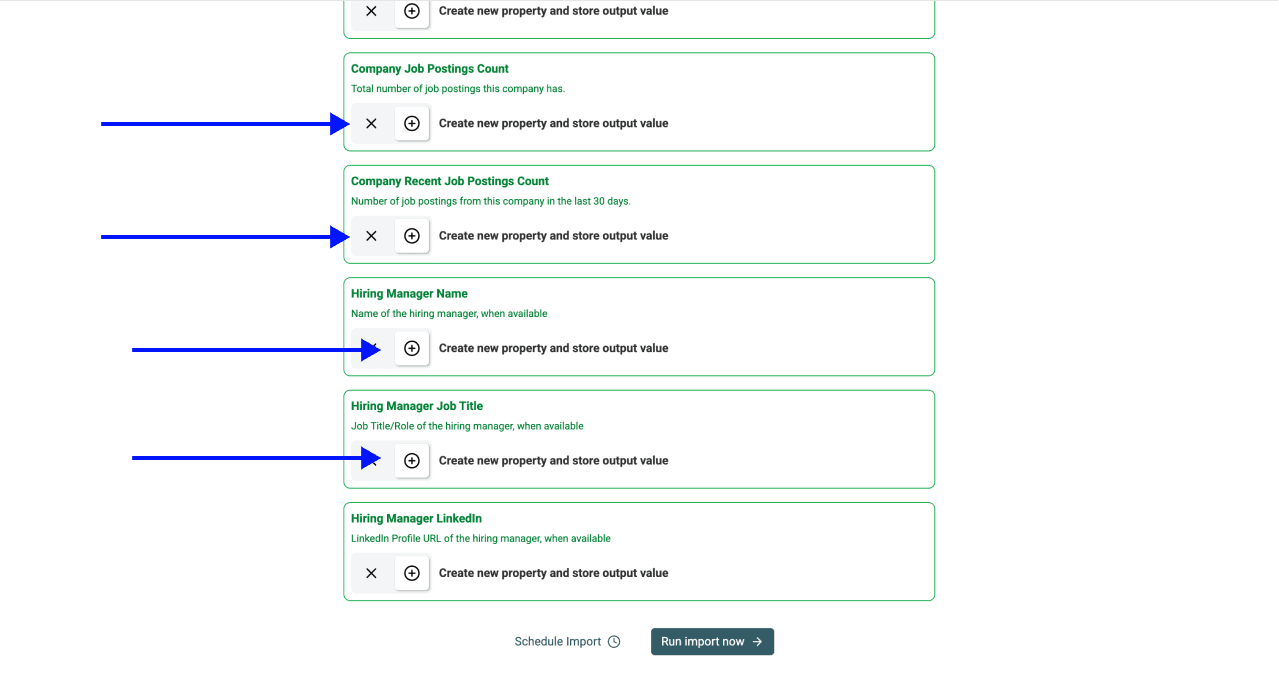
Step 5: Run the Sample Search
Review the settings and mapped outputs, then choose Run Import Now. Completion time depends on the search and provider response. Wait for the task result and inspect errors before expanding the search.
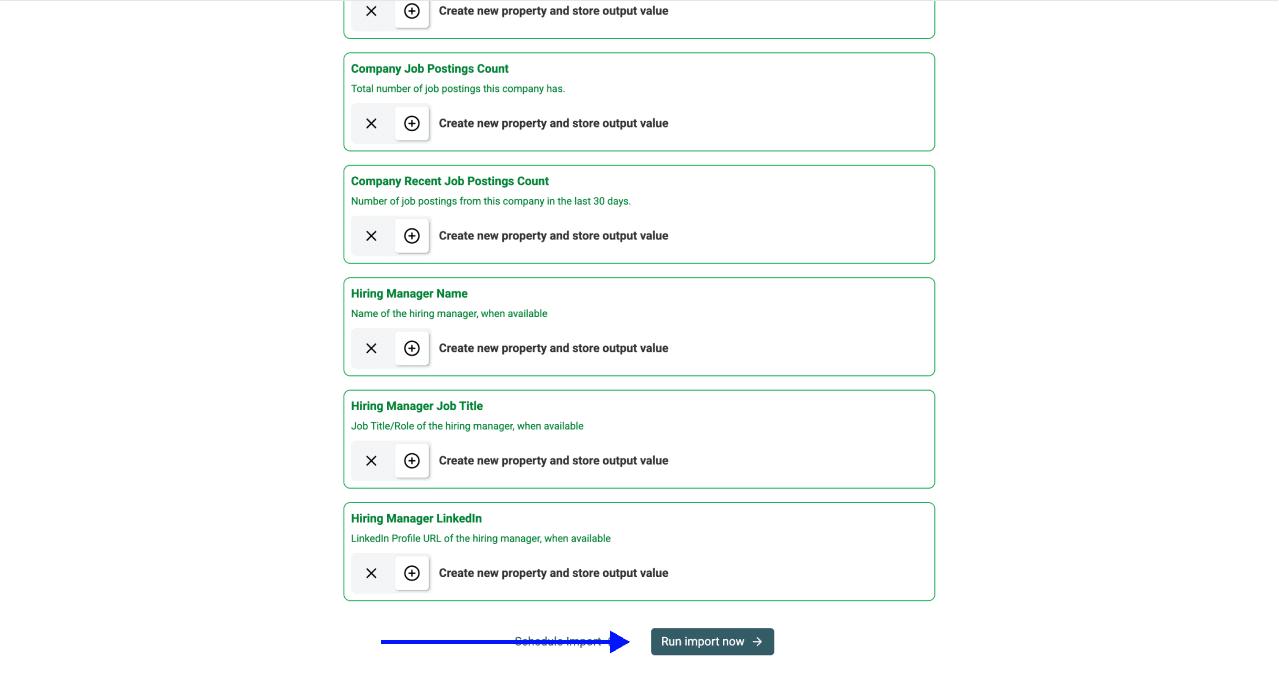
Step 6: Accept the Vacancies That Fit
Open a few source URLs and compare the title, location, posting date and availability with your brief. Add your own review decision to keep accepted, excluded and uncertain rows separate.
The following examples are illustrative decisions, not measured scraper results:
| Example title | Example location | Review decision |
|---|---|---|
| Financial Analyst | San Francisco; Hybrid | Review office attendance and responsibilities |
| Software Engineer | San Francisco; On-site | Exclude from a finance-function list |
| Finance Manager | San Jose; On-site | Keep only in a separate wider-Bay-Area segment |
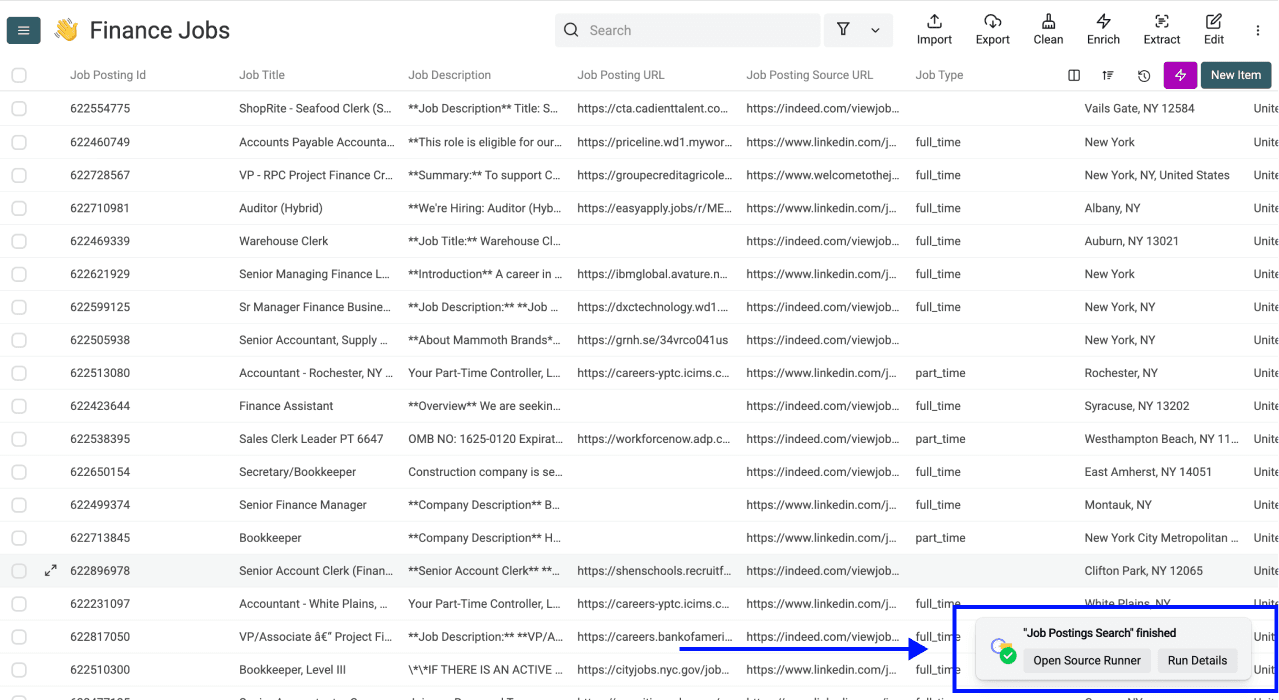
Keep different job IDs for different vacancies at the same company. Do not merge rows just because the employer domain repeats. Before reimporting an overlapping period, check the uniqueness or merge settings for Job Posting Id. Scheduled imports can otherwise add the same posting again.
If you already have a company list, use the source's company-list filter and map the appropriate company property. The general job-board workflow explains that alternative.
Budget for Postings and Follow-up Research
The current source cost is 10 credits per imported job posting. As budget arithmetic, 25 imported postings use 250 credits and 100 use 1,000 credits. Filters, available matches, your balance and run limits affect how many rows you receive; a credit budget does not guarantee the same number of suitable vacancies.
Cost Breakdown by Use Case
Job Postings Only
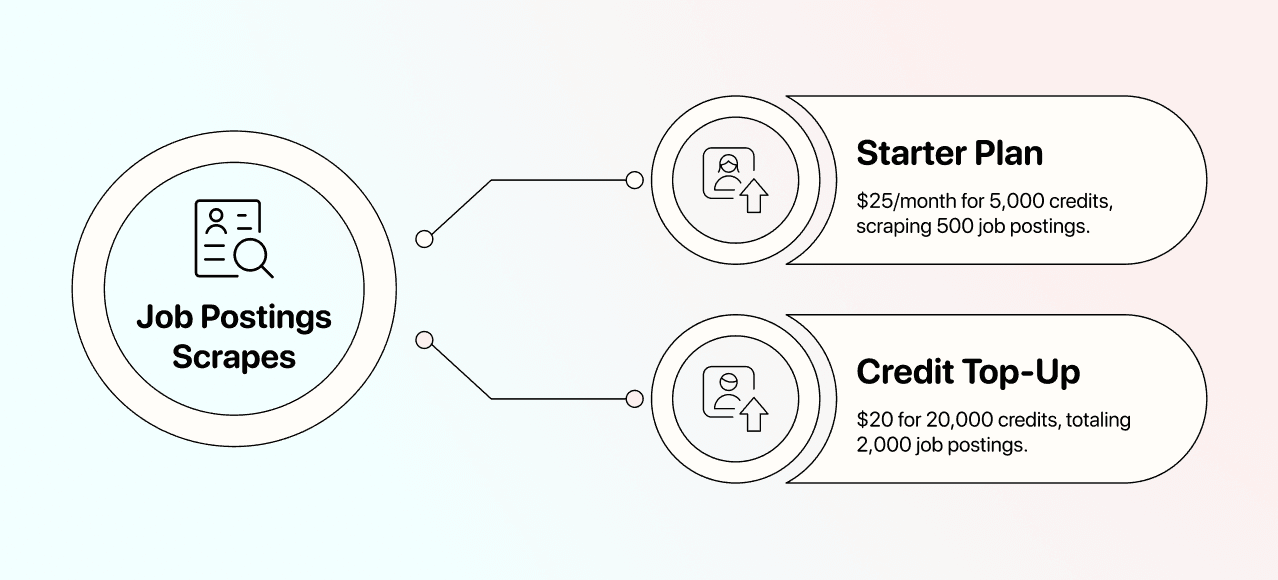
Monthly USD pricing: Starter costs $25/month with 5,000 included credits. A $20 top-up adds 20,000 credits to an active subscription. Included credits are used first; top-ups do not expire.
At 10 credits per imported posting, 500 postings use 5,000 credits and fit Starter. For 2,500 postings, $25 Starter + $20 top-up = $45 provides the required 25,000 credits. These figures cover job imports; CEO research, company checks and email finding consume additional credits.
Check the available credits and the run estimate before expanding the sample. The current plan and credit options show subscription access and top-up choices. Keep the search cost separate from any later enrichment.
Job Postings and Contact Research
A job posting can identify a hiring employer without identifying the right person to contact. Review the company first, then research the relevant role. An AI lookup has variable usage; do not budget a fixed amount per CEO or assume every lookup returns a verified contact.
Use the Results for Your Next Task
Export vacancies for recruiting, or create a reviewed employer list for research. If you need outreach details, find the appropriate contacts after establishing the employer and purpose. Preserve the source evidence alongside the result.
For repeat searches, record the posting window and keep stable IDs. Scheduling access is described in the plan comparison, and repeat imports need their own duplicate handling.
Export a Reviewed Job List
Export accepted rows with the role, location segment, posting date, job ID and source link. Keep uncertain remote eligibility, missing fields and unavailable postings out of the accepted export until they have been checked.
Frequently Asked Questions
Will the search find every local vacancy?
No. It searches indexed postings from multiple sources. Coverage can vary by role, location and source; a result limit is not a complete-market count.
Does the job search include emails and phone numbers?
Hiring-manager fields can be available, but verified email addresses and phone numbers are not guaranteed job-search outputs. Research the correct contact and use a separate enrichment when needed.
Can I refresh the list each week?
Yes, with the appropriate scheduling access and settings. Use a new posting period and review repeated job IDs. A scheduled import does not automatically establish that every returned vacancy is new or still open.
Can I filter jobs from specific companies?
Use Filter Job Postings for a specific list of Companies and map company websites, names or LinkedIn company URLs from a collection. Other filters can narrow the list further; an empty result is not proof that a company is not hiring.
What should I check before reusing the data?
Check the source terms and the rules applying to your use. Publicly visible postings do not establish unrestricted reuse. For personal data covered by the GDPR, the CNIL guidance on reusing online data explains the obligations.