
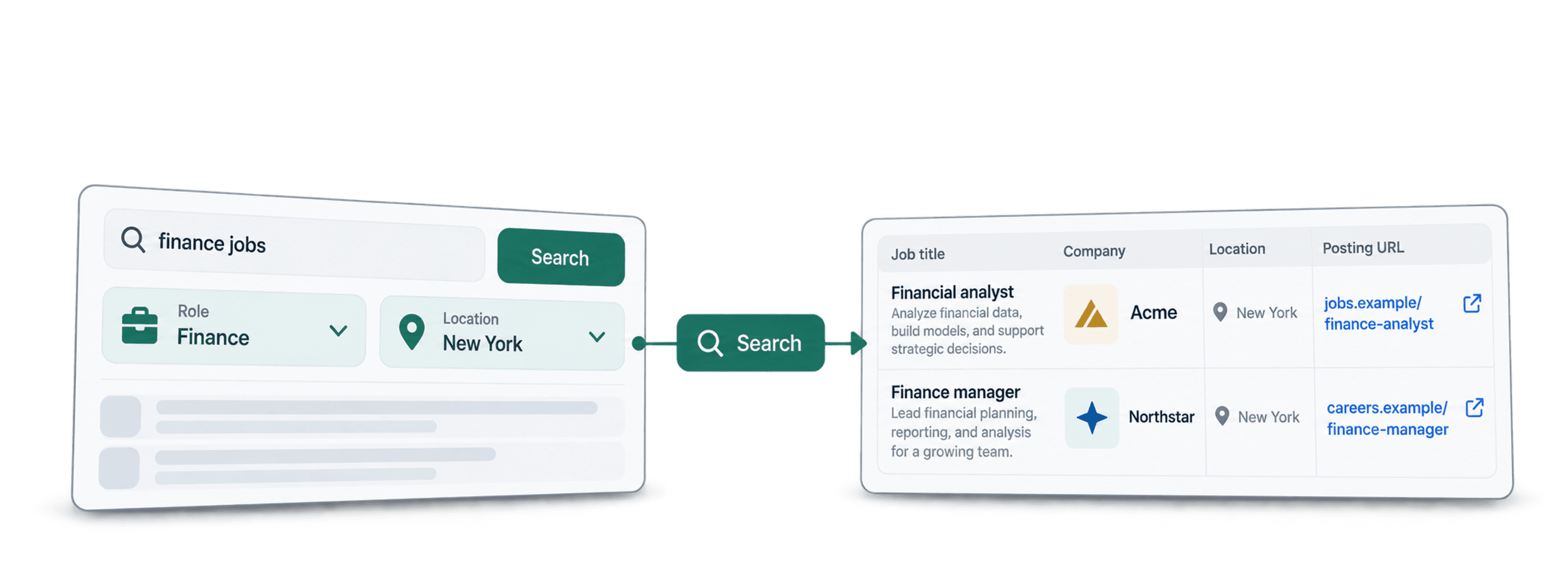
To scrape finance jobs in New York, open Datablist's Job Postings Search, enter representative finance job titles, and filter job locations to New York and countries to the United States. The source searches indexed job data across multiple boards and employer sites, then imports matching postings into a collection.
I would start with a small result limit and check the actual job location. An employer headquartered in New York can advertise a role somewhere else; a remote role can also have eligibility requirements that matter to your list.
📌 Summary For Those In a Rush
Build a list of New York finance vacancies in Datablist, then check the source links and employer matches before exporting or looking for contacts.
- Input: finance job-title phrases, New York job location, country and posting age.
- Output: matching postings with available company details, job links and identifiers.
Multiple sources can improve discovery, but the result is a reviewed sample, not proof of every opening in the market.
What This Guide Covers
- Compare source coverage
- Configure the New York search
- Budget job and contact research separately
- Review and export the list
Compare Job Sources Without Assuming Complete Coverage
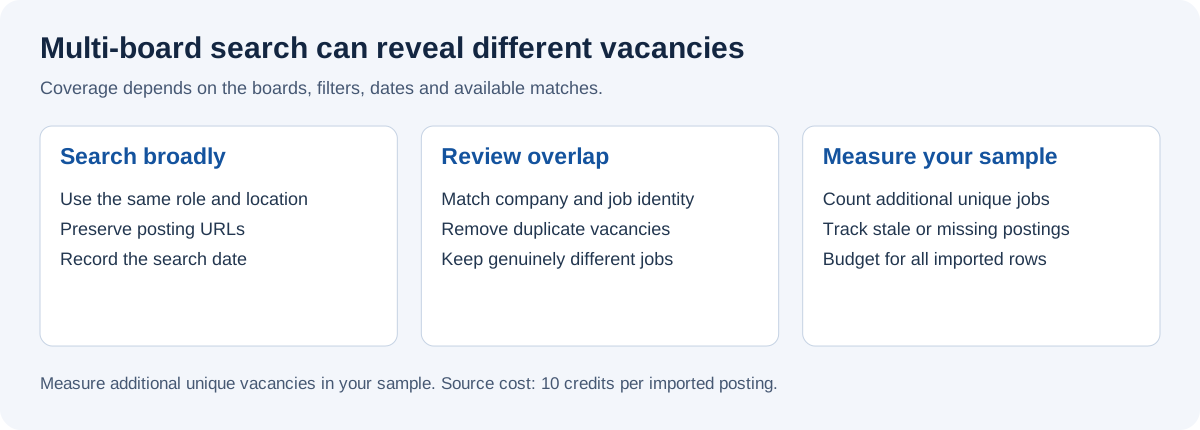
Different boards and employer career pages can contain different vacancies. Job Postings Search uses an aggregated index; it does not promise a fresh scrape of every board for each query. A posting can be absent, duplicated, reposted or closed by the time you inspect it.
Companies Have Preferences
An employer can publish the same role on its own careers site and several boards. A raw row count can therefore overstate the number of distinct opportunities. Keep the posting ID and source links, and compare the employer, title and location before merging similar records.
Besides The Major Job Boards
The catalog describes coverage across more than 19 job boards. That describes the source's scope, not a guarantee that a given search contains results from each board. Check the source URLs in your returned list to understand what this particular query found.
For a list limited to LinkedIn, use the separate LinkedIn jobs workflow. Keep its source settings and credit budget separate from this aggregated search.
Find New York Finance Jobs With Datablist
Datablist imports the search results into a spreadsheet interface where you can filter jobs, review employer data and export a checked list. If you are still comparing methods, use the job scraping tools guide to compare source coverage, fields and identifiers.
How To Scrape Finance Jobs in New York: Step-By-Step
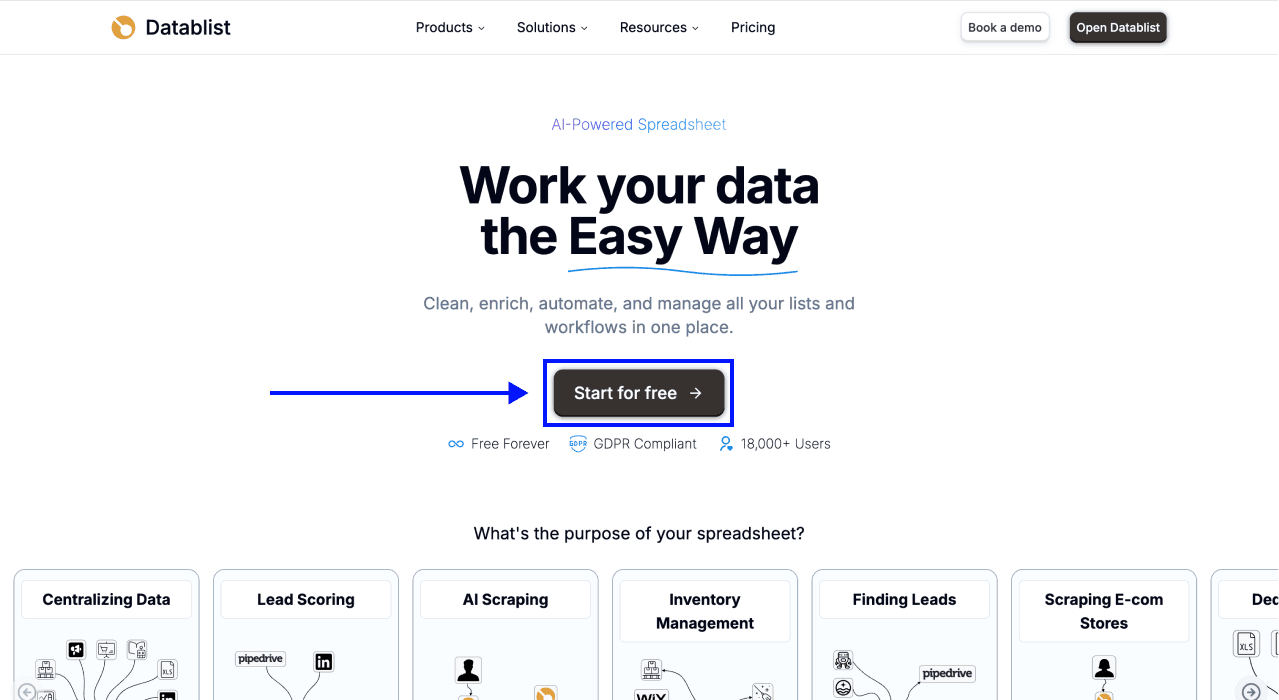
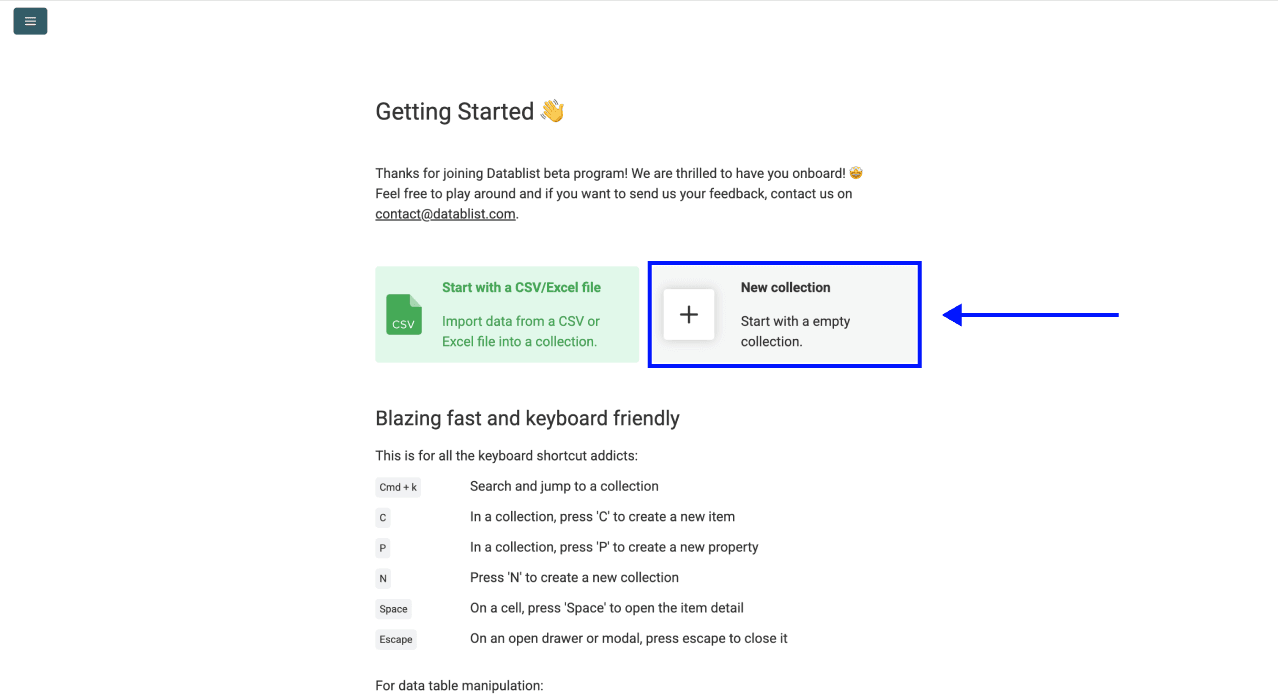
Step 1: Sign Up & Create a Collection
Open Datablist and create a New Collection for the job records. Keep contact research in another collection so several vacancies at one employer do not become repeated contact lookups.
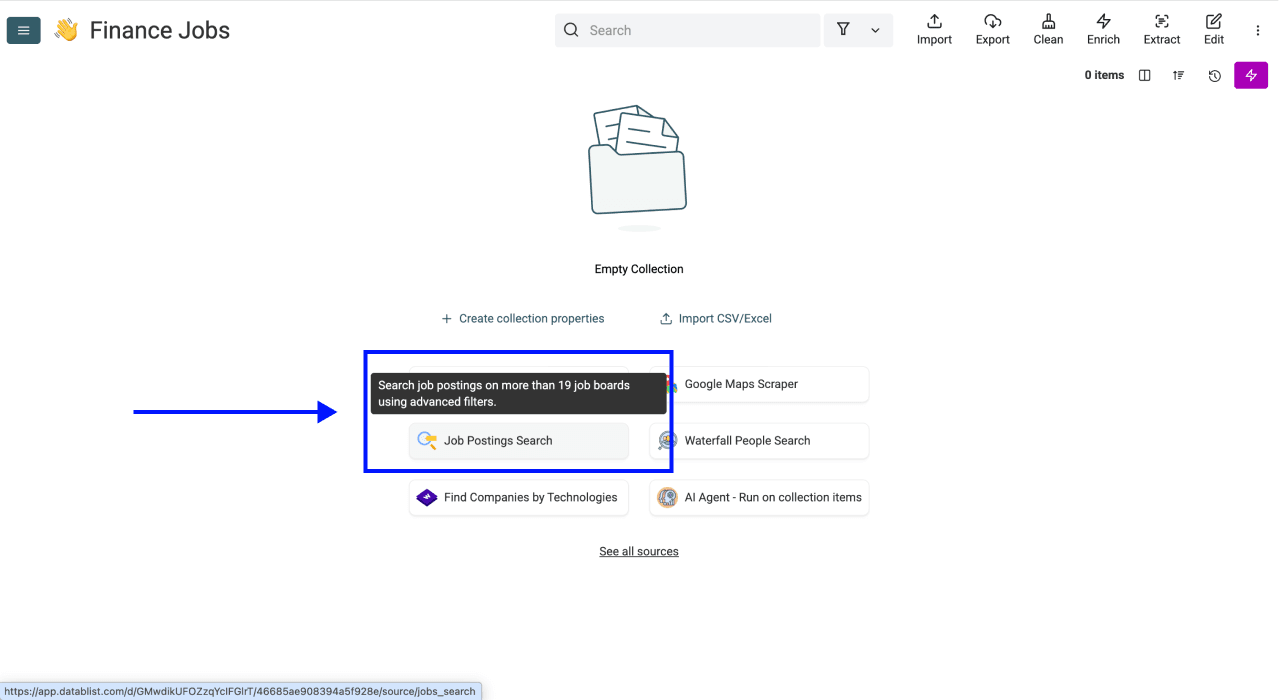
Step 2: Open The Job Postings Search
Select Job Postings Search from the source catalog. Read the current settings and credit estimate before starting. The screenshots below illustrate the workflow; labels and available filters can change.
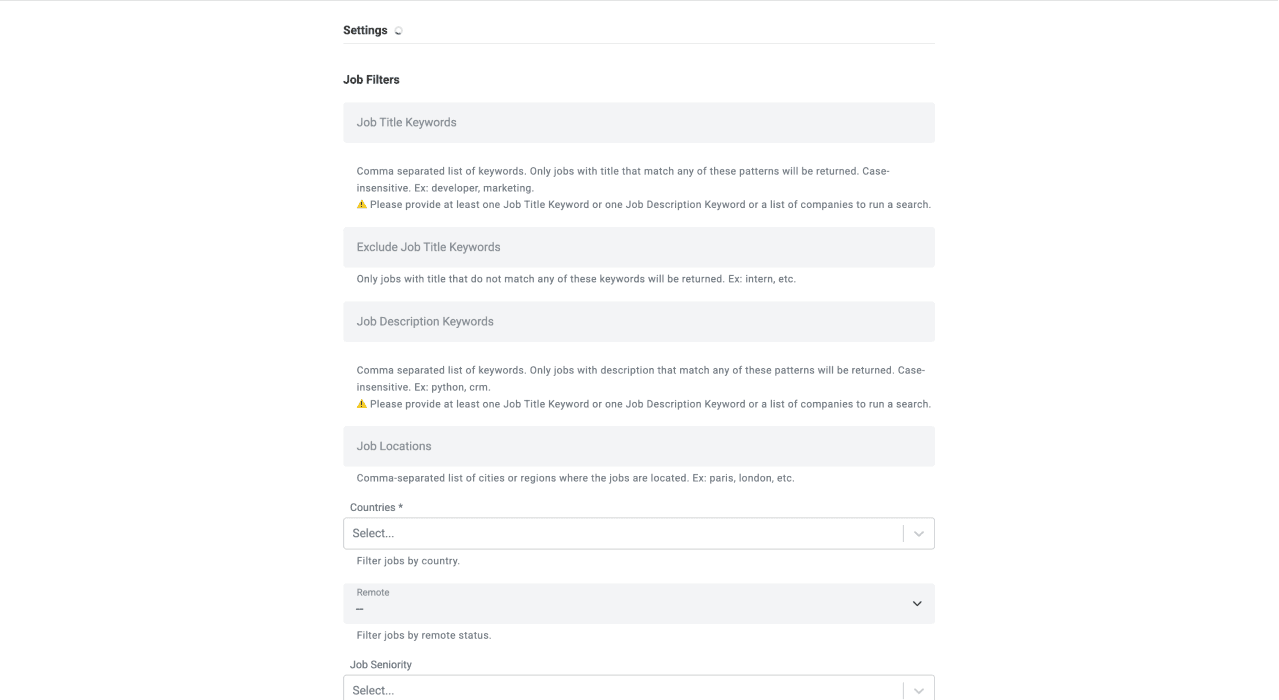
Step 3: Configure Your Filters
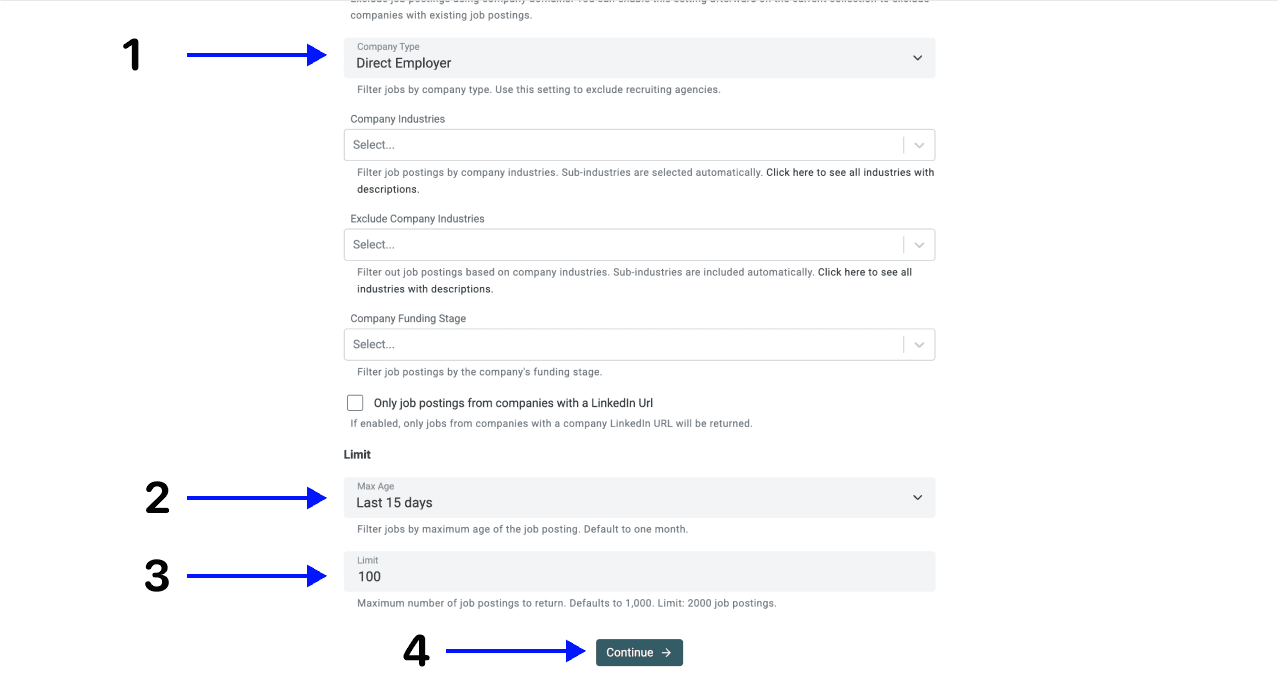
Use these as sample inputs, then adjust them to the roles you actually need:
- Job Title Keywords:
junior auditor, tax associate, accounting clerk. - Job Locations:
New York. - Countries:
United States. - Company Type:
Direct Employer, if you want employers rather than recruitment agencies. - Max Age:
Last 15 daysfor a recent-posting sample. - Limit: a small explicit count for your first review, such as
50.
The title list contains alternative phrases. If a concept belongs in the description rather than the title, use Job Description Keywords and inspect a few matches. Avoid adding an industry filter merely because the role is in finance: an accountant can work for a retailer, manufacturer or software company.
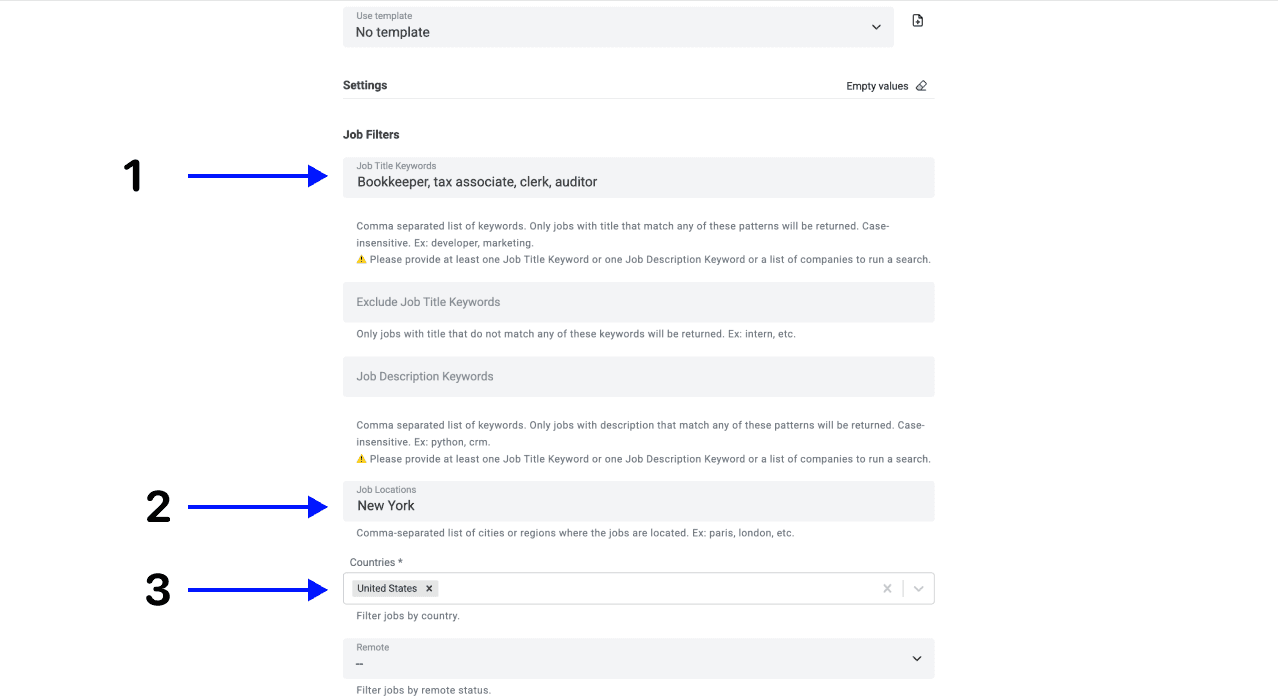
Use the job-location filters for the place of work. Company headquarters are a separate concept. Check whether a returned New York role is on-site, hybrid or remote and whether the description restricts where remote applicants can live.
For a separate UK brief, use the London finance-job workflow. Keep its currency and location checks separate from the New York list.
Step 4: Select Your Outputs
Keep the fields that let you verify a posting. Available fields may be empty when the source lacks that information; hiring-contact and salary fields are not guaranteed.
| Purpose | Fields to retain | Review |
|---|---|---|
| Identify the vacancy | Job Posting Id, job title, job URL, source URL | Open the source and check that the vacancy still exists. |
| Check fit | Job description, location, country, workplace type, posting date | Confirm the role, place of work and recency. |
| Identify the employer | Company name, domain and LinkedIn URL where available | Separate the employer from an agency or similarly named company. |
| Evaluate extra information | Salary and hiring-contact fields where available | Keep missing values empty; check salary currency and period in the original listing. |
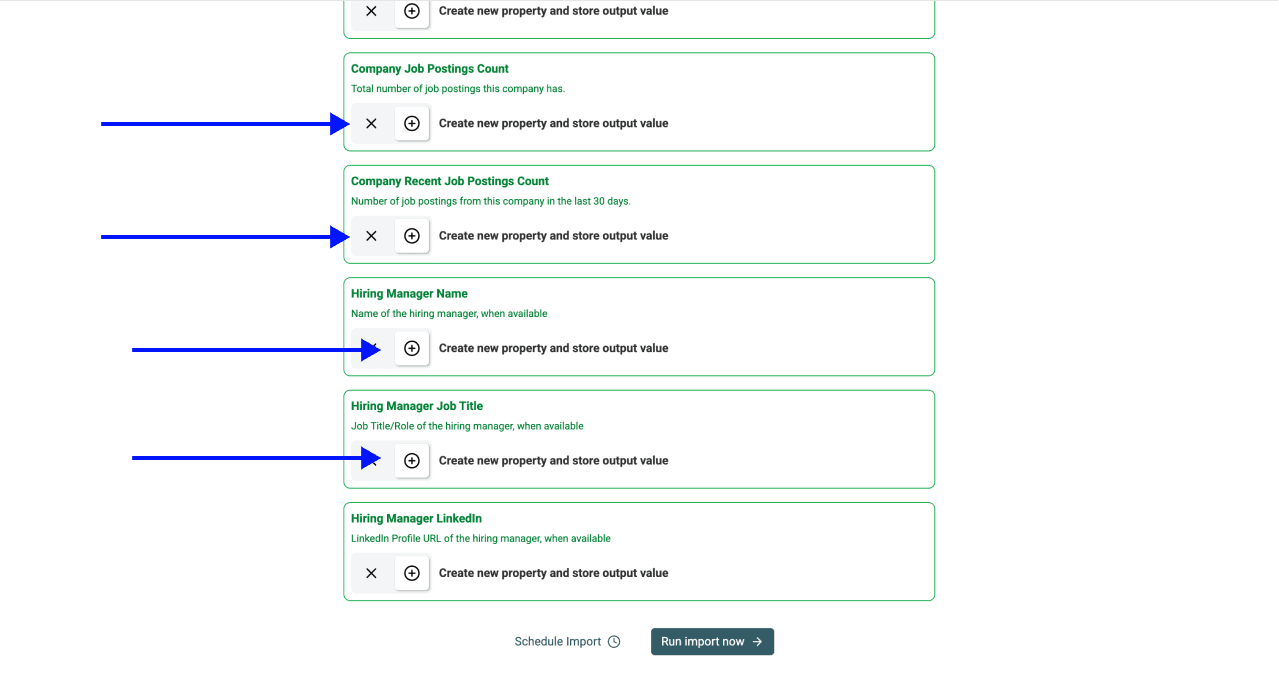
Remove unneeded output mappings with the ✕ controls. Keep identifiers even if your final export will contain fewer columns.
Step 5: Run The Scraper
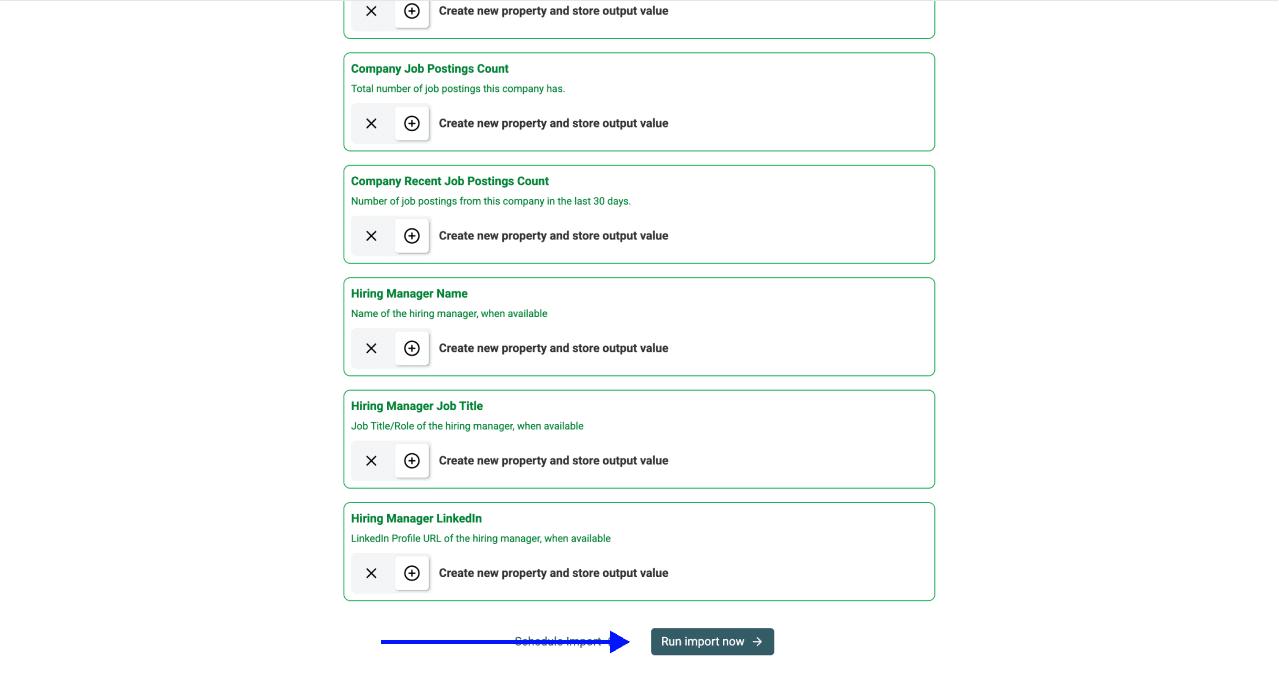
Click Run import now and watch the run status. Runtime and result count depend on the query and provider; a configured limit is a maximum, not a promised yield.
Step 6: Check Your Results
The original walkthrough's result screenshot illustrates the collection view. It does not establish current source coverage, a guaranteed runtime or a fresh count for your query.
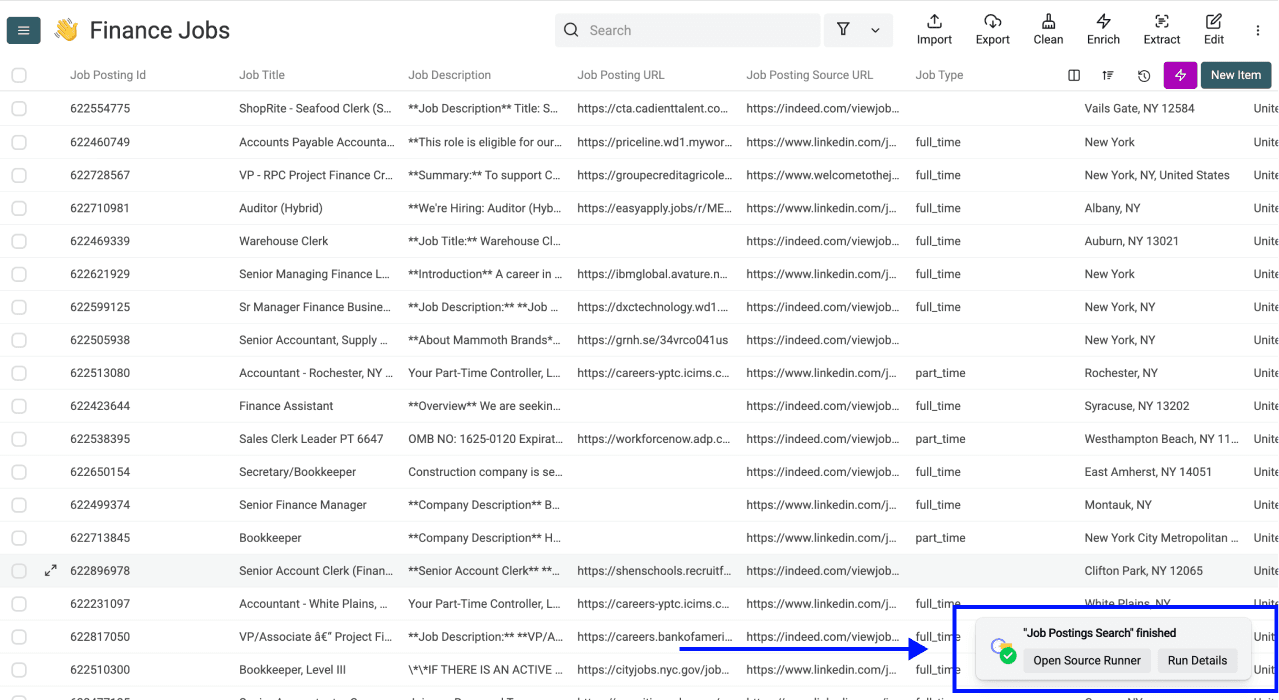
Before expanding the run, check several source links. For example, a hypothetical Tax Associate row with New York in its job location belongs in the review set; a New York-headquartered employer advertising only a London role does not. A remote role needs its eligibility checked in the description. Keep a reason when excluding an uncertain row.
Compare repeated posting IDs first. For different IDs with similar titles, inspect the job link and employer before merging: two departments can advertise genuinely different positions. If your next task is employer outreach, create one reviewed company row per domain instead of enriching the same employer for every vacancy.
💡 Search Only Your Existing Companies
You can also configure the source around a company list. The multi-board job search guide explains company inputs and their mapping. Check ambiguous company names before relying on them as filters.
💰 Cost Breakdown & Next Steps
Job Postings Search uses 10 credits per imported posting. If a sample imports 50 rows, that is 500 credits; if it imports 500 rows, that is 5,000. The number of distinct employers can be smaller.
Cost Breakdown by Use Case
Job Postings Only
At the current monthly USD price, Starter costs $25 and includes 5,000 subscription credits. If used only for this source, those credits cover 500 imported postings. A current $20 USD top-up contains 20,000 credits, equivalent to 2,000 postings at 10 credits each. Other enrichments consume the same balance, and currency/package prices vary.
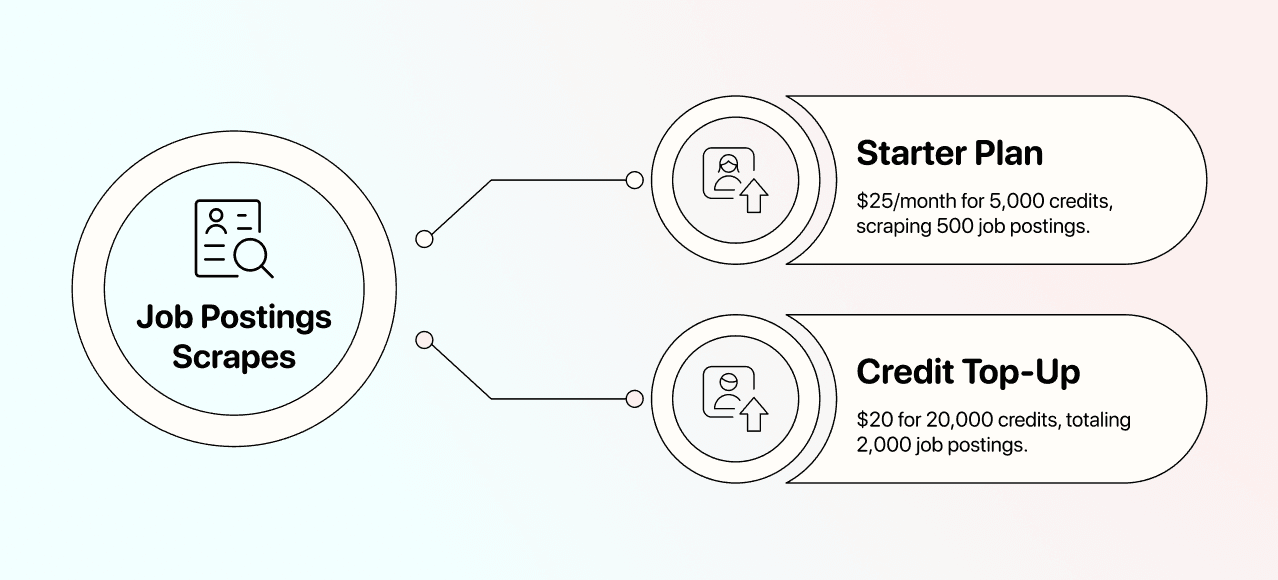
The illustration above applies to those job-only USD assumptions. Check current plan and credit details in the credits documentation before budgeting your own run.
Job Postings + CEO Contact Info (Using the AI Agent)
Contact research is a separate step and a separate cost. AI Agent usage depends on the research performed; a flat 20-credit estimate per CEO is not a reliable budget. A job posting also does not establish who owns the hiring decision.
Deduplicate reviewed employers before searching for people. Choose the contact workflow, inspect its estimate on a small sample, and count accepted company/person matches separately from imported jobs. The lead search walkthrough covers the company-to-person stage.
What Else You Can Do With Datablist:
Use the reviewed list to prioritize employers with relevant openings, investigate a hiring signal, or prepare a company list for contact research. Preserve the job link and check date so another person can verify why a company was selected.
Export a Reviewed New York Finance Job List
Filter to the rows you have accepted, then choose Export and CSV or Excel. Include the employer, title, location, source link and posting ID so your exported list remains traceable. Compare the exported count and a few records with the reviewed view.
Keep raw imported rows separately if you need to revisit exclusions. Recheck the vacancy before outreach or an application; an indexed posting can close after your search.
Frequently Asked Questions (FAQ) About Scraping Finance Jobs in New York
How Much Does It Cost To Scrape Finance Job Postings in New York?
Usage is 10 credits per imported posting. Multiply returned rows by 10, then budget any company or contact enrichment separately. Current plans, currencies and top-up packages determine the cash cost.
Which Job Boards Does Datablist Scrape?
The catalog describes aggregated coverage across more than 19 boards and employer sources. Your query searches that index; it does not prove that every board contributed a result or that all New York finance vacancies were found.
Can I Find New Job Postings Every Week Automatically?
Recurring data-source automation requires Growth access. Check the schedule and run settings, retain posting IDs between runs, and review repeat results rather than assuming every imported row is newly published.
Does Datablist Also Provide Phone Numbers and Emails?
Job data can include hiring-contact information where available. Email and phone discovery may require separate enrichments. Finding a company does not guarantee a contact or permission to send marketing messages.
How Accurate Is The Data You Provide?
Check the original source link, employer, date and location. Missing salary or contact details should remain missing, and an accessible link alone does not prove that a vacancy is still accepting applications.
How Long Does It Take To Scrape Finance Job Postings in New York?
There is no fixed runtime for every query. Start with a small limit, monitor the run, and evaluate the completed results before increasing volume.
Do You Get Your Data Legally?
Public availability does not establish unrestricted reuse. Review the source's terms and the rules applicable to your intended use, especially if you add personal contact data or use it for outreach.