
Most retailer websites are built to sell, not to share their data. That's why scraping them usually means hiring a developer or fighting with code.
And unlike scraping Shopify stores, where sites share a similar structure, scraping retailer websites is unpredictable because every site is built differently. That's where AI scraping comes in; it reads meaning, not code.
This guide walks you through the full process: why custom scrapers aren't worth the trouble, which retailers we successfully scraped (and which ones we couldn't), and a complete step-by-step to scrape product data using Datablist's AI Scraping Agent.
📌 Summary For Those In a Rush
This article shows how to scrape retailer websites using Datablist’s AI Scraping Agent.
Problem: Retailer websites are all built differently, so traditional scrapers break constantly and custom-built solutions are expensive to maintain.
Solution: Use Datablist.com's AI Scraping Agent to extract product data from retailer websites using plain English prompts.
What You'll Learn:
- Why building a custom scraper for retailer websites is a waste of time and money
- Which retailer websites we tested and what data we were able to extract
- A full step-by-step to scrape any supported retailer website in minutes
Why Datablist:
- AI scraping reads the page like a human, so it works across different website structures
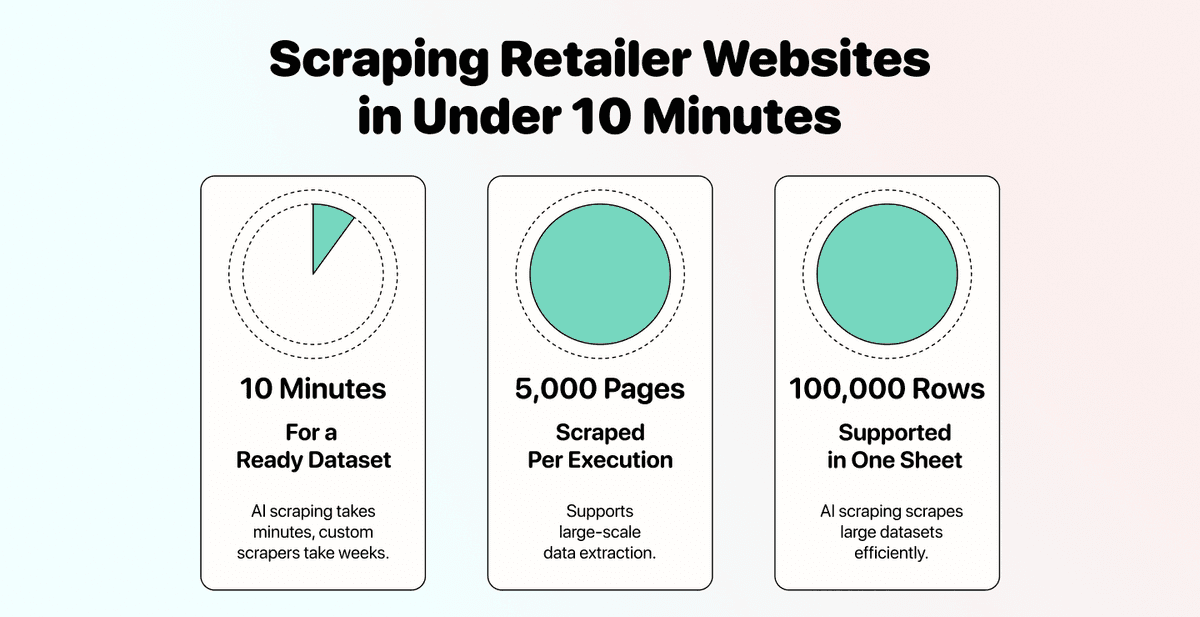
- Handles pagination automatically (up to 5,000 pages per run)
- No code, no API configuration, just a URL and a prompt
What This Guide Covers
- Why Building a Custom Scraper Is a Waste of Time
- How Scraping Retailer Websites Works (Including Which Ones We Tested)
- Scraping Retailer Websites: The Full Step-by-Step
- Frequently Asked Questions About Scraping Retailer Websites
Building a Custom Scraper Is A Waste of Resources
If you've ever considered building your own scraper to extract product data from retailer websites, here are three reasons to reconsider.
It's Expensive
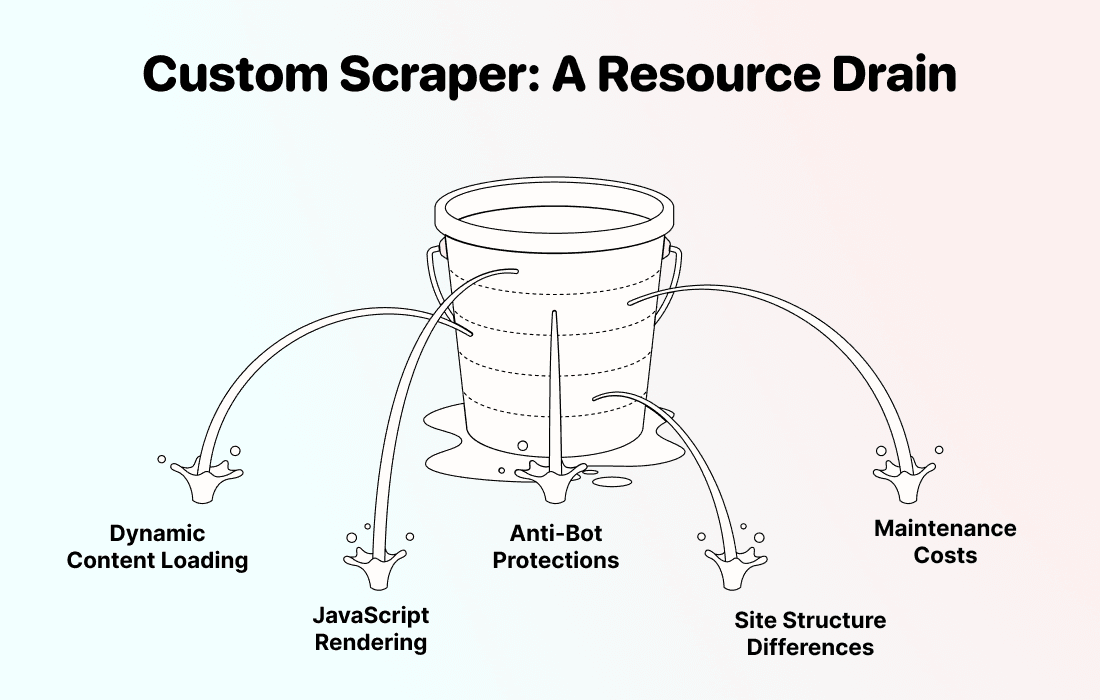
Building a custom web scraper that works on retailer websites isn't a weekend project. These sites use dynamic content loading, JavaScript rendering, and anti-bot protections that require serious development skills to handle.
There are a few common ways people try to scrape retailer websites, but each comes with challenges:
- Hire a freelance developer: Starts at $2,000+ per retailer website, and you pay again when it breaks
- Use a prebuilt scraper (Apify, GitHub): Works until the site changes, then it breaks, and you are back to troubleshooting
- Vibe-code a quick script: CAPTCHAs, IP blocks, and paginated product grids will make it fall apart fast
If you need to scrape retailer websites more than one time, the costs multiply fast. Each retailer has a different site structure, which means each one needs its own scraper logic.
It's Slow To Build
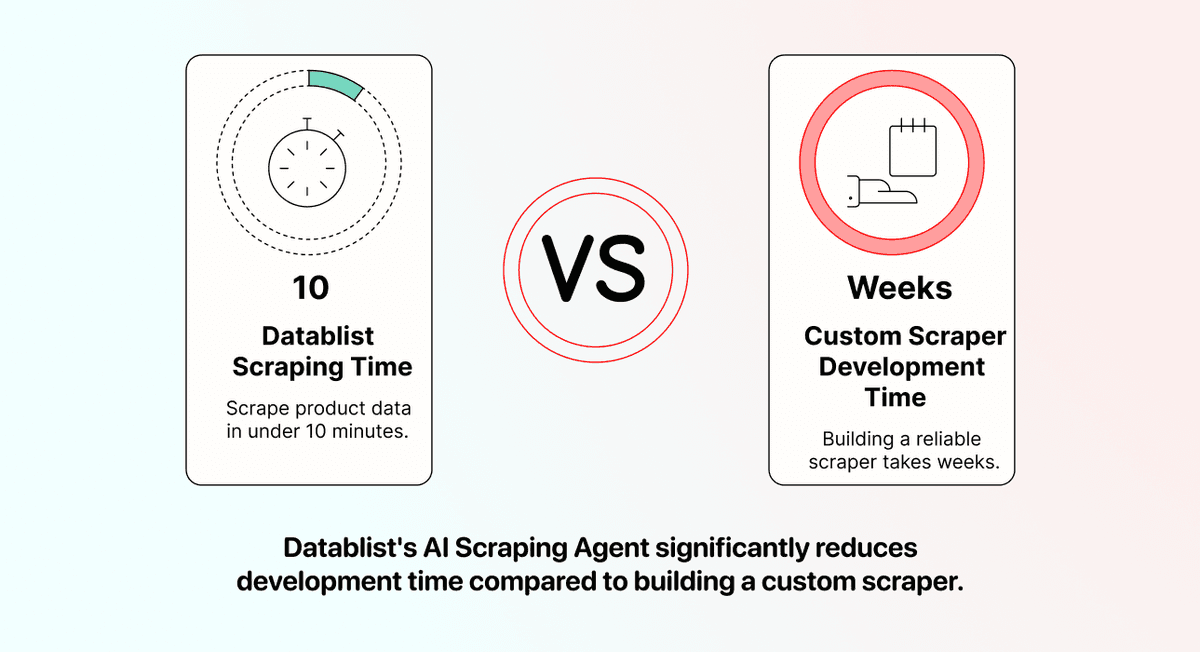
Even if you find a developer, building a reliable scraper takes weeks. You need to reverse-engineer each retailer's website, handle edge cases, test across product categories, and deal with inconsistent data formats.
Meanwhile, Datablist's AI Scraping Agent is already built, tested, and ready to scrape websites at scale. You can go from zero to scraped product data in under 10 minutes. No waiting for a developer to deliver, no back-and-forth on requirements.
It Breaks Constantly
This is the real problem. Retailer websites update their layouts regularly, sometimes weekly. Every time Tesco or Aldi changes a CSS class, moves a price element, or restructures their product grid, your custom scraper stops working.
That means you're either paying a developer for ongoing maintenance or spending your own time debugging code every few days.
AI scraping doesn't have this problem. Because the AI agent reads the content of the page (not the HTML structure), it adapts to layout changes automatically. A price is still a price, even if the CSS class around it changes.
💡 The Core Difference
Traditional scrapers follow rules: "find the element with class .product-price and extract the text." AI scrapers follow the meaning: "find the product price on this page."
That's why they work across different retailer websites without custom configuration.
How Scraping Retailer Websites Works
Before jumping into the step-by-step, here's what you should know about which retailers work, what data you can pull, and where the limits are.
What Data Can You Scrape From Retailer Websites
When you scrape retailer websites using Datablist's AI Agent, you can extract product information across multiple data points in a single run. Here's what the agent can pull from a typical retailer product listing:
- Product Name - The full product title as displayed on the page
- Product URL - Direct link to the product page
- Brand Name - The manufacturer or brand behind the product
- Price - The current retail price in the displayed currency
- Sale Price - The discounted price, if a promotion is active (returns "N/A" if none)
- Product Category - The department or aisle the product belongs to
- Availability - Whether the product is in stock, out of stock, or available for pre-order
- Rating - Customer rating or review score, where available
- Image URL - Direct link to the main product image
- SKUs - The ID of that product
This covers the core product data most people need when they scrape product information from retail sites. Whether you're doing price monitoring, competitor analysis, or data enrichment for an existing product database, these data points give you a complete picture of each product listing.
You define which of these outputs you want before running the scraper, so you only get the data that's relevant to your use case. No unnecessary noise.
Retailer Websites We Tested
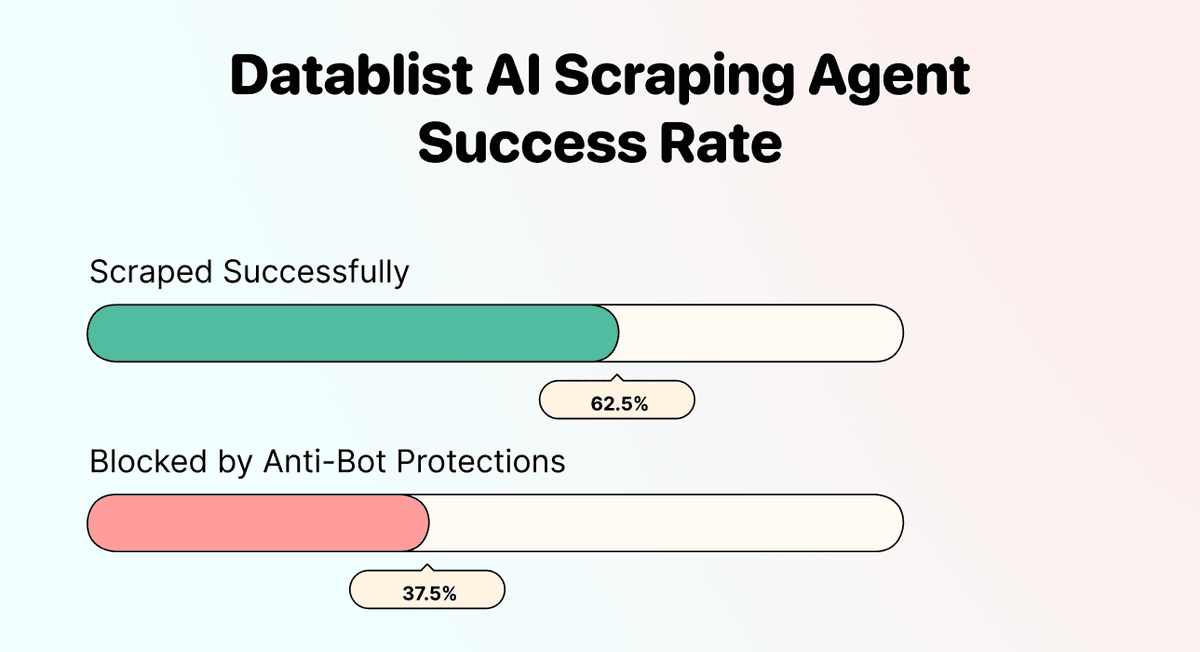
We tested Datablist's AI Scraping Agent on 8 retailer websites across Germany, the UK, and the US. 5 out of 8 worked on the first attempt, no site-specific configuration needed.
Scraped Successfully (5/8)
✅ Tesco (tesco.com) - Product names, prices, categories, and availability all extracted cleanly
✅ Morrisons (morrisons.com) - Product grid and pagination handled without issues
✅ Waitrose (waitrose.com) - Sale prices and product categories pulled successfully
✅ Netto Marken-Discount (netto-online.de) - German retailer with a different site structure, still worked on the first attempt
✅ Aldi (aldi-nord.de) - Product listings, pricing, and SKUs all came through
Each of these sites is built completely differently, yet the AI agent could extract products from each retailer's website with the same prompt, setup, and outputs.
Blocked by Anti-Bot Protections (3/8)
❌ Walmart (walmart.com) - Heavy anti-bot protections and dynamic content loading prevented consistent scraping
❌ Costco (costco.com) - Similar bot protections made reliable data extraction difficult
❌ Edeka (edeka.de) - Site structure and content delivery method blocked consistent results
These 3 sites invest heavily in anti-scraping technology. For the majority of retailer websites, especially grocery chains and regional retailers, the AI agent works well.
Scraping Retailer Websites: The Step-by-Step
When I earlier said that Datablist is easy to use, I really meant that. The process is so easy, it takes just 5 steps, or put simply: a few clicks. Before we start, though, make sure that you:
- Have the URL of the retailer page you want to scrape (a category page, a brand page, or an "all products" page works best)
- Have a rough idea of what product information you want to extract
Scraping Retailer Websites: Step-By-Step Guide
The following section will guide you through the entire scraping process. You don't have to do much since we provide a ready-to-use template.
Step 1: Sign Up & Create a Collection
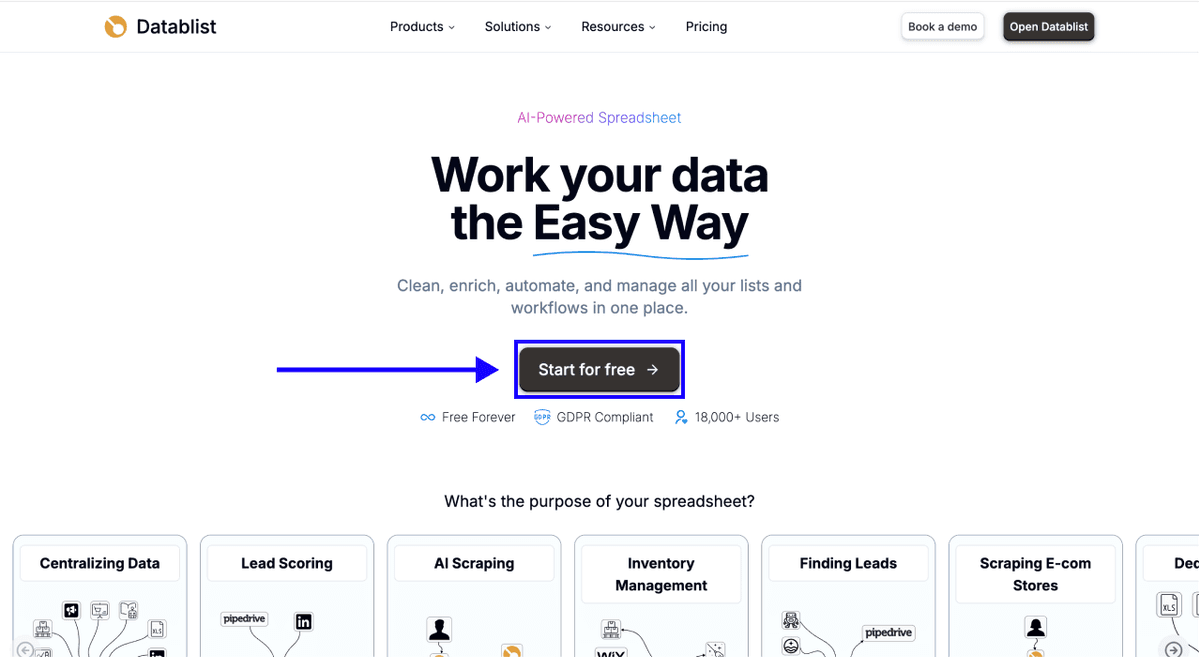
First, sign up for Datablist.com
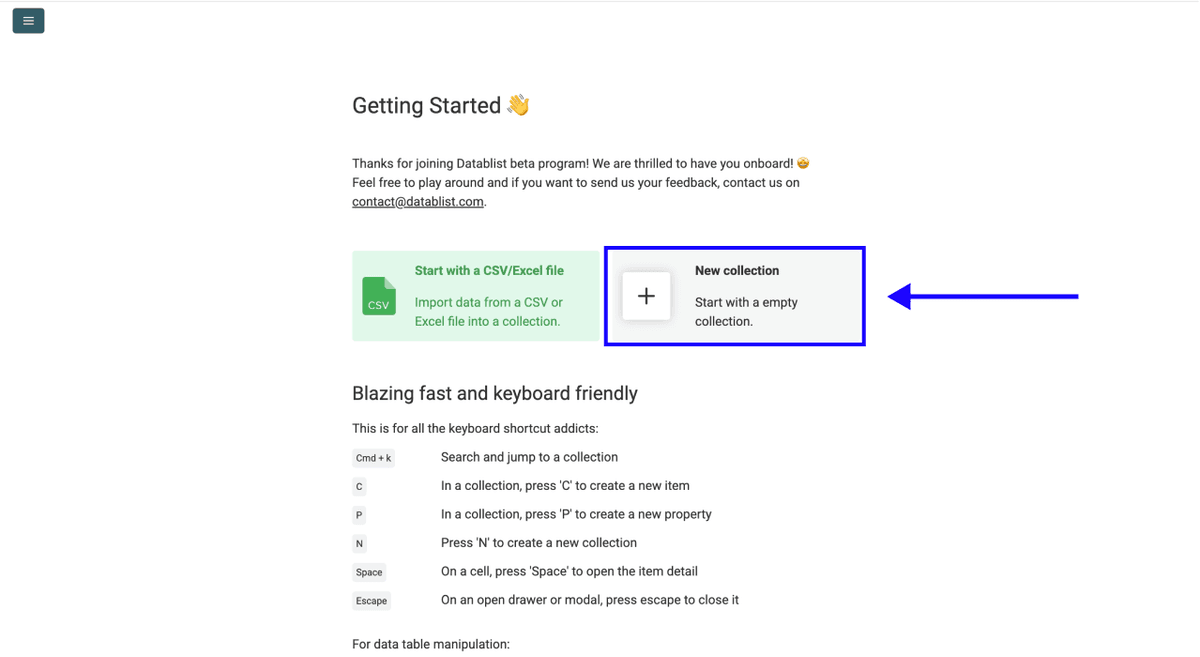
Then, create a New Collection
Step 2: Navigate to the AI Agent - Site Scraper
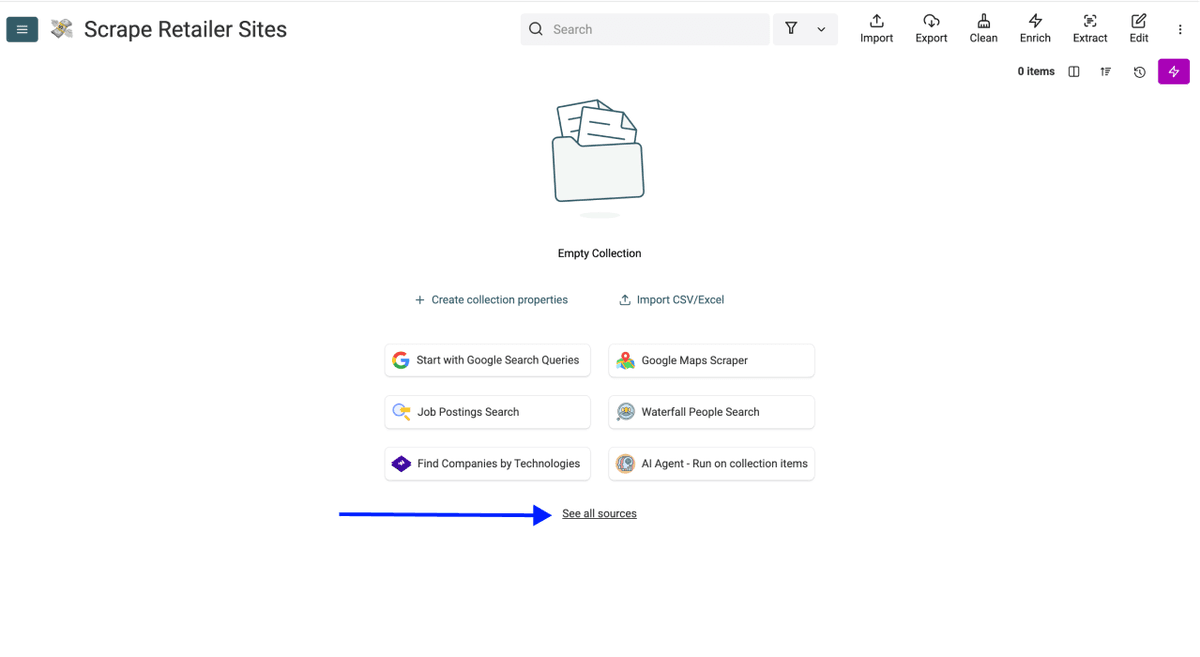
- Click on See all sources
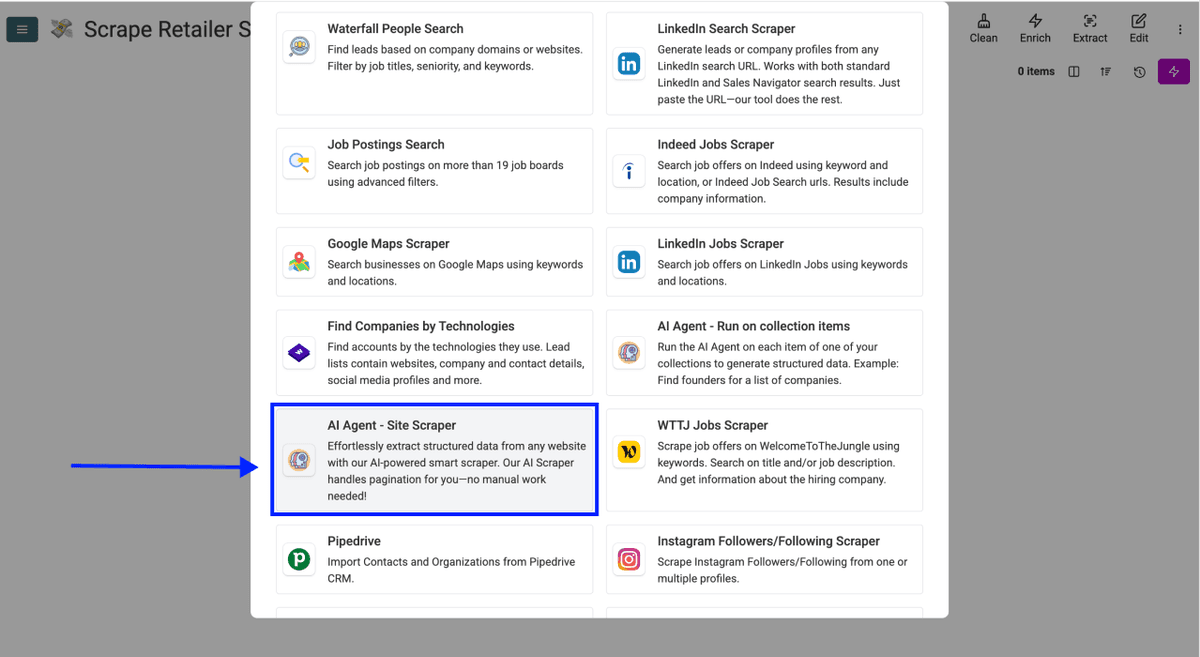
- Scroll down and select AI Agent - Site Scraper
Now, you should see a different interface, which looks like this
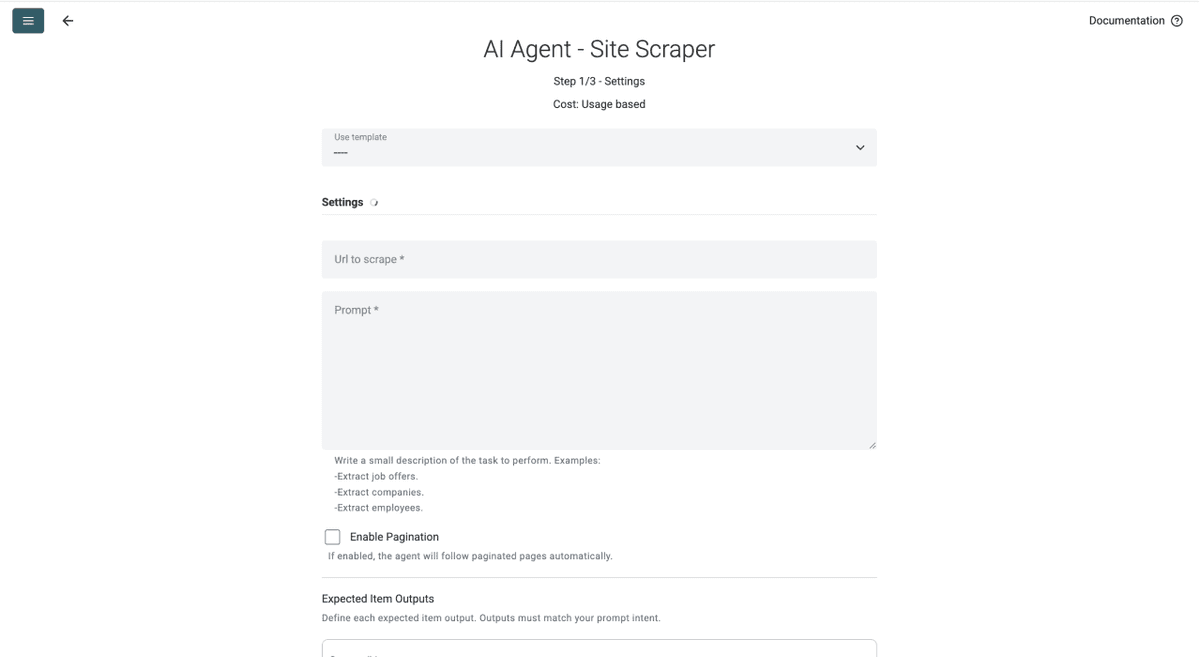
Step 3: Selecting the Template & Configuring the Task
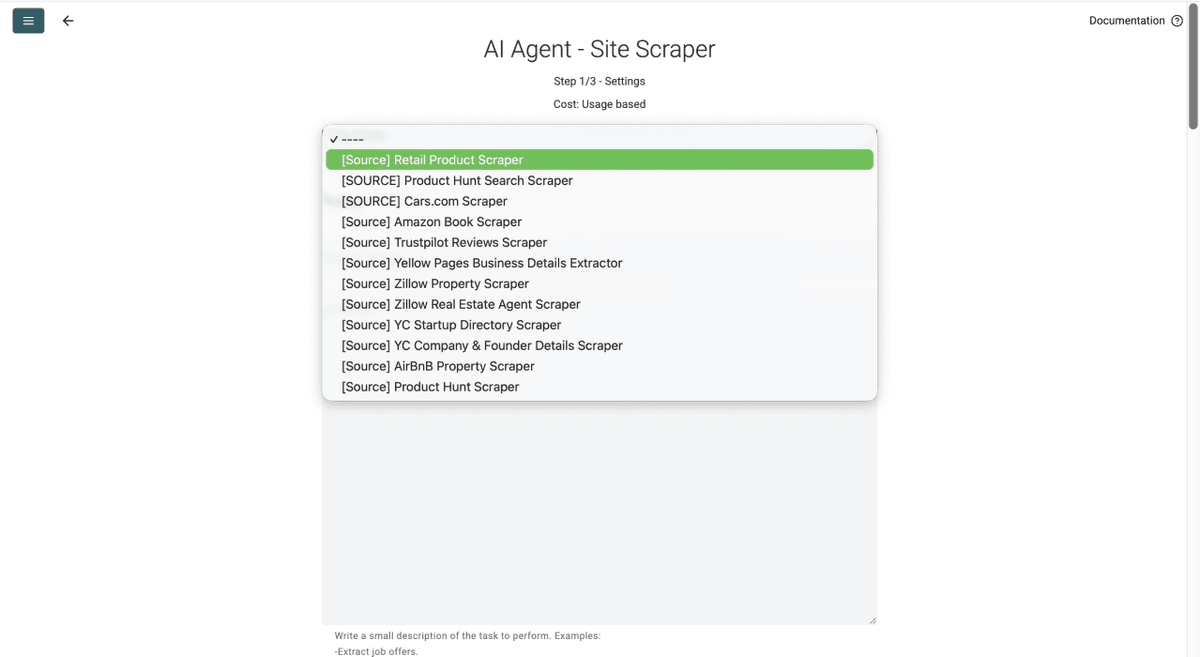
- Click on the Template Drop-Down and select "Retail Product Scraper"
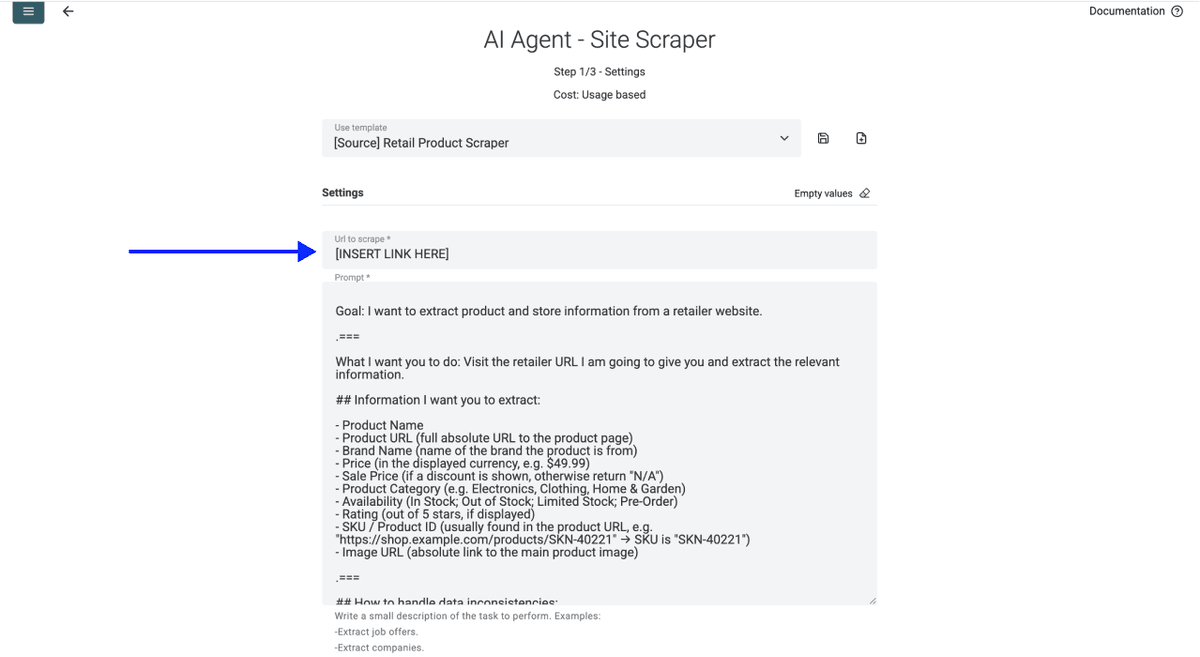
- Paste your retailer product page URL in the first field
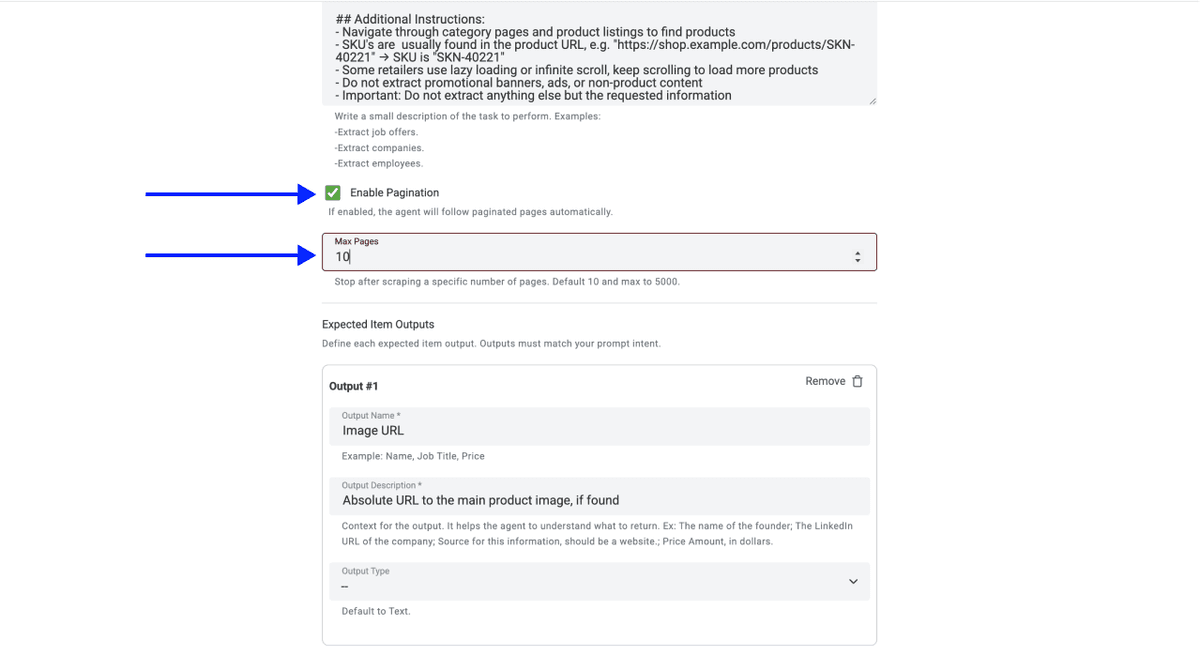
- Select the number of pages you want to scrape
📘 About Pagination on Retailer Websites
Most retailer websites display 20-50 products per page. If a retailer category has 500 products, you'll need to scrape 10-25 pages. Datablist's AI Scraping Agent handles pagination automatically and can scrape up to 5,000 pages in a single run.
If you’re curious about AI scraping, we wrote an article about the rules for writing prompts for AI agents 👈🏽
- Scroll down and click on Continue
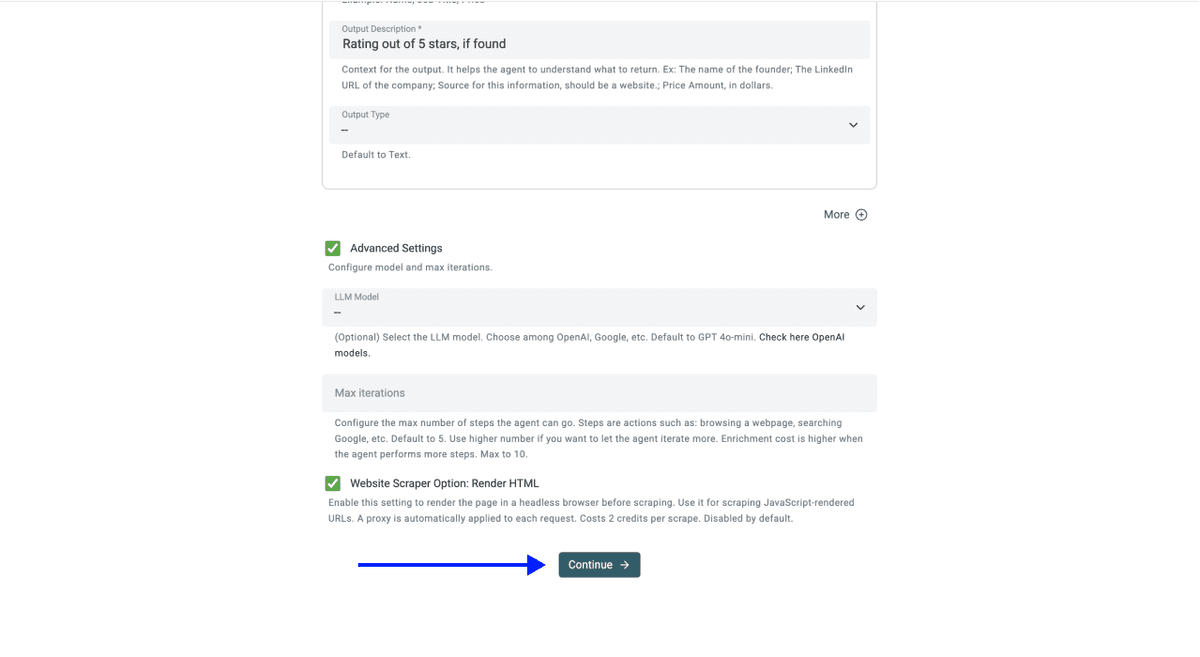
💡 Check Your Advanced Settings Before Clicking Continue
Make sure the following settings are enabled:
- LLM: OpenAI: GPT 4.1 mini (best performance-to-price ratio)
- Max iterations: 10
- Website Scraper Option: Render HTML (this is critical for scraping retailer websites, as most of them load products dynamically with JavaScript)
Step 4: Select Outputs
Datablist will create the output properties automatically.
Click on the X Icons to remove the outputs you don’t want in your collection
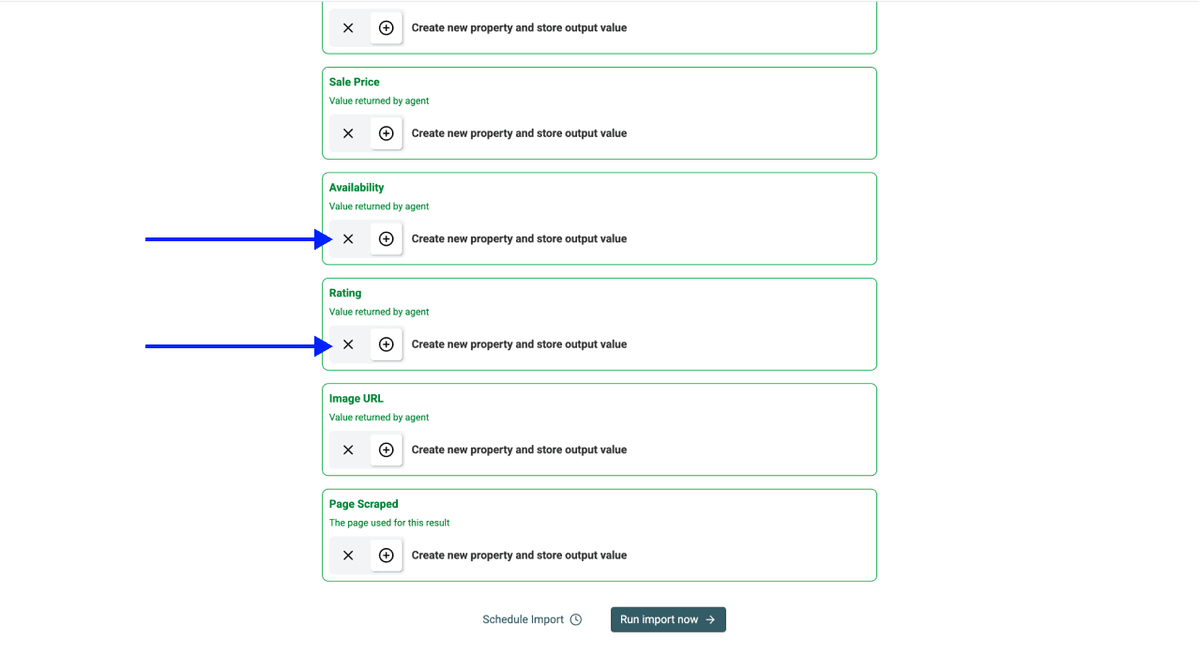
Step 5: Run
Once you've done the above, click on Run Import Now to start scraping
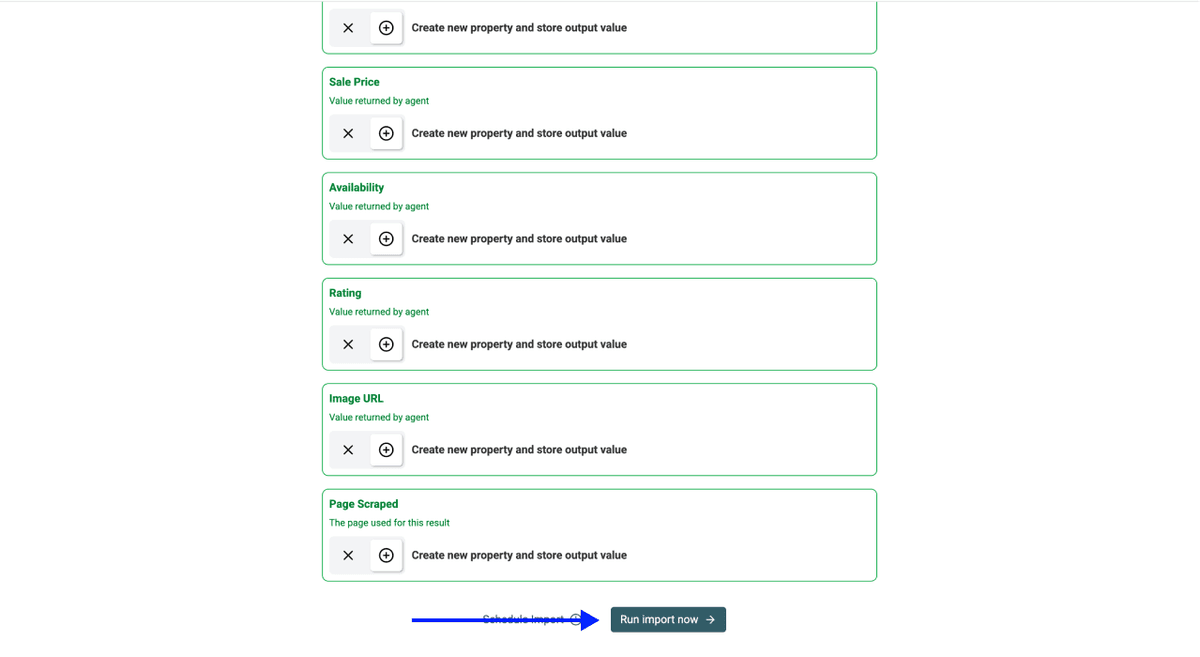
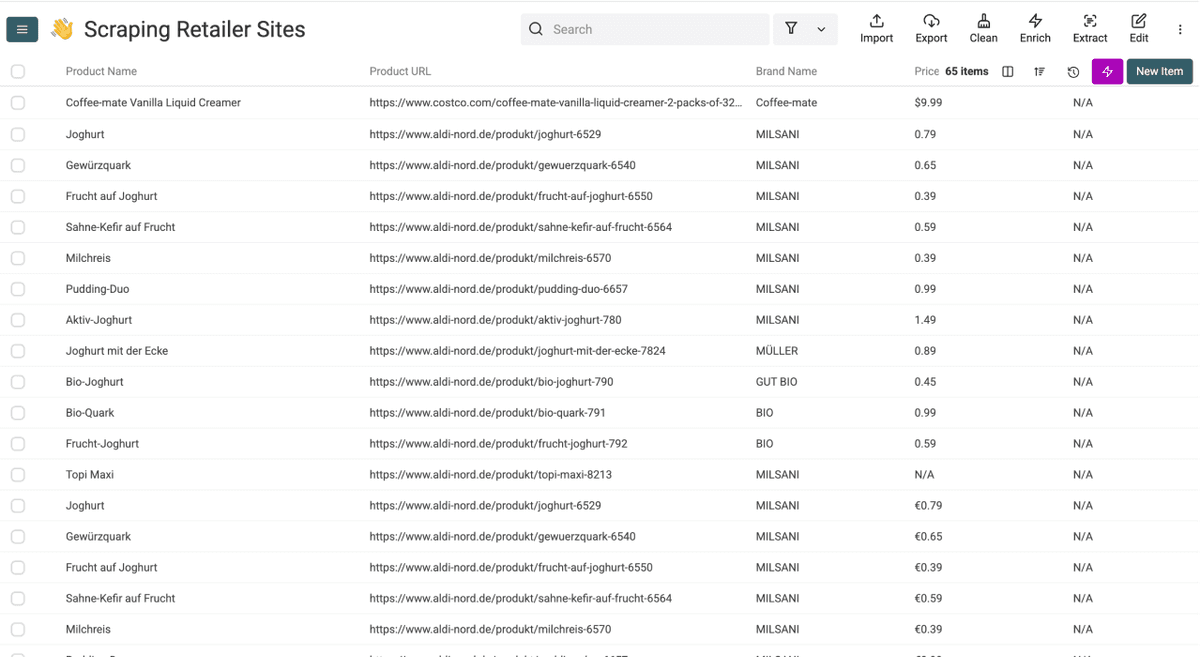
After a few minutes, your results will look like this. From here, you can use Datablist's workflow automation features to clean, enrich, and export the data.
💡 Avoid Duplicates on Repeat Runs
If you plan to scrape the same retailer again later (for price monitoring, stock tracking, etc.):
- Pick a unique identifier column (Product URL works best)
- Click on the column header and select: Rename - Settings - Delete
- Check: Do not allow duplicate values
- Click: Save Property
This way, re-running the scraper only adds new products instead of duplicating existing ones. Combined with Datablist's workflow automation features, you can schedule repeat runs without lifting a finger.
And if you're scraping multiple retailers into one file, we also wrote a guide on removing duplicates from CSV files 👈🏽
Your Key Takeaways
Here are the things to remember the next time you need to scrape retailer websites:
- Custom scrapers are a money pit for retail. Different site structures mean different scrapers, every layout update breaks them, and there's no built-in workflow automation. It's not worth the investment.
- AI scraping reads meaning, not HTML. That's why it works across Tesco, Aldi, Morrisons, and other retailers without site-specific configuration.
- The full process takes under 10 minutes. URL, prompt, outputs, run. That's it.
- Not every retailer is scrapable. Walmart, Costco, and Edeka have strong anti-bot protections. Be realistic about what's possible.
Frequently Asked Questions About Scraping Retailer Websites
How Much Does It Cost To Scrape a Retailer's Website?
Datablist.com's AI Agent uses a usage-based credit system. The cost per retailer page varies depending on how much data the agent extracts and how many iterations it needs. Datablist plans start at $25/month with 5000 free credits included. If you need more, top-up packs start at $20 for 20,000 credits with bulk discounts up to 35% off on larger packages.
How Long Does It Take To Scrape Products From a Retailer's Website?
Most retailer category pages with 50-200 products are scraped in 5-10 minutes. Larger runs with pagination enabled (500+ products across multiple pages) can take 10-20 minutes. Setup takes another 3-5 minutes for your first run, then seconds for repeat runs on the same retailer.
Is There a Limit To How Many Products I Can Scrape?
Datablist.com supports up to 100,000 rows per collection and the AI Agent can scrape up to 5,000 pages in a single run. For most retailer websites, this is more than enough to capture an entire product catalog.
Do I Need Coding Skills To Scrape Retailer Websites?
None at all. With Datablist.com, the entire process is no-code. You paste a URL, write a prompt describing which products to extract from the retailer's website, select your outputs, and hit run. If you can write, you can scrape a retailer's website with Datablist.com.
Can AI Scrape Any Retailer Website?
Most retailer websites work well with AI scraping, especially grocery chains and regional retailers. However, some large retailers like Walmart, Costco, and Edeka have strong anti-bot protections that prevent reliable automated data extraction. We recommend testing with a small batch first to confirm the retailer you're targeting is supported.
What Is the Difference Between AI Scraping and Traditional Web Scraping?
Traditional scrapers rely on fixed rules like HTML elements, CSS classes, or XPath selectors. When a website changes its layout, the scraper breaks. AI scraping works differently. It reads the page like a human and can infer that a number next to a product name is likely a price, even if the HTML changes. That makes AI scrapers more resilient and usable across different websites without custom configuration.
Can I Scrape Retailer Websites That Block Bots?
It depends on the level of protection. Some retailer websites use basic bot detection that Datablist's Render HTML option can handle. Others (like Walmart and Costco) use advanced anti-bot systems that block most forms of automated access. If you're unsure, run a test batch of 10 items first to see if our scraping agent can scrape these retailer websites.
Can AI Scrape a Website?
Yes. AI-powered scraping tools like Datablist's AI Scraping Agent can visit a web page, read its content, and extract structured data based on natural language instructions. The AI handles JavaScript rendering, pagination, and varying page layouts automatically.
What's the Fastest Way To Scrape a Website?
For scraping retailer websites specifically, the fastest no-code method is AI scraping. You provide the URL, describe what data you want in plain English, and the agent extracts it automatically. With Datablist.com, the entire process from setup to results takes under 10 minutes.
What Is AI Scraping?
AI scraping is a method of extracting data from websites using artificial intelligence instead of traditional rule-based scrapers. Instead of relying on fixed HTML selectors, AI scraping uses language models to understand the content of a page and extract the requested information. This makes it more flexible, easier to use, and more resilient to website changes. Platforms like Datablist offer AI scraping through their AI Scraping Agents
What Are the Biggest Retailers in the World?
The largest retailers globally by revenue are:
- 🇺🇸 Walmart - $648B
- 🇺🇸 Amazon - $620B
- 🇺🇸 Costco - $254B
- 🇩🇪 Schwarz Group (Lidl + Kaufland) - €175.4B
- 🇺🇸 Home Depot - $157.6B
- 🇺🇸 Kroger - $150.8B
- 🇩🇪 Aldi (Nord + Süd) - €112B
- 🇫🇷 Carrefour - €94.1B
- 🇬🇧 Tesco - £63.6B
- 🇪🇸 Mercadona - €38.8B
What Are Europe's Biggest Retailers?
Europe's biggest retailers vary by country. Here are the top players by revenue:
- 🇩🇪 Germany: Schwarz Group/€175.4B, Aldi/~€117.6B, REWE Group/€96.0B, Edeka/€75.3B, Netto Marken-Discount/€17.6B
- 🇬🇧 UK: Tesco/£63.6B, Sainsbury's/£33.3B, Asda/£21.7B, Morrisons/£15.8B
- 🇫🇷 France: Carrefour/€94.1B (global), E.Leclerc/€50B+, Auchan/€32.3B, Système U/€25.9B
- 🇪🇸 Spain: Mercadona/€38.8B, Carrefour Spain/€11.7B
Citations
[1] Add citations here after polishing. Reference product pages, pricing documentation, and any external sources used during research.
[2] Datablist.com pricing: Growth Plan $50/month with 20,000 credits. Top-up packs from $20 for 20,000 credits. Full details at datablist.com/pricing