
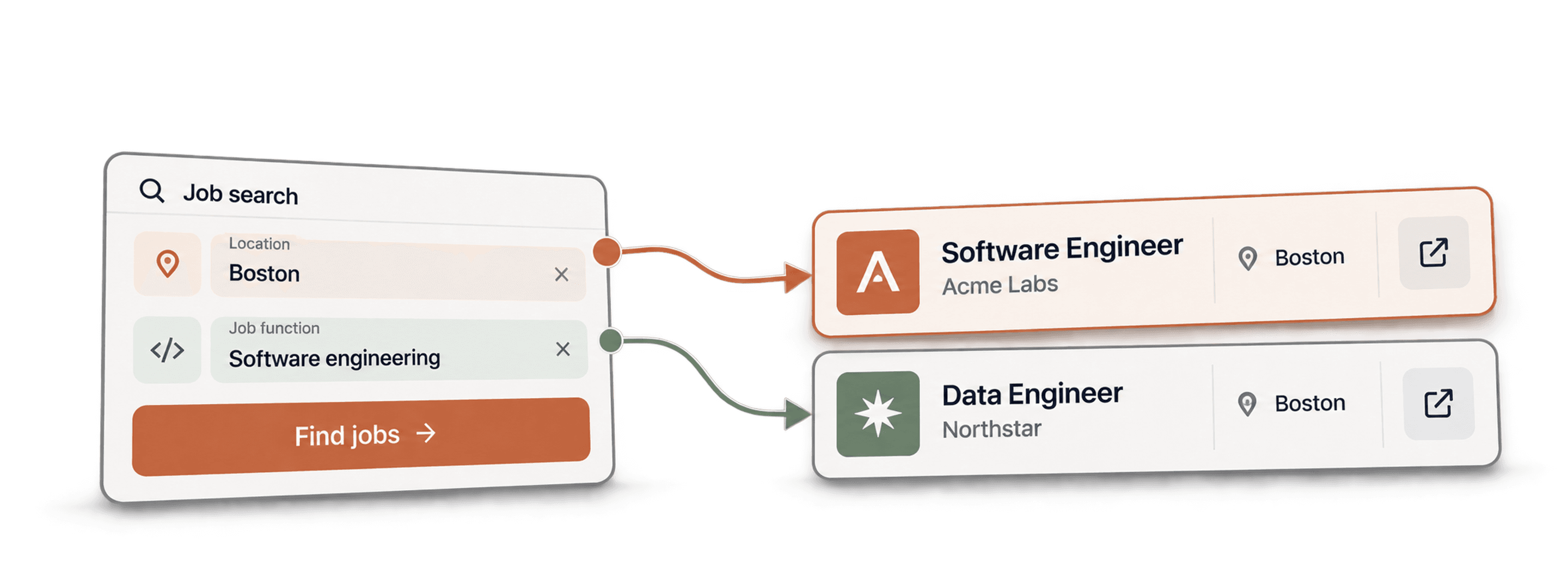
Scrape tech job postings in Boston by opening Datablist's Job Postings Search, choosing job-title phrases and a location, then importing the matching postings into a collection. Keep the posting ID, source URL, job location and workplace type so you can review the results before export.
I would start with a narrow role family and separate local office jobs from remote roles. “Boston tech jobs” can mean a job physically in Boston, a Cambridge employer, or a remote role open to Massachusetts applicants. Those are different lists, and one location filter does not establish all three.
For a LinkedIn-only search, use the LinkedIn Jobs Scraper walkthrough. It explains per-search limits and repeated job IDs before the company/contact stage.
📌 Summary For Those In a Rush
Turn a Boston hiring search into rows with job titles, descriptions, company information and source links. In Datablist, set Job Title Keywords, Job Locations, Countries, a posting-age window and a small result limit. Review job location separately from company headquarters, distinguish on-site/hybrid from remote, and keep Job Posting Id for repeated imports. The source searches an aggregated job dataset; a completed run does not prove every Boston vacancy or every board has been covered.
What This Guide Covers
- Choose a useful Boston job-search scope
- Configure and import the job search
- Review location, status and duplicates
- Estimate credits and choose the next step
Define the Boston hiring list you need
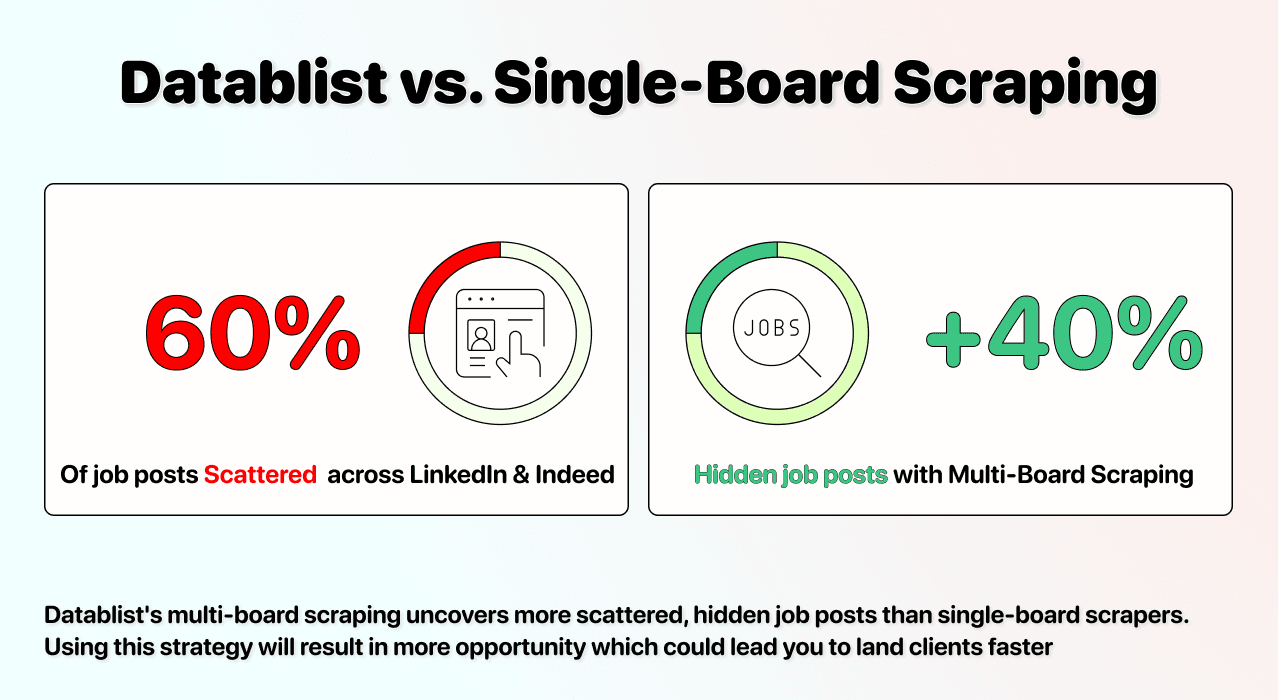
Job boards overlap, and their coverage changes. Datablist's source searches an aggregated dataset rather than promising a fresh scrape of every board on each request. A posting can appear on several sites, and a listing can remain in a dataset after its application page changes.
Choose the unit of your list before setting filters: one row per vacancy for recruiting, or one row per hiring company for account research. Keep individual postings until you have reviewed them; several jobs at one company can be distinct opportunities.
Separate the job location from the company location
Job Locations describes the role's location, not the employer's headquarters. A company headquartered in Boston can advertise a role in another state. A Cambridge-based company can recruit for a Boston office. Keep the returned job and company fields separate.
For a city-only search, start with Boston. If you want nearby employers too, make Cambridge, Somerville or other chosen areas explicit in your search plan and retain a Search Scope column for each import. Review the returned addresses rather than treating a metro label as an exact radius.
If your research includes another tech hub, use the San Francisco job-search guide to build that city as a separate segment.
Treat remote roles as a separate segment
For local office roles, use the appropriate Workplace Types selections, such as on-site or hybrid. For a separate remote search, choose remote and review the description for state, country and time-zone eligibility. The word Remote does not prove that a Massachusetts applicant is eligible.
A location restriction can miss remote jobs with a nationwide label. Broaden that search deliberately, then check eligibility from the posting. Do not mix a national remote result set into your Boston office count without labeling it.
Import Boston tech jobs with Datablist
How To Scrape Tech Jobs in Boston: Step-By-Step
Start with one role family and a small sample. You can expand the search once the returned titles, locations and source pages match your purpose.
Step 1: Create a collection
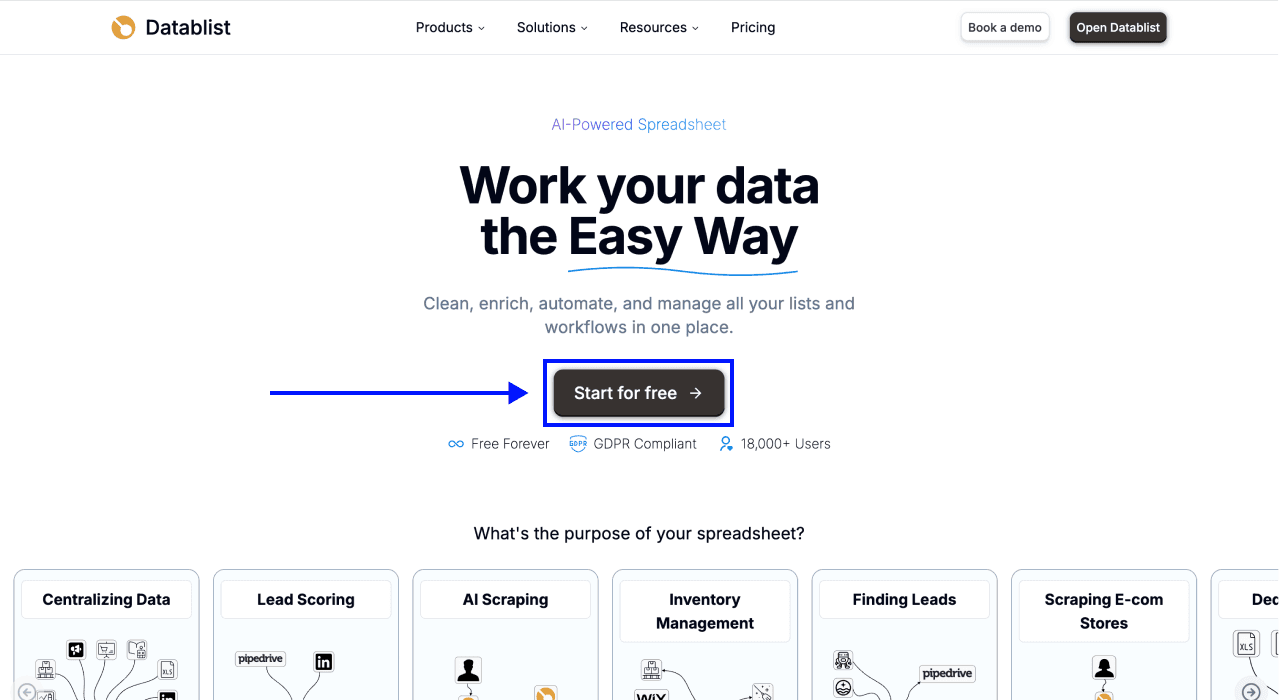
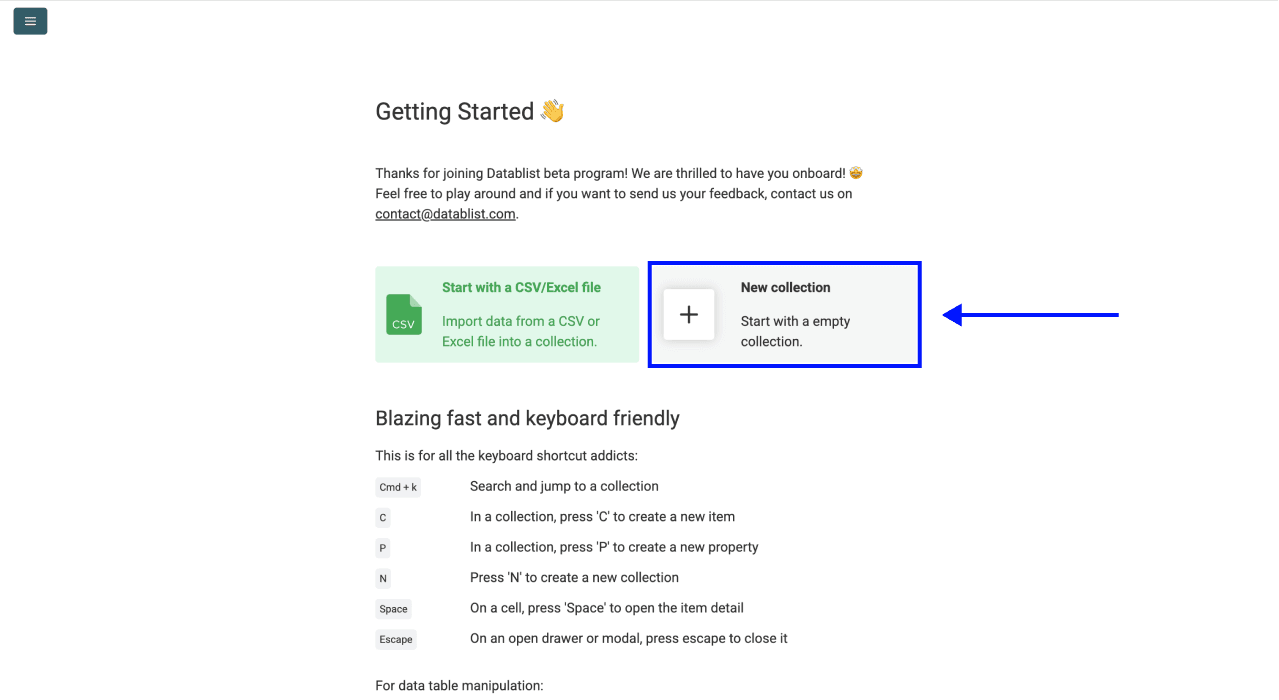
Open Datablist and create a New Collection for your hiring search.
Step 2: Open Job Postings Search
Choose Job Postings Search from the data sources. The source creates new job rows rather than enriching existing contacts.
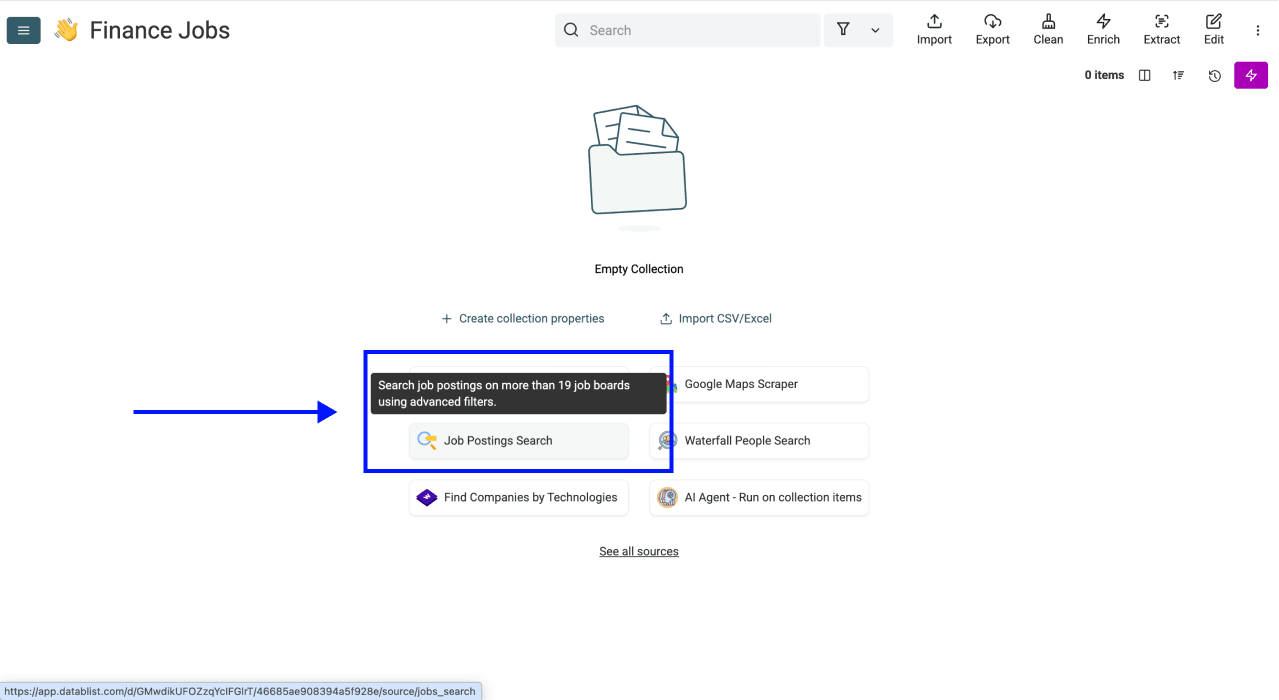
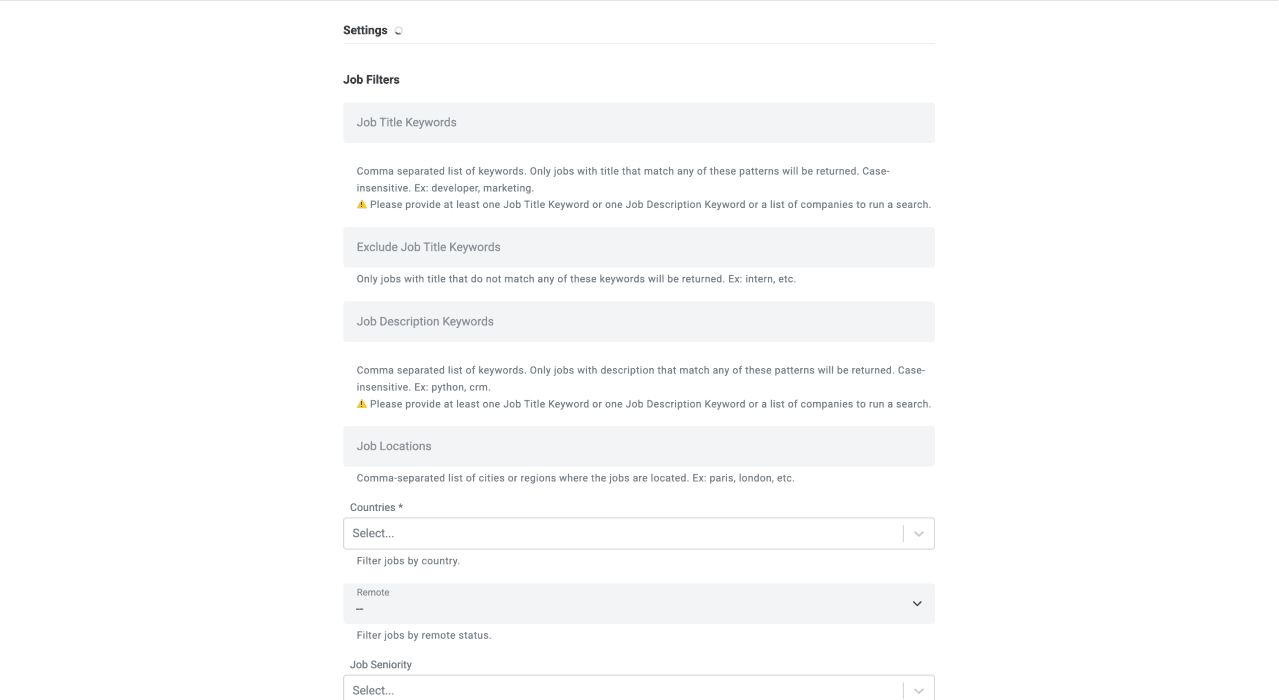
Step 3: Configure your filters
A useful starting example is:
- Job Title Keywords:
software engineer, data engineer - Job Locations:
Boston - Countries: United States
- Workplace Types: choose on-site and/or hybrid for a local-office list
- Company Type: Direct Employer if you want hiring employers rather than recruiting agencies
- Max Age: Last 15 days
- Limit: a small sample, such as 25 postings, before a larger run
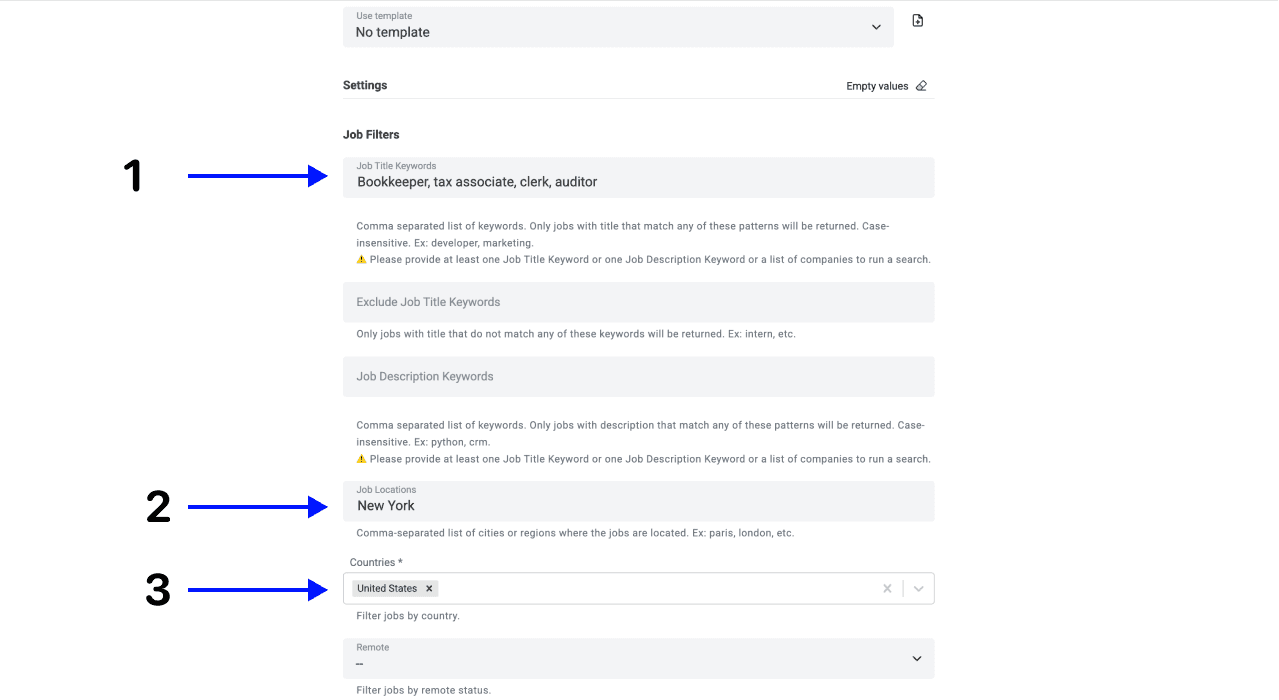
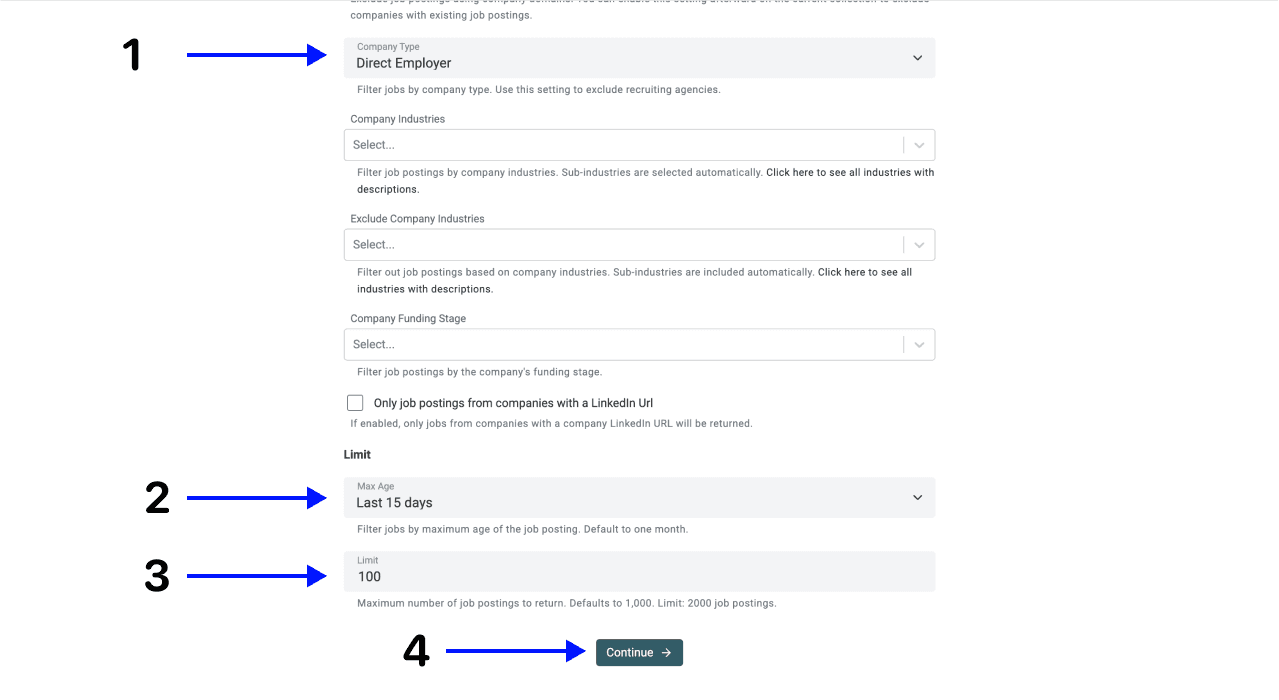
Job-title phrases are alternatives: a title can match either phrase. All words in a phrase must appear in the title, in any order, with case-insensitive matching. A generic keyword such as “tech” can miss Software Engineer roles whose title never uses that word.
Use Exclude Job Title Keywords when a known title category does not fit. Add Job Description Keywords only when you need text beyond the title, such as a particular technology. Inspect a sample after each added restriction so a narrow combination does not silently exclude relevant jobs.
For a reproducible period, use Posted On or After and Posted On or Before. An exact date range overrides Max Age. Record the chosen dates with your export so you can explain which hiring period it represents.
Click Continue after reviewing the settings. The screenshots show an earlier filter layout; use the current labels described here.
Step 4: Keep the outputs needed for review
Keep these outputs even if you remove optional company fields:
| Output | Why to keep it |
|---|---|
| Job Posting Id | Identify the same posting across repeated imports |
| Job Title and Job Description | Check role relevance and remote eligibility |
| Job Location and Job Country | Check where the role is advertised |
| Workplace Type | Separate on_site, hybrid and remote when supplied |
| Date Posted and Closed At | Review freshness and known closure information |
| Job Posting URL and Job Posting Source URL | Open the posting and inspect its provenance |
| Company Name and Company Website | Group accepted vacancies by hiring company |
Salary, company information and hiring-contact fields depend on what the provider supplies. A missing field is unknown, not evidence that a salary or contact does not exist. A hiring contact returned with a job is not necessarily the CEO.
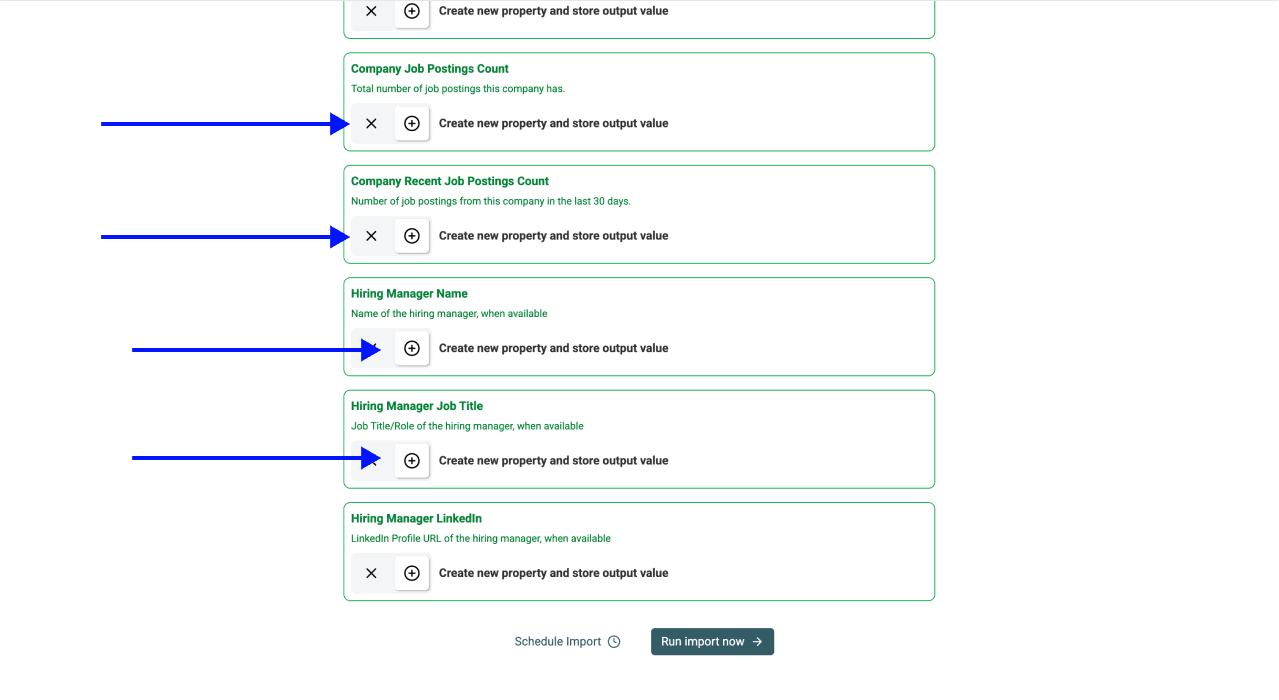
Step 5: Run the import
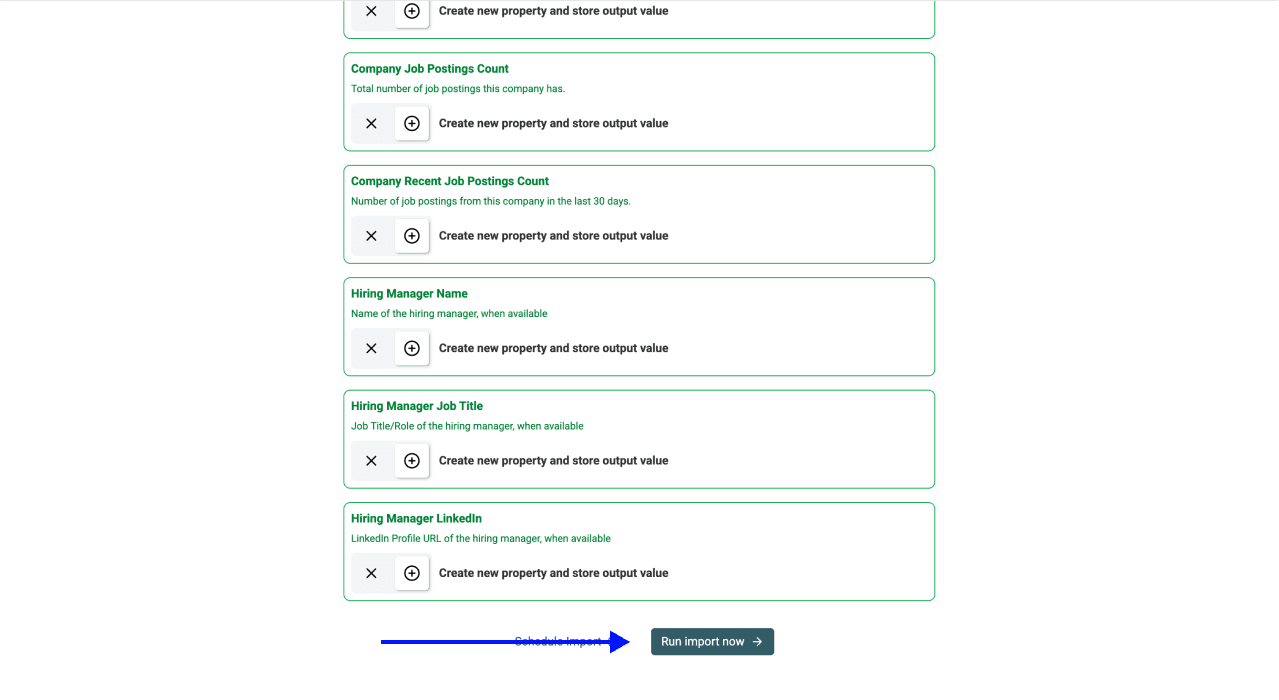
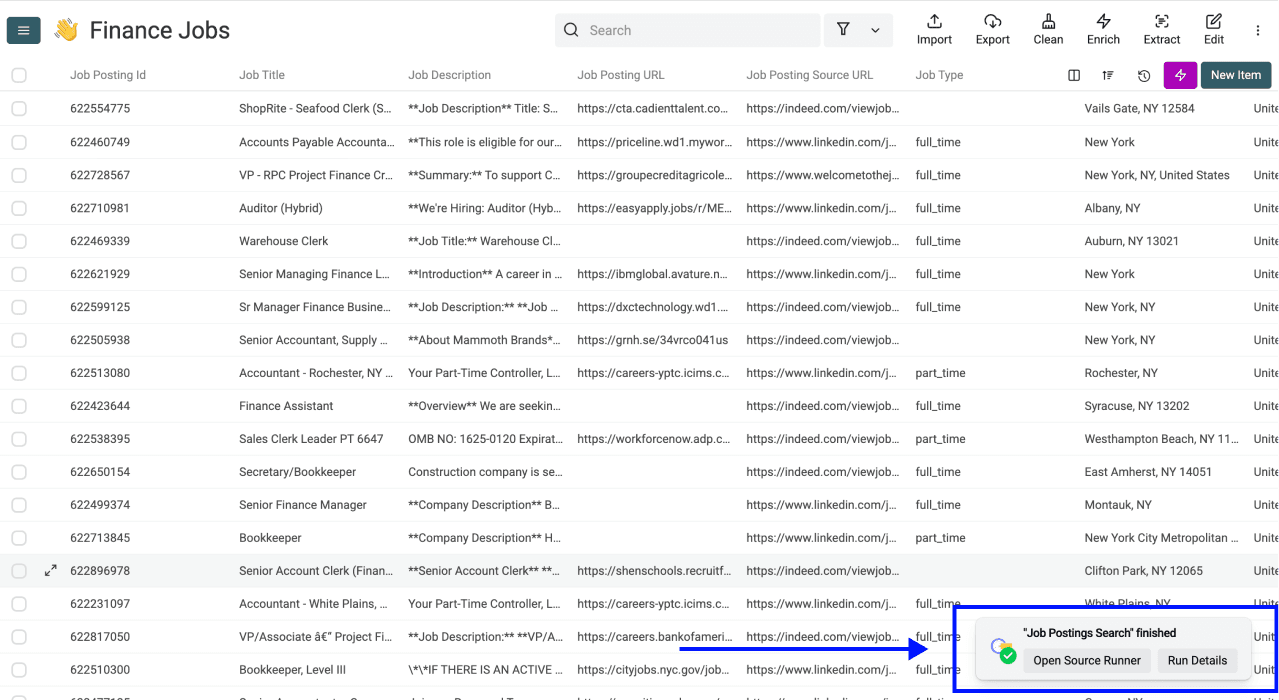
Review the output mappings, then click Run Import Now. Wait for the task to finish and inspect its results and usage. Runtime depends on the request and provider; there is no fixed completion time for every sample size.
Step 6: Check the rows against their sources
Open several Job Posting URL values. Confirm the role is still available and that its title, location and application page agree with the returned row. The search normally filters for open jobs, but a provider status is not a substitute for checking the live application page.
For a company-specific search, use Filter by companies and map a suitable company identifier. The multi-board job search guide explains that workflow. Company matching and source coverage still determine what comes back.
Review Boston job results before export
The following examples are illustrative review decisions, not measured scrape results:
| Returned row | Review decision |
|---|---|
| Software Engineer; Boston; hybrid | Keep in the local-office segment after checking the posting |
| Data Engineer; Cambridge; on_site | Keep only if your search scope includes Cambridge |
| Software Engineer; United States; remote | Read state and time-zone eligibility; do not infer Boston eligibility |
| Two rows with the same Job Posting Id | Review as a repeated posting, preserving source context |
| Two jobs at the same Company Website | Keep as separate vacancies; group only for a company-level list |
Use Job Posting Id as the candidate unique key for repeated imports after checking that values are present and stable. The import's merge settings determine how existing rows are updated or skipped. Company Website is suitable for grouping companies, but making it the job list's only unique key can collapse distinct vacancies.
Keep the original search settings, source URLs and review date with the accepted rows. That makes a later refresh easier to compare with the first import.
Estimate credits and choose the next step
Job-posting cost
Job Postings Search charges 10 credits per imported posting. An illustrative 25-posting import uses 250 credits for the job source. Separate contact research or enrichment consumes additional credits according to the tool used.
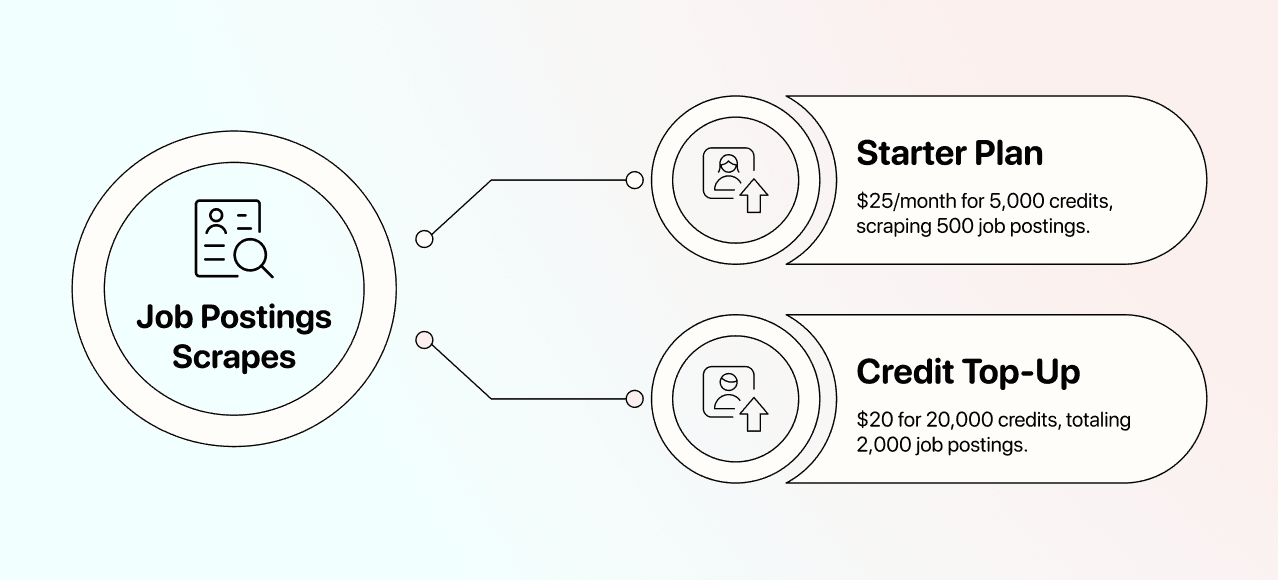
Plan access and current credit packages are on the pricing page. Read the run's credit usage before expanding; a job budget is not a fixed budget for CEO or email research.
Research contacts after accepting the companies
If you need hiring decision makers, first build a company-level list from accepted jobs. Research the relevant role for each company and verify the match. A CEO may fit a small startup; a recruiter or engineering leader may fit another hiring workflow. Do not treat one contact role as universally correct.
The contact and lead search guide explains a separate lookup. Retain the company identifier when adding results so contact details do not become attached to the wrong employer.
Export a reviewed Boston hiring list
Export the accepted postings with their job IDs, source links, location segment and search period. If you also need a company list, create that as a separate view or export after reviewing the vacancies. This preserves the distinction between how many roles you found and how many employers are hiring.
Frequently Asked Questions
Does a search return every Boston tech job?
No. Results depend on the provider's indexed postings, the filters and source availability. Aggregated coverage can broaden a search, but does not guarantee a complete inventory or a live response from every job board.
How do I find remote jobs open to Boston applicants?
Run a separate remote segment, then read each posting's country, state and time-zone restrictions. Boston headquarters or a Remote label alone does not establish applicant eligibility.
Can I refresh the list each week?
Use a new posting window and retain stable posting IDs when refreshing the search. Check the import's merge settings before repeating it. Scheduling is a separate workflow; the current plan comparison describes scheduling access.
Can I scrape postings from one particular board?
This source searches an aggregated job dataset. If you need a board-specific workflow, choose a source designed for that site and check its settings rather than assuming a general search proves complete board coverage.
Does the job search include verified emails and phone numbers?
It can return hiring-contact fields when supplied, but does not promise a verified email or direct mobile for every job. Contact enrichment is a separate step after identifying the correct company and person.
What should I check before reusing job-posting data?
Check the source terms and the rules applying to your use of the data. A posting being publicly visible does not establish unrestricted reuse. If you process personal data covered by the GDPR, the CNIL guidance on reusing online data explains the relevant obligations.