
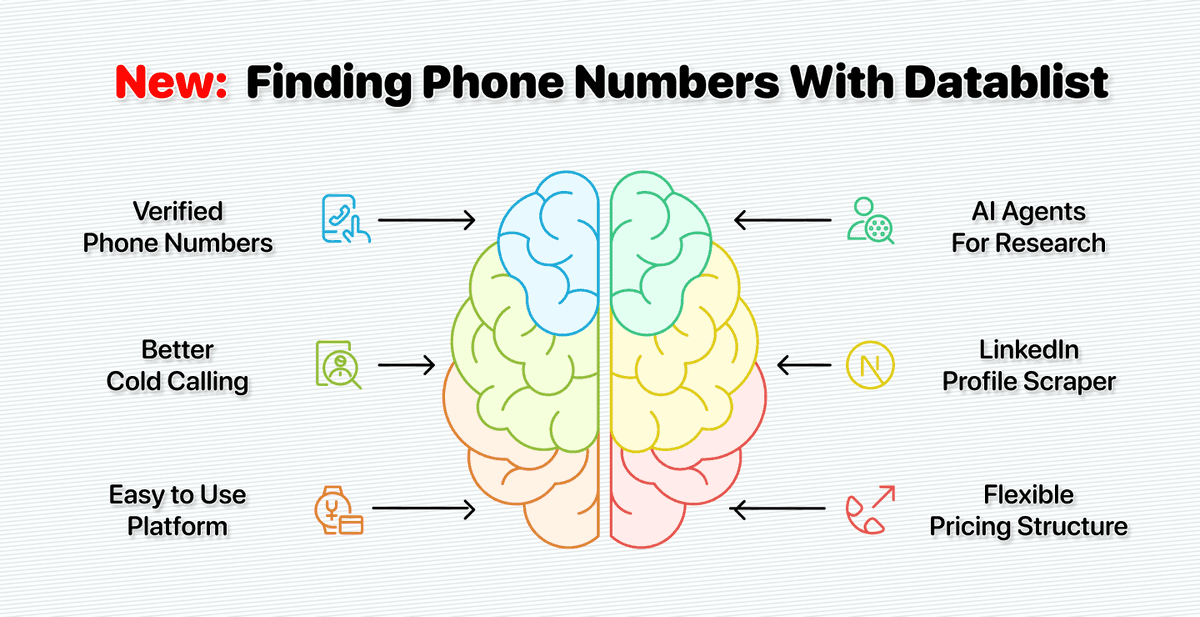
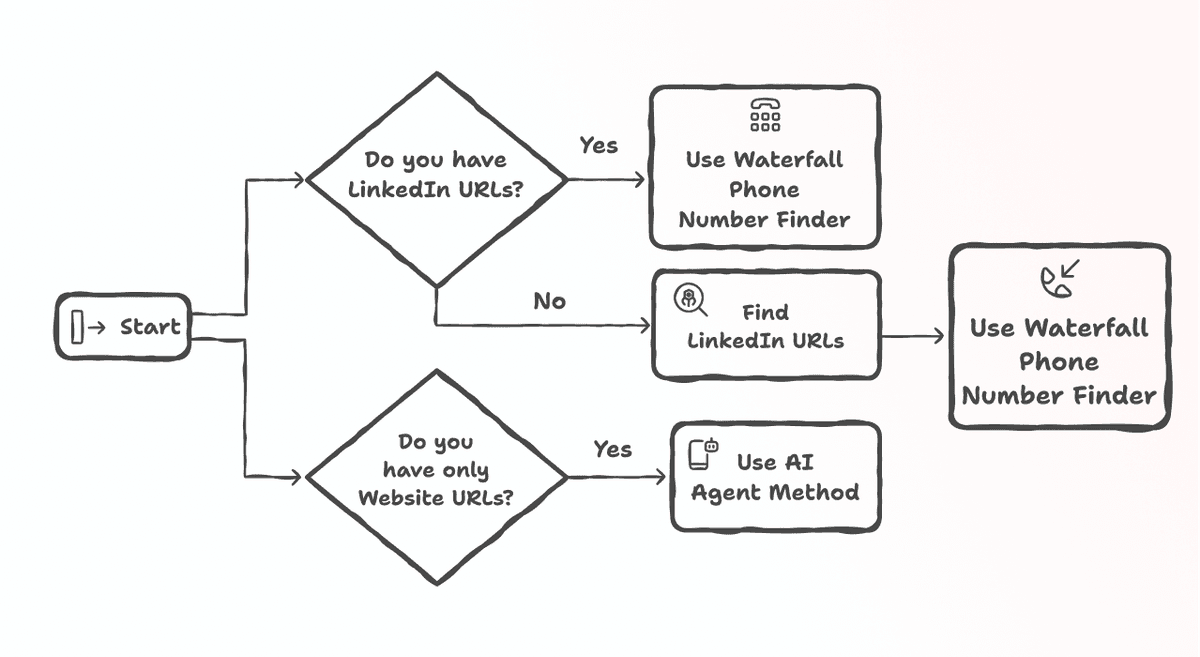
To find a lead's phone number with Datablist, start with the identifier you have. Use a LinkedIn profile URL with the Waterfall Phone Finder to search provider data, or use a company website URL with the AI Agent to extract a publicly listed business number.
I recommend choosing based on who you need to reach. A provider lookup targets a person; a website lookup usually gives you the company's main line. Neither a returned number nor a successful status guarantees that the intended person will answer.
📌 Workflow summary
Person lookup: LinkedIn profile URL → Waterfall Phone Finder → phone number, country, and lookup status.
Business lookup: website URL → AI Agent's Business Number Extractor template → business number and source location.
Before scaling: test ten rows, review the results, and check the credits consumed. AI Agent costs vary with the research required.
What This Guide Covers
- A comparison of both methods and when to use which
- What you need before searching for phone numbers
- Step-by-step walkthrough for the Waterfall Phone Number Finder
- Step-by-step walkthrough for the AI Agent method
- Key takeaways and next steps
Finding Phone Numbers: What You Need To Know First
There are two ways to find phone numbers with Datablist, and which one you pick depends on what kind of number you need and how much you want to spend.
How the Waterfall Phone Finder Works
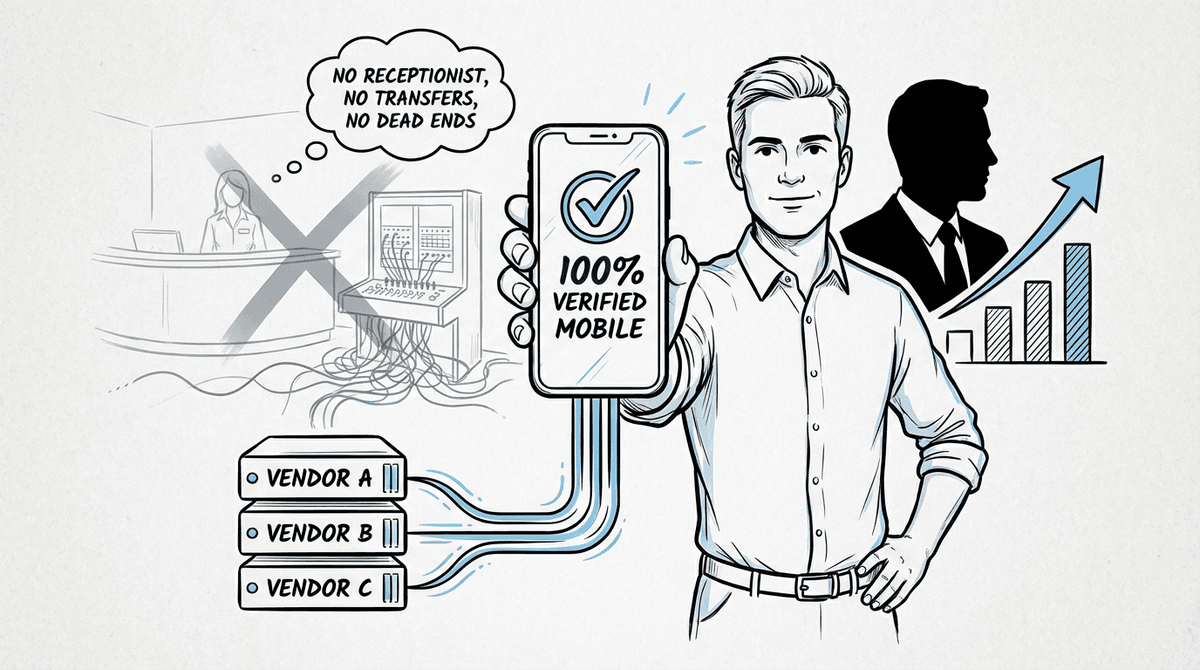
The Waterfall Phone Finder is a purpose-built enrichment that searches through multiple data vendors in sequence until a provider returns a phone number for your contact or the configured sequence is exhausted.
↳ You provide a LinkedIn profile URL
↳↳ Datablist queries vendor #1, then #2, then #3, etc.
↳↳↳ It stops when a provider returns a phone number
A found status means the lookup returned a number. It is not a separate live-call verification or a guarantee that the contact still uses that number. Check a sample before using the results in an outreach campaign.
💡 What Is Datablist?
Datablist is a platform for automating lead generation workflows that allows sales, marketing, and recruiting folks to find, clean, and enrich data using over 60 different tools from AI Agents to Email Finders, data cleaning tools, and more.
If you need to find, clean, or enrich data for your lead lists, Datablist keeps everything in one platform, so you don't have to juggle 5 different subscriptions.
How the AI Research Agent Method Works
The AI Research Agent takes a different approach. Instead of checking data vendors, it visits the company's website, looking for any phone numbers listed on the page.
This is typically the company's main business line. The template looks on the company's own website and leaves the number empty when it cannot find one quickly. Credits depend on the model and browsing work, including runs that return no number.
Here's a quick comparison of both methods:
| Waterfall Phone Finder | AI Agent | |
|---|---|---|
| What It Returns | Phone numbers returned by contact-data providers | Business landlines (mostly) |
| Cost Per Contact | 500 credits per successful uncached lookup using Datablist-funded providers | Usage-based; check a sample run |
| Input Needed | LinkedIn profile URL | Website URL |
| Code Required | None | None |
| Best For | Reaching decision makers directly | Finding a public company contact number |
Use the Waterfall Phone Finder for a Person Lookup
I would start here when your list identifies individual contacts with LinkedIn profile URLs. Review the returned country and status alongside the phone number so missing or invalid inputs do not get mistaken for successful lookups.
Use the AI Agent for a Public Business Number
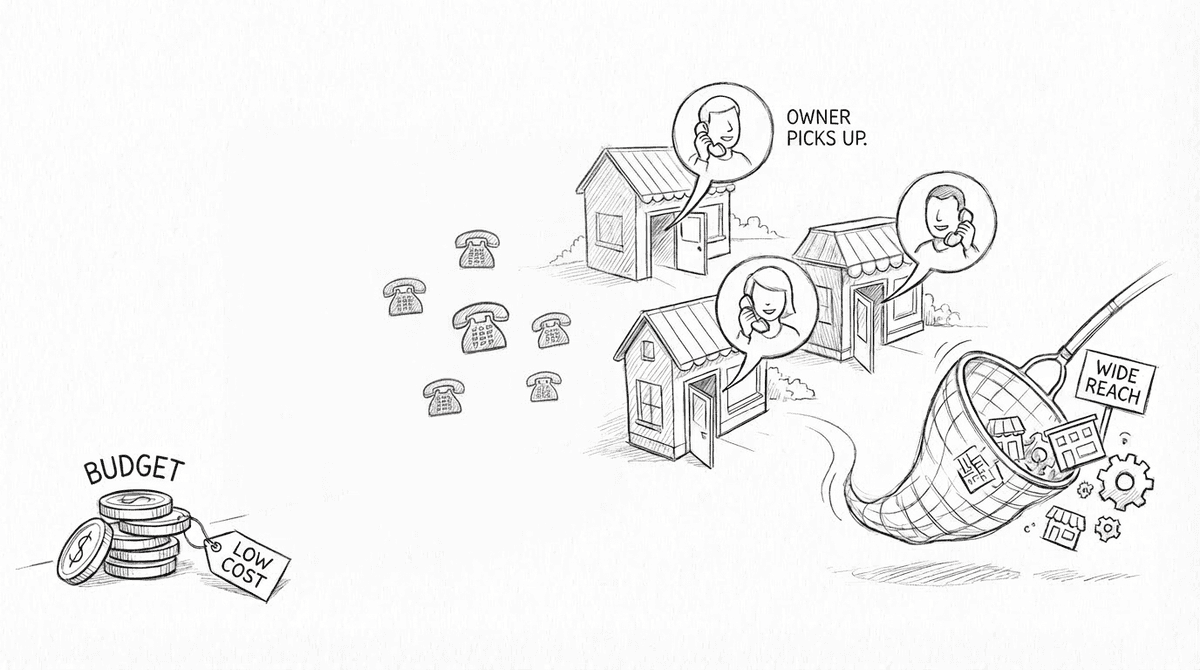
Use this method when a company's public contact number is enough. For example, a local business may list its main phone number on the Contact page. Review the source so you do not accidentally use a fax number, a different branch's number, or a support line for the wrong business.
What You Need to Find the Phone Numbers of Your Leads
To use Datablist's Waterfall Phone Number Finder, you need a LinkedIn profile URL for each contact. That's the only required input.
Don't have LinkedIn URLs? No problem. If you have the first name, last name, and company name or domain, Datablist can help you find the LinkedIn URLs first before running the phone enrichment using our LinkedIn Profile Finder
For the AI Agent method, you need the official company website URL. The Business Number Extractor template checks the company website; it does not treat an unconfirmed directory number as sufficient evidence.
How To Find Phone Numbers With Datablist: The Step-by-Step
Both methods follow a simple 6-step framework, so once you learn one, the other will feel familiar.
📘 Before We Start
This guide covers two methods to find phone numbers. Start with the Waterfall Phone Finder when you have person-level LinkedIn URLs.
Use the AI Agent section when you need a public company number from a website.
Using Datablist's Waterfall Phone Number Finder
With Datablist-funded providers, a successful uncached lookup costs 500 credits. Cached results and unsuccessful lookups do not consume phone-finder credits. With your own provider API keys, provider charges follow your provider account terms.
Step 1: Sign Up & Upload Your Data
First, Sign up for Datablist.com
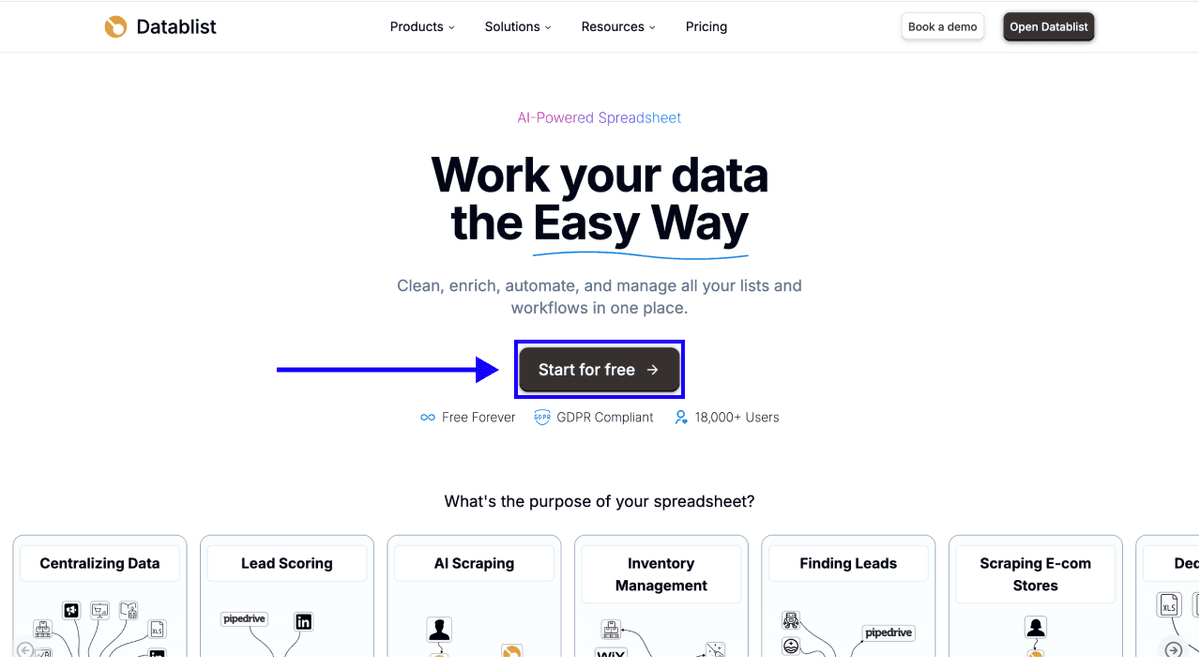
Then, Upload a list with the LinkedIn profile URLs of your leads
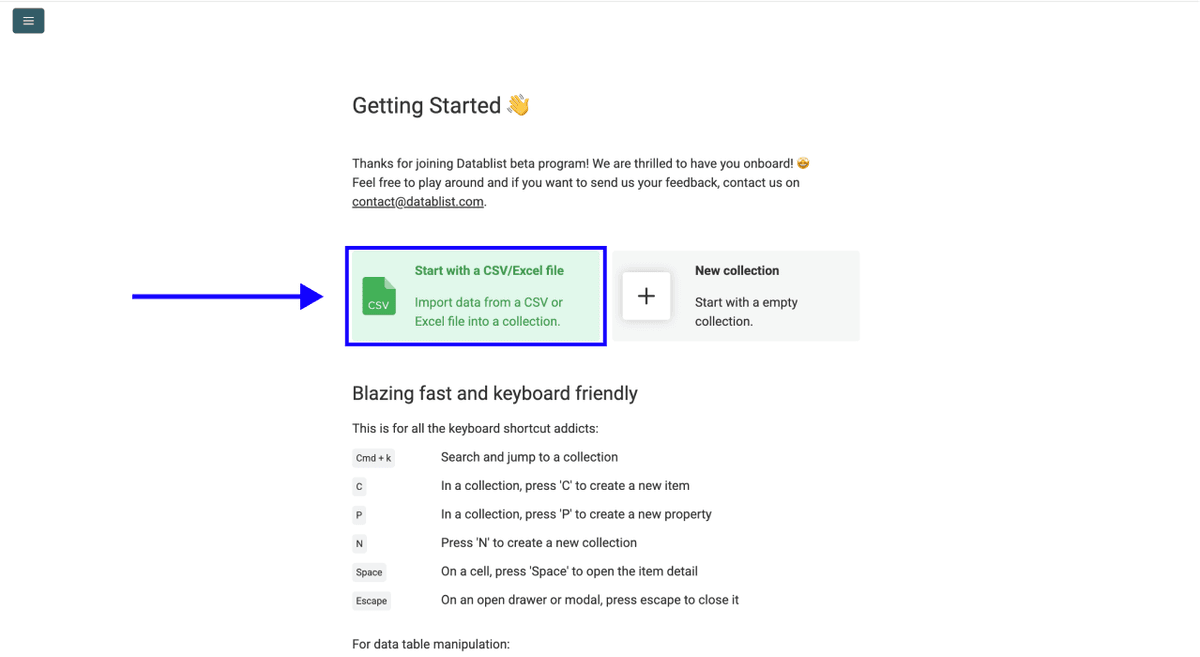
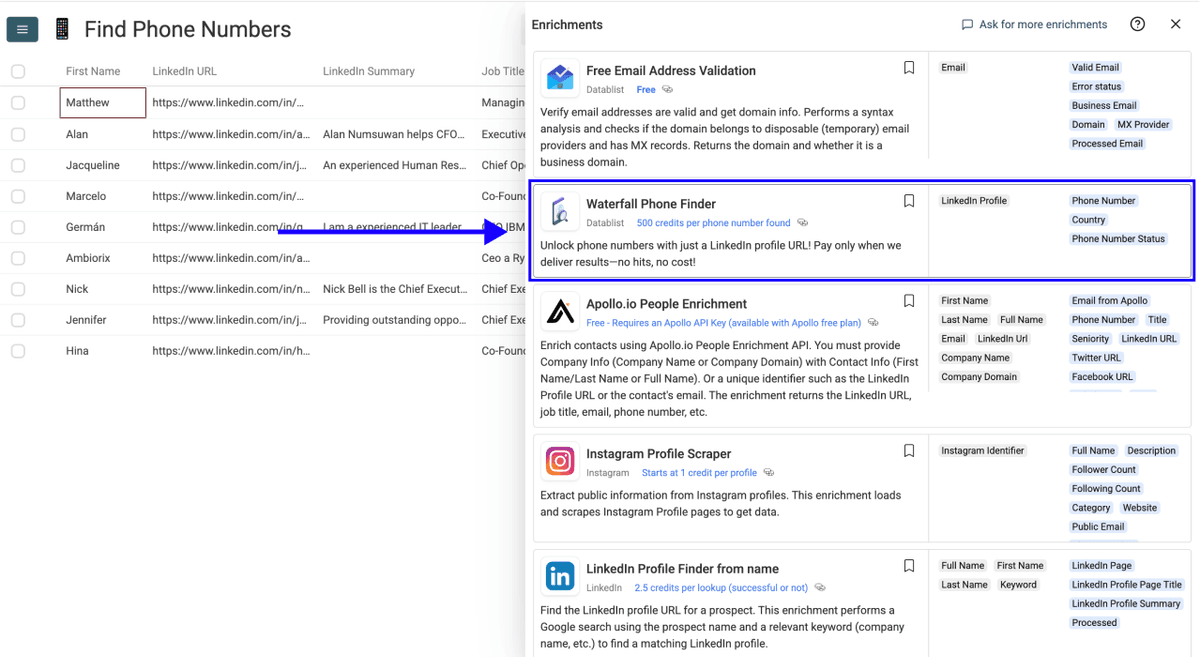
Step 2: Navigate to the Enrichment
- Click on Enrich in the top menu of the app
- Go to the People panel
- Select the Waterfall Phone Finder
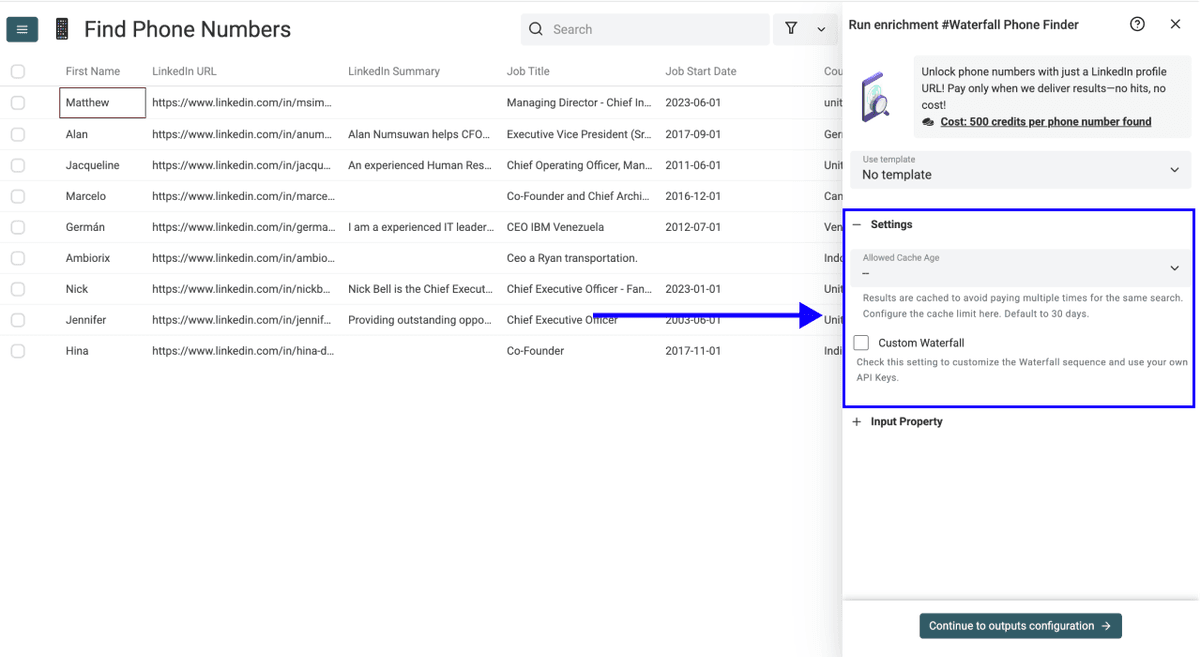
Step 3: Set Up the Enrichment
You'll see the following settings:
- Allowed Cache Age - Results are cached to avoid paying multiple times for the same search. Configure the cache limit here. Default to 30 days.
- Custom Waterfall - Check this box to customize the Waterfall sequence and use your own API Keys.
The setup is straightforward. No technical configuration needed, just select the right options from the dropdowns and checkboxes.
Once you’re done here, scroll down to configure your inputs.
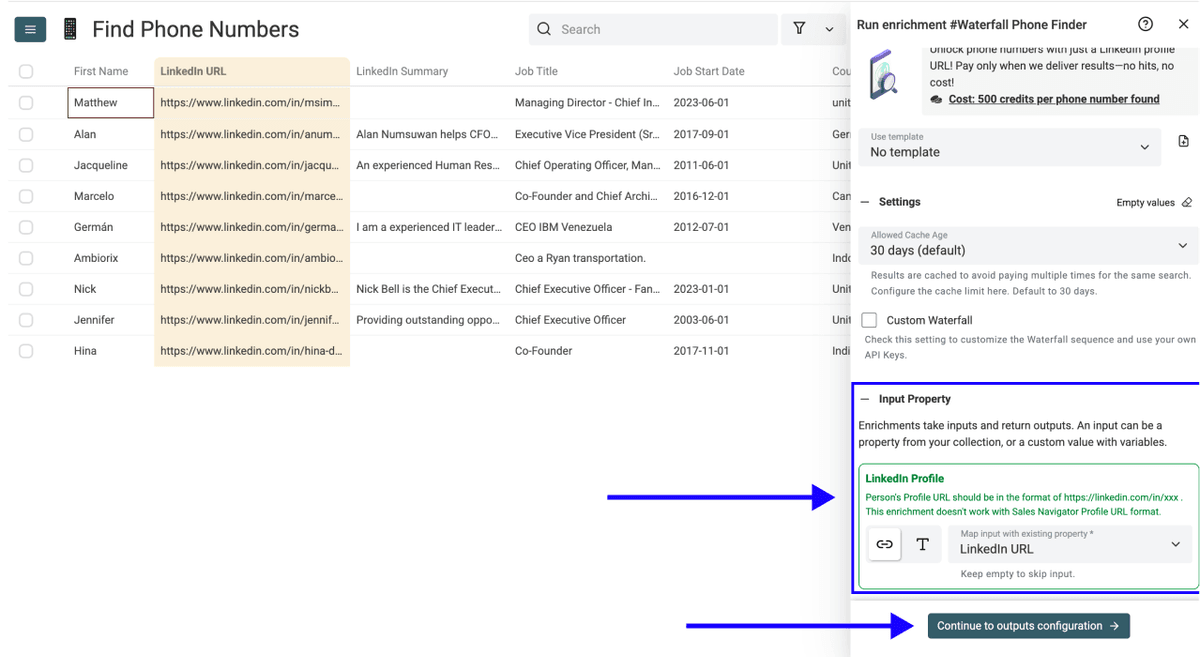
Step 4: Configure Your Inputs
- Map the LinkedIn profile URLs in your collection as the Input Property
- Click on Continue to outputs configuration
Step 5: Select Outputs
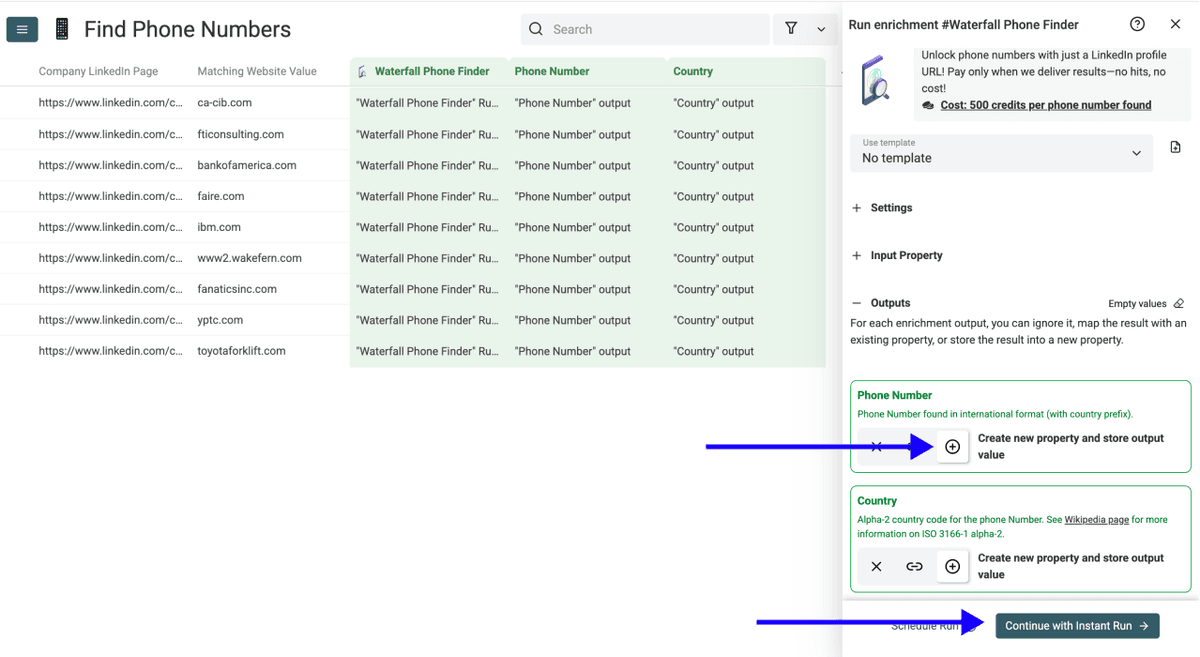
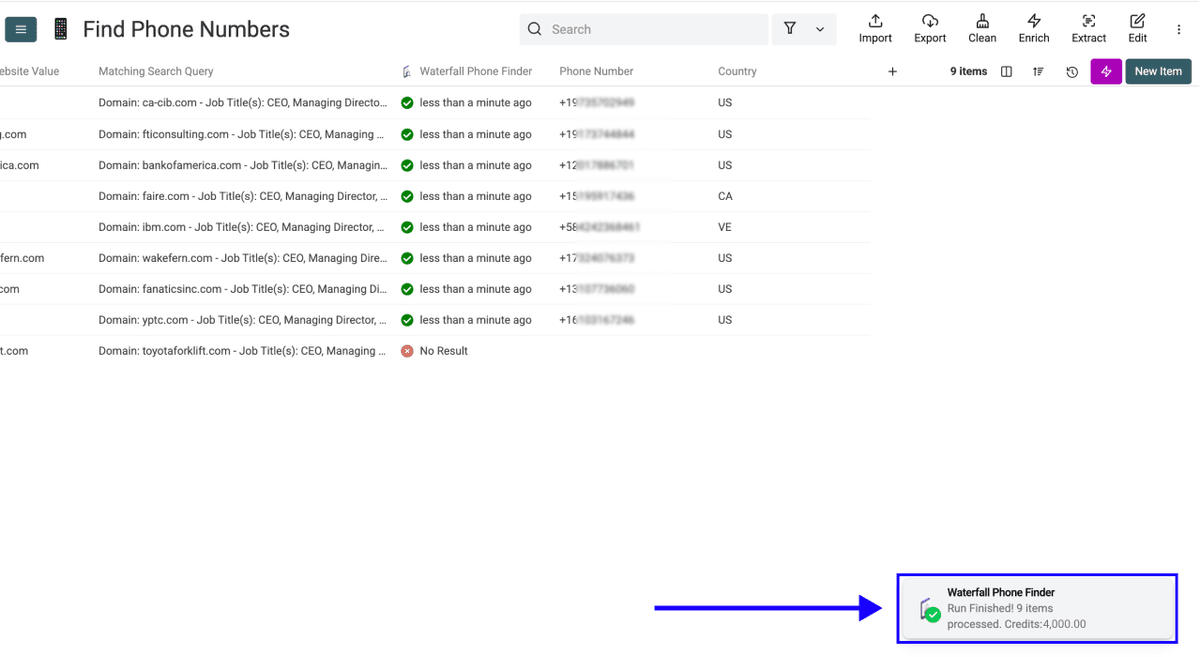
The Waterfall Phone Finder gives you the following data points:
- Phone Number: the number returned by the provider, including its international prefix
- Country: the two-letter country code, when available
- Phone Number Status:
found,not_found,missing_source_data, orinvalid_data
Keep the status output. A blank phone number with missing_source_data or invalid_data calls for an input correction; a not_found result means the lookup did not find a number.
Click on the ⊕ Icons to add them to your collection, then click on Instant Run
New columns will be added to the end of your collection. You’ll see them when scrolling right
Step 6: Run the Enrichment
Finally, configure your run settings by clicking on the chevron on the right side of the button. This will allow you to choose between the following options:
- Run on first 10 items: Good for checking results before committing
- Run on first 100 items: Useful if you want to validate larger samples
- Run on first {X} items: Lets you choose how many items you want to process
- Run on all view items: Process your entire list (or view if you’ve enabled filters)
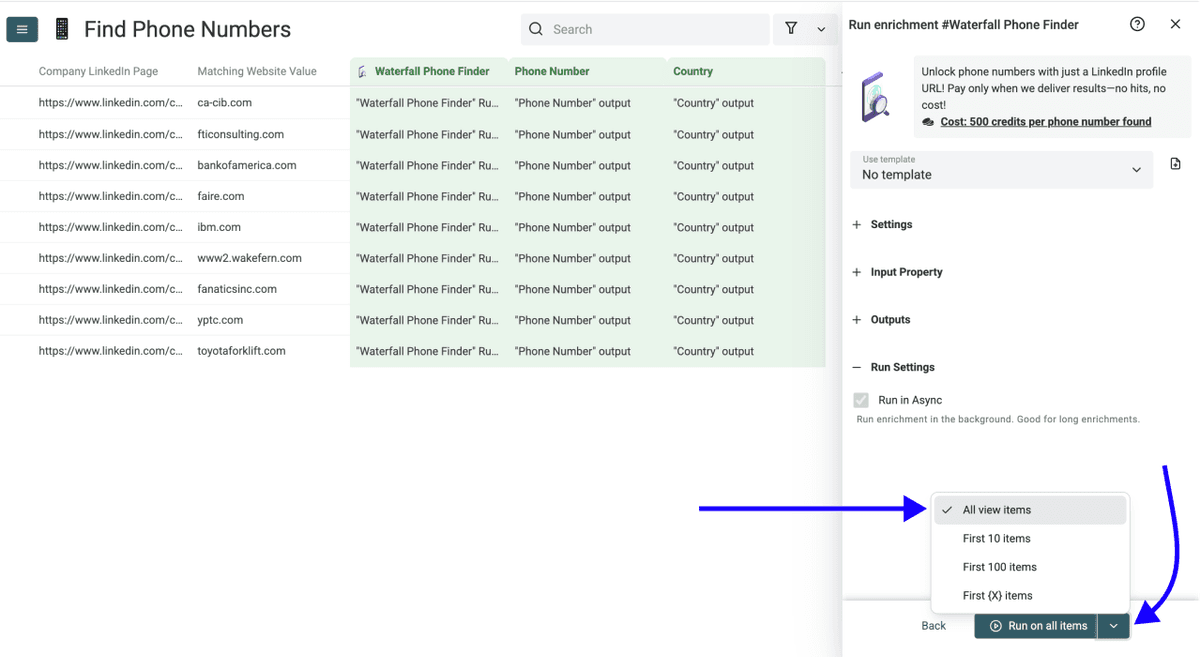
Once you have chosen your preferred option, click Run on X items
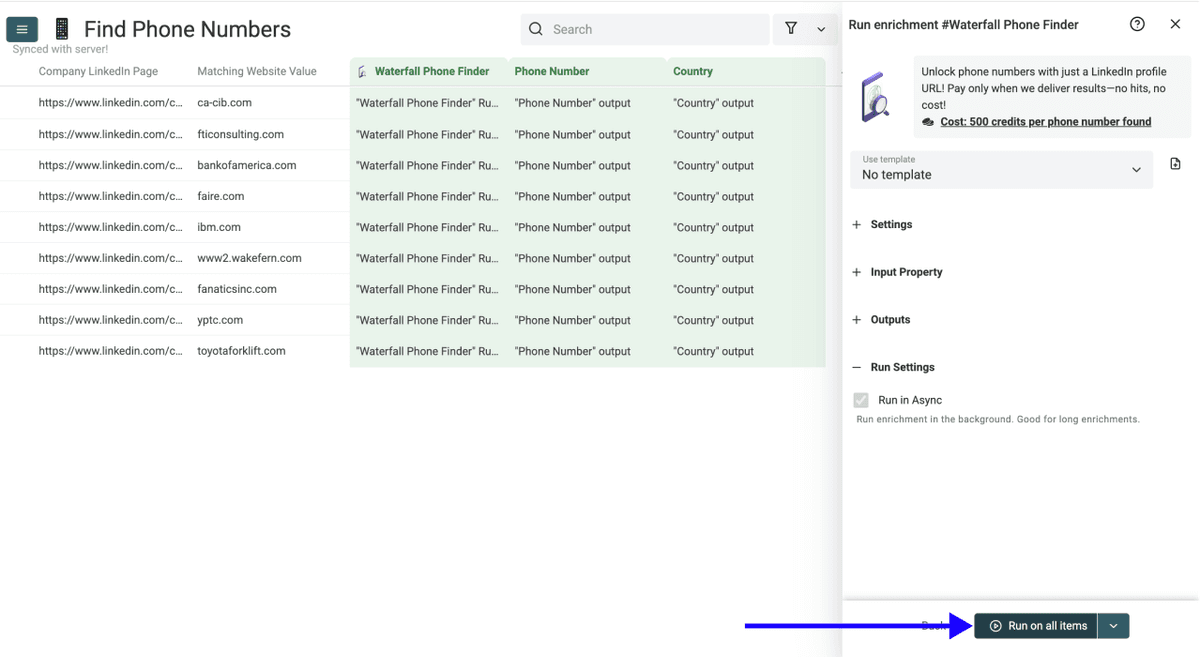
When the run completes, filter Phone Number Status for found and review a sample of the populated numbers. Keep unsuccessful statuses so you can distinguish a missing input from a lookup that returned no number.
The next method extracts business phone numbers when they are published on the company website.
Using the AI Agent to Find Phone Numbers on Websites
This method uses Datablist's AI Agent to find a publicly listed company phone number. Its cost depends on the browsing and model work required.
📘 Important Difference
The Business Number Extractor template looks for the company's main phone number and a short source label. A public company number does not establish an employee's direct number or verify that the line is active.
Step 1: Sign Up & Upload Your Data
If you haven't already, Sign up for Datablist.com

Then, Upload a list that includes the website URLs of the companies you want to find phone numbers for

Step 2: Navigate to the AI Agent
- Click on Enrich in the top menu
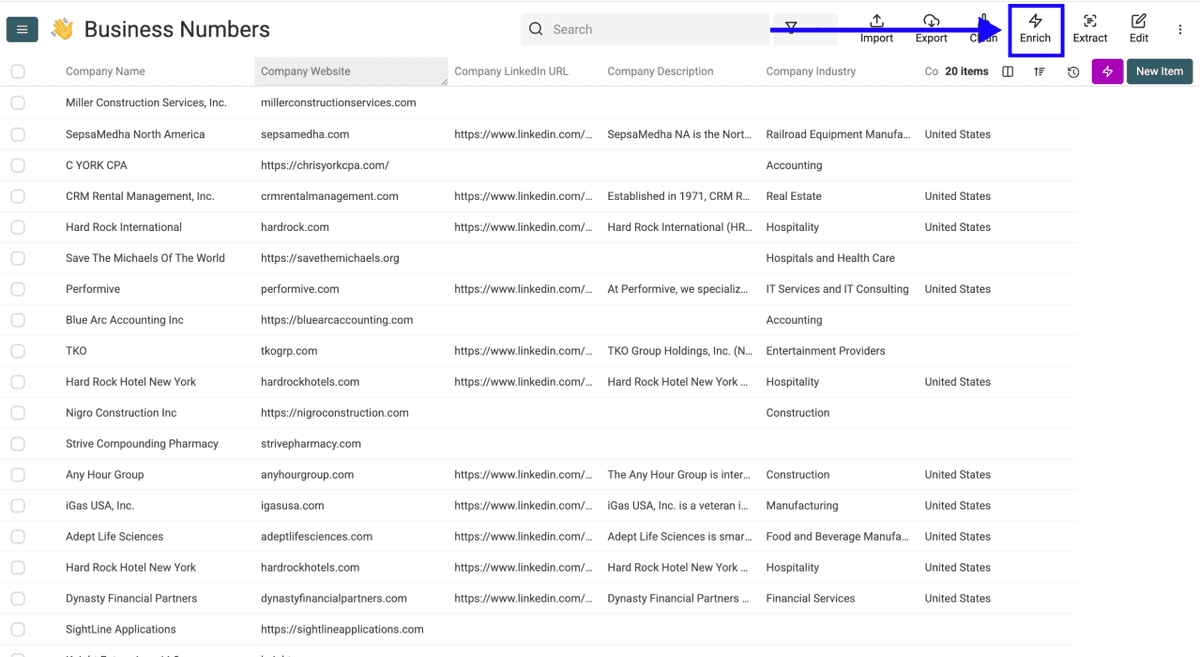
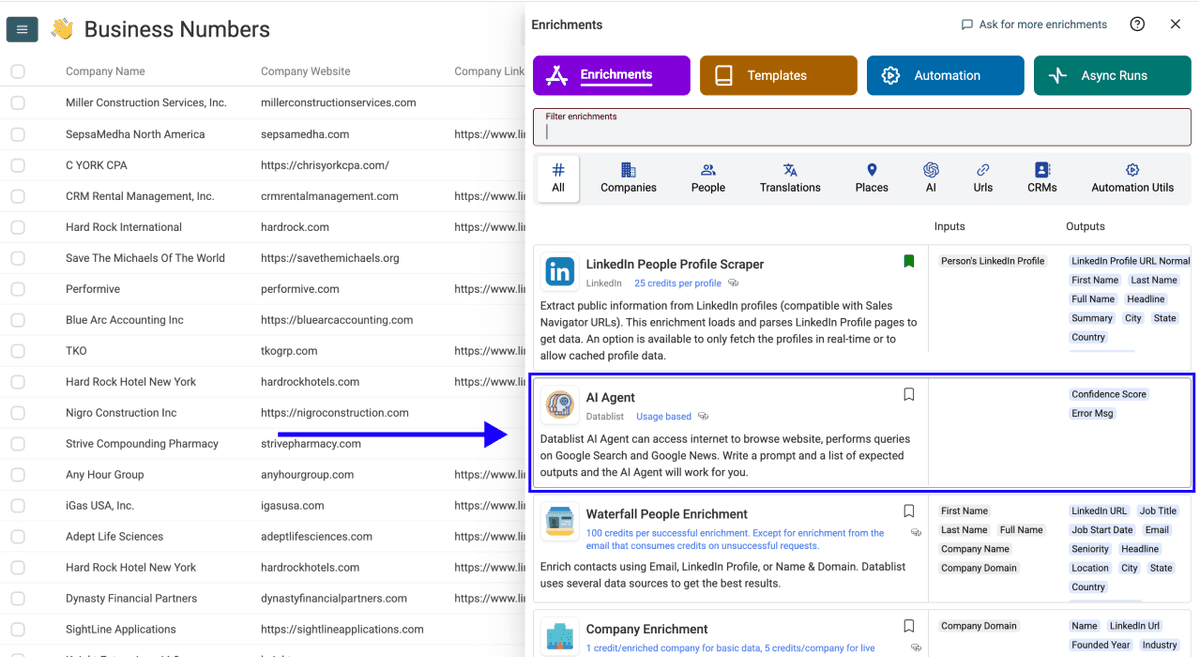
- Go to AI and select AI Agent
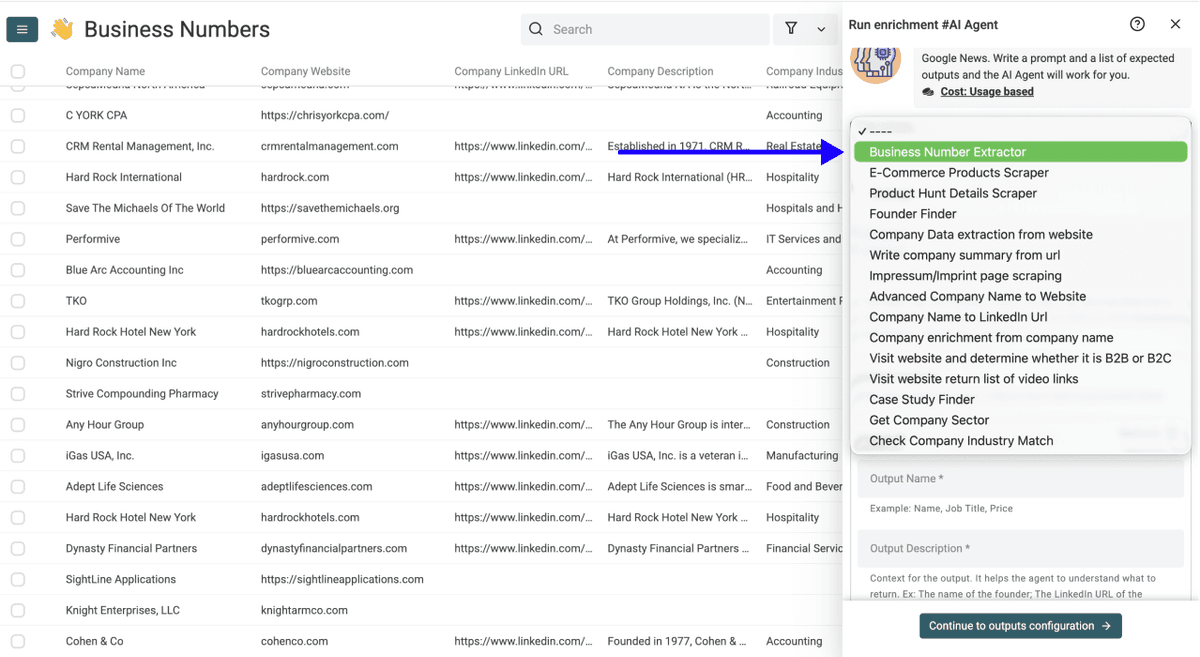
Step 3: Select the Business Number Extractor Template
Click on the Template Drop-Down and select Business Number Extractor
💡 No Prompting Required
You don't have to write a single prompt. The Business Number Extractor template is ready to use. Just select it, put your variable in, and Datablist handles the rest. If you ever want to customize what the AI looks for, you can edit the template in plain English.
Step 4: Map Your Input Property
Scroll down and insert the website URL as your Input Property. You can do this by typing / and selecting the column that contains your website URLs.
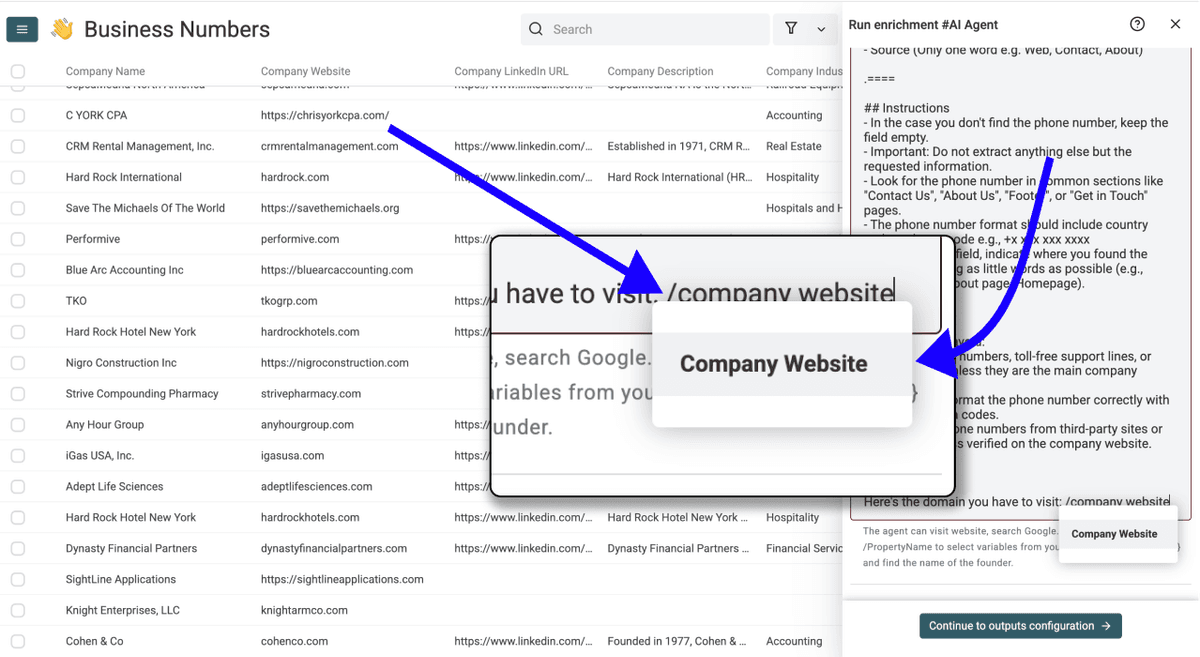
Once the variable appears in purple, click on Continue to outputs configuration
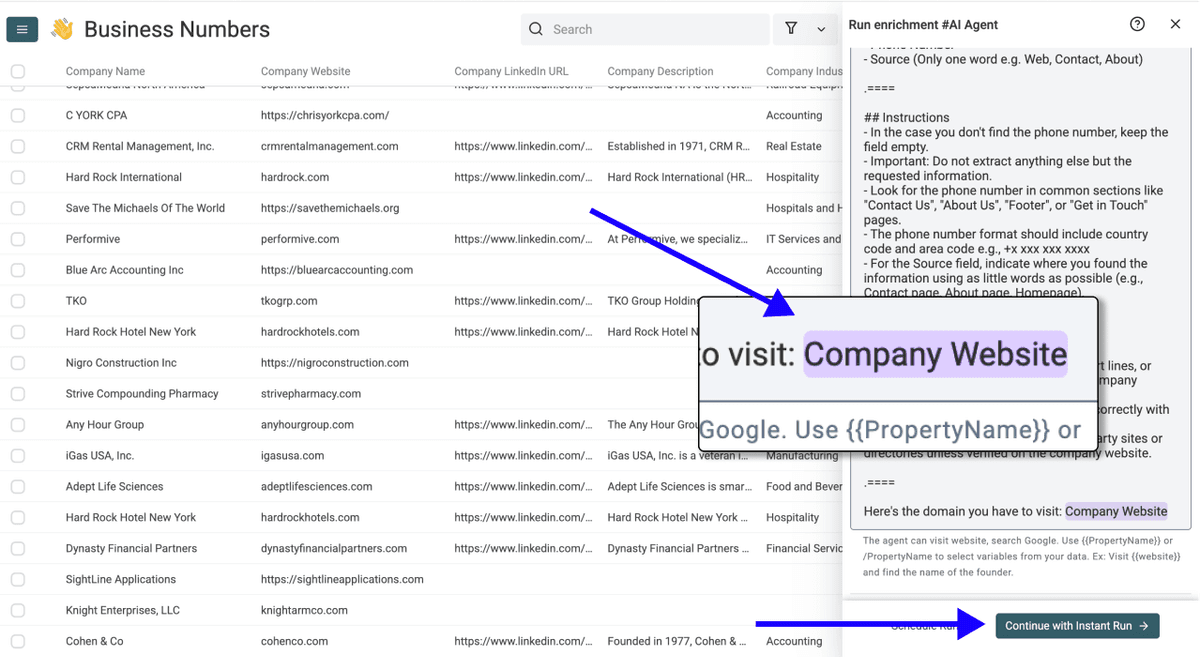
Step 5: Select Outputs
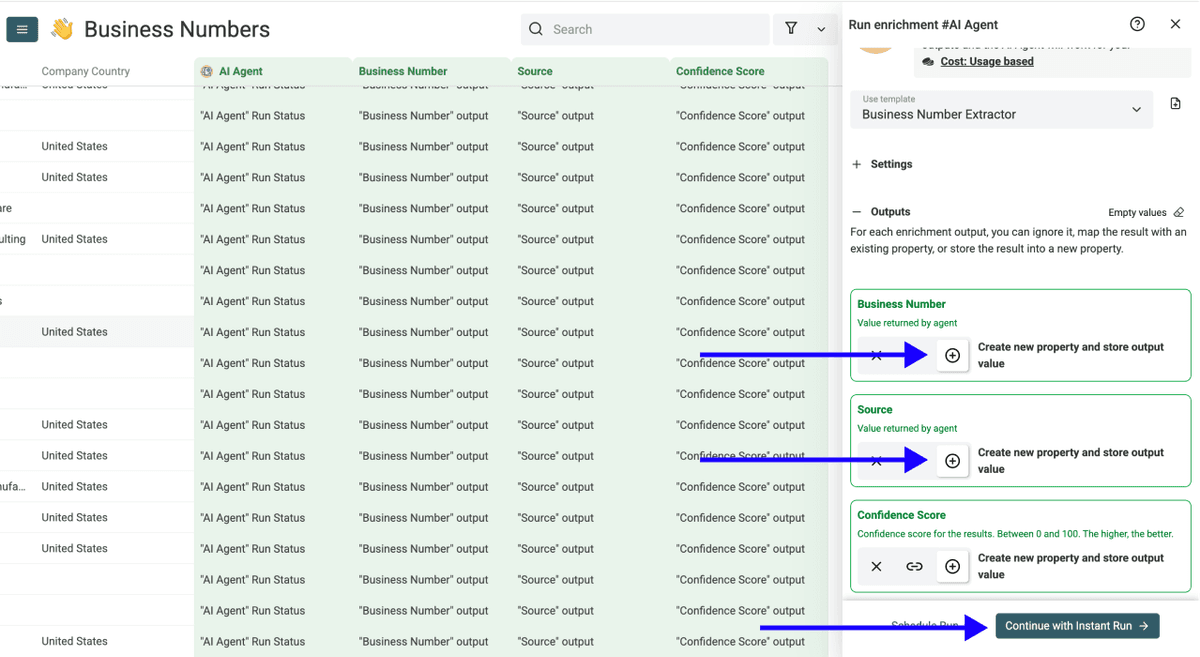
The template defines Business Number and Source outputs. Add both to your collection with the ⊕ Icons. The source is a short location label, such as Contact page or Homepage, rather than a page URL.
For an auditable list, extend the prompt with “Also return the exact page URL where the phone number appears” and add a Source URL output of type URL. Check that page before accepting the number. Keep missing numbers empty rather than asking the agent to guess.
Once you've done that, click on Instant Run
Step 6: Run the AI Agent
Finally, configure your run settings by clicking on the chevron on the right side of the button. This will allow you to choose between the following options:
- Run on first 10 items: Good for checking results before committing
- Run on first 100 items: Useful if you want to validate larger samples
- Run on first {X} items: Lets you choose how many items you want to process
- Run on all view items: Process your entire list (or view if you’ve enabled filters)
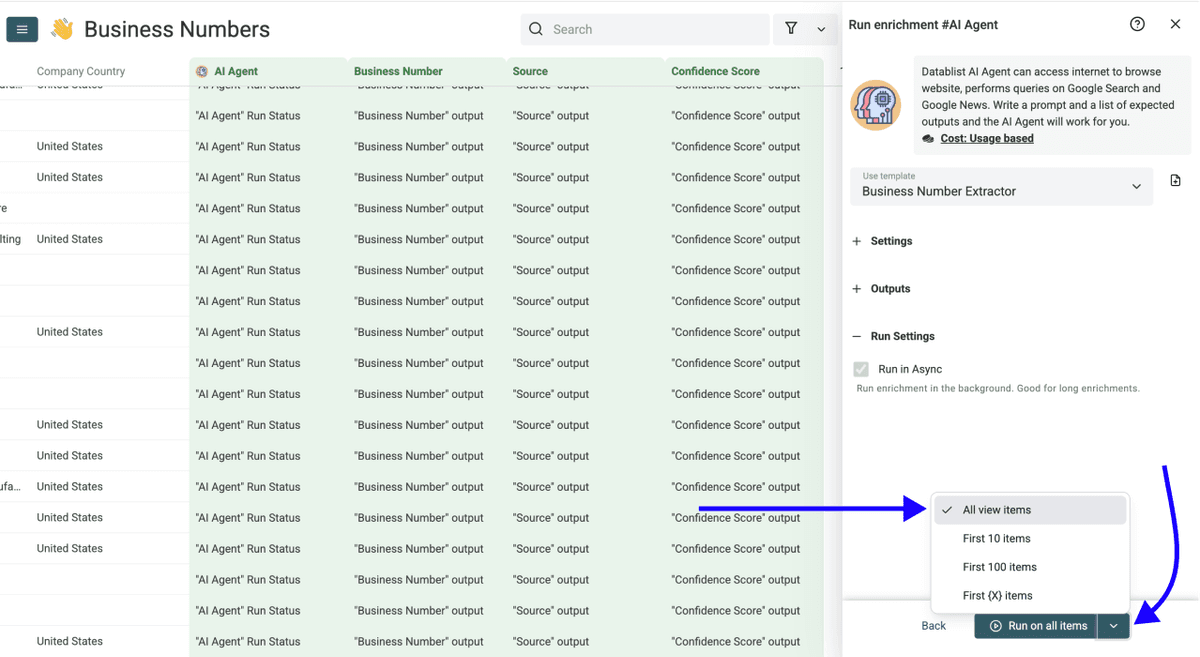
Once you have chosen your preferred option, click Run on X items
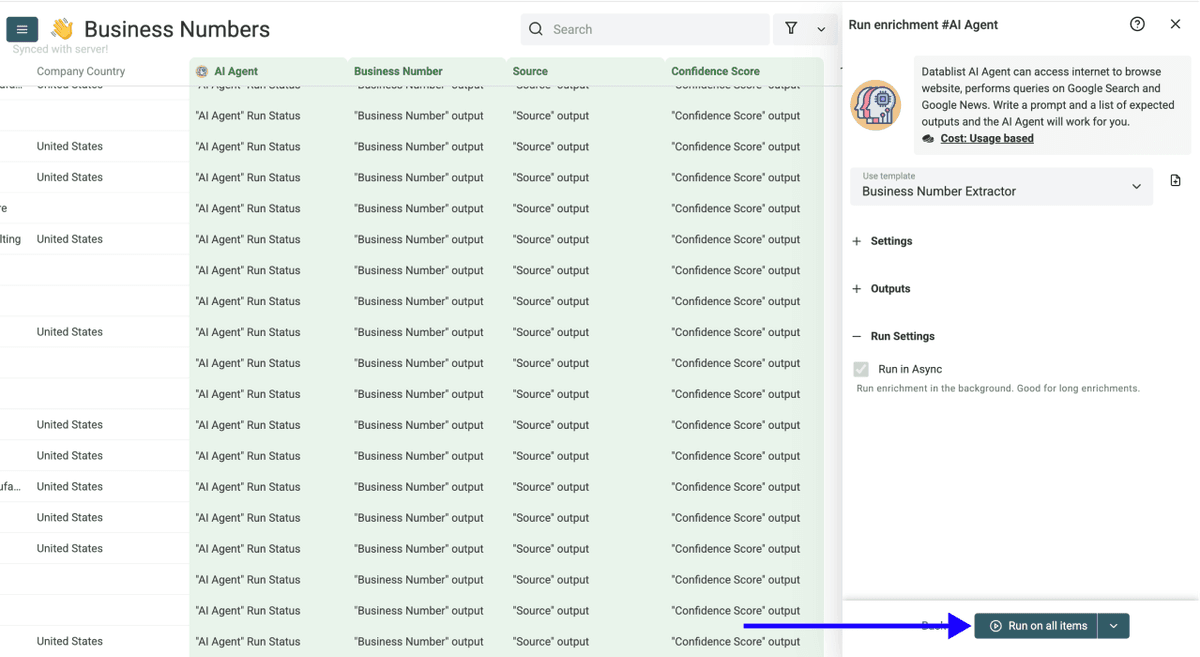
The AI Agent will visit each website, scan for phone numbers, and scrape what it finds.
Review the first ten results against their sources. Confirm that each number belongs to the intended company and branch. Then divide credits consumed by accepted numbers to estimate the cost of your own list; an empty result still uses AI Agent resources.
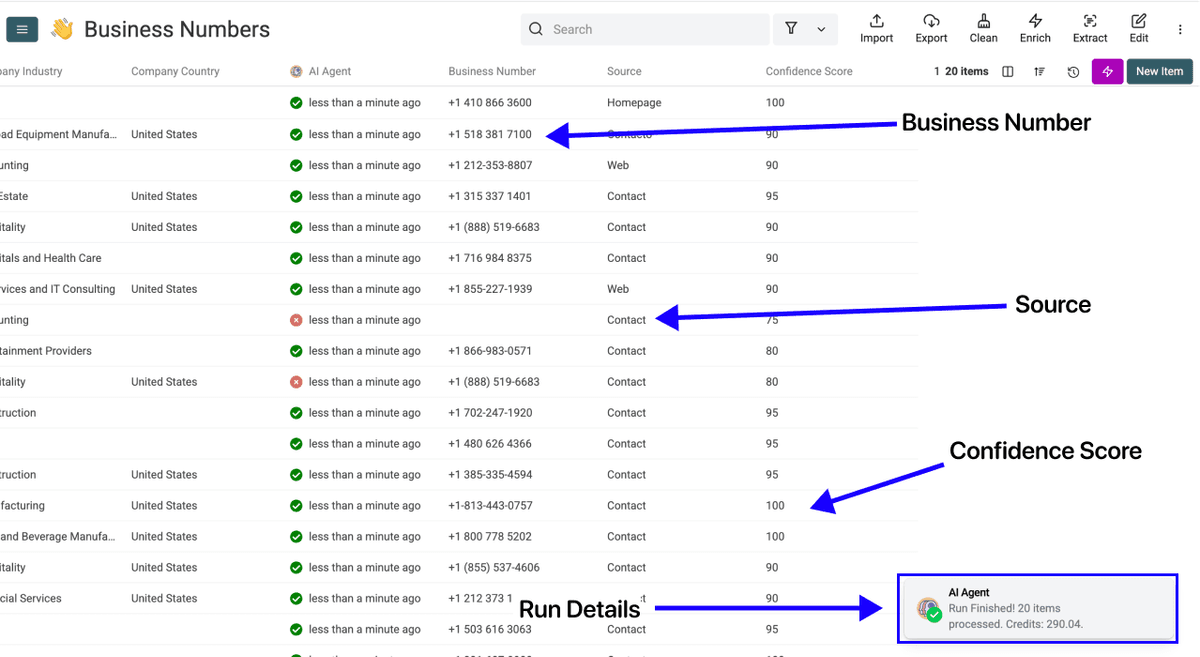
As you can see, finding phone numbers with Datablist is simple with both methods.
The only real question is which one fits your situation better, and the comparison table above should make that decision easy.
Your Key Takeaways
Finding phone numbers for your leads doesn't have to be complicated. Here's what to remember:
- Use the Waterfall Phone Finder for person-level lookups when you have LinkedIn profile URLs. Keep the lookup status and check a sample.
- Use the AI Agent for public business numbers when you have company websites. Keep the source and measure the cost of a sample before scaling.
What Else Datablist Can Do For You:
If you're building a lead list from scratch or enriching one you already have, finding phone numbers is just one step. Datablist can help you at every stage of that process.
Build your prospect list from scratch
- Scrape Job offers from 19 job boards simultaneously
- Scrape companies from LinkedIn without risking a ban
- Scrape leads from Sales Navigator without losing your account
Enrich and clean the data your have
- Find a company’s website from a company name
- Find emails addresses from a LinkedIn profile
- Extract the details from LinkedIn profiles
- Clean and enrich your CRM data
And this all within one platform.
Frequently Asked Questions (FAQ) About Finding Phone Numbers
How Much Does It Cost to Find Phone Numbers With Datablist?
The Waterfall Phone Finder charges 500 credits for a successful uncached lookup with Datablist-funded providers. Cached results and unsuccessful lookups cost no phone-finder credits. AI Agent cost varies with the model, page visits, and research iterations, whether or not it finds a number. See credit documentation, then use a small run to estimate your list's cost.
Do I Only Pay for Phone Numbers That Are Successfully Found?
For the Waterfall Phone Finder, Datablist-funded uncached results are billed only when a phone number is found. Using your own provider API keys follows the provider's billing rules. The AI Agent consumes credits for its work, including runs that return no phone number.
What's the Difference Between the Waterfall Phone Finder and the AI Agent for Finding Phone Numbers?
The Waterfall Phone Finder searches provider data using a LinkedIn profile URL. The AI Agent visits a company website and extracts a publicly listed business number. Choose the first for a person lookup and the second when a company contact line meets your needs. Neither method guarantees that a call will reach the intended person.
Do I Have To Code to Use Datablist's AI Research Agent?
No, you don't have to write a single line of code. Datablist is a 100% no-code platform designed to help you build lead lists fast. This applies to the AI Agent and every other tool in the platform.
Do I Have To Prompt to Use Datablist's AI Research Agent?
Start with the Business Number Extractor template and bind its website placeholder to your URL column. You can edit the prompt when you need a branch-specific number or an exact source URL; update the output fields to match.
Can I Find Phone Numbers if I Don't Have LinkedIn URLs?
Yes. If you have first names, last names, and a company name or domain, you can use Datablist's LinkedIn Profile Finder to get the LinkedIn URLs first. Then run the Waterfall Phone Finder on those URLs.
Alternatively, if you have website URLs, you can skip LinkedIn entirely and use the AI Agent to extract business phone numbers directly from company websites.
How Many Phone Numbers Can I Find With Datablist Per Month?
For Datablist-funded phone lookups, divide the credits you allocate by 500 to estimate how many successful uncached results that budget covers. For example, 20,000 allocated credits cover 40 such results. That is a budget calculation, not a promised match count. AI Agent capacity depends on the cost of your sample runs. Check current plans and credit allowances before budgeting.
What's the Best Method to Find Phone Numbers for Cold Calling Campaigns?
I recommend starting with the Waterfall Phone Finder when you need to look up specific people and already have their LinkedIn URLs. Use a website lookup when a public company line is suitable. Review identity, source, and lookup status before adding either result to a calling list.
Can I Find Phone Numbers Without Using LinkedIn?
Yes. The Business Number Extractor template needs the official company website URL. It looks for the company's public number on pages such as Contact or About. This is useful for a business contact list, but it does not establish that the number is a particular employee's direct line.
Can AI track a phone number or reveal its owner?
These workflows do not track a phone's location or identify an arbitrary phone number's owner. They look up a contact from a LinkedIn URL or extract a number from a company website. A model's guess about ownership is not evidence; check the provider context or the published source.