
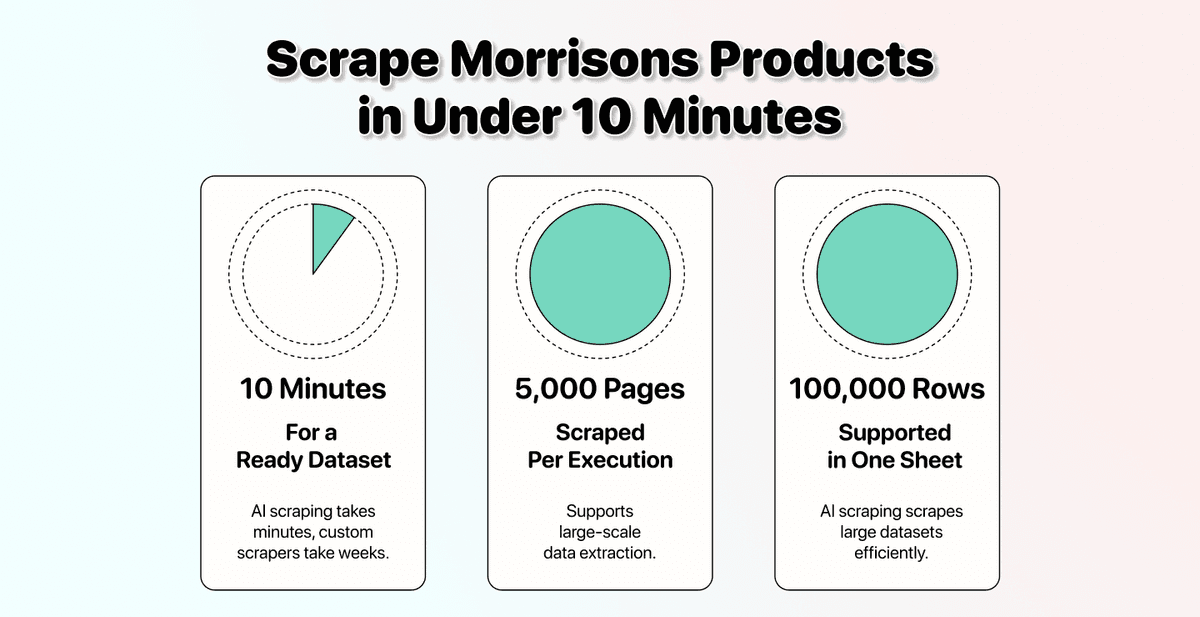
Morrisons does not have a public product API. That is why most teams trying to scrape Morrisons products either pay £2000+ for a freelancer or wire up an Apify scraper that breaks within a few days.
What most don't know though, there is a third path called AI scraping. It reads the page like a human, so the same setup works on a Morrisons category, a brand listing, or a deals page, and survives the layout updates that kill traditional scrapers.
This guide walks through the full process: Why building a custom Morrisons product scraper is not worth your money, which Morrisons pages give the cleanest data, and a complete step-by-step using Datablist's AI Scraping Agent.
📌 Summary For Those In a Rush
This article shows how to scrape product data from Morrisons using Datablist's AI Scraping Agent.
Problem: Morrisons has no public product API, off-the-shelf scrapers break within weeks of every layout update, and a custom build costs £2000+ plus ongoing maintenance.
Solution: Use Datablist's AI Scraping Agent to scrape Morrisons products with plain English prompts and a single URL.
What You'll Learn:
- Why a custom Morrisons scraper is a money pit
- Which Morrisons pages return the cleanest data
- A 5-step process to scrape any Morrisons category in under 10 minutes
Why Datablist:
- AI scraping reads meaning, not HTML, so Morrisons layout updates do not break the run
- Pagination is handled automatically (up to 5,000 pages per run)
- No code, no API keys, just a Morrisons URL and a prompt
What This Guide Covers
- Why Building a Custom Morrisons Scraper Is Not Worth It
- How To Scrape Morrisons Products With Datablist's AI Agent
- Scraping Morrisons: The Full Step-by-Step
- Frequently Asked Questions About Scraping Morrisons
Building a Custom Morrisons Scraper Is a Money Pit
If you have ever considered building your own Morrisons scraper, here are three reasons to reconsider before you spend a penny.
It Is Expensive
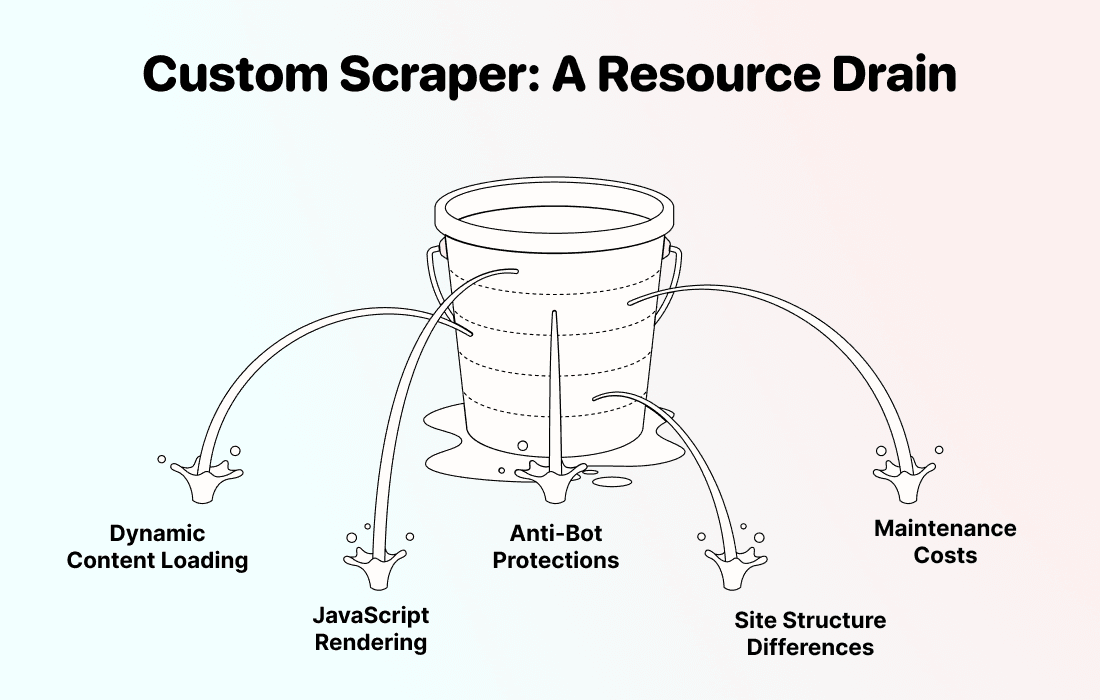
A stable Morrisons scraper is not a weekend project. Morrisons.com loads its product grid dynamically with JavaScript, paginates across hundreds of category pages, and updates its layout often enough that any rule-based scraper needs constant fixing.
This is what most teams try, and where each path falls apart:
- Hire a freelance developer: £2000+ for the first build, plus ongoing fees every time Morrisons updates the grid
- Buy a prebuilt Morrisons product scraper from Apify or GitHub: works on day one, breaks within a few weeks of the next layout change
- Vibe-code a Puppeteer or Playwright script: Morrisons pagination, JavaScript rendering, and inconsistent product cards crack it open fast
If you only need a one-off snapshot, a freelancer might be fine. If you need fresh Morrisons data on a recurring basis (price monitoring, FMCG analysis, retail arbitrage), the maintenance cost compounds month after month.
It Is Slow To Build
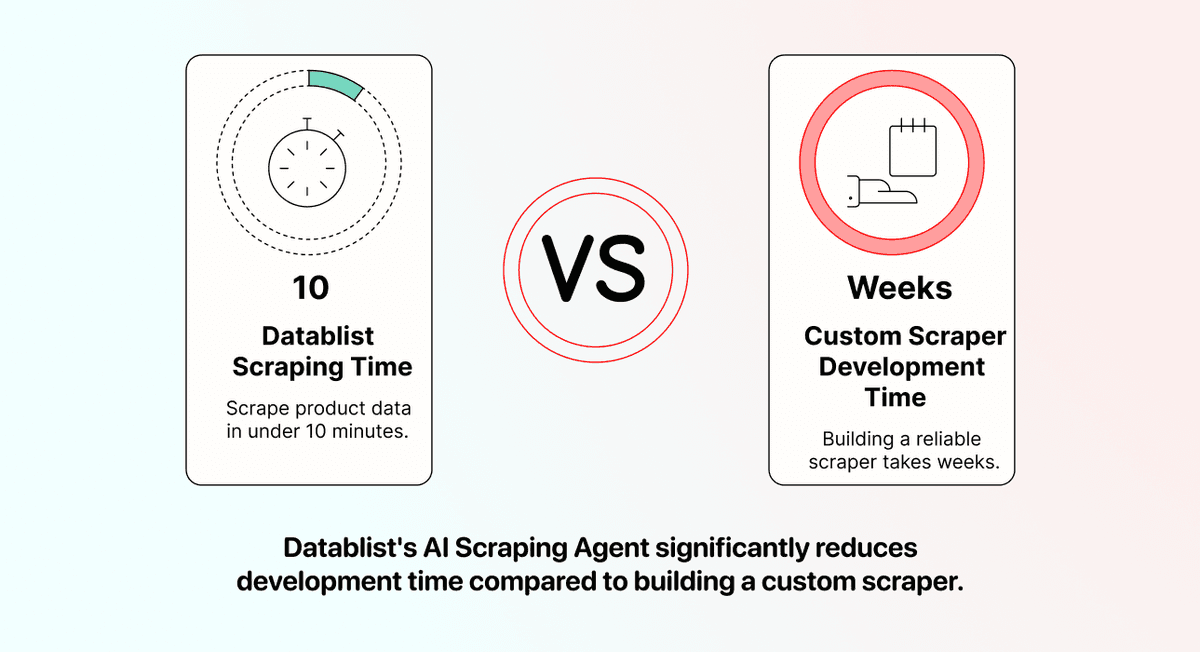
Even with a strong developer, a clean Morrisons scraper takes weeks. They have to map every category page, handle the rendered HTML, write logic for paginated grids, and account for the cases where Morrisons returns "N/A" for sale prices or hides products behind age gates.
Datablist's AI Scraping Agent skips that entire build phase. You can paste a Morrisons URL and pull structured product data in under 10 minutes. No spec docs, no back-and-forth on edge cases, no waiting for v2.
It Breaks Constantly
This is the real cost… Morrisons updates its product grid often. Every time the team ships a new category template or moves the price element, your custom Morrisons scraper stops working.
That leaves two options: pay the developer again, or spend your own afternoon debugging.
AI scraping sidesteps this. Because the AI Agent reads page meaning instead of HTML structure, a price stays a price even after Morrisons changes the CSS class around it.
💡 The Core Difference
Traditional scrapers follow rules: "find the element with class .product-price and extract the text." AI scrapers follow meaning: "find the product price on this Morrisons page."
That is why the same setup that works on Morrisons today still works after Morrisons reorganises the grid next month, and why it transfers cleanly to Sainsbury's, Asda, and Tesco without per-site code.
How To Scrape Morrisons Products With Datablist's AI Agent
Before the step-by-step, let me briefly explain what the AI Scraping Agent actually is, which Morrisons pages give clean results, what data you can pull, and where the limits sit.
What Is Datablist's AI Scraping Agent?
Datablist is a workflow automation platform for building lead lists, enriching data, and running scraping workflows. Inside Datablist sit over 60 different sources and enrichments, and the AI Scraping Agent is the one you use to extract product data from a retailer's website.
The agent works by combining three things: A target URL, a prompt that describes what to extract, and a language model that reads the page the way you would.
For scraping Morrisons, you do not even need to write the prompt yourself. Datablist comes with a Retail Product Scraper template that pre-loads the prompt and the output columns. You paste a Morrisons URL, the template handles the rest.
Three things specifically about how the agent handles Morrisons:
- OpenAI GPT 4.1 mini by default, the best price-to-performance LLM for AI scraping
- Render HTML support, mandatory for Morrisons since the product grid loads via JavaScript
- Automatic pagination across up to 5,000 pages per run
This is also why the setup transfers without modification to other UK supermarkets. The same agent, same template, and same settings work on Sainsbury's, Asda, and Tesco. Only the URL changes.
The Most Important Rule: Brand And Category Pages Only
Always scrape Morrisons category or brand pages, never the homepage or an "all products" view. Big lists overflow the AI Agent's context window, the run stops mid-way with no way to resume, and the credits are wasted.
What the AI Agent handles cleanly on Morrisons:
- ✅ Category pages on morrisons.com/
/... - ✅ Brand pages (specific manufacturer listings)
- ✅ Deals or offers pages
What to avoid:
- ❌ The Morrisons homepage
- ❌ "All products" or full-site search results
- ❌ Anything that loads thousands of items into one infinite scroll
What Data You Can Pull From Morrisons
A single Morrisons run can extract every product data point you need for price monitoring, competitive research, or data enrichment into an existing catalog:
- Product Name: full product title as displayed on the Morrisons website
- Product URL: direct link to the product page on morrisons.com
- Brand Name: the manufacturer behind the product
- Price: current GBP price, including the £ symbol
- Sale Price: discounted price if a Morrisons promotion is active, "N/A" if no offer is running
- Product Category: the aisle or department the product sits in
- Availability: in stock, out of stock, or limited
- Rating: customer rating where Morrisons shows it
- Image URL: direct link to the main product image
- SKU: the internal Morrisons product ID
Pick the outputs you actually want before the run, so the export only contains the columns you'll use.
Scraping Morrisons: The Step-by-Step
The full Morrisons scraping setup takes 5 steps. Before starting, make sure you have:
- A Morrisons category or brand URL (not the homepage)
- A rough idea of which product fields you actually need
Step 1: Sign Up And Create a Collection
First, sign up for Datablist.com.
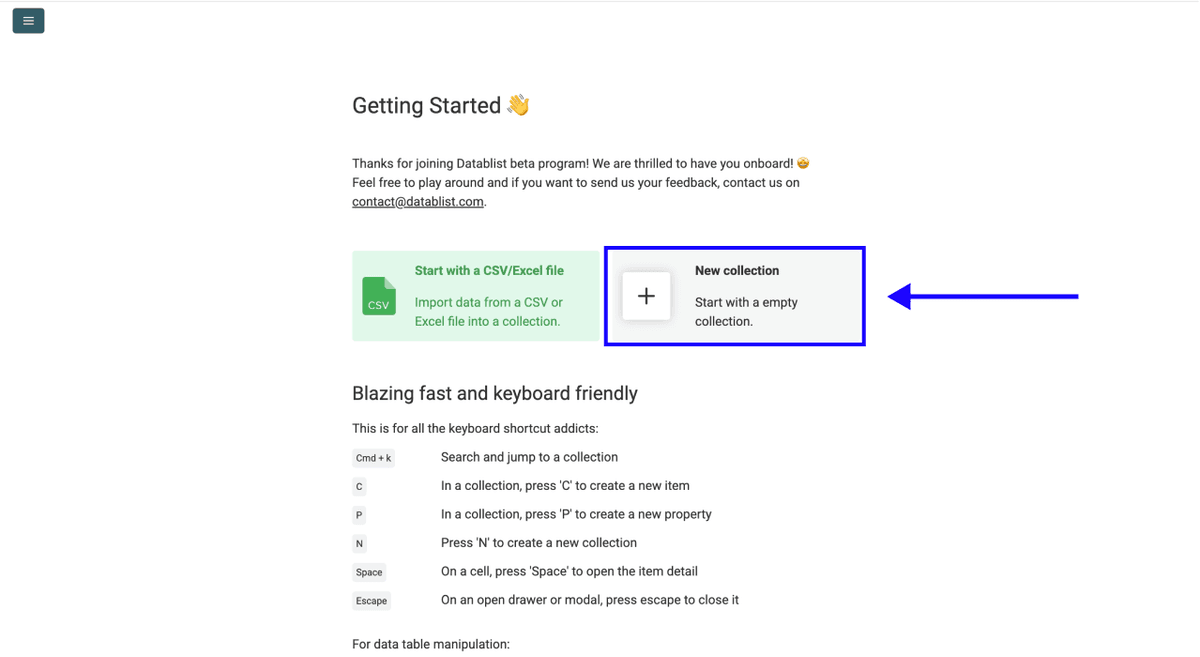
Then, create a New Collection.
Step 2: Navigate To The AI Scraping Agent
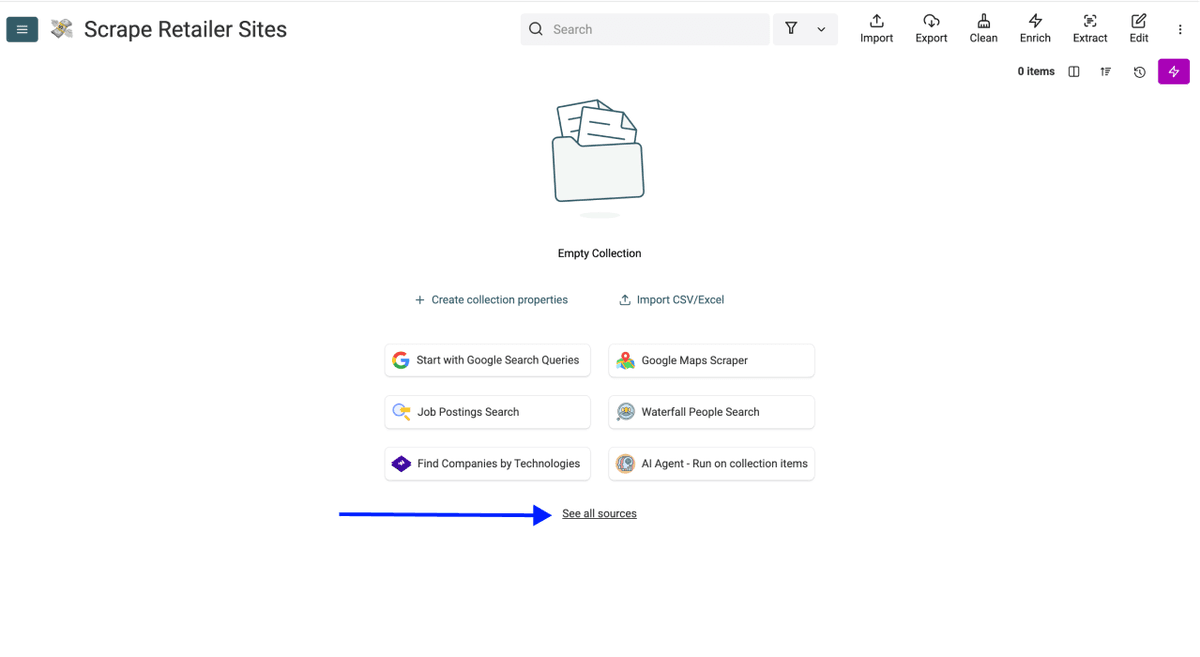
- Click on See all sources
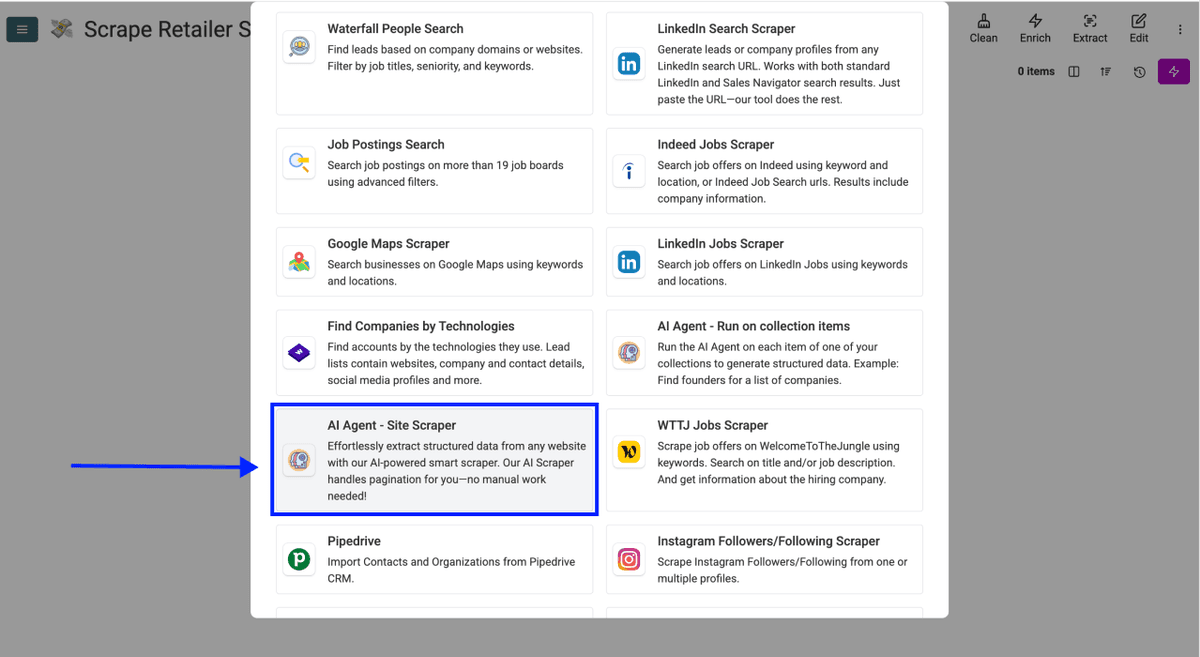
- Scroll down, and select AI Scraping Agent (Site Scraper).
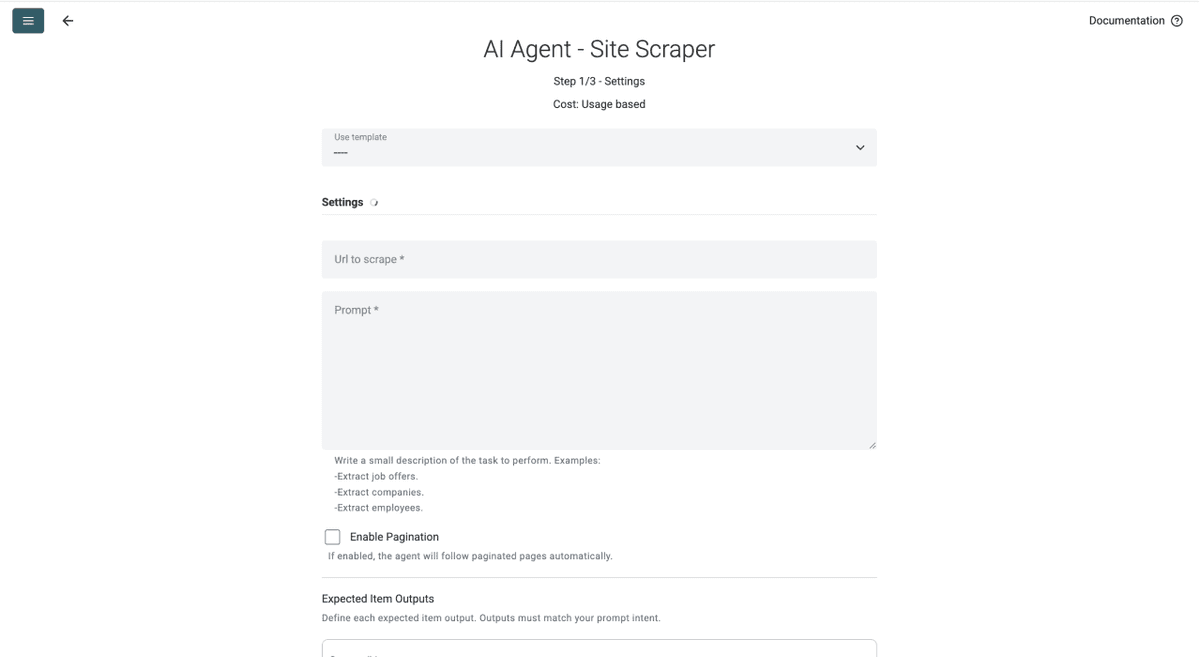
You should now see the source configuration interface, which looks like this:
Step 3: Select The Retail Product Scraper Template And Paste a Morrisons URL
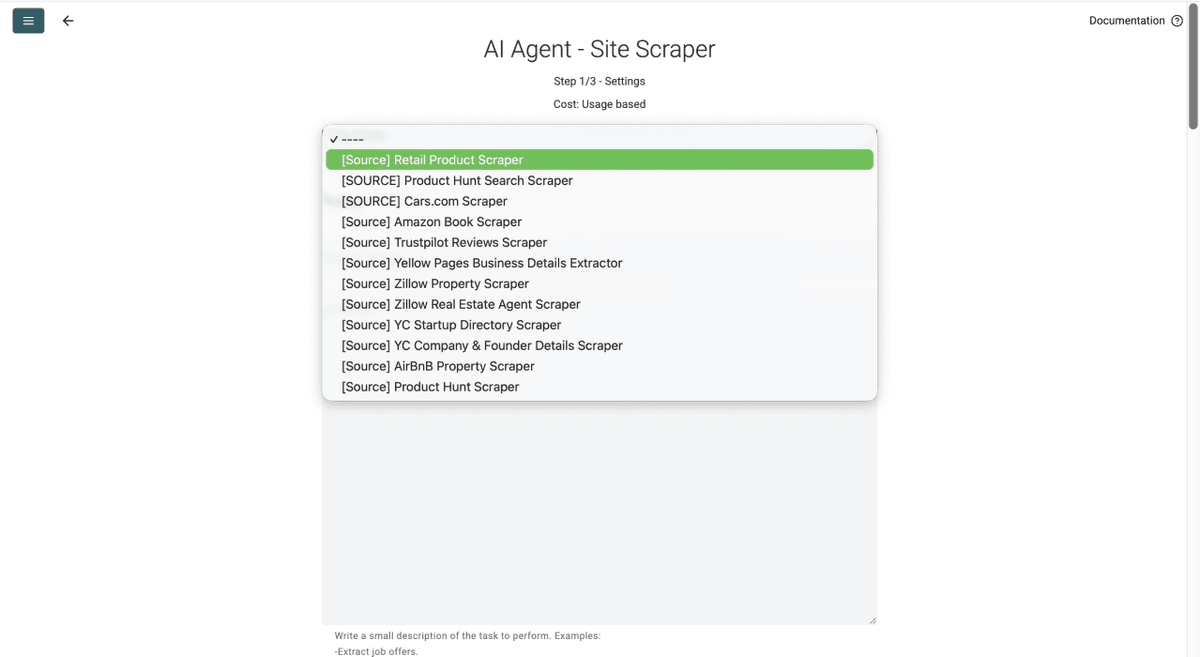
- Click on the Template Drop-Down and select "Retail Product Scraper"
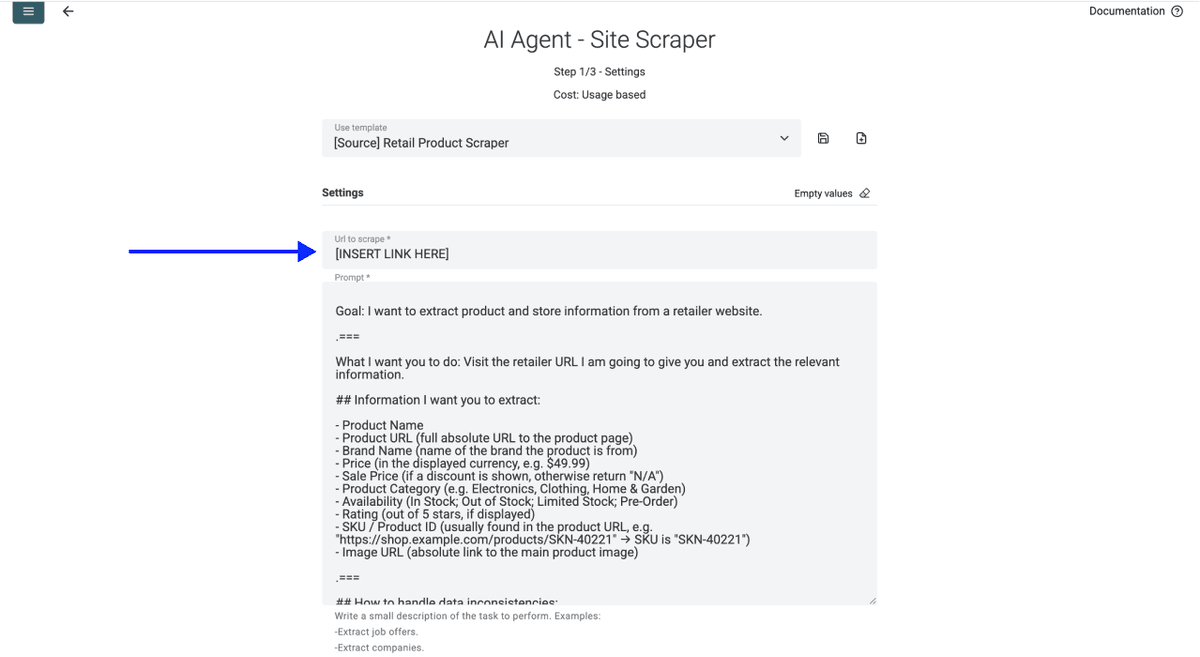
- Paste your Morrisons category URL into the URL field, e.g.
https://groceries.morrisons.com/browse/fresh-176716
❗️ Brand And Category Pages Only (Reminder)
Never paste the Morrisons homepage or an "all products" URL. Big lists blow past the AI Agent's context window. Scrape Morrisons one category at a time.
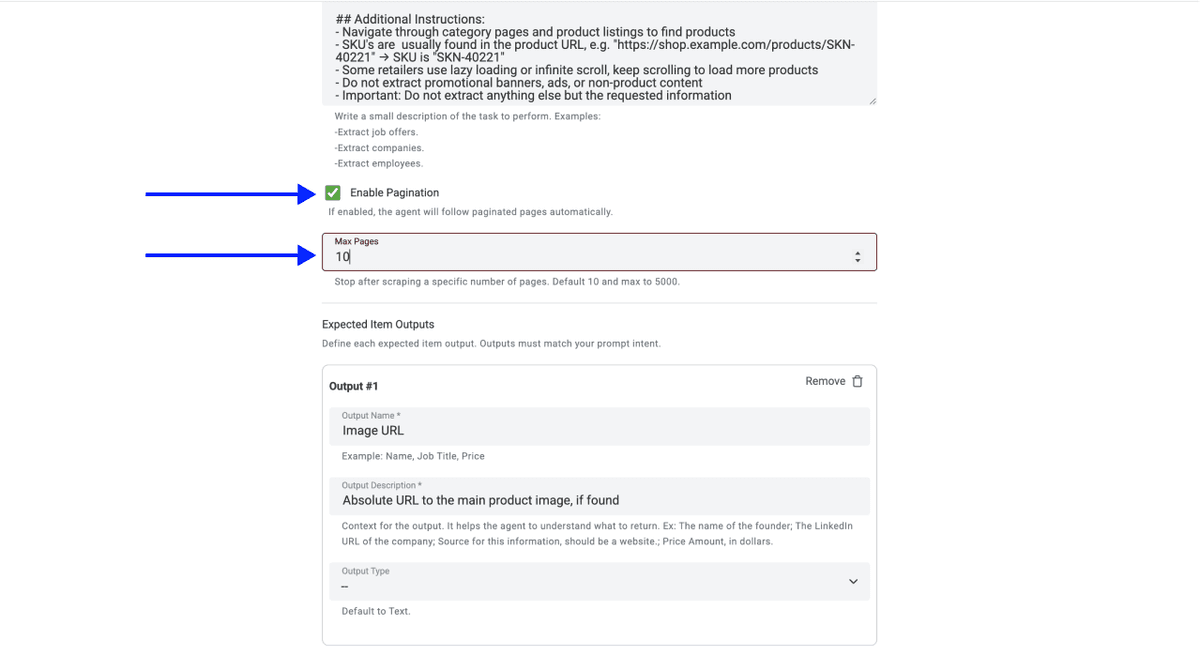
- Set the number of pages to scrape (Morrisons typically displays around 36 products per page, so a 200-product category needs roughly 3 to 4 pages)
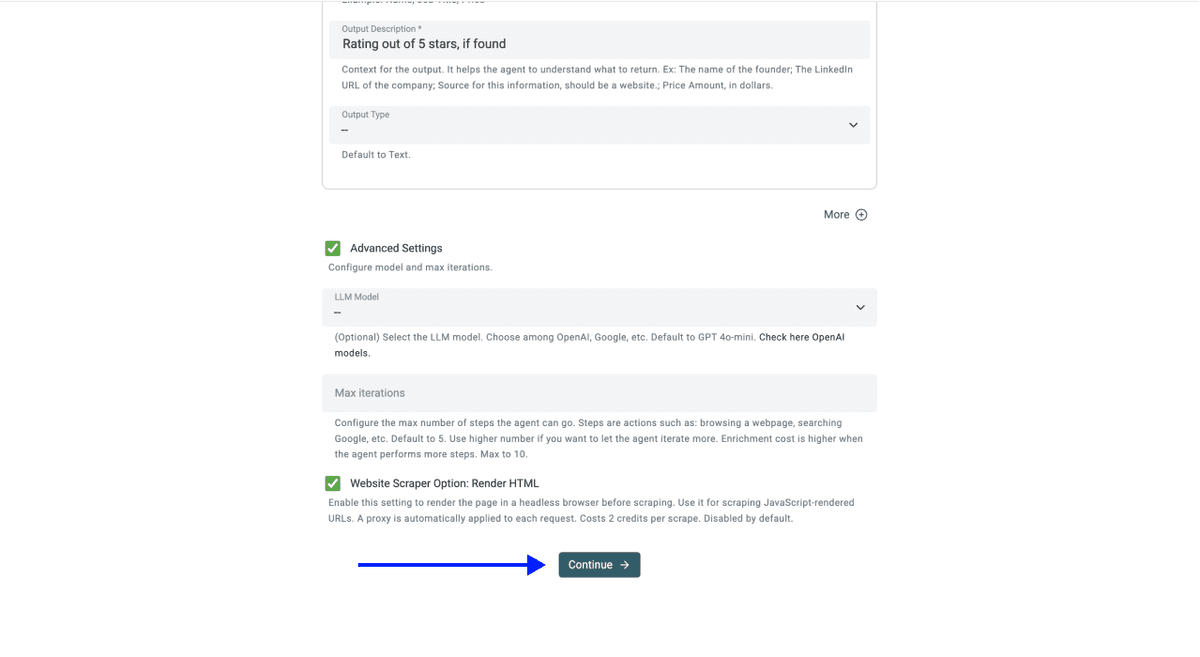
- Scroll down and click on Continue
💡 Check Your Advanced Settings Before Clicking Continue
Make sure these are enabled:
- LLM: OpenAI GPT 4.1 mini (best performance-to-price ratio)
- Max Iterations: 10
- Website Scraper Option: Render HTML (critical for Morrisons, since the site loads its product grid dynamically with JavaScript)
Step 4: Configure Outputs
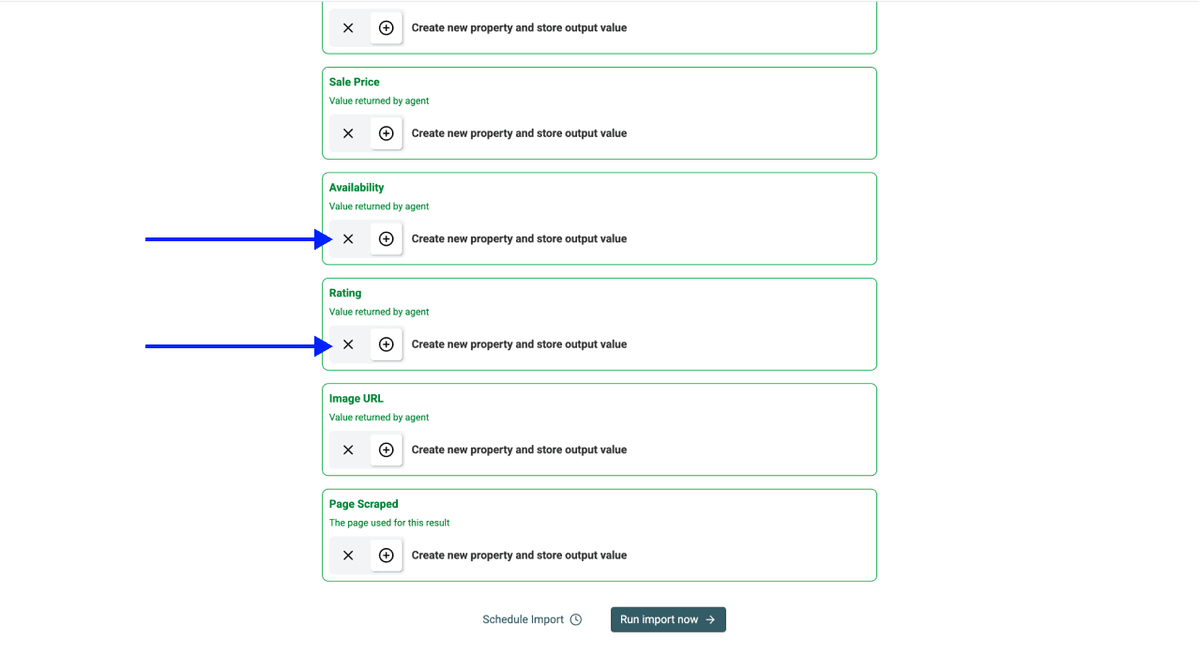
Datablist creates the output properties automatically.
Click the X Icons to drop any outputs you do not need (e.g. remove Rating if you are only doing Morrisons price scraping).
Step 5: Run
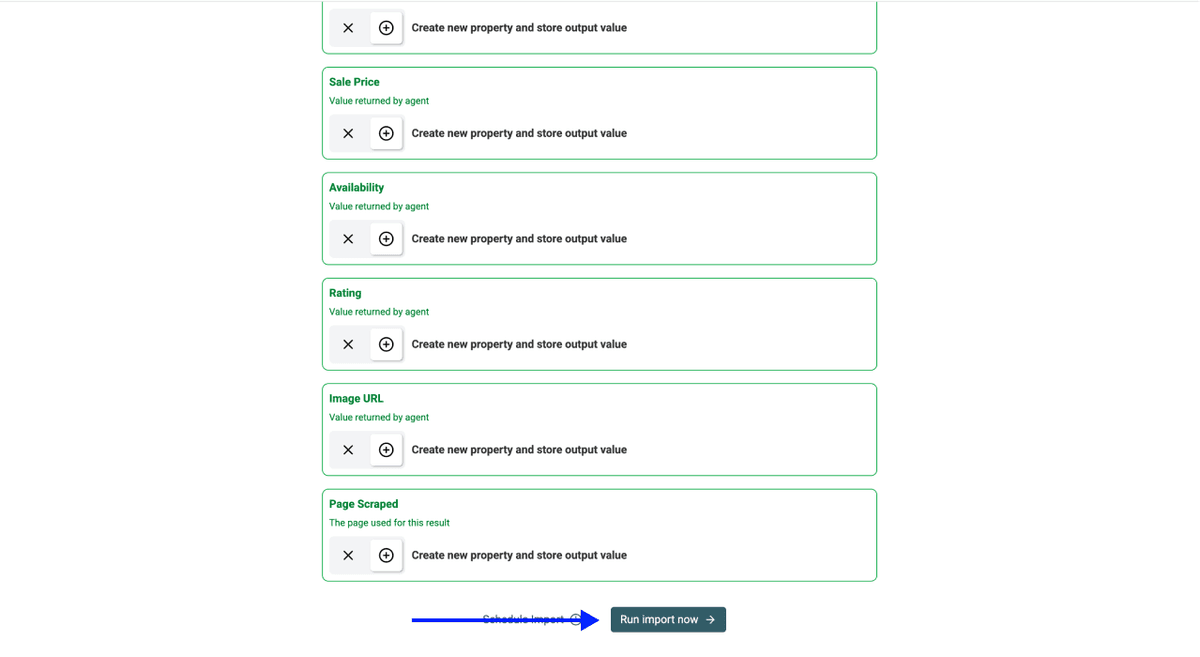
Once your outputs are set, click on Run Import Now to start the Morrisons scrape.
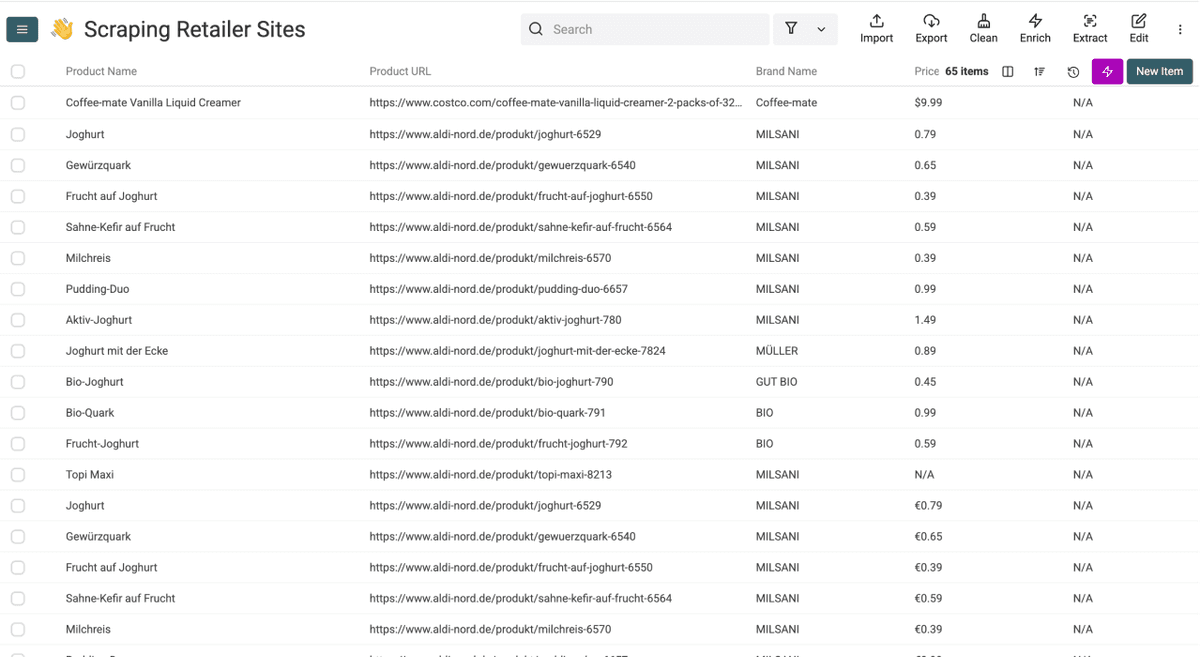
After a few minutes, your Morrisons results will look like this. From here, Datablist's workflow automation features can clean, dedupe, and export the data.
💡 Avoid Duplicates on Repeat Morrisons Runs
If you plan to scrape the same Morrisons category again later:
- Pick a unique identifier column (Product URL works best)
- Click the column header → Rename - Settings - Delete
- Check: Do not allow duplicate values
- Save Property
If you also pull data from Sainsbury's, Asda, and Tesco into the same file, our guide on removing duplicates from CSV files covers cross-retailer dedupe.
Datablist's AI Agent Also Scrapes Other Retailer Websites
The Morrisons setup is not Morrisons-specific. The same AI Scraping Agent and the same Retail Product Scraper template work on every UK supermarket we have tried. Only the URL changes.
If you also pull product data from a similar retailer, check the step-by-step guides below:
Your Key Takeaways
- A custom Morrisons product scraper is a money pit. Build cost lands at £2000+, ongoing maintenance is on top, and Morrisons layout updates will break it on a regular cadence.
- AI scraping reads meaning, not HTML. That is why the same setup keeps scraping Morrisons products even after the grid changes, and why it transfers to Sainsbury's, Asda, and Tesco without per-site code.
- Always scrape brand or category pages, never the homepage. Big lists blow past the agent's context window and waste the run.
- The full setup takes under 5 minutes. Template, URL, outputs, run.
Frequently Asked Questions About Scraping Morrisons
How Much Does It Cost To Scrape Morrisons Products?
Datablist's AI Agent works based on a usage-based credit system. Cost per Morrisons run depends on how many products and pages the agent processes. Datablist plans start at $25/month with 5,000 free credits included, and top-up packs start at $20 for 20,000 credits with bulk discounts up to 35% on larger packages.
How Long Does It Take To Scrape The Full Morrisons Catalog?
Most Morrisons category pages with 50 to 200 products are scraped in 5 to 10 minutes. Larger runs across multiple paginated categories (500+ products) can take 10 to 20 minutes. First-time setup adds 2 to 3 minutes.
Why Should I Scrape a Morrisons Category Page Instead of "All Products"?
A Morrisons "all products" view loads thousands of items into one rendered page. That blows past the AI Agent's context window, the agent stops mid-run, and there is no resume option, so the partial run is wasted. Category and brand pages stay inside the safe range, scrape cleanly, and merge into one collection later if you need full coverage.
Can I Scrape Morrisons Sale Prices and Promotions?
Yes. The Retail Product Scraper template includes a Sale Price output. When a Morrisons promotion is active, the discounted price comes through. When no offer is running, the column returns "N/A", which is actually useful for filtering by promotion status across categories.
Is Scraping Morrisons Legal in The UK?
Scraping publicly visible Morrisons product data (names, prices, availability) is generally lawful in the UK under the same principles that apply to any public web data. You should still review Morrisons' terms of service, avoid scraping personal data, and stay within reasonable request volumes. For commercial use, run it past your legal team.
Does Morrisons Block Scrapers?
Morrisons' anti-bot protections are typically mild for a public retailer site. Most Morrisons runs through Datablist succeed on the first attempt, especially when Render HTML is enabled. If a category page does not return data, lower the page count and retry, or split the scrape across more specific subcategories.
Can I Schedule Repeat Scrapes for Morrisons Price Monitoring?
Yes. Datablist's workflow automation features let you set up recurring runs. Pair it with a unique identifier column (Product URL works best) and the duplicate-prevention setting, so each repeat Morrisons run only adds new products instead of duplicating the existing ones.
Can I Scrape Morrisons Without Coding Skills?
None needed. The whole flow is no-code: Select the Retail Product Scraper template, paste a Morrisons URL, choose your outputs, and hit run. If you can write a sentence, you can scrape Morrisons with Datablist.
What Morrisons Categories Work Best for Scraping?
Standard grocery categories on morrisons.com return the cleanest data: fresh, frozen, bakery, drinks, household. Brand pages also work well. Promo or "Last chance" pages can be slightly noisier because product cards mix formats, but the AI Agent still pulls usable data from them.
Can The AI Agent Handle Morrisons Pagination Automatically?
Yes. With Enable Pagination turned on, the AI Agent walks every page in the Morrisons category up to your configured limit (default 10, max 5,000). For a 240-product Morrisons category that displays 36 items per page, set pagination to 10 and the agent picks up the full list.
What Is AI Scraping?
AI scraping is a method of pulling structured data from websites using a language model instead of fixed HTML rules. The agent visits a page, reads the content, and returns the fields you asked for in plain English. That is exactly what makes it resilient on sites like Morrisons that update their layouts often.
What Is the Difference Between AI Scraping and Traditional Web Scraping?
Traditional scrapers follow fixed rules (CSS selectors, XPath). When the site changes, the rules break. AI scraping reads page meaning, so a Morrisons price stays a Morrisons price even after the markup changes. That is why the same Datablist setup works across Sainsbury's, Asda, and Tesco without per-site code.