
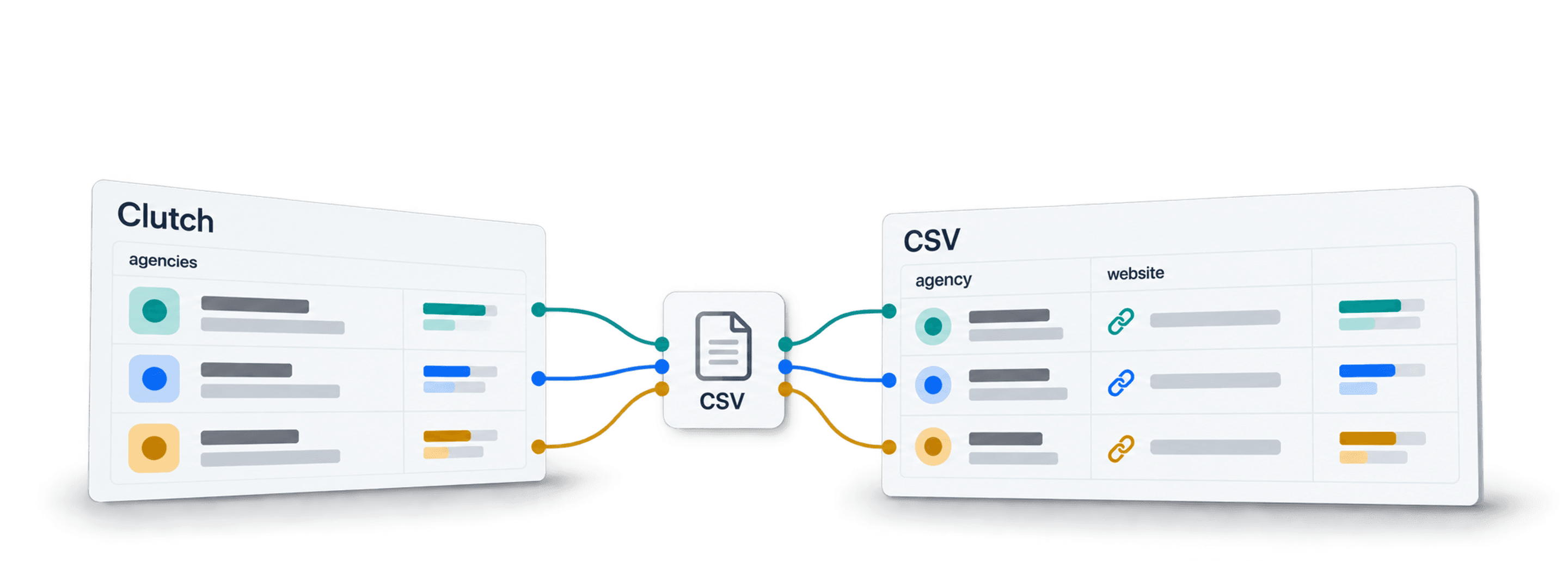
Scrape agencies from Clutch by copying a service/location directory URL, opening Datablist's AI Agent - Site Scraper and loading the Clutch template. Map the listing fields, inspect a small import and export the reviewed agencies with their profile URLs.
I would keep the Clutch profile URL and original search context from the first run. An agency can appear in several service categories, while a card's “Serves” location can describe a market served rather than an office address. Both affect how you deduplicate and qualify the list.
📌 Summary For Those In a Rush
Turn a Clutch directory search into agency rows using the [Source] Clutch.co Agency Scraper template. It extracts listing-card fields such as company name, profile URL, services, ratings and pricing ranges; it does not visit profiles for contact details by default. Start with limited pagination, review missing values and distinguish office location from service coverage. Keep profile IDs and search context through cleaning and export. A completed scrape does not establish complete category coverage.
What This Guide Covers
- Why People Scrape Clutch (And Why It's Not As Easy As It Looks)
- What Agency Data You Can Extract From Clutch
- Scraping Agencies From Clutch: The Full Step-by-Step
- After Scraping: Clean And Enrich Your Agency List
- What Clutch Scraping Can't Do (Limitations And Best Practices)
- Frequently Asked Questions About Scraping Clutch
Why People Scrape Clutch (And Why It's Not As Easy As It Looks)
Lead Gen And Outreach Lists
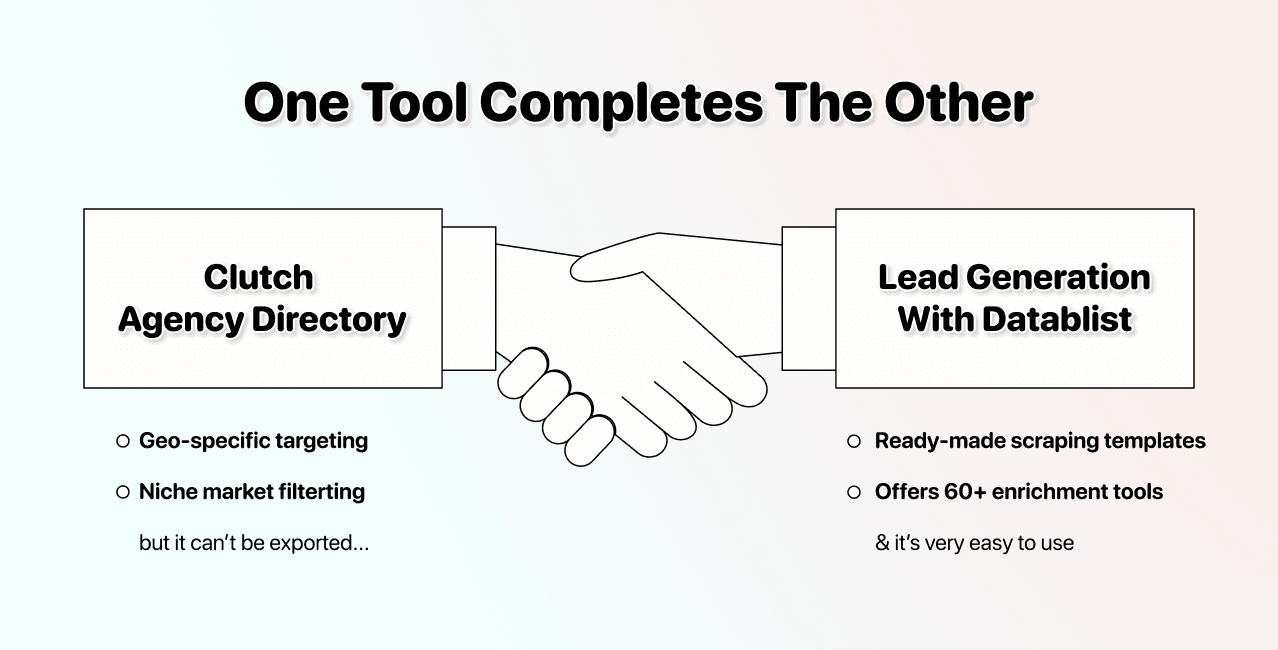
Clutch is basically a curated database of agencies across every service category you can think of. SEO, PPC, web design, mobile development, branding, and dozens more.
For lead gen teams, that means ready-made prospect lists. You can filter by service, location, and company size. The data is right there on the page. You just can't export it.
This is what makes Clutch data particularly useful for outreach:
- Location data: Makes geo-specific campaigns possible without guesswork
- Service category: Lets you target exactly the niche you sell into
- Company size: The listed employee range can help segment agencies; it does not establish their budget or willingness to buy.
If you're selling to agencies, building partner lists, or shortlisting vendors, you need a way to scrape agencies from Clutch at scale
Why Manual Scraping And Chrome Extensions Break On Clutch
Before we get into the solution, here's why the obvious approaches don't work well.
| Method | Issue |
|---|---|
| Copy-paste | Does not scale past small lists. Manually copying names and websites becomes painful fast. |
| Chrome extension scrapers | Miss data on dynamic pages and often break on scrolling or pagination. |
| Point-and-click scrapers | Need CSS selectors, so they break when Clutch changes the layout. |
AI web scraping can extract fields from accessible page content without a selector for every field. A changed layout can still affect access, pagination or interpretation. Compare returned rows with the source before deciding the configuration works.
What Agency Data You Can Extract From Clutch
Before you start scraping agencies from Clutch, it helps to know exactly which data points are available and which ones are worth collecting.
Fields Essential For Every Lead List
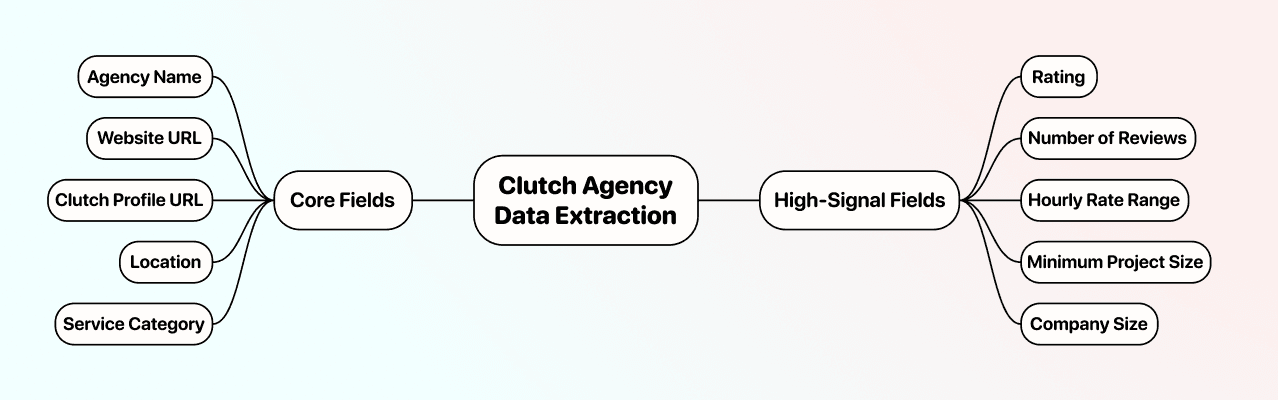
Keep the identity fields found on the listing card. Some values can be absent or describe service coverage rather than an office:
- Agency Name - The company name as displayed on Clutch (e.g., "WebFX")
- Clutch Profile URL - Direct link to their Clutch page (useful as a unique identifier for deduplication)
- Location - City and country (e.g., "London, United Kingdom")
- Service Category - The primary service listed on the directory page (e.g., "SEO")
These fields give you a working lead list. Everything below makes it better.
High-Signal Fields That Make Your Agency List Better
When you scrape agency leads from Clutch, these fields help you qualify them before outreach, so you're not wasting time on bad fits:
- Rating - The displayed overall rating (e.g., 4.9 out of 5); retain the review count for context
- Number of Reviews - How many verified reviews the agency has (e.g., 47 reviews)
- Hourly Rate Range - Their pricing tier (e.g., "$100 - $149/hr")
- Minimum Project Size - The smallest engagement they accept (e.g., "$10,000+")
- Company Size - Number of employees (e.g., "50-249")
Why these matter: If you're selling a tool that costs $200/month, you want to pitch agencies that have already established themselves, not newcomers.
Scraping Agencies From Clutch: The Step-by-Step
This source takes a URL and a prompt and scrapes Clutch agency listings using AI. Costs vary based on usage since the AI Scraping Agent operates on a usage-based credit system.
Before starting, make sure that you:
- Have the Clutch directory URL you want to scrape (filtered by category and location)
- Have a rough idea of which agency data points you want to extract
The original Clutch walkthrough video illustrates an earlier run and interface. Its row count and runtime are not guarantees for your search.
Scraping Clutch Agencies: Step-By-Step Guide
The following section will guide you through the entire scraping process. You don't have to do much since we provide a ready-to-use template.
Step 1: Sign Up & Create a Collection
First, sign up for Datablist.com
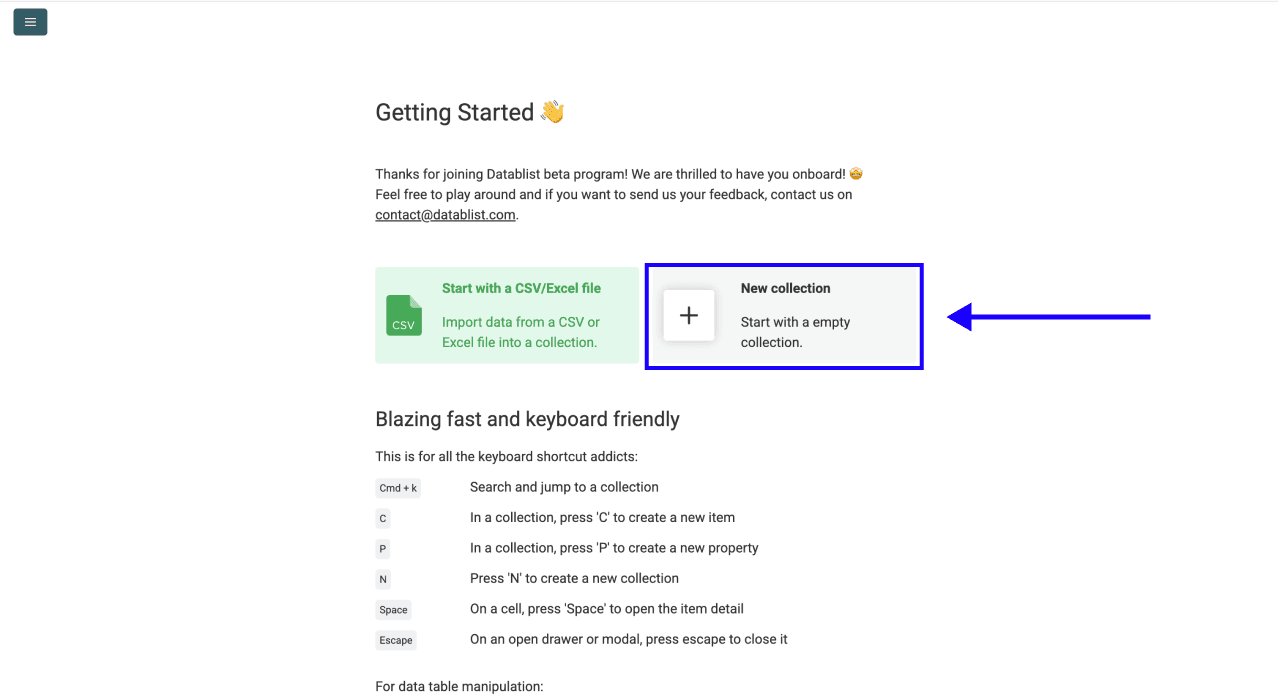
Then, create a New Collection
Step 2: Navigate To The AI Scraping Agent
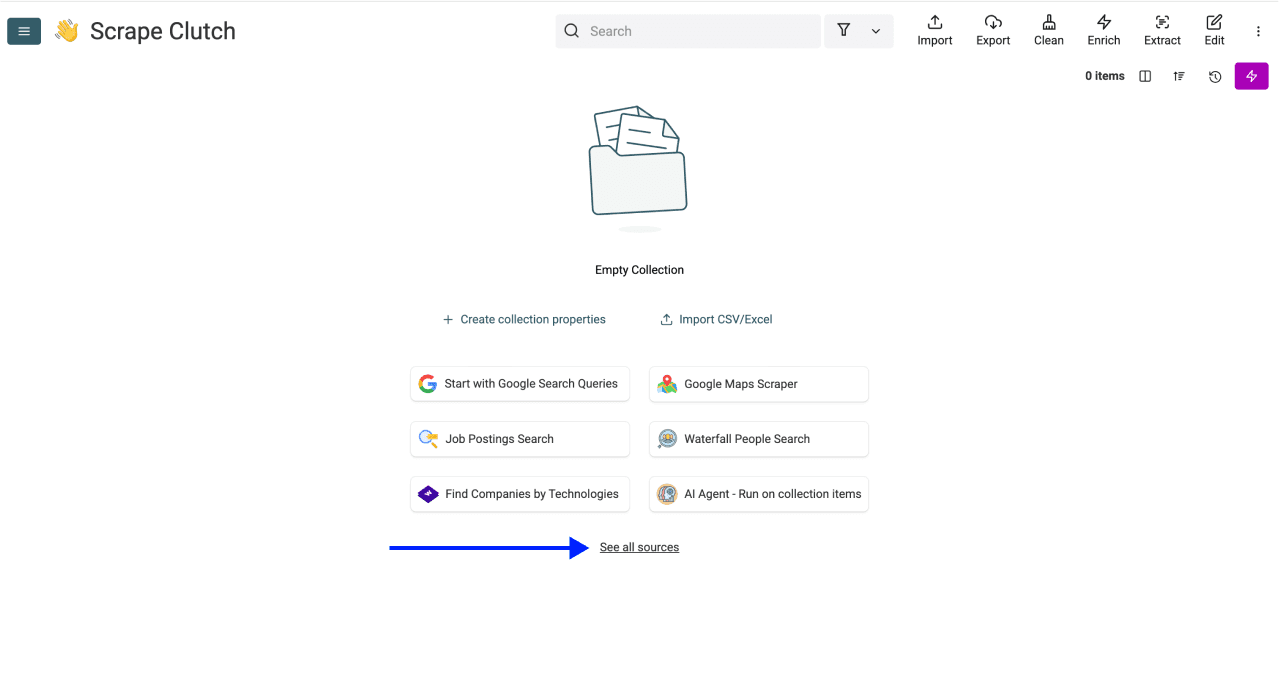
- Click on See all sources
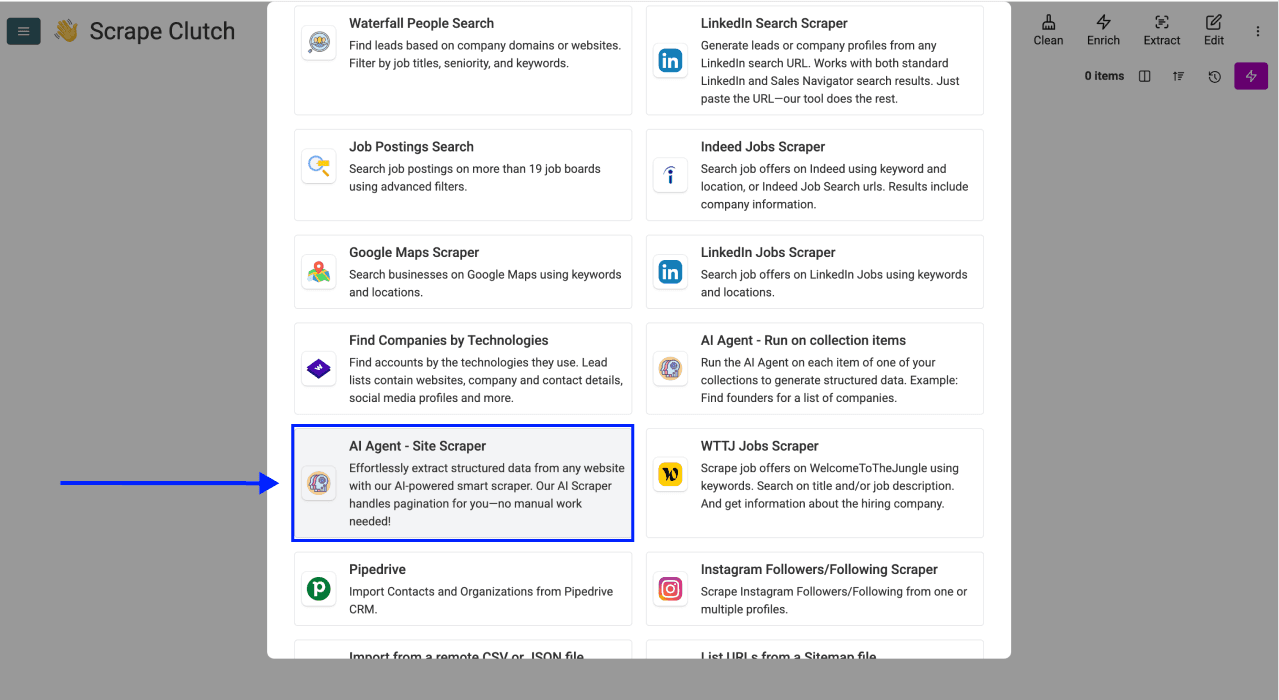
- Scroll down and select AI Agent - Site Scraper
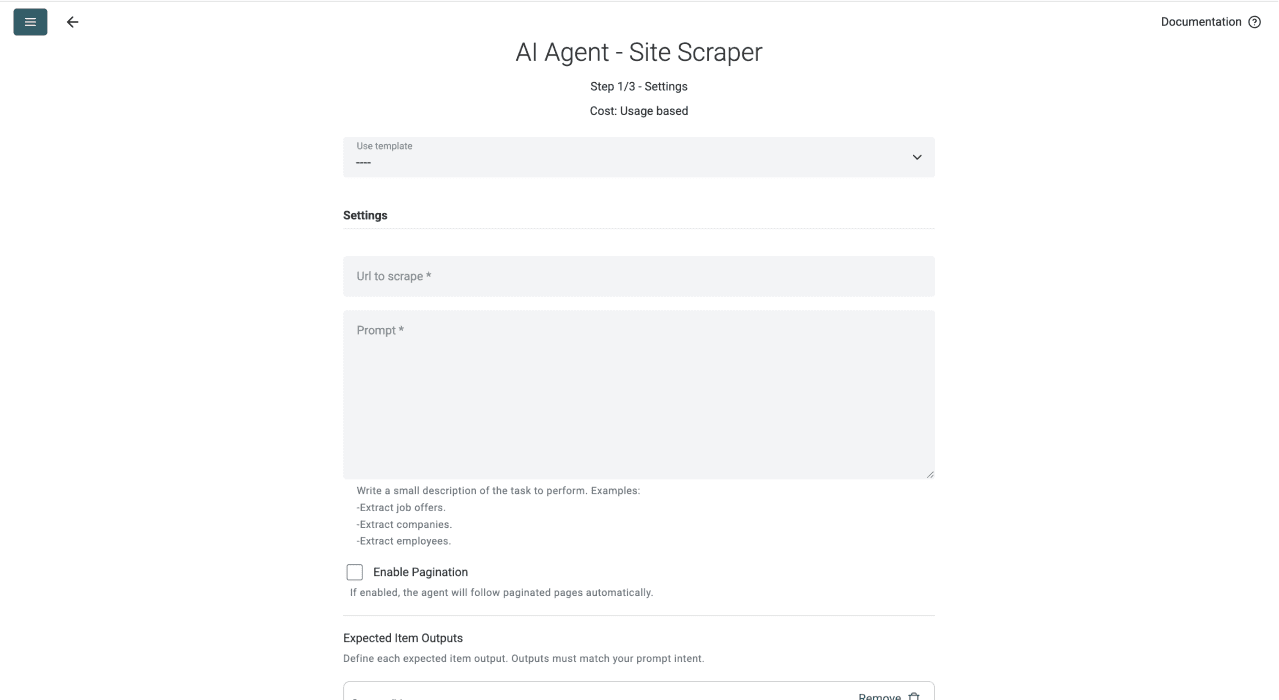
Now, you should see a different interface, which looks like this
Step 3: Select The Template & Configure The Task
- Open the template dropdown and select [Source] Clutch.co Agency Scraper. The screenshots show an earlier label; review the current outputs listed below.
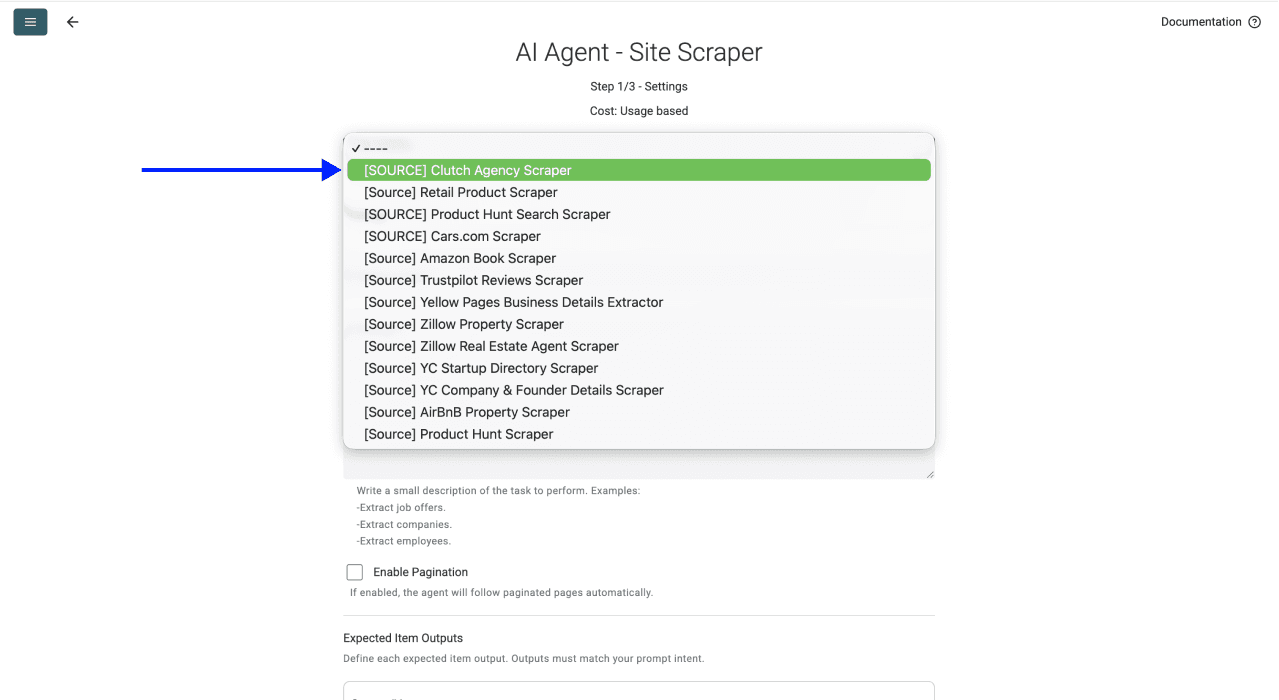
- Before pasting your URL, go to Clutch and filter by the service category and location you want (e.g., "SEO agencies in London"). Copy that filtered directory URL and paste it in the first field.
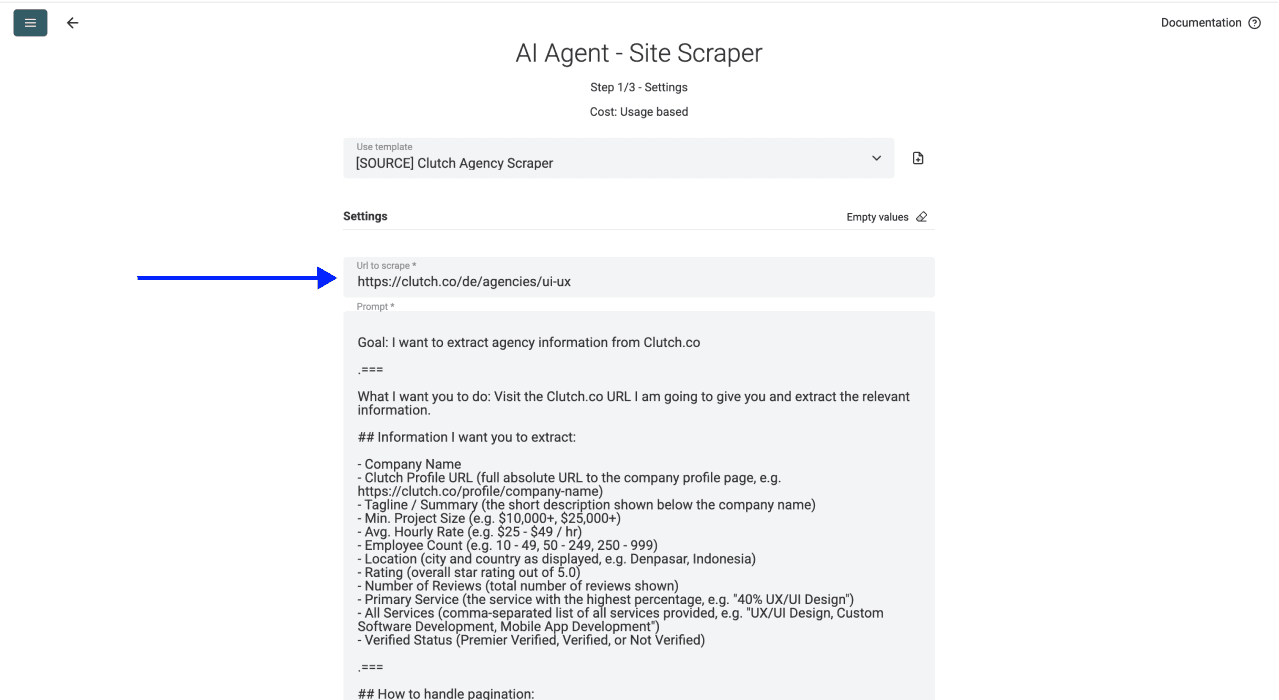
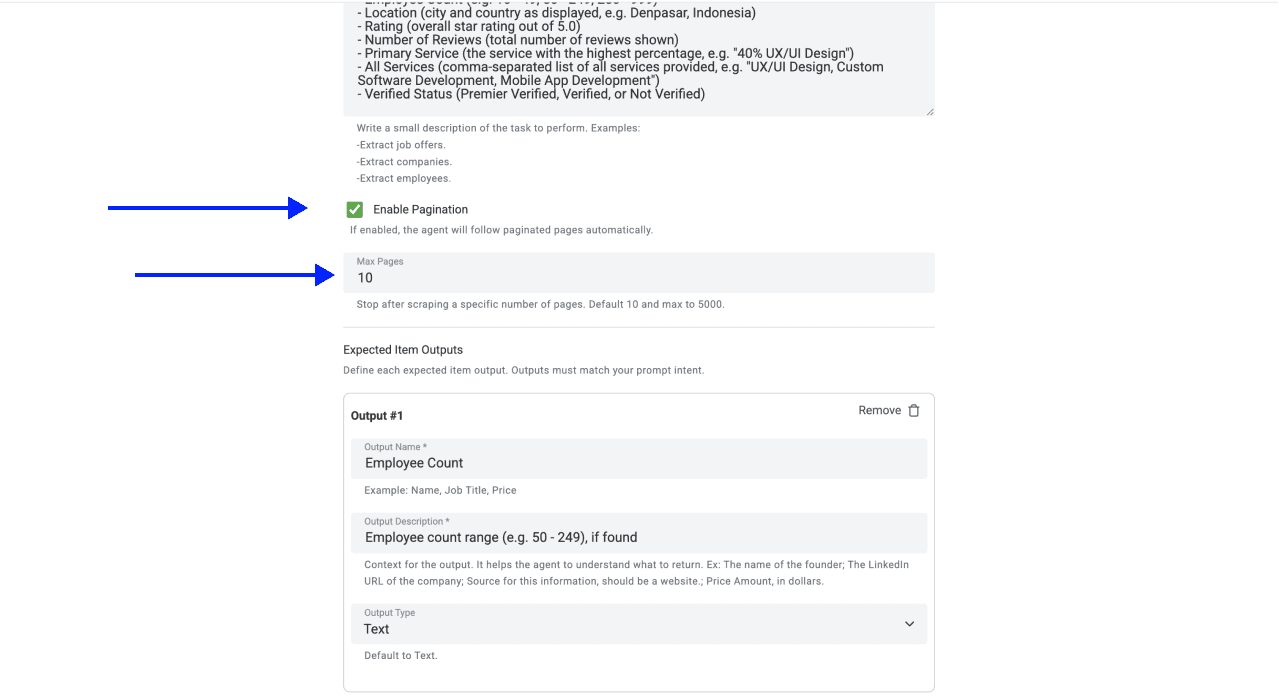
- Scroll down, and define the number of pages you want to scrape
📘 Check Pagination Before Expanding
The current template follows Clutch's page parameter and extracts listing cards. Review Enable Pagination and set a small Max Pages value for a sample. Compare profile URLs on the visited pages and check whether service/location filters remain intact. A page limit is a ceiling, not proof that every agency was collected; cards per page and accessible results can vary.
If you're curious about AI scraping prompts, we wrote a guide on the rules for writing prompts for AI agents
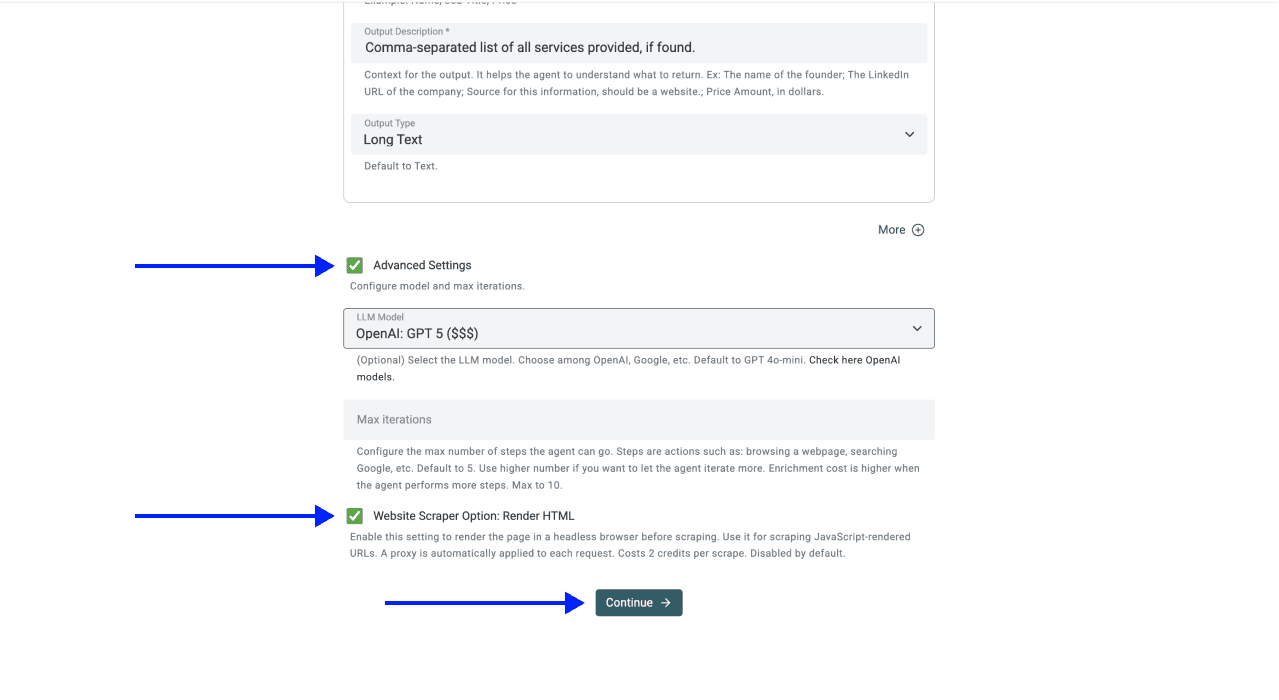
- Scroll down and click on Continue
💡 Review Advanced Settings
The current template enables rendering. Keep Website Scraper Option: Render HTML when the required cards are absent from the plain response, and compare a sample with the browser page. Rendering adds usage and does not guarantee access. Start with the template's current model settings; there is no measured “best model” established by this guide. Max iterations controls allowed steps, not a fixed price or completeness guarantee.
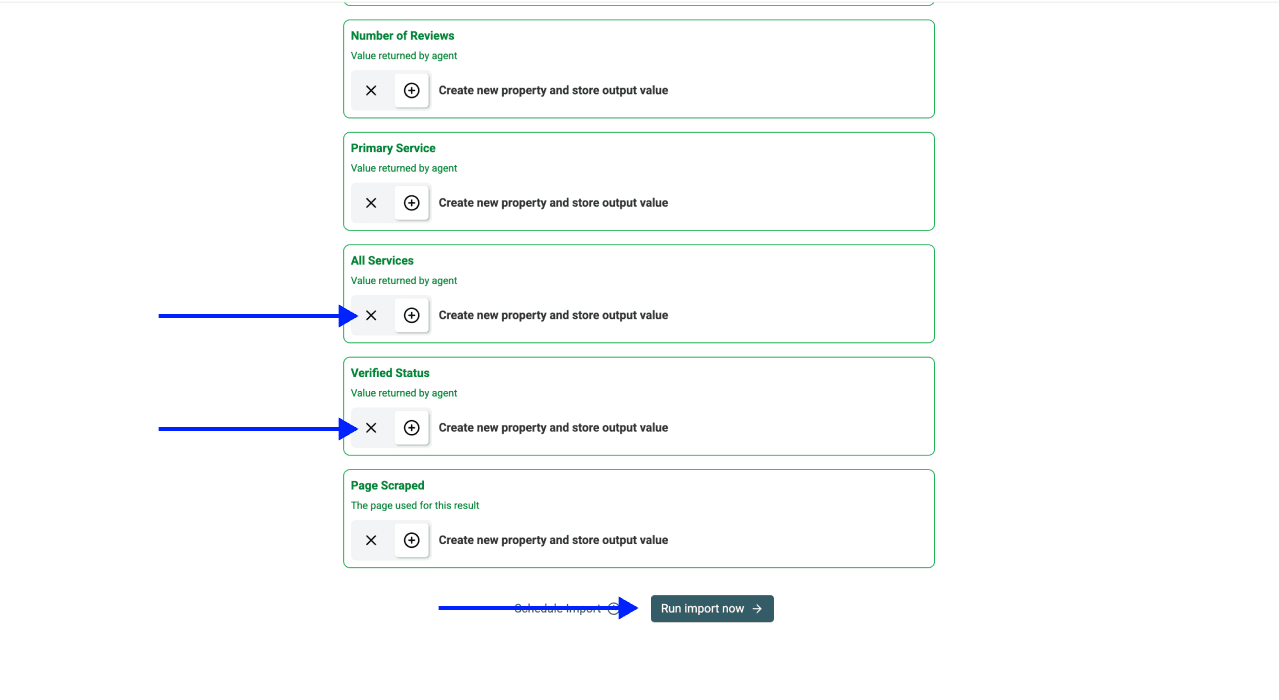
Step 4: Select Outputs
Datablist will create the output properties automatically.
Click on the X Icons to remove the columns you don't want to add to your collection
Step 5: Run
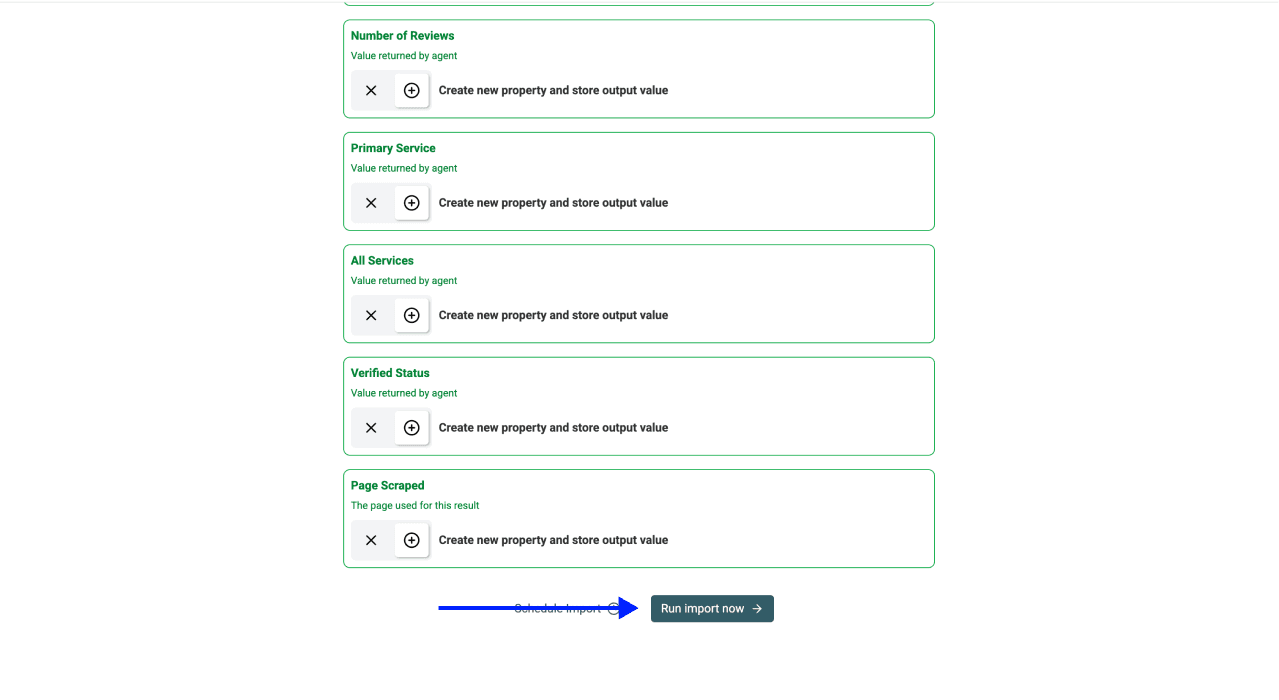
Once you've done the above, click on Run Import Now to start scraping
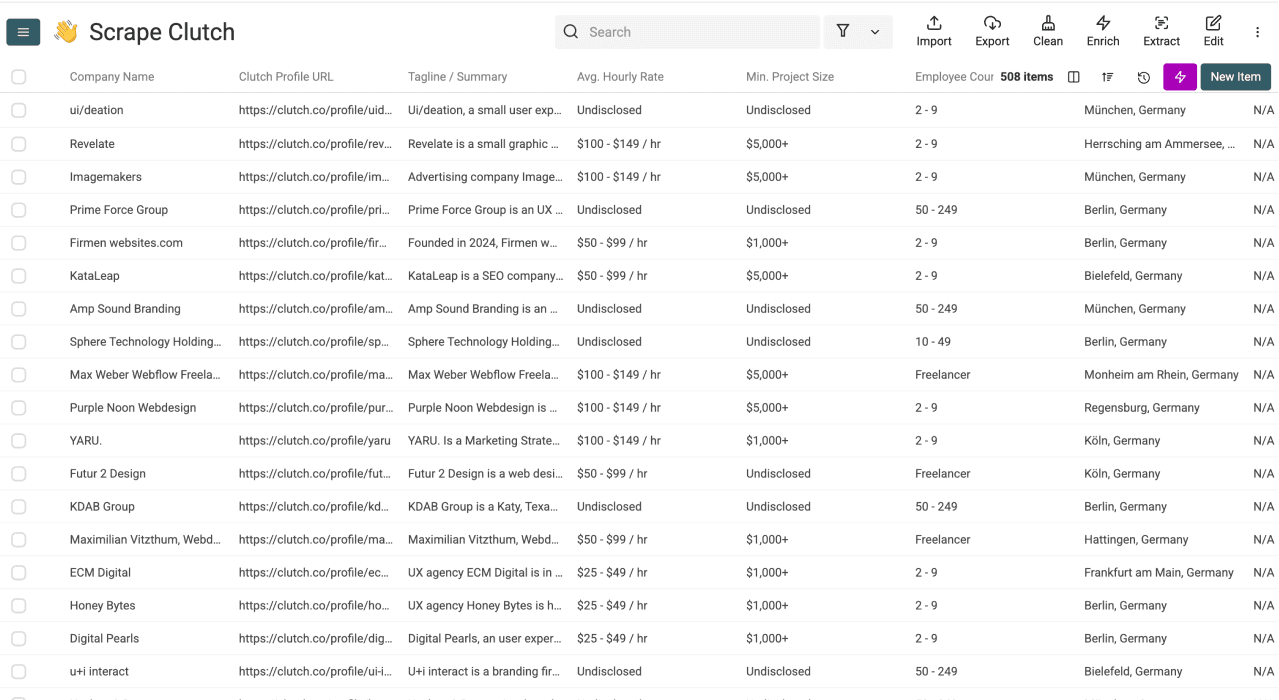
When the import finishes, inspect rows and task usage before cleaning or exporting. Runtime depends on pages, model calls and site responses. Keep incomplete or failed rows separate from accepted agencies.
💡 Review Repeated Imports
Use Clutch Profile URL as a candidate identifier after checking it is present and stable. Open Rename - Settings - Delete, choose Do not allow duplicate values and save the property if that key fits your record unit. Matching rows can be merged, updated or skipped according to import settings; uniqueness does not mean “new agencies only.” Check a small repeat run before refreshing a larger list.
How To Export Your Agency List
After reviewing the rows, export the fields needed by the receiving system:
- Click on Export in the top menu
- Choose Export all items
- Pick your preferred file type (.CSV, .XLSX, or .VCF)
- Click Export
Open the downloaded file to check identifiers, column names and accepted rows before importing into your CRM or outreach tool. A successful export does not establish qualification or contact validity.
Check the current template outputs
The published [Source] Clutch.co Agency Scraper template currently defines twelve fields:
- Company Name and Clutch Profile URL
- Tagline / Summary
- Min. Project Size and Avg. Hourly Rate
- Employee Count and Location
- Rating and Number of Reviews
- Primary Service and All Services
- Verified Status
It extracts listing cards and does not visit each agency profile by default. Website URL and contact details are not among these default outputs. Add a separate profile or website-research step if your task needs them, retaining Clutch Profile URL as the join key. Adding a column does not establish that the value exists on the card.
The template asks for N/A when information is unavailable and preserves “Serves” wording in Location. Review those values before conversion or qualification. Do not turn an N/A rating into zero or silently convert a rate range into a single price.
Validate agency identity and pricing meaning
For an illustrative review pass:
| Returned value | Review decision |
|---|---|
| Location: Serves London | Service coverage; do not label it a London office without another source |
| Avg. Hourly Rate: $100 - $149 / hr | Keep the range, currency and hourly unit; it is not annual revenue or your prospect's budget |
| Min. Project Size: $10,000+ | A stated project threshold, not a guaranteed quote for your project |
| Rating: N/A; Number of Reviews: 0 | No rating established; do not store a zero-star review |
| The same profile URL occurs in SEO and PPC searches | Review as one agency with both search contexts, preserving the service information |
Open several profile URLs and compare Company Name, Location, Rating and review count with the source. If the listing only contains a service-coverage label, verify the agency's address separately. Keep the original search URL and collection date so a later refresh can explain which market and period the list represented.
Check a repeated import on a small sample, including one changed field. Confirm whether your merge settings preserve, combine or replace the old value before refreshing the whole collection. Then export accepted agencies separately from rows requiring identity or missing-value review.
After Scraping: Clean And Enrich Your Agency List
Scraping Clutch is only the first step. The real value comes from what you do with the data afterward. A raw list with duplicates and missing emails isn't going to close any deals.
Remove Duplicates And Normalize Company Names
This is the first thing to do after any scraping run. Here's why:
The same agency can appear under multiple Clutch categories. If you scrape Clutch agencies across "SEO in London" and "PPC in London" separately, agencies that offer both services will show up twice
Here's how to clean it up:
- Deduplicate by Clutch Profile URL, and not by agency name.
- Remove suffixes like LLC, Ltd, Inc. Using Datablist’s Company Name Normalizer
Enrich With Contact And Company Data
Once your list is clean, you can take it further:
- Find email addresses using Email Finder after supplying supported person identifiers; preserve lookup statuses and verify the business match
- Add LinkedIn profile URLs for decision makers at each agency
- Pull tech stack data if you're selling a tool that integrates with specific platforms
Important: Always enrich after deduplication, not before. Enriching duplicate rows wastes credits and creates messy data.
If you’re planning to cold email the agencies you scraped, here's how to personalize your outreach with AI 👈🏽
What Clutch Scraping Can't Do (Limitations And Best Practices)
Is Scraping Clutch Allowed?
Check Clutch's current terms, your access method and the rules applying to your use. Public visibility alone does not establish unrestricted reuse, outreach permission or resale rights. For personal data covered by the GDPR, the CNIL guidance on reusing online data explains the relevant obligations.
Common Reasons Scrapers Fail On Clutch
Inspect the task and sample before changing multiple settings at once:
- Missing cards: compare the returned content with the browser and test rendering on a small sample.
- Blocked or failed access: review the task error; do not treat an empty response as a directory with no agencies.
- Repeated profiles: compare profile URLs and search context across pages before counting agencies.
- Missing pricing or ratings: check the listing. Undisclosed or absent fields are not zero, and a larger model cannot establish unpublished facts.
- Large-page errors: reduce the scope and inspect the current model/settings. Changing a model does not guarantee that every page will fit or extract correctly.
Conclusion: Scraping Agencies is Only The First Step
You now know how to scrape agency leads from Clutch using AI scraping, pick the right outputs, handle pagination, and export everything to a clean CSV. But a list of agency names without contacts isn't a lead list yet.
Complete your lead list in two steps:
And if that doesn't suit your use case, check our resources below.
Frequently Asked Questions About Scraping Clutch
How Much Does It Cost To Scrape Agencies From Clutch?
The scraper uses credits for model and tool usage. Run a limited sample and inspect its usage before expanding. The pricing page and credit guide explain current plan access and top-ups; no fixed cost per Clutch page is established here.
How Long Does It Take To Scrape Agencies From Clutch?
Runtime depends on pages, model calls, rendering and access. Check task progress and errors. The original video illustrates one earlier run, not a standard runtime for every search.
Is There a Limit To How Many Agencies I Can Scrape?
Check current source settings, plan access and available results. Collection storage and pages processed in one run are separate limits. A pagination ceiling is not proof of complete directory coverage.
What Data Can I Extract When I Scrape Clutch Agencies?
The current template returns the listing-card fields shown in the output checklist below. Website URLs, individual contacts, portfolio details or other profile-only fields need a separate task; the template does not visit profiles by default.
Do I Need Coding Skills To Scrape Clutch?
Not at all. The entire process is no-code. You select a template, paste a URL, choose your outputs, and click run. If you can copy-paste a URL, Datablist will scrape Clutch for you.
Can I Also Find Emails For The Agencies I Scraped?
Yes. After scraping, you can use Datablist's Waterfall Email Finder to find verified email addresses for decision makers at each agency. You can also add LinkedIn profiles and phone numbers using other enrichment tools in the same platform.
Can I Scrape Clutch Without An API?
Absolutely. Datablist.com doesn't require any API setup, coding, or technical configuration. Everything happens through a visual interface with ready-to-use templates. No developer needed.
What Is The Difference Between AI Web Scraping And Traditional Web Scraping?
Selector-based extraction uses rules against page structure; AI extraction interprets accessible content with a prompt. Both need a reviewed sample after layout or source changes. AI does not guarantee complete or accurate results.
How Do I Deduplicate Agencies From Multiple Clutch Categories?
Use Datablist's built-in deduplication feature. Deduplicate by Clutch Profile URL (not agency name) to catch agencies that appear under multiple service categories. You can also set up a "no duplicate values" rule on the Clutch Profile URL column before repeat runs.
What Fields Should I Collect From Clutch For Outreach?
Keep Company Name, Clutch Profile URL, Location and the original search context. Use service, pricing and review fields only after checking their meaning. Research the agency website and relevant contacts separately before outreach.
What Is AI Web Scraping?
AI web scraping, i.e., AI scraping, is a method of extracting data from websites using artificial intelligence rather than rule-based scrapers. Instead of relying on HTML selectors, AI scraping uses language models to understand page content and extract the requested data. Platforms like Datablist.com offer AI scraping through their AI Scraping Agents with ready-to-use templates.
Can You Export Agencies From Clutch To CSV?
Yes. Export the accepted rows from Datablist to CSV or Excel, retaining the Clutch profile URL and search context. Confirm that the destination fields and record unit match your CRM before importing.