
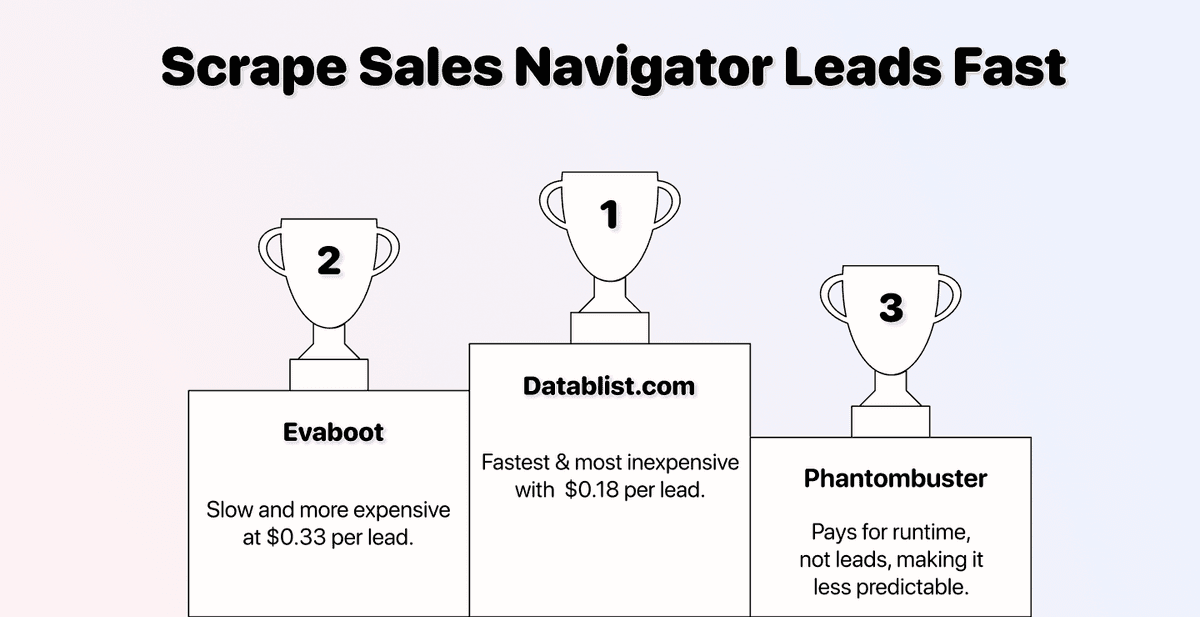
Most Sales Navigator scrapers are unfair. They drip-feed your data, charge premium prices, and put your LinkedIn account at risk in the process.
Tools like PhantomBuster and Evaboot have been the go-to options for years. But they all share the same flaw: they need access to your LinkedIn account to work. That means cookies, login sessions, and the constant risk of getting flagged or banned.
Datablist.com does things differently. It scrapes Sales Navigator leads without ever touching your LinkedIn account, works faster than any browser extension, and only charges you for the leads you actually import. This article shows you exactly why and how.
📌 Summary For Those In a Rush
This article covers the fastest way to scrape Sales Navigator leads without risking a ban. Here is a summary:
- The problem: Most Sales Navigator scrapers like PhantomBuster and Evaboot are slow, expensive, and risky because they use your LinkedIn account.
- The solution: Datablist.com scrapes Sales Navigator leads without needing your cookies or credentials.
- What you need: A Sales Navigator search URL. That's the only input.
- What you get: 30+ data points per lead, including personal, professional, and company data.
- Cost: 10 credits per imported lead. You only pay for what you import.
- Speed: 5 simple steps, under 5 minutes to set up. Results in minutes, not hours.
Table of Contents
- Why Choose Datablist.com Over PhantomBuster and Evaboot
- How To Scrape Sales Navigator Leads in Minutes
- Conclusion: Fast, Safe, and Fair Sales Navigator Scraping
- Frequently Asked Questions About Sales Navigator Scraping
Why Choose Datablist.com Over PhantomBuster and Evaboot
Before we get into the step-by-step, here's a quick breakdown of why Datablist.com is the better choice. The differences come down to three things: speed, safety, and price.
It's Significantly Faster
Most Sales Navigator scrapers like PhantomBuster and Evaboot are slow because they must be. Since they operate through your LinkedIn account, they need to mimic human behavior to avoid detection.
The result: Scraping 1,000 Sales Navigator leads can take a long time, sometimes almost 30 minutes.
Datablist.com doesn't have this limitation. Because it never connects to your LinkedIn account, there's no need to pretend to be human. It pulls data directly and delivers results in minutes, not hours.
You Pay Less Per Lead
With Datablist.com, you pay 10 credits per imported lead. If you go with the $25 low-tier plan and add a $20 credit top-up, you can export roughly 2,500 leads for $45. That comes to about $0.18 per lead.
With Evaboot, you're looking at $49 for 1,500 exports, which is $0.33 per lead. Almost twice the price, and your LinkedIn account is still at risk on top of it.
The best part? When you scrape Sales Navigator with Datablist.com, you pay for imported leads, not for runtime. With PhantomBuster, you're paying for execution time regardless of how many usable leads you get. With Datablist, if you don't import it, you don't pay for it.
Your LinkedIn Account Stays Safe
Here's the reality: every Sales Navigator scraper that uses your LinkedIn cookies or session is putting your account at risk. LinkedIn actively monitors for automation, and when they catch it, they don't give warnings.
And losing your LinkedIn account means losing:
- Your connections and conversation history
- Followers and the community you've built
- Revenue and business opportunities tied to your profile
- Contact with clients, partners, and candidates
Datablist’s Sales Navigator Scraper is the only option that requires zero connection to your LinkedIn account. No cookies, no credentials, no browser extensions. Your profile stays completely untouched.

How To Scrape Sales Navigator Leads in Minutes
Now for the hands-on part. I'll break this into clear steps so you can replicate it in under 5 minutes. The workflow consists of two parts:
- Configuring your Sales Navigator search
- Scraping the results with Datablist.com
Let's go.
📘 Quick Note
The Sales Navigator scraper of Datablist.com also works with regular LinkedIn search URLs. So even without a Sales Navigator subscription, you can still extract leads from standard LinkedIn searches.
What You Get When You Scrape Sales Navigator
Before we start, this is what you actually receive per lead. Datablist.com returns 30+ data points across three categories:
This guide will walk you through separate workflows:
- Configuring a lead search in Sales Navigator
- Scraping a lead search with Datablist’s Sales Navigator Scraper
| Category | Data Points |
|---|---|
| Personal Data | First Name, Last Name, Full Name, LinkedIn URL, Sales Navigator URL, LinkedIn Internal ID, Location, Connections, Latest Education |
| Professional Data | Job Title, Last Position Start Date, Last Position End Date, Open To Work, Premium Account, Open Profile, LinkedIn Headline, LinkedIn Summary |
| Company Data | Company Name, Domain, Description, Founded Year, LinkedIn URL, LinkedIn ID, Industry, Specialties, Employee Range, Number of Employees, Address, Location, Public Email, Public Phone |
That's everything you need to build a qualified lead list from a single scrape.
Scraping Sales Navigator Fast: Search Configuration
Go to the LinkedIn Sales Navigator Lead Search and open all filters by clicking the arrow on the right.
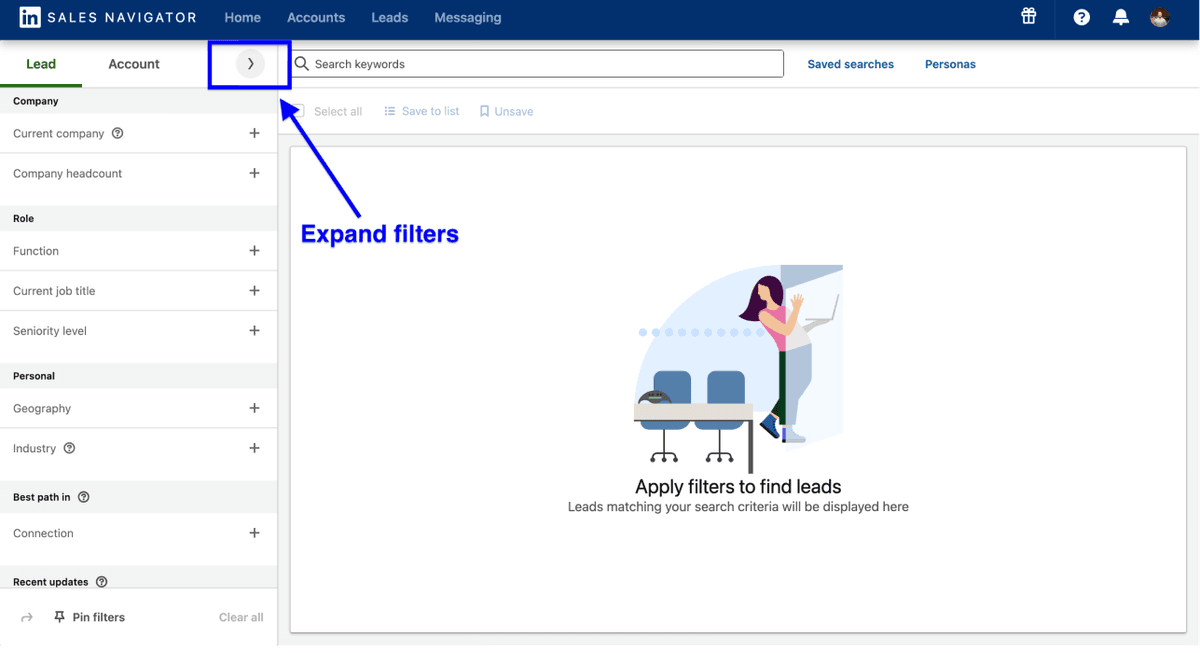
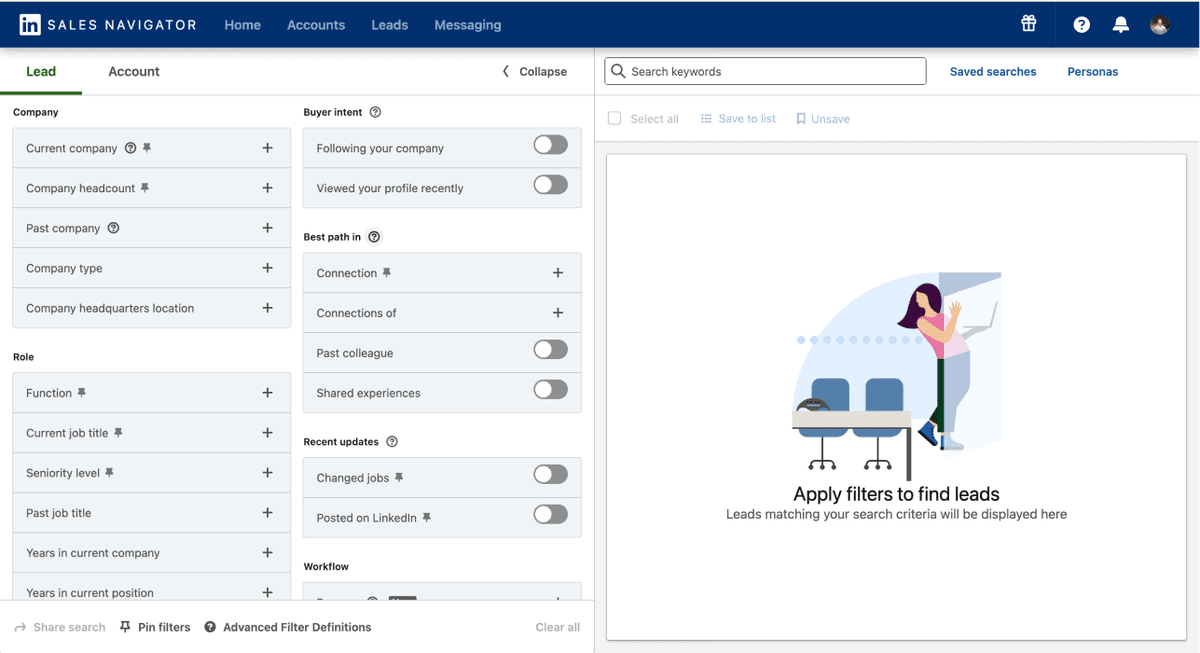
Now you can use the 33 filters to find the right leads for your business.
Note: Keep your search results always below 2,500 leads.
What to do when search results exceed the 2,500 limit:
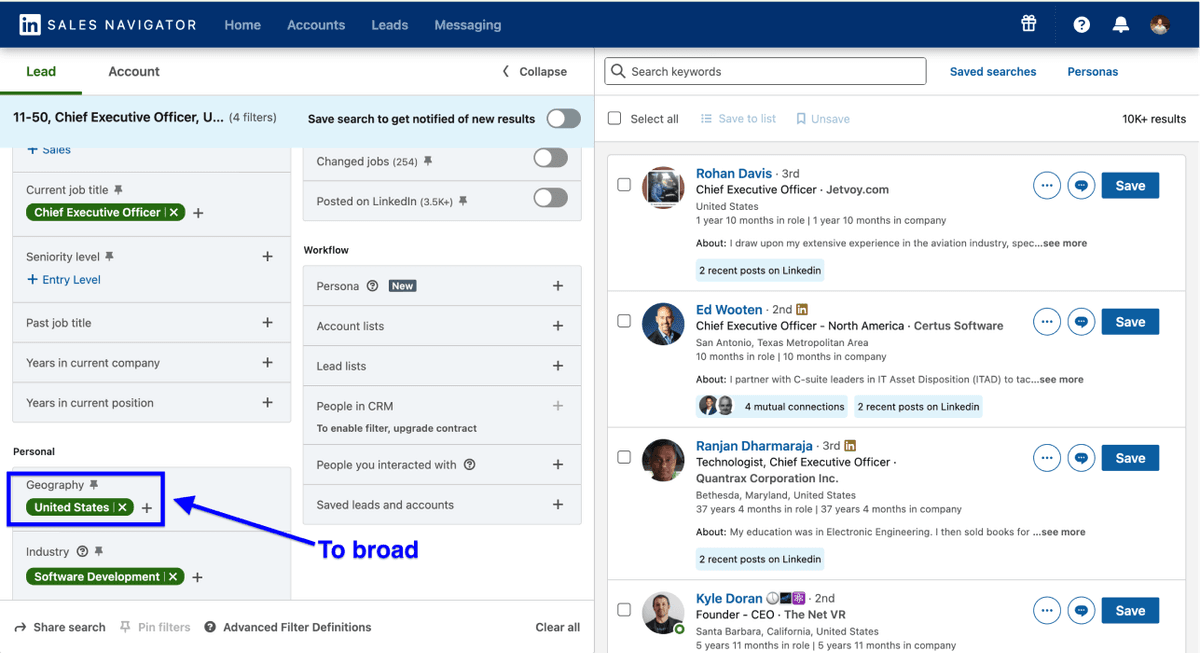
Example: If searching for CEOs at US software companies (10-50 employees) returns 10k results, break down your search into smaller segments by:
- Filtering by specific states (California, Texas, New York)
- Further narrowing by industry sub-categories
- Using the "years in current position" filter
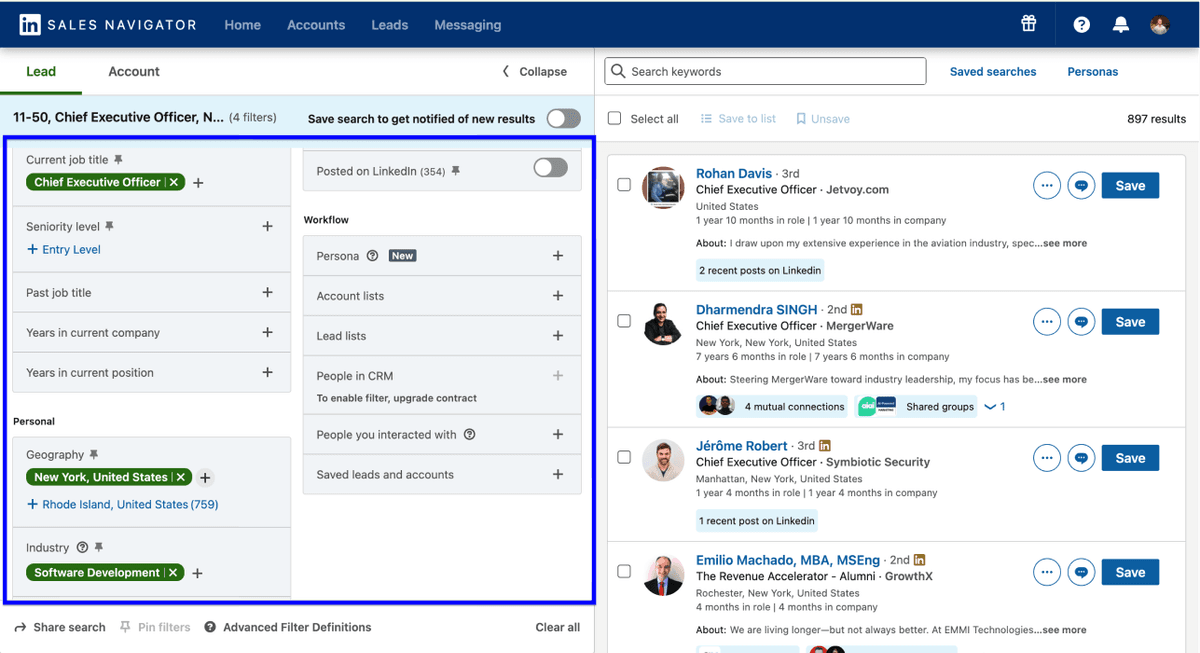
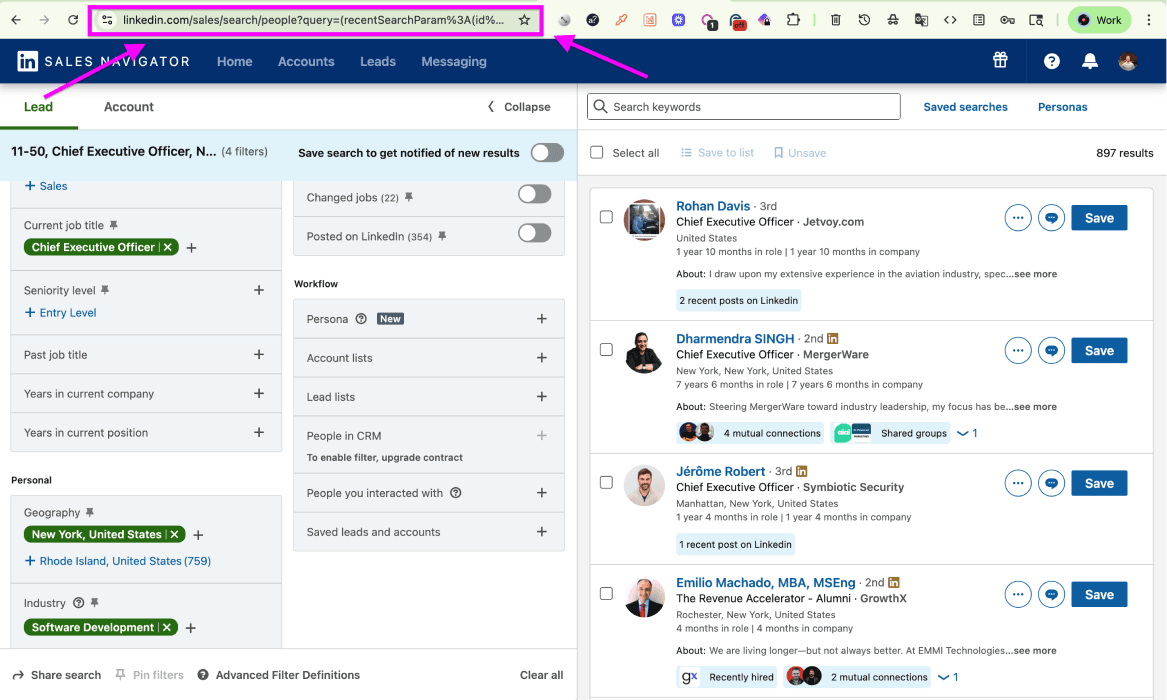
Once you've configured your search, copy the search URL and save it.
If you’d rather scrape accounts than leads, check out this guide on how to scrape companies from Sales Navigator 👈🏽
Scraping Sales Navigator Fast: Getting Your Leads
Now you'll see how I scrape a Sales Navigator search without any browser extension installed. The whole process takes 5 steps.
Step 1: Sign Up & Create a Collection
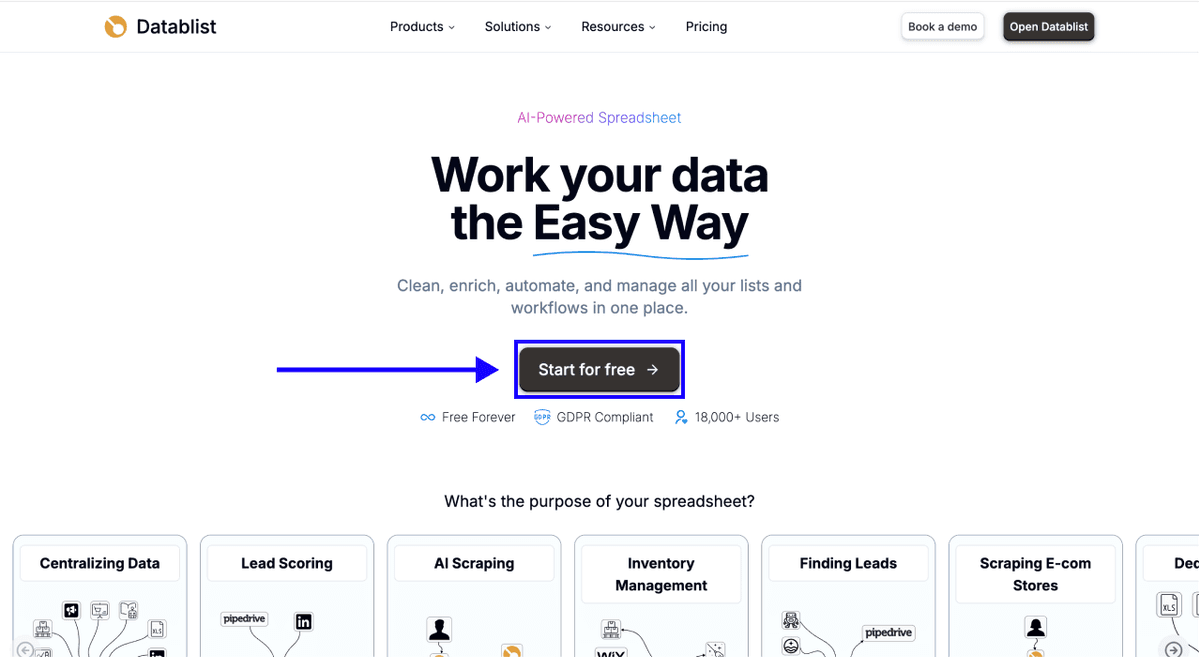
To get started, sign up on Datablist.com.
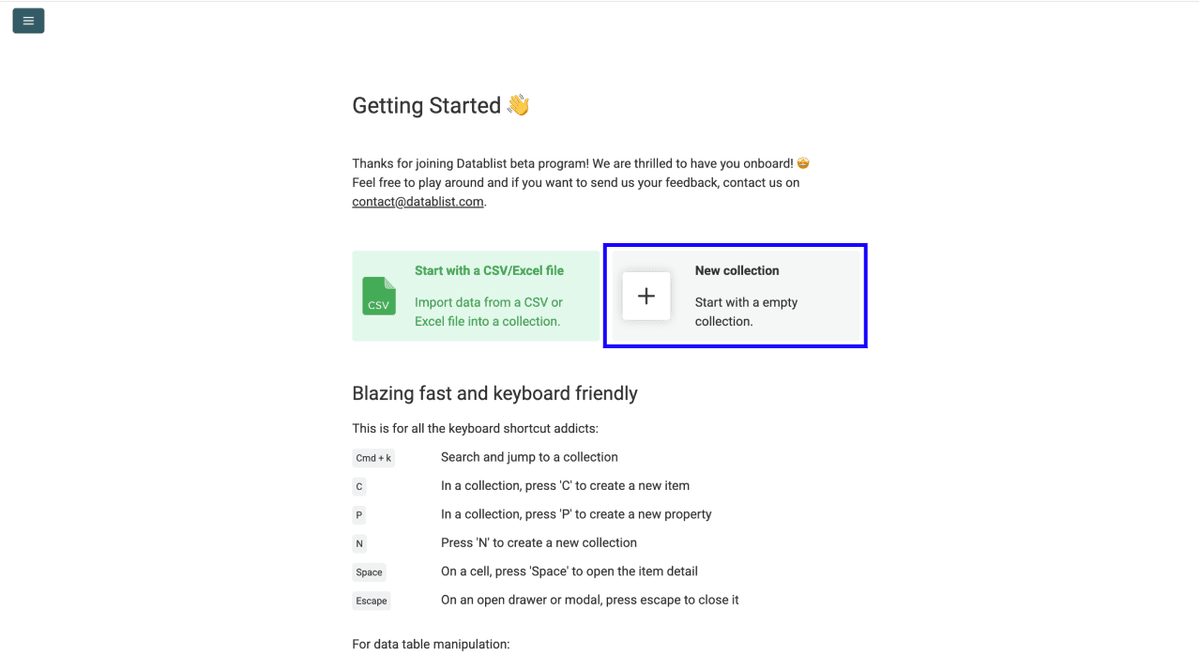
Once you have signed up, Create a new collection
Step 2: Navigate to the LinkedIn Search Scraper
-
Click on See all sources
-
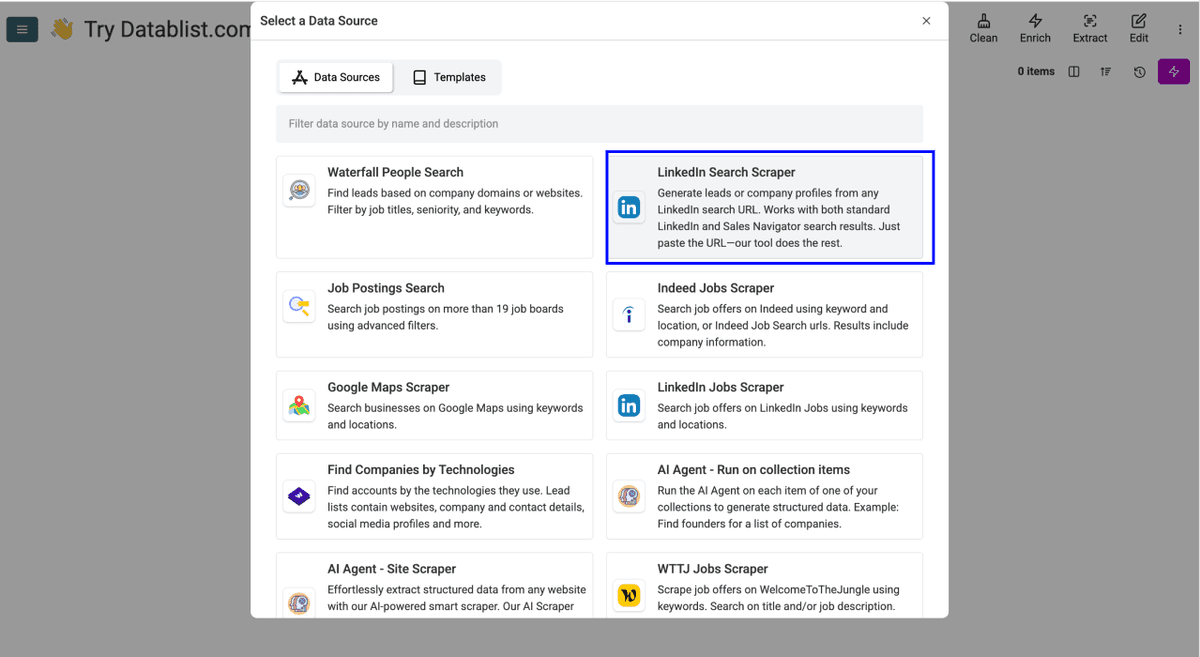
Select the LinkedIn Search Scraper from the source library. Datablist.com has over 50 connected data sources, but this is the one you need for extracting Sales Navigator leads.
Step 3: Configure Your Settings
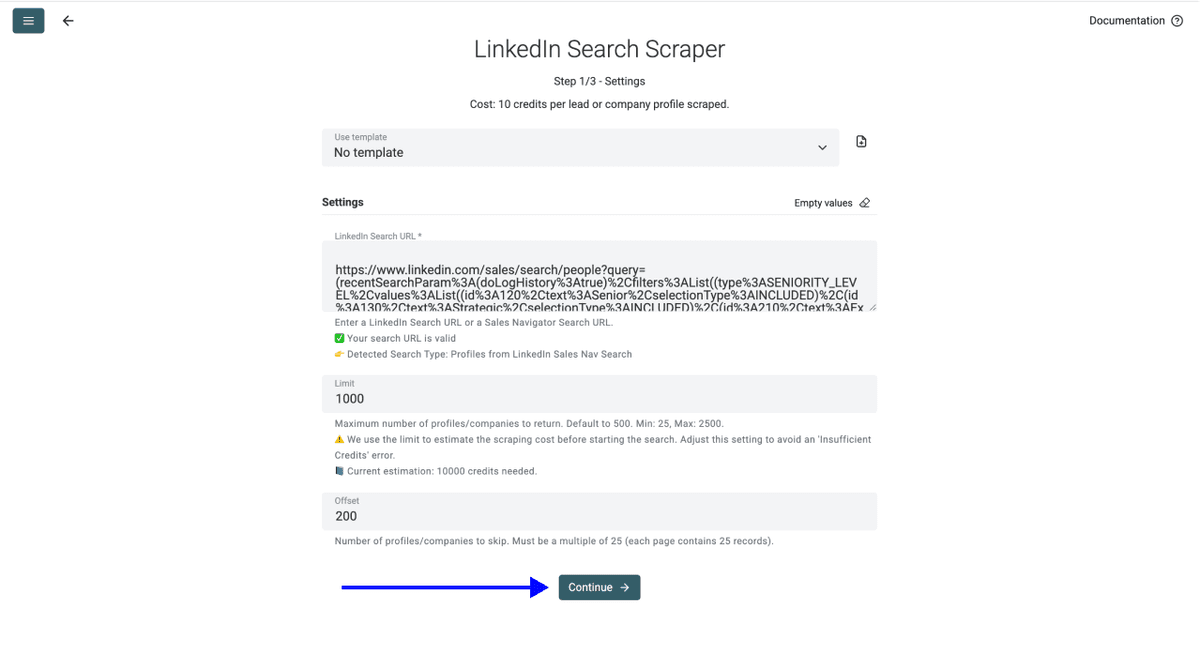
You'll see the following settings:
- Search URL - Paste your Sales Navigator search URL here
- Limit - Set how many leads you want to import
- Offset - Choose how many leads to skip (useful for splitting up large lead lists)
Paste the URL you copied earlier and set your preferred limit. Click Continue once you're done.
Step 4: Select Your Outputs
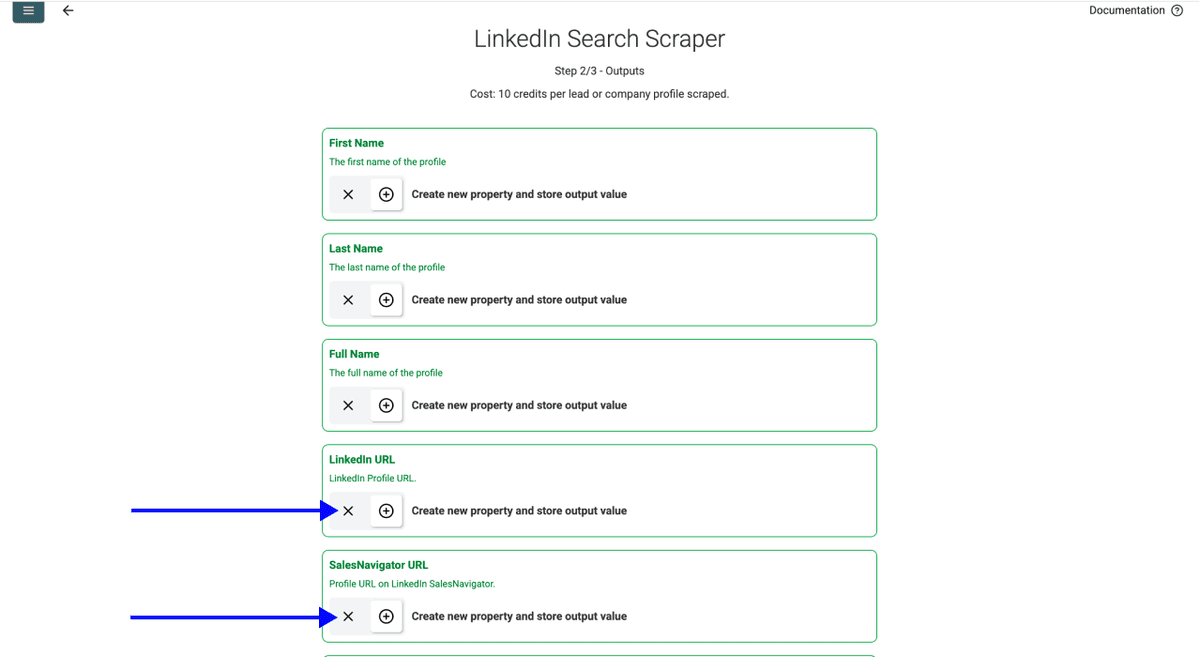
Datablist.com will show you all 30+ available data points and create an output property for each one automatically.
Click the ✕ Icons to remove the fields you don’t want in your collection, then scroll down.
Step 5: Run the Import
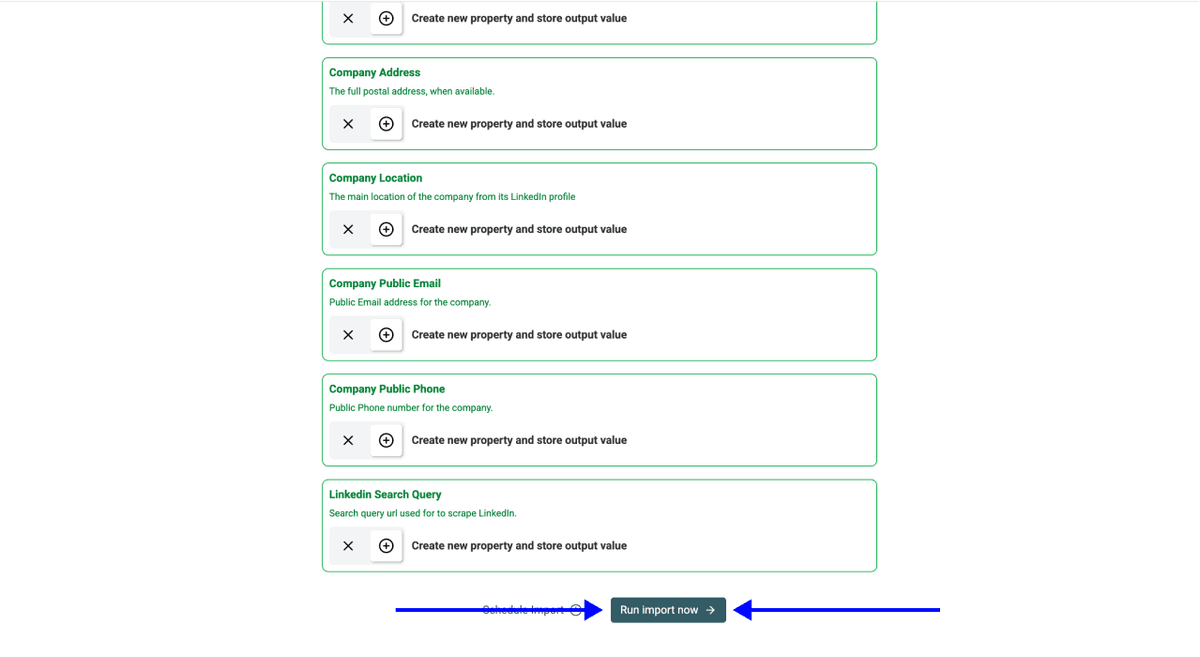
Now you can click on Run Import Now to start extracting leads from Sales Navigator
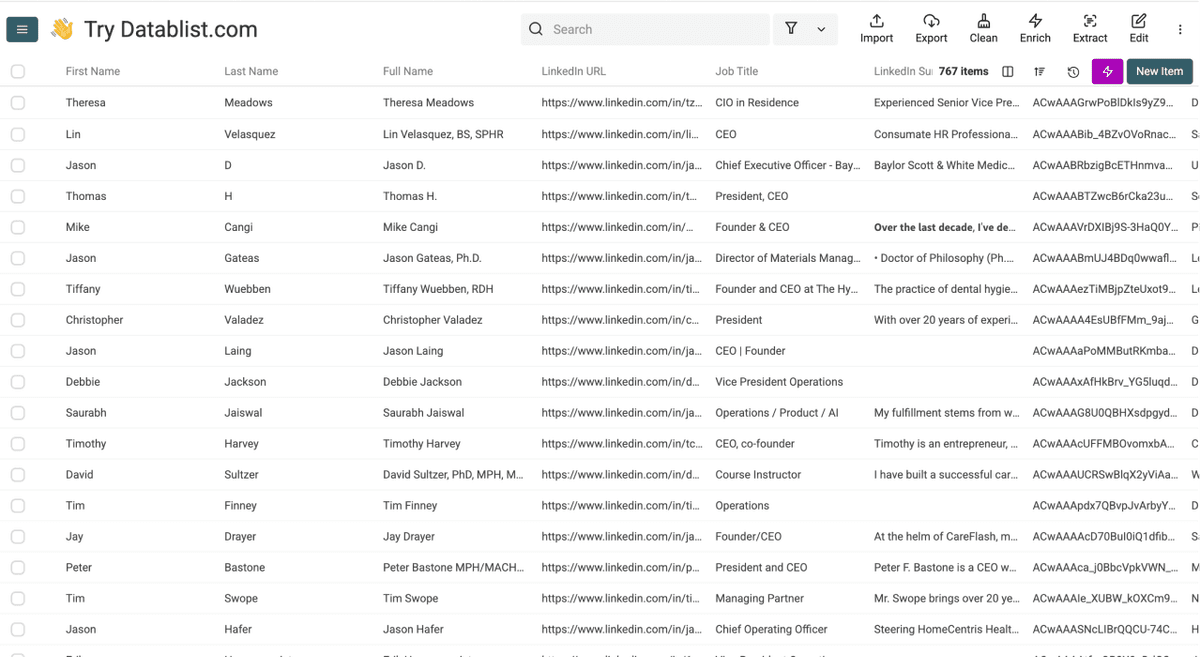
Datablist's Sales Navigator scraper is not only safe but also incredibly fast. It took less than 5 minutes to get all results, which is faster than any Chrome extension on the market.
🔑 Key Takeaways
- Datablist.com has the fastest Sales Navigator lead extractor on the market. While other tools take hours because they operate through your account, Datablist.com delivers results in minutes.
- Other scrapers are slow because they have no other choice. If a tool uses your LinkedIn cookies, it has to mimic human behavior to avoid detection. That speed limit is built into their architecture, not yours.
Conclusion: Scrape Sales Navigator the Fast Way
PhantomBuster, Evaboot, and other Sales Navigator scrapers have been around for years, and for years they've gotten away with the same deal: slow exports, high prices, and the risk of losing your LinkedIn account. People accepted it because nothing better existed.
Datablist built a scraper that doesn't need your LinkedIn cookies at all. That one difference is why it's faster, cheaper, and why your account never gets touched. Paste a search URL, hit run, and your leads show up in minutes.
Frequently Asked Questions About Sales Navigator Scraping
How Much Does It Cost to Scrape Sales Navigator Leads With Datablist?
Extracting Sales Navigator leads with Datablist.com costs 10 credits per imported lead. With the $25 starter plan and a $20 credit top-up, you can export roughly 2,500 leads for $45 total. That's about $0.18 per lead, and you only pay for leads that are actually imported, not for runtime or failed extractions.
How Many Leads Can I Scrape From Sales Navigator at Once?
Datablist.com supports up to 100,000 rows per collection. For best results, keep individual Sales Navigator searches under 2,500 leads and use offset settings to paginate larger extractions. Need more? Create multiple collections and run them separately.
Do I Need to Connect My LinkedIn Account to Scrape Sales Navigator?
No. That's the main advantage of using Datablist.com over tools like PhantomBuster and Evaboot. You never share your LinkedIn cookies, credentials, or any account information. The only input is a Sales Navigator search URL that you copy from your browser. Your LinkedIn account stays completely untouched.
Do I Need Technical Skills to Extract Leads From Sales Navigator?
Not at all. The process is 5 steps: sign up, navigate to the scraper, configure your settings, select outputs, and run the import. If you can use a spreadsheet, you can use Datablist. No coding, no API setup, no extensions to install.
Can I Also Find Emails and Phone Numbers After Scraping Sales Navigator?
Yes. Once your leads are in Datablist.com, you can run additional enrichments on the same collection without leaving the platform. This includes the Waterfall Email Finder for professional emails, the Personal Email Finder for personal addresses, and the Phone Number Finder to find phone numbers. Everything happens in one workspace, no imports or exports needed.
Can LinkedIn Detect Sales Navigator Scrapers?
LinkedIn actively monitors for automation and can detect most scrapers that run through your personal account. Tools using your cookies or browser sessions are the easiest to flag. Datablist.com avoids this entirely because it never connects to your LinkedIn profile, making it invisible from LinkedIn's perspective.
What's the Difference Between Datablist and PhantomBuster for Sales Navigator Scraping?
The biggest difference is access. PhantomBuster requires your LinkedIn cookies and scrapes through your account, making it slower (to avoid detection) and riskier. Datablist never needs your credentials, scrapes faster because there's no need to mimic human behavior, and charges per imported lead instead of per minute of runtime.
Are There Safe Alternatives to Browser Extensions for Scraping Sales Navigator?
Datablist is the safest alternative. Unlike extensions that sit on top of your LinkedIn session and can be detected, Datablist operates independently. No cookies, no session hijacking, no detection risk. You provide a search URL and get your data back.
What's the Best Tool to Scrape Sales Navigator?
Based on speed, safety, and cost, Datablist is the best Sales Navigator scraper available. It's the only tool that doesn't need your LinkedIn credentials, delivers results in minutes instead of hours, and offers the lowest cost per lead. If account safety and extraction speed are your priorities, it's the clear choice.
Is There an Alternative to Sales Navigator?
Yes, alternatives to Sales Navigator exist, and each of them has its own strengths. Datablist, for example, has an integrated Waterfall People Search that allows you to find prospects without having a Sales Navigator subscription.
What's the Fastest Way to Export 1,000 Leads From LinkedIn Sales Navigator?
The fastest method is the Sales Navigator scraper of Datablist. Set up your filters in Sales Navigator, copy the URL, paste it into Datablist.com, and run the import. 1,000 leads can be extracted in under 5 minutes. Compare that to PhantomBuster or Evaboot, where the same job could take hours because they throttle speed to protect your account.