
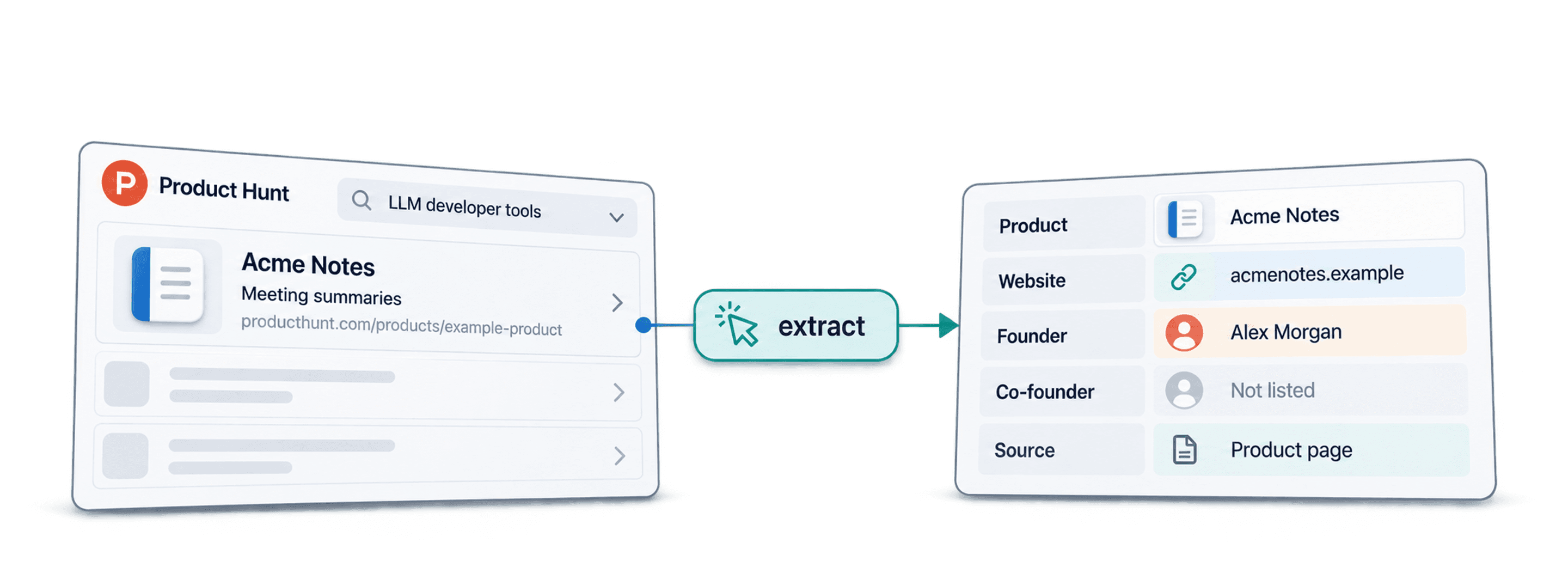
To scrape Product Hunt, start with a category or search URL and use Datablist's AI Agent - Site Scraper to create a list of product names and links. Then run the AI Agent on each product URL to add details available on its page, such as a description, website, and founder names. Review a sample before using the list: page layouts and missing profile details can change what the agent returns.
Check access first: Product Hunt's terms restrict automated crawling and scraping. Obtain permission or use an authorized source before running this workflow against Product Hunt.
📌 Summary For Those In a Rush
This article shows how to turn Product Hunt listings into a product list, then research each product page.
Input: a Product Hunt category or search URL, such as
https://www.producthunt.com/categories/llm-developer-tools.First output: product name and Product Hunt URL for each listing the agent finds.
Second output: details found on each product page, with empty fields where the page does not provide the requested value.
Review: check product URLs, duplicate rows, and founder attribution before exporting.
Cost: the AI Agent is usage-based. Check the estimate in the run settings for your chosen model and page limit.
What This Guide Will Cover
- A Step-by-Step Walkthrough to Scrape Product Hunt
- Alternative Methods for Scraping Product Hunt
- Why Datablist is the Best Tool for Scraping Product Hunt
- Frequently Asked Questions About Scraping Product Hunt
The Tool I Use To Scrape Product Hunt: Datablist
Datablist is a platform for automating lead generation workflows that allows sales, marketing, and recruiting folks to find, clean, and enrich data using over 60 different tools from AI Agents to Email Finders, AI processors, Technology enrichments, and more.
Additionally, Datablist allows you to build automated workflows that run on schedule or demand. Here are a few practical use cases that Datablist users love:
- Building lead lists
- Personalizing emails with AI
- Cleaning and deduplicating CRMs
- Scraping job postings from 19 boards at once
- Working with LinkedIn Sales Navigator searches
For this Product Hunt workflow, the useful starting point is a category URL and a decision about which fields you need. Keep the first pass small enough to inspect before adding more pages.
💡 Datablist Summarized in 35 Words
Datablist is a platform for automating lead generation workflows, which offers a suite of over 60 tools, including AI Agents, Waterfall Enrichment to find emails and phone numbers, data cleaning tools for deduplication, and more.
Scraping Product Hunt: The 2 Phase Process
When I earlier said that Datablist is easy to use, I really meant that. The process is so easy, it takes just 4 steps for each phase, or put simply: a few clicks.
Pro Tip Before You Start: Use Category Pages for Better Results
Use a category page when you want a defined product niche; use a search URL when you have a specific keyword. Check a few visible listings first so the starting page matches your research goal.
Scraping Product Hunt: Step-by-Step Guide
The following section will guide you through the entire scraping process. You don't have to do much anyway since we provide ready-to-use templates.
As I mentioned earlier, scraping Product Hunt consists of 2 phases:
Phase 1: Scraping the product names and links
Phase 2: Scraping the product details and founder information
Let's start!
Phase 1 - Step 1: Sign up & Create a Collection
First, sign up for Datablist.com
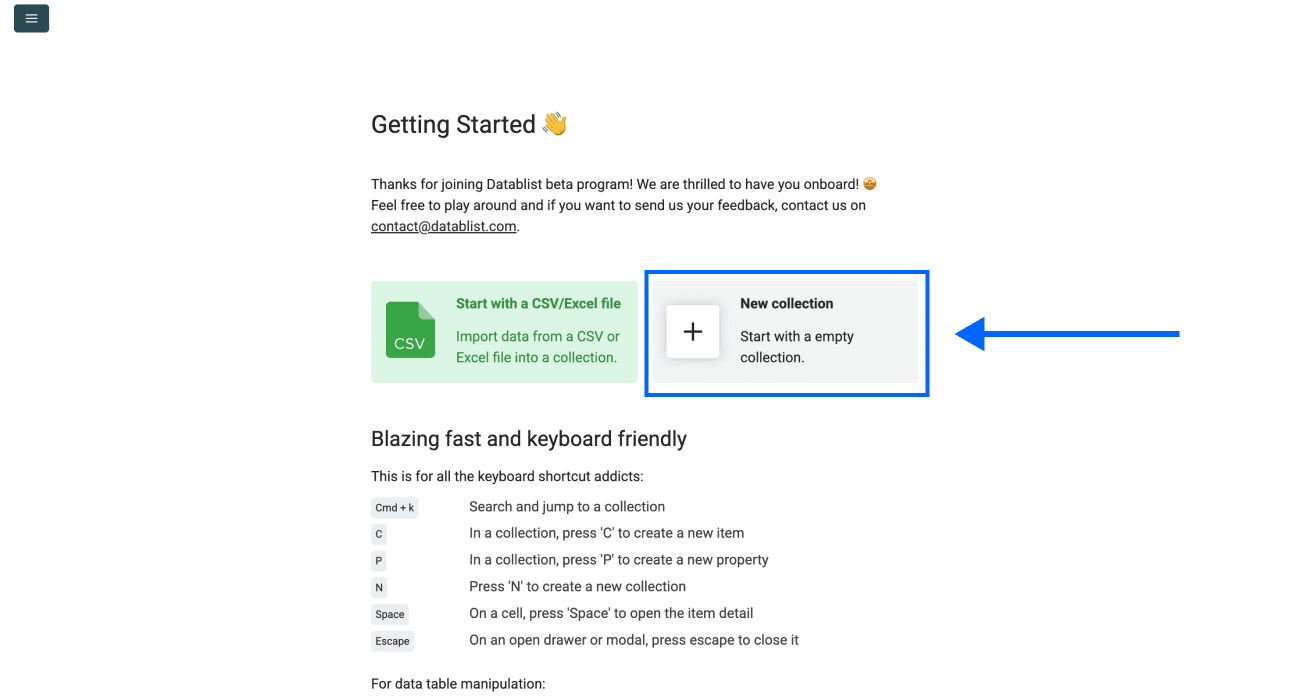
Then, create a New Collection
Phase 1 - Step 2: Navigating To the Template
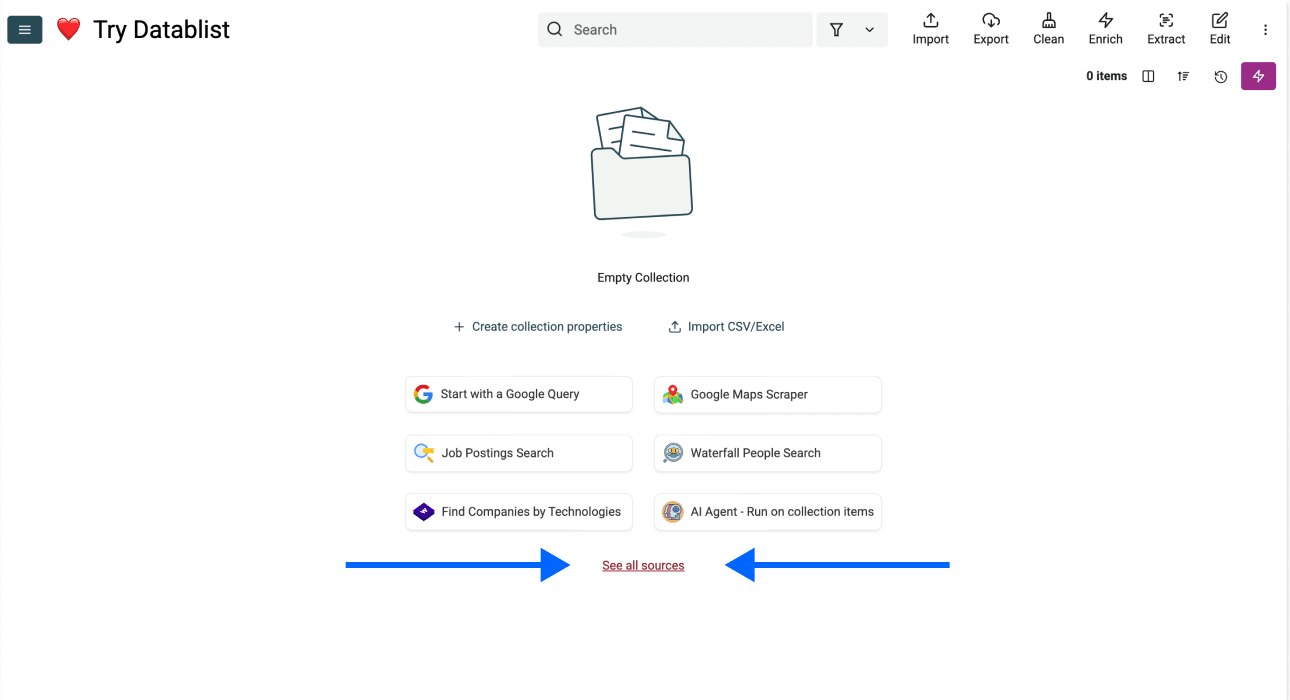
- Click on See all sources
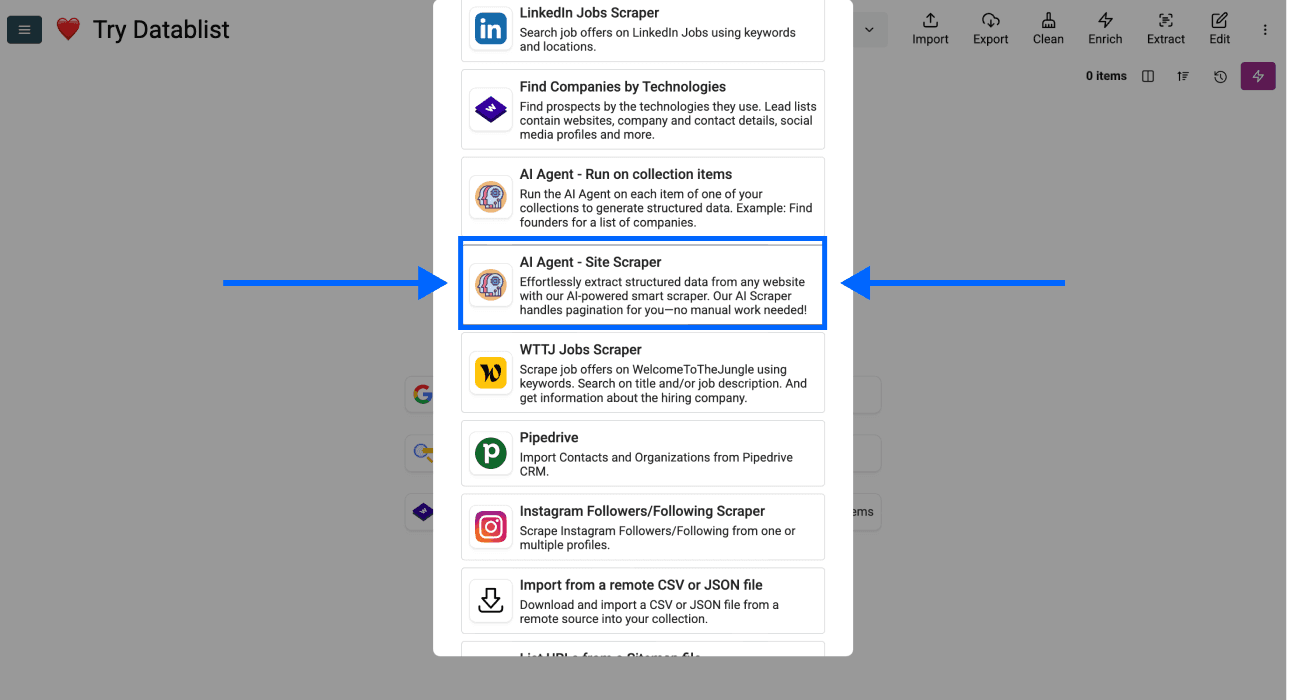
- Scroll down and select AI Agent - Site Scraper
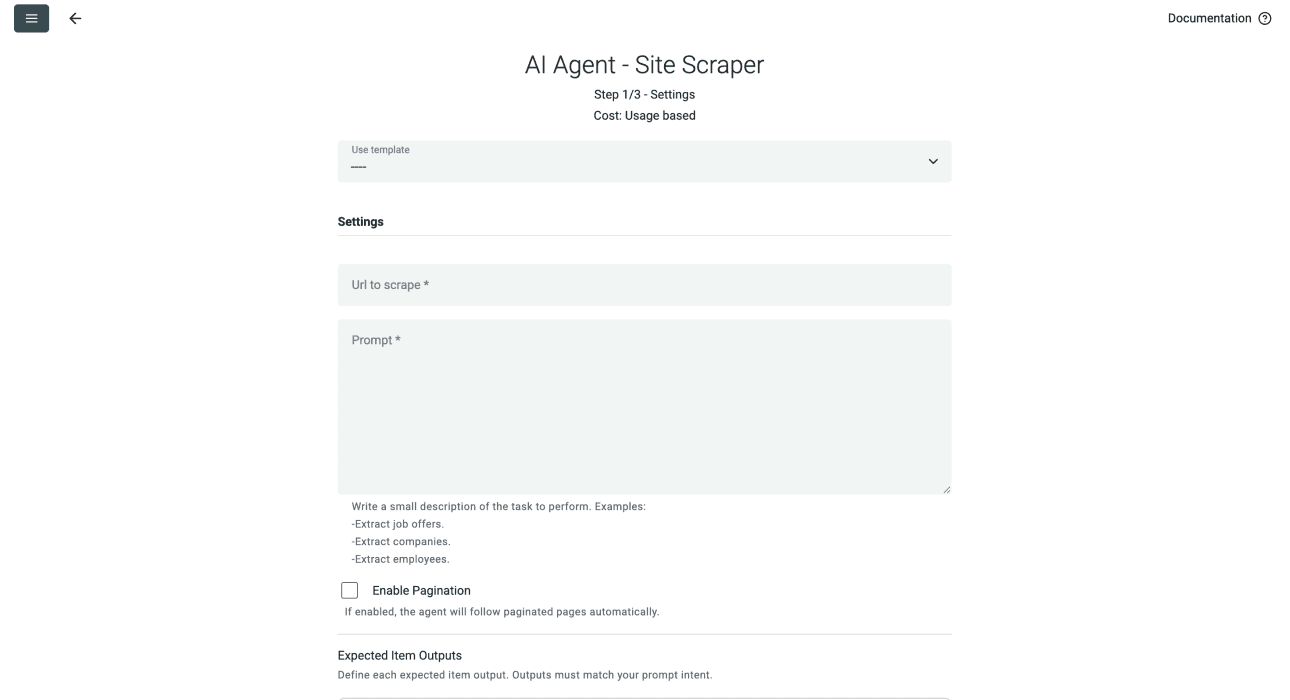
Now, you should see a different interface, which looks like this
Phase 1 - Step 3: Selecting the Template & Setting Limits
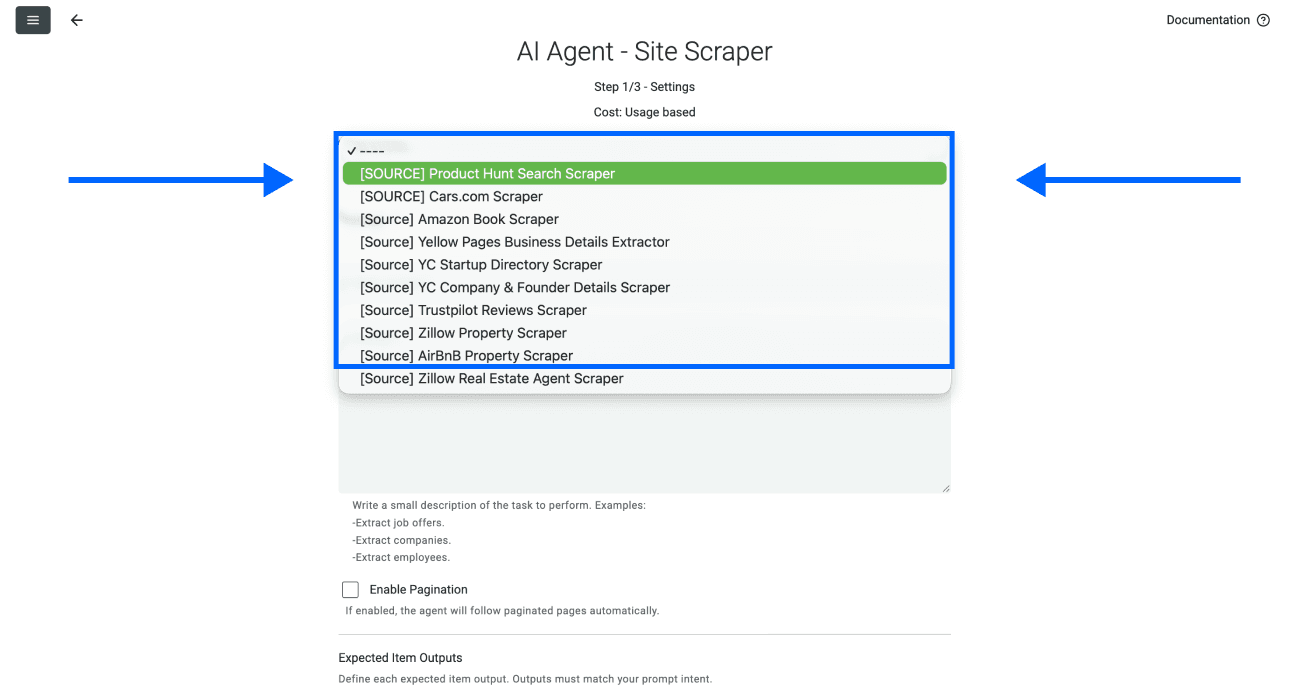
- Click on the Template Drop-Down and select "Product Hunt Search Scraper"
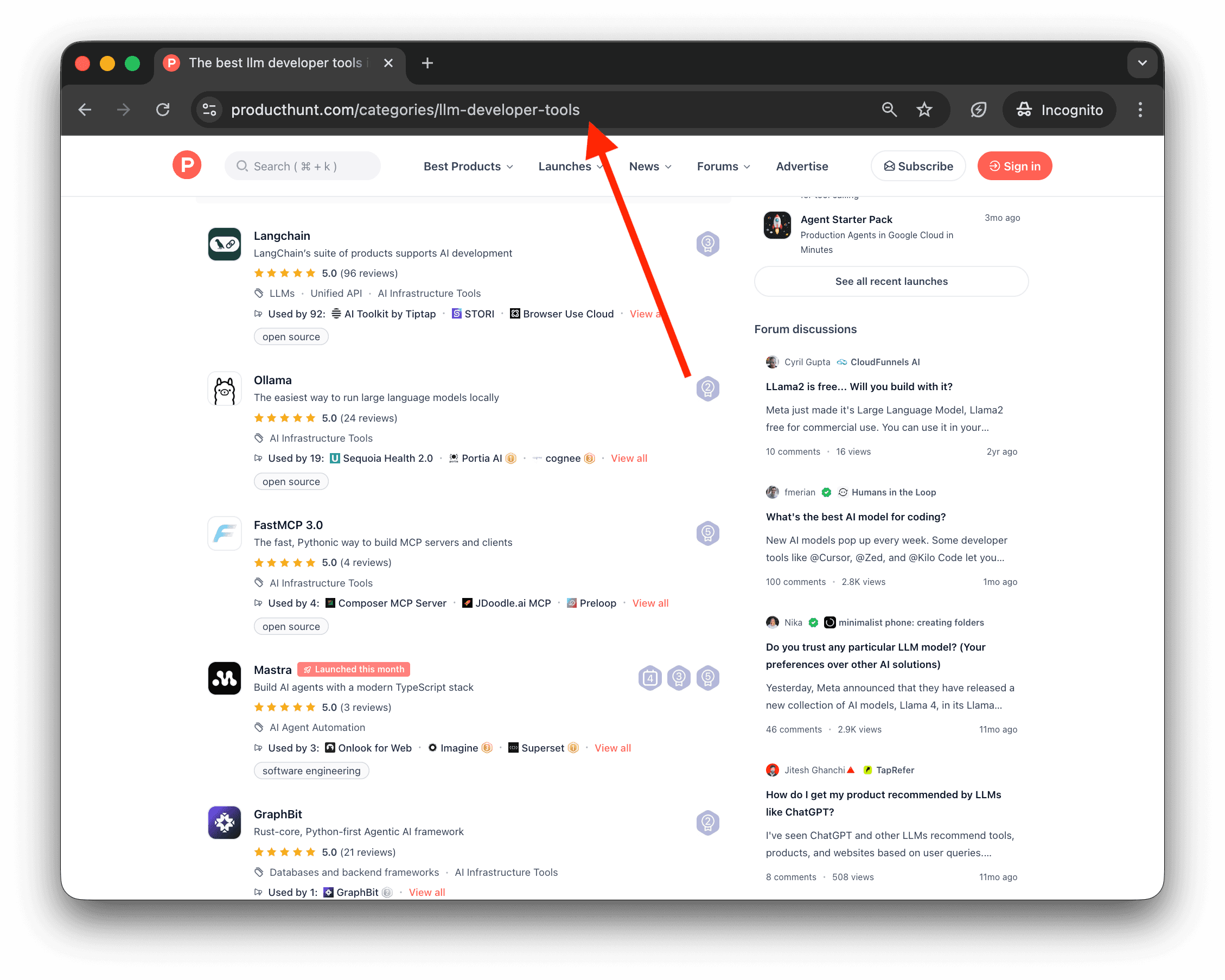
- Paste your Product Hunt category or search URL in the first field
For example, for the best llm developer tools on ProductHunt, the url is:
https://www.producthunt.com/categories/llm-developer-tools
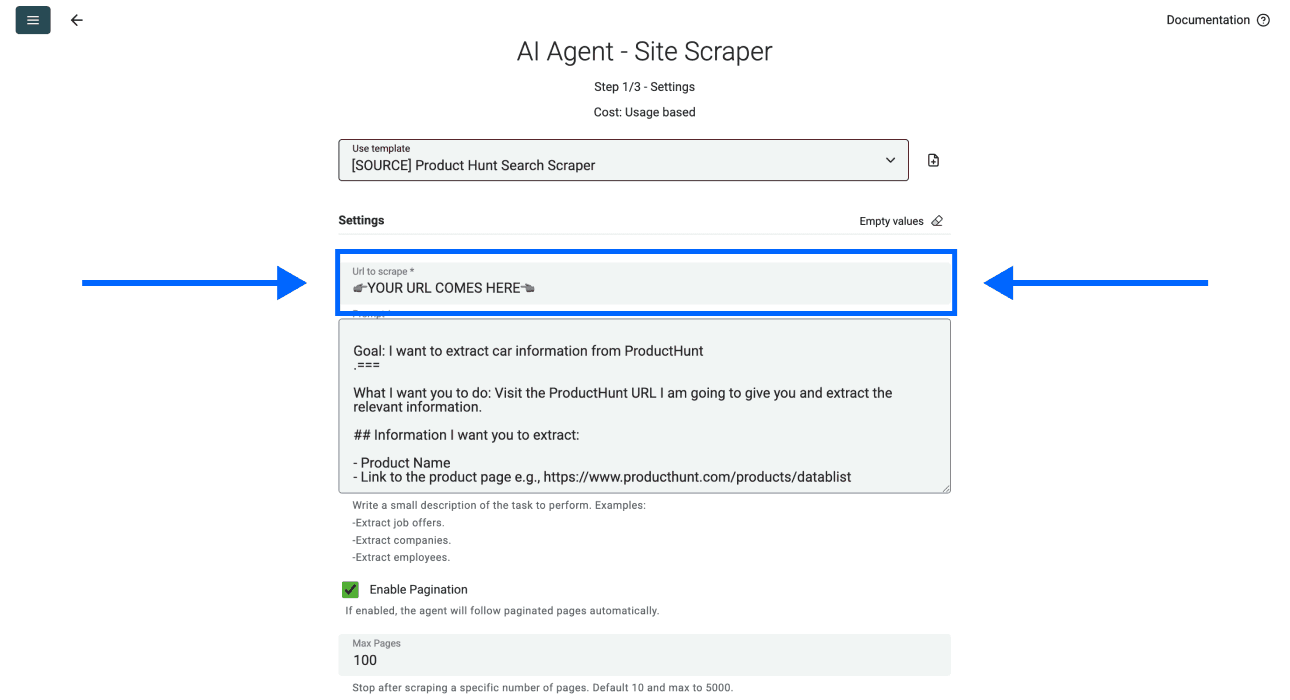
- Select the number of pages you want to scrape
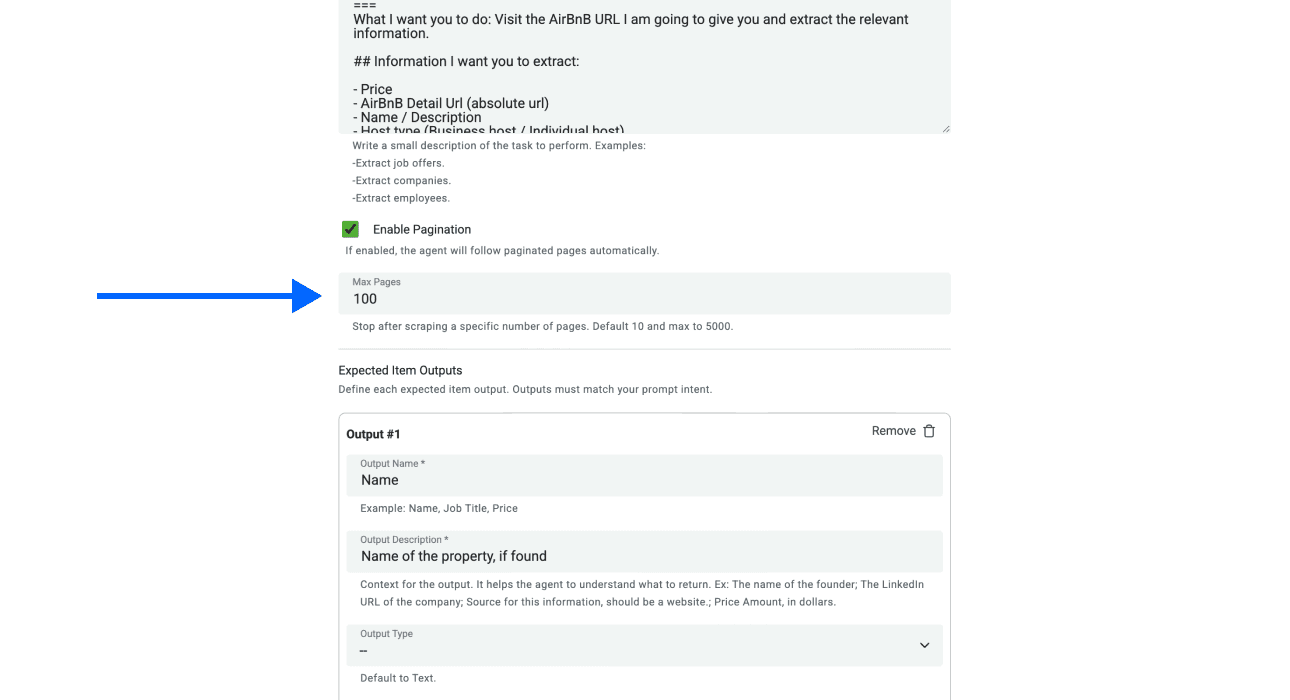
📘 Selecting The Right Number of Pages
Set a small Max Pages value for the first run and check how many products each page actually returns. The page limit caps pages visited, not the number of products returned. Enable Enable Pagination if you want the agent to follow next-page links.
- Scroll down and click on Continue
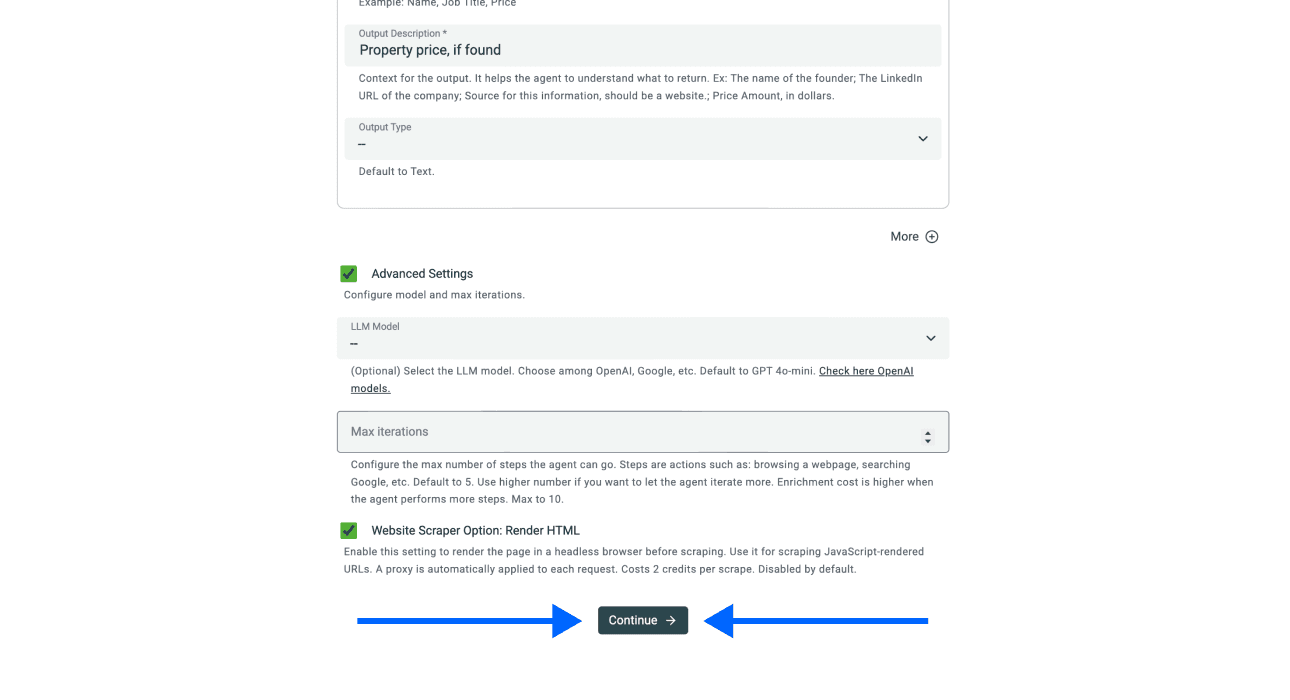
Phase 1 - Step 4: Starting
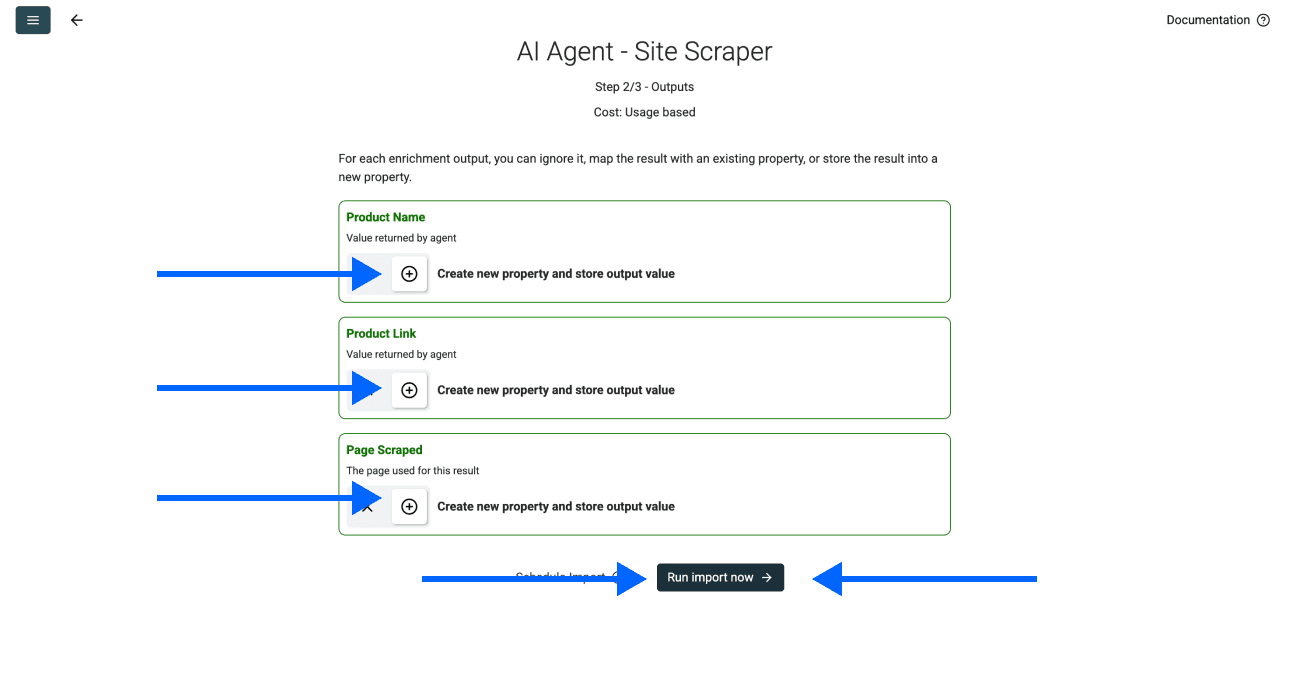
Datablist will create the output properties automatically.
You just have to click on Run Import Now to start scraping
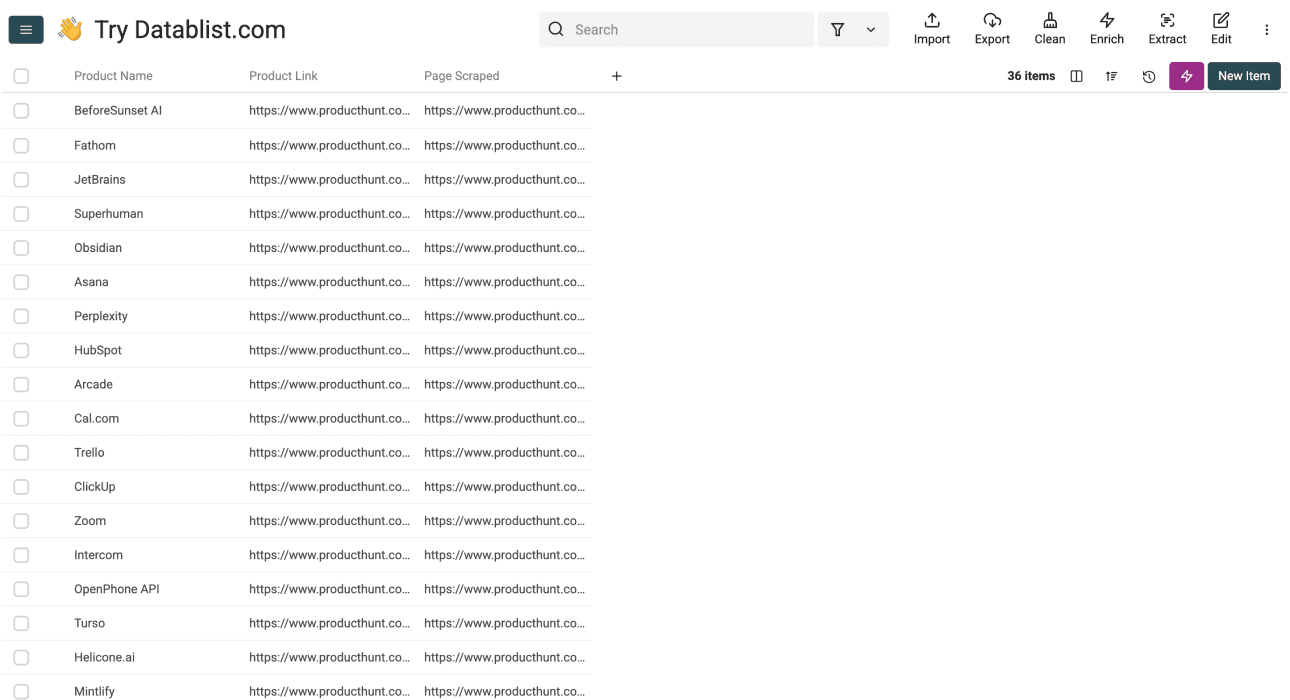
Review the first result rows. Confirm each product name points to the right Product Hunt page and remove duplicate links before researching product details.
📘 Other Useful Scraping Guides
If you need a similar workflow for another site, these guides use the same source-to-collection pattern:
- How to scrape the YC Startup directory
- How to scrape properties from Zillow
- How to scrape real estate agents from Zillow
- How to scrape properties from AirBnB
- How to scrape businesses from Yellow Pages
- How to scrape an e-commerce shop
- How to scrape case studies from a website
Check the available templates and the target site's access rules before starting a similar workflow.
P.S. If you want us to create a template for you, reach out here 👈🏽
Phase 2: Getting The Product Details and Founder Information
In this phase, use Datablist’s AI Agent to request details from each accessible product page. The template asks for fields including:
Product Information:
- Product Description
- Website
- Number of Reviews
- Followers Count
- Number of Launches
Founder Information:
- 1st Founder Full Name
- 1st Founder Product Hunt Profile URL
- 2nd Founder Full Name
- 2nd Founder Product Hunt Profile URL
- 3rd Founder Full Name
- 3rd Founder Product Hunt Profile URL
Phase 2 - Step 1: Navigating to the AI Agent
-
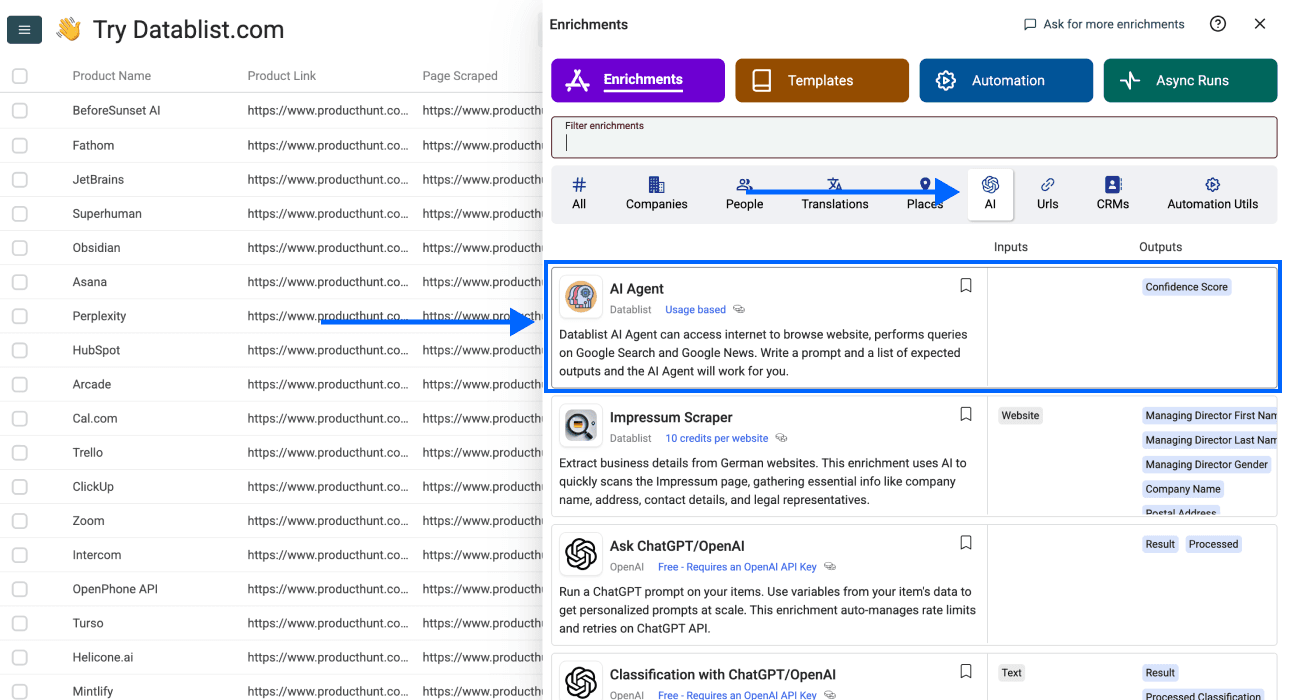
Click on Enrich in the top menu
-
Go to AI and select AI Agent
Phase 2 - Step 2: Selecting the Template
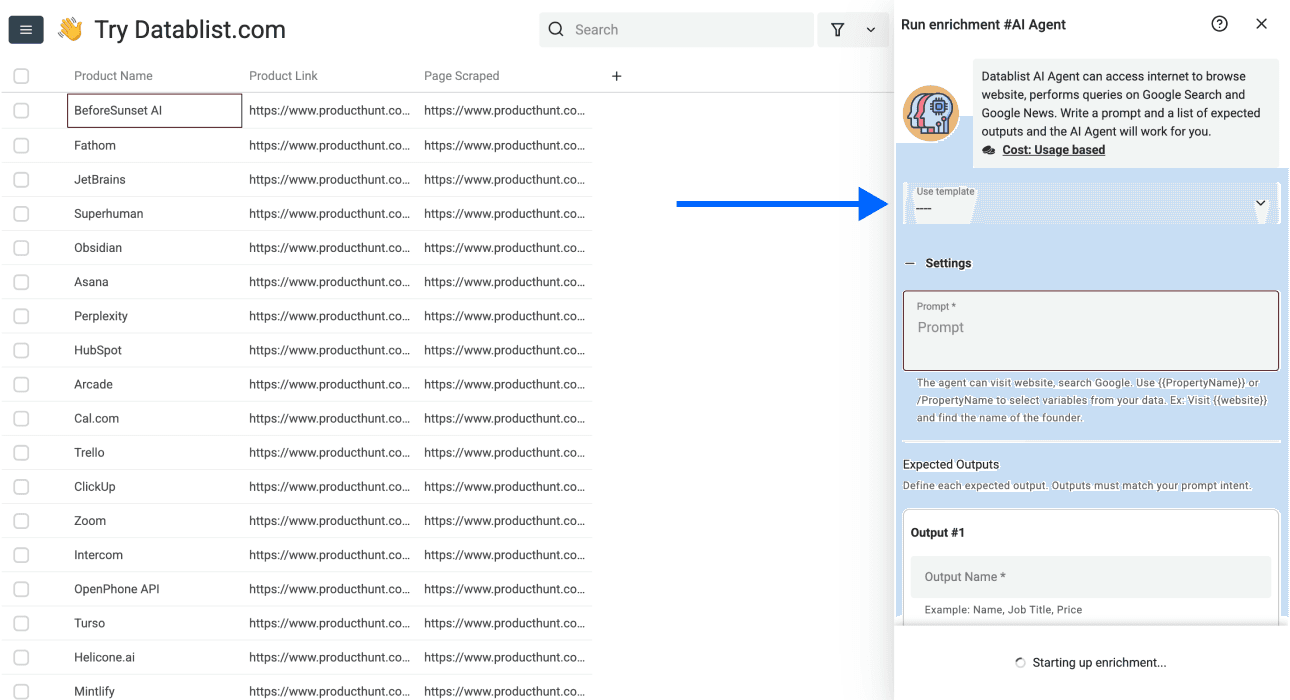
- Click on the Template Drop-Down and select "Product Hunt Product Details Scraper"
Phase 2 - Step 3: Mapping Your Input Property
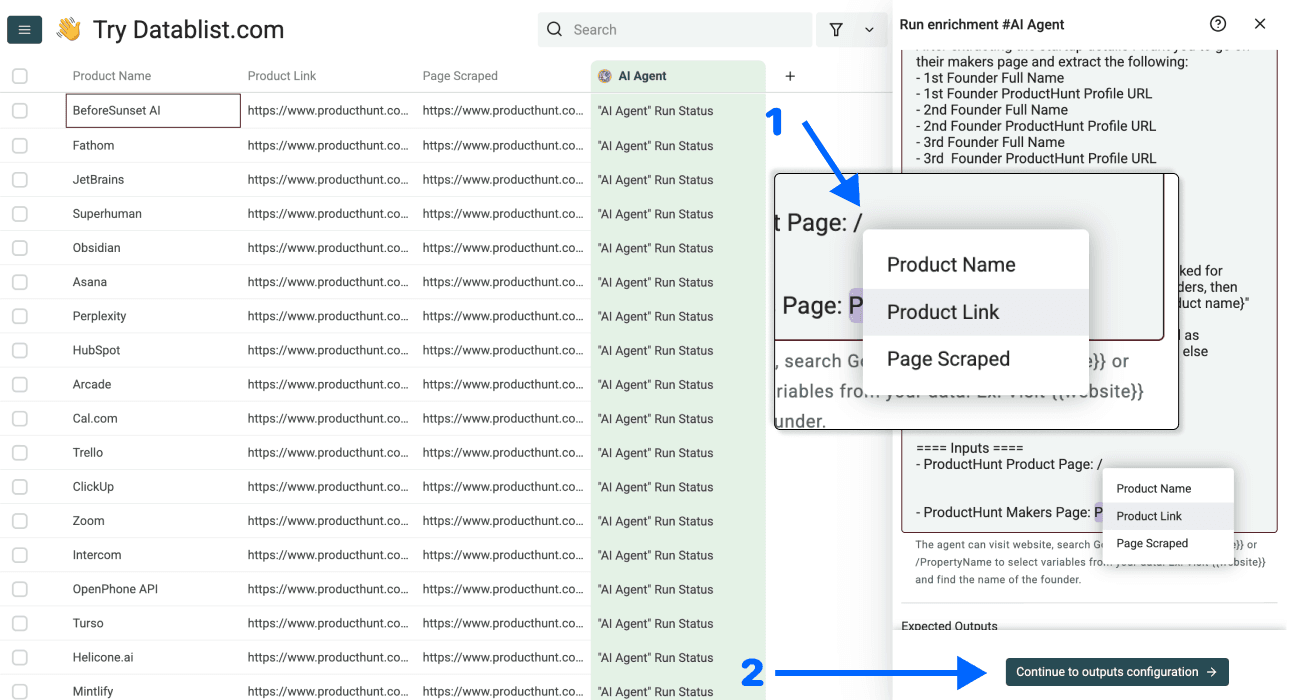
- Scroll down to the end of the prompt and insert the Product Hunt product URL as Input Property
You can do this by typing / and selecting Product Link
You have to do this two times!
- Once you've done the steps above, click on Continue to outputs configuration
Phase 2 - Step 4: Selecting Outputs
Datablist will create all properties automatically.
The only thing you have to do is click on the ⊕ Icons to add them to your collection.
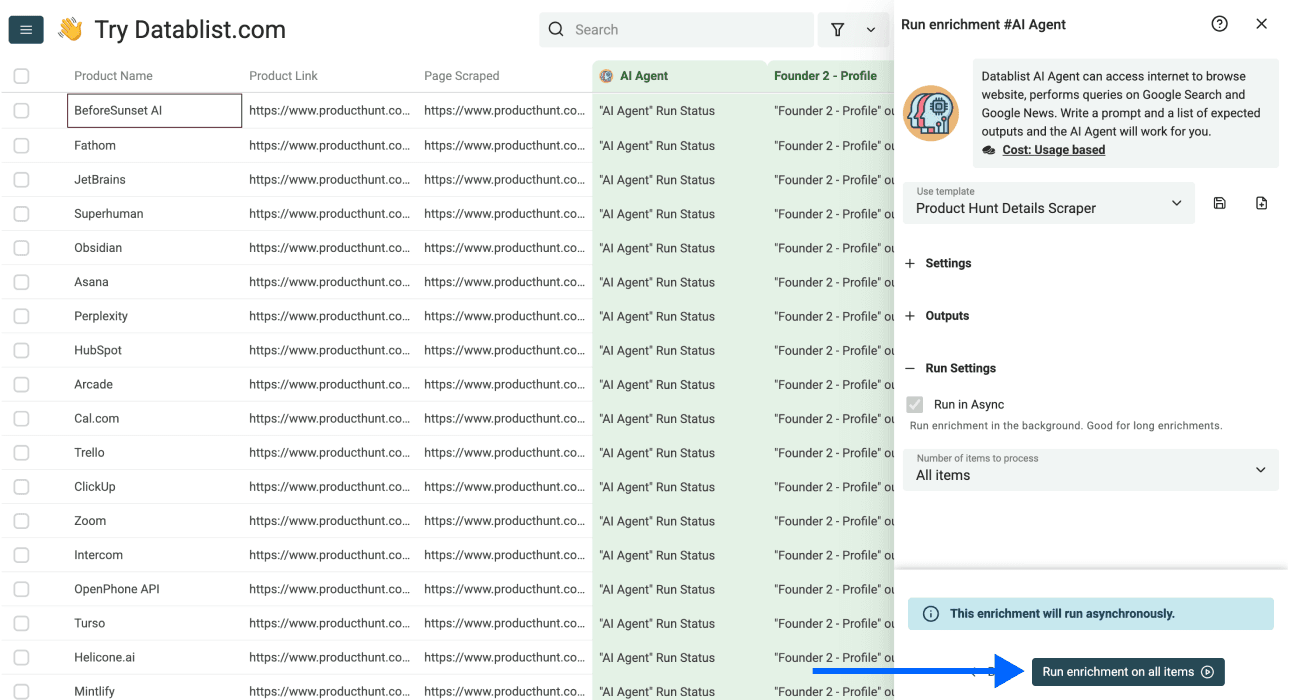
Once you've done that, click on Instant Run, then Run enrichment on all items
When the run finishes, review the results against the source pages:
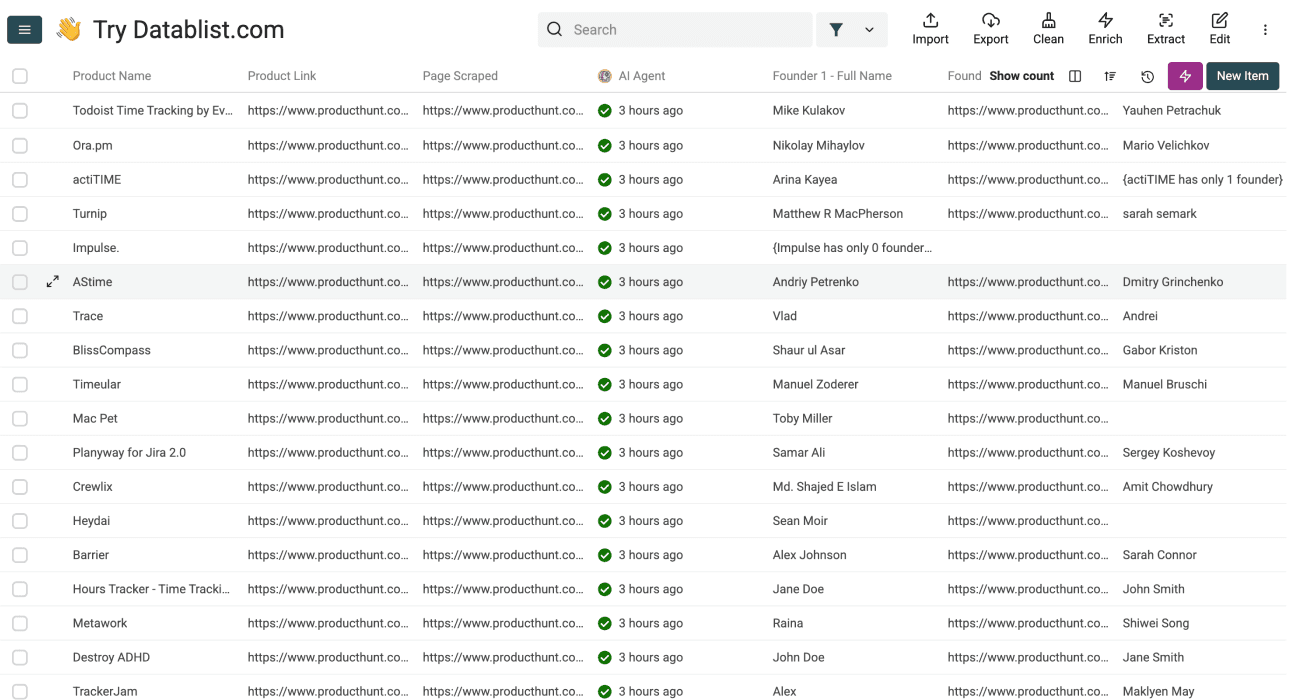
Once the second run finishes, check a few product pages against the returned details. Founder names and profile links need particular care: leave them blank when the page does not identify a founder clearly.
The following section will prove it.
2 Alternative Methods for Scraping Product Hunt
While Datablist offers the most straightforward path, it's helpful to understand the other tools available. Let's break down two popular alternatives and see how they compare. This will give you a clearer picture of what "no-code" really means across different platforms.
ScrapingBee
ScrapingBee is a "no-code" web scraping API for users who need reliable data extraction for their applications, but it's still a tool for developers, not for sellers & marketers.
Though ScrapingBee markets itself as a solution for no-code users[1], but it operates primarily through an API (Application Programming Interface). This means:
- For a non-technical person, an API is just code by another name.
- It requires you to understand how to send requests and handle responses, which is a technical task.
- Most people looking for a "no-code" solution are actually looking for a "no tech-headaches" solution; working with an API doesn't fit that description, even though it's easier than coding.
Octoparse
Octoparse is a visual web scraping tool that is genuinely no-code. You don't need to write code or configure an API, which is a big step in the right direction.
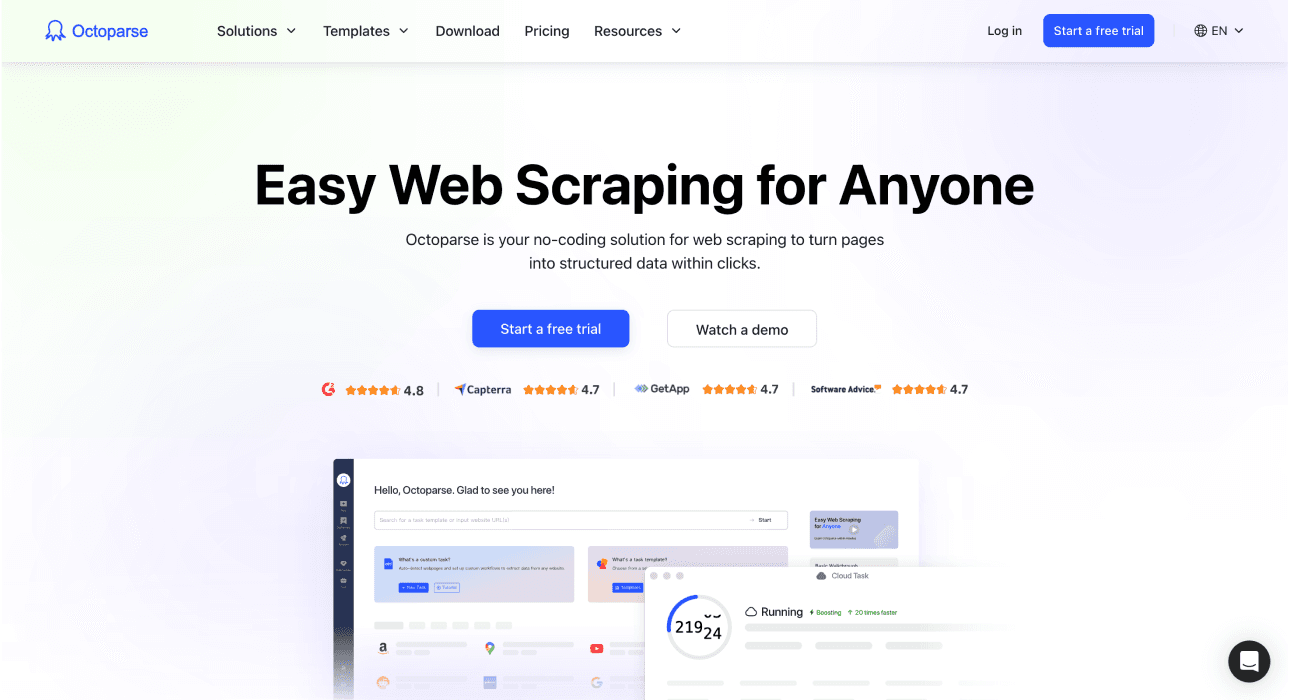
However, there are still a few hidden catches when you want to use Octoparse to scrape Product Hunt:
- You need to understand the structure of the website
And
- You have to identify and select the correct website elements
These things can be confusing if you're not familiar with how web pages are built, which leads to a lot of trial and error, watching tutorials, or chatting with support just to scrape Product Hunt. It's easier than coding, but it's not the effortless experience most users are looking for (not to mention their expensive pricing[2])
But the most annoying thing is probably: You need to download it, no web app available.
Why Datablist Is the Best Option to Scrape Product Hunt
When you compare the options you have to scrape Product Hunt, it becomes clear that not all "no-code" tools are created equal. Datablist was built from the ground up to eliminate the technical friction that other platforms still have. Here's the evidence:
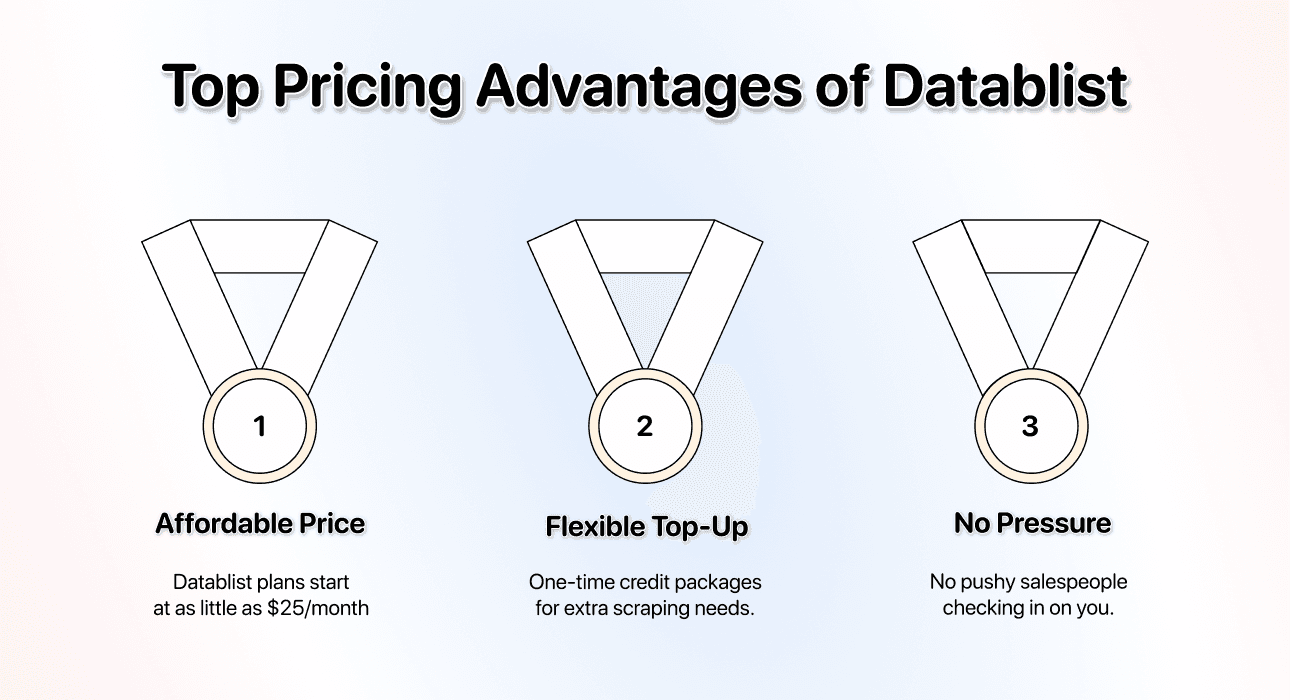
Price Advantage
- Starting price: Just $25/month; one of the most accessible yet powerful scraping solutions on the market
- Flexible credit system: Run out of monthly free credits? Simply purchase a one-time credit package instead of upgrading your entire plan[3]
Additionally, with Datablist, you won't have any pushy salespeople "checking in"
Ease of Use
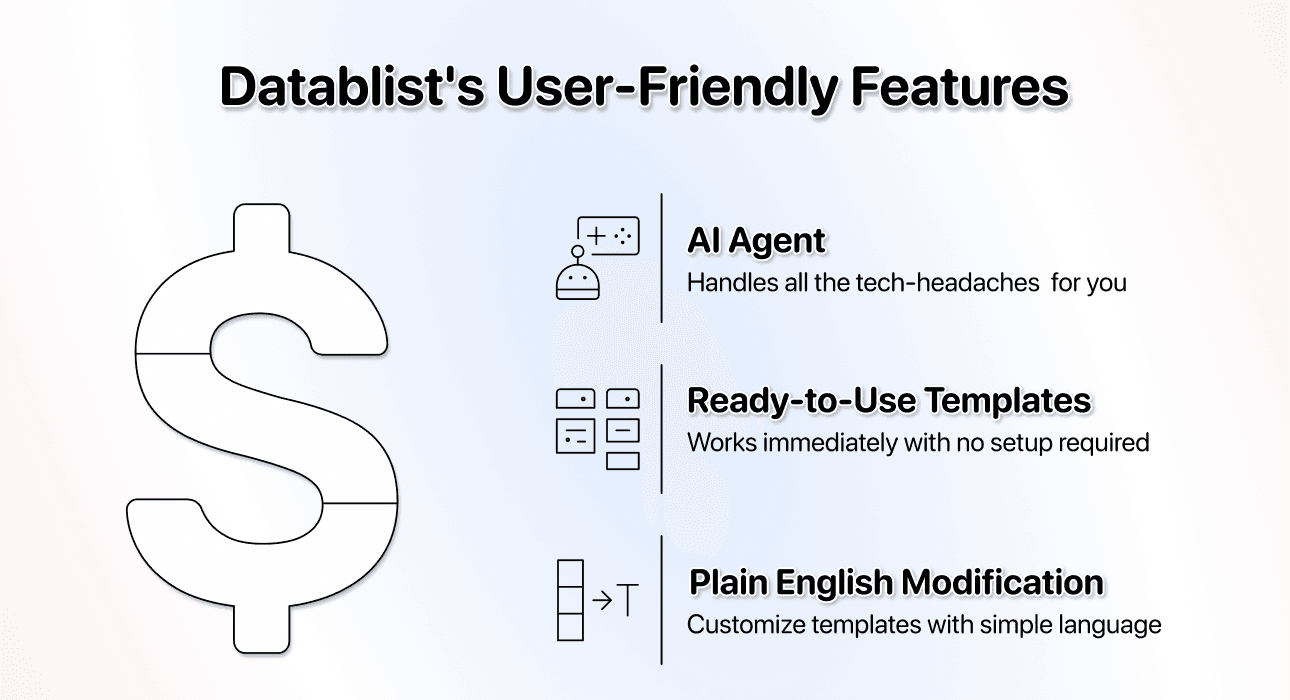
User friendliness is very important and probably the thing Datablist is the best at.
With our AI Agent, you don't need to:
- Read documentation
- Understand APIs
- Point-and-click on confusing website elements.
The templates provide a starting prompt. Check the input URL, page limit, output fields, and access permission before running. You can edit the prompt in plain English to request different fields.
Lead Generation Ecosystem
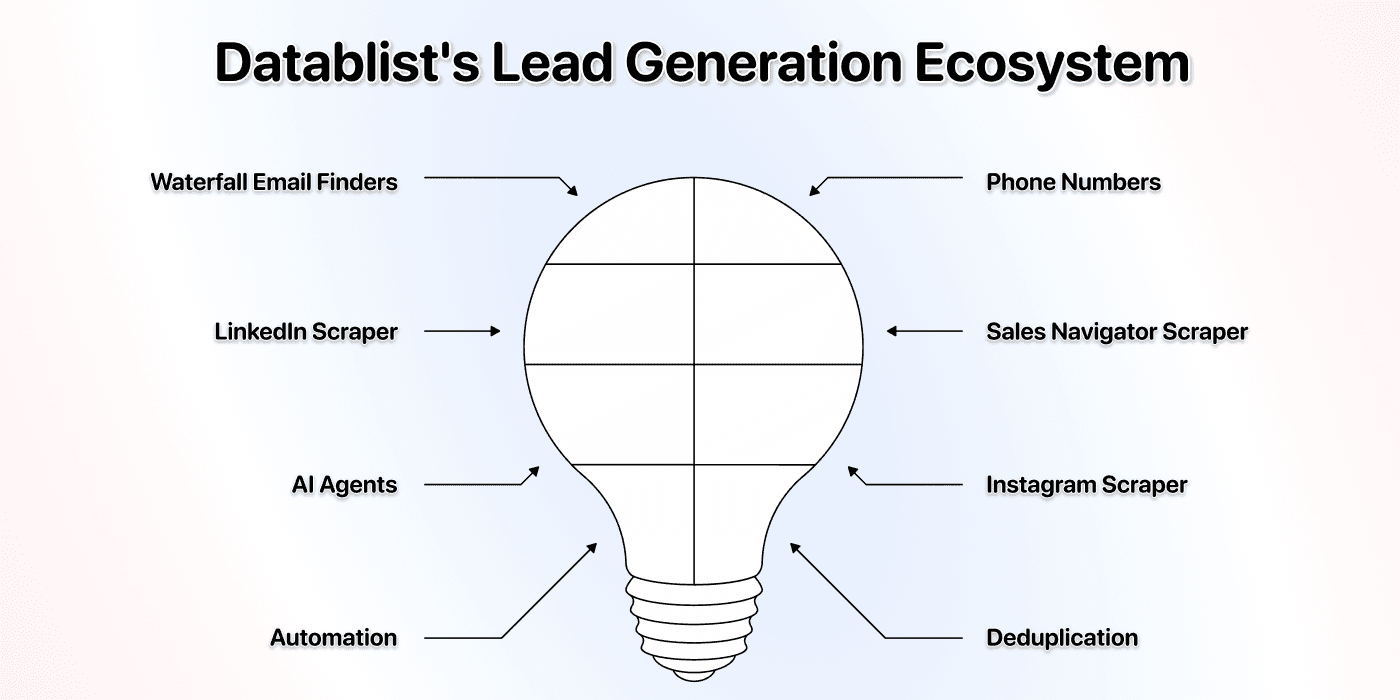
Scraping data is usually just the first step. The most important thing is what you do with the data afterward, and with Datablist, you get much more than just a Product Hunt scraper; it provides an entire ecosystem with over 60 tools to support your lead generation efforts[4]
Once you have your list of products and founders from Product Hunt, you can immediately use other Datablist tools, including:
- Waterfall Email Finders: Find verified email addresses for your prospects.
- Mobile Phone Number Enrichments: Get direct mobile numbers for cold calling campaigns.
- LinkedIn Scraper: Gather professional data from LinkedIn profiles.
- Sales Navigator Scraper: Work with Sales Navigator search results
- AI Agents: Automate research and data collection from any website.
- Instagram Scraper: Collect data from Instagram profiles for social outreach.
The Bottom Line: Scraping Product Hunt Should Be Easy
For an authorized Product Hunt dataset, the two-pass workflow separates listing URLs from product details. Keep the first run small, check which fields the pages actually provide, and review founder attribution before using the export.
Frequently Asked Questions (FAQ) About Scraping Product Hunt
How Much Does It Cost to Scrape Product Hunt?
The AI Agent uses credits based on the pages visited, model, and work performed. Check the run estimate for both the listing pass and the product-detail pass. A fixed credit estimate for 300 products would be misleading because the number and complexity of pages vary.
How Can I Scrape Product Hunt?
With permission to collect the data, enter a category or search URL in the AI Agent - Site Scraper template. Extract product names and URLs first, then run the product-detail template on those URLs. Check missing fields and duplicate links before export.
Is It Legal to Scrape Product Hunt?
Product Hunt's terms restrict crawling and scraping its services and content, including automated collection of public pages. Visibility of a page does not grant permission to scrape it. Get Product Hunt's authorization or use a permitted data source before collecting its data.
What Kind of Data Can I Get When I Scrape Product Hunt?
Typically, you can scrape all the key information displayed on a product listing. This includes:
Product Information:
- Product Name
- Product Link
- Product Description
- Website URL
- Number of Reviews
- Followers Count
- Number of Launches
Founder Information:
- Up to 3 Founders' Full Names
- Up to 3 Founders' Product Hunt Profile URLs