
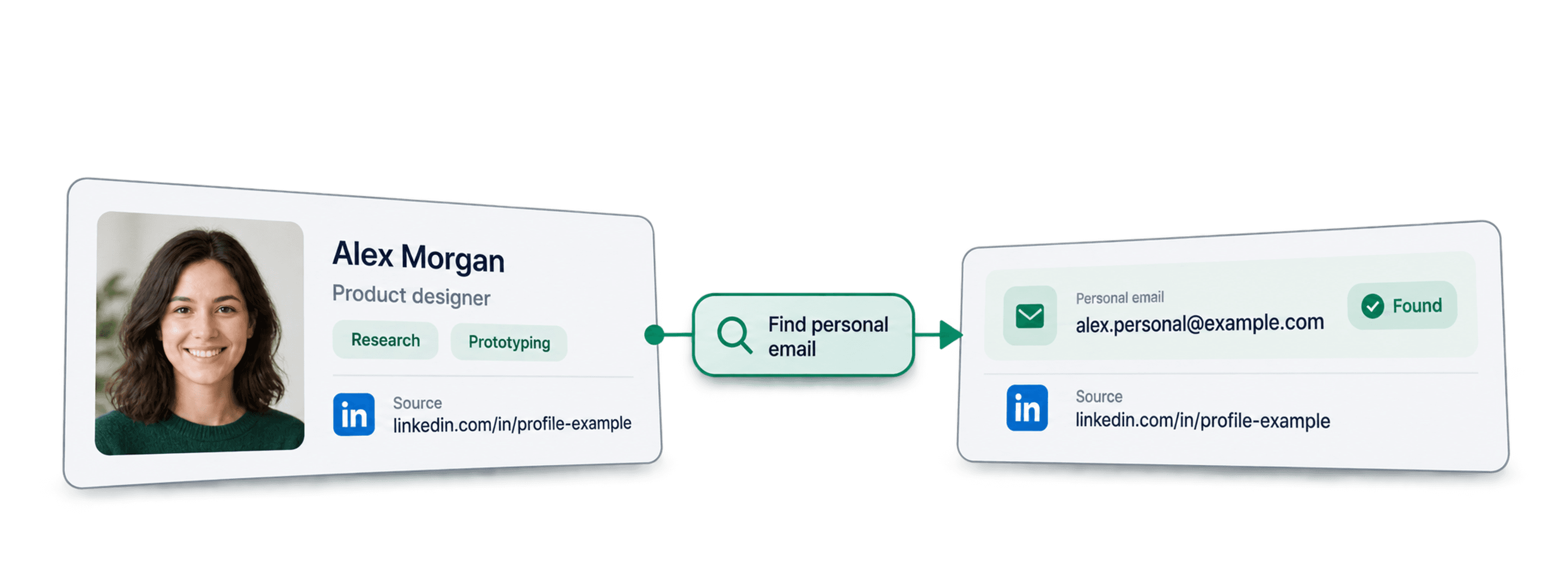
To find a candidate's personal email address, import their public LinkedIn profile URL into Datablist and run Waterfall Personal Email Finder. It searches providers for a matching address and returns an Email output when a result is available. Review the identity and run status before using the address.
I recommend starting with a few profiles you can recognize. A completed lookup, a missing address and an invalid URL are different outcomes. Treating all three as “no email” hides problems you can fix before a larger run.
📌 Summary For Those In a Rush
Build a candidate-contact list from public LinkedIn profile URLs, with returned addresses and unresolved rows kept separate. Datablist runs the provider lookup and writes the results beside your candidate records.
- Input: A candidate's public LinkedIn profile URL, plus your own reference columns.
- Output: An Email value when found and an enrichment run status to review.
Table of Contents
- Personal versus work email
- Prepare the lookup
- Configure the six steps
- Review results and failures
- Frequently asked questions
Finding a Candidate's Email Address: Quick Context
Choose the contact channel deliberately
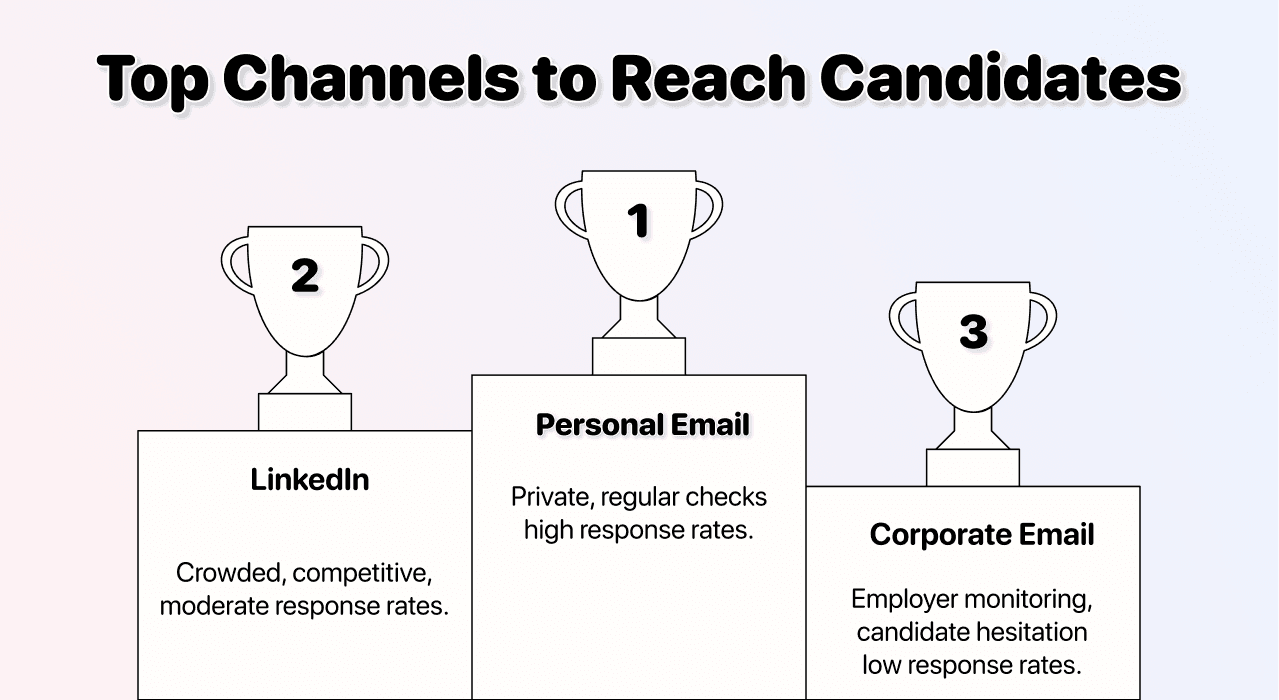
Personal and work email answer different recruiting needs. A personal address gives you a channel outside the candidate's current company domain. LinkedIn messaging or an address the candidate supplied directly may still be the better starting point.
For a work-email lookup from the same kind of public person URL, follow the LinkedIn work-email workflow. Review its own outputs rather than applying personal-finder assumptions.
Do not infer that a returned mailbox is private from everyone, checked frequently or preferred by the candidate. Provider data does not establish their contact preferences, interest in a role or willingness to hear from you. Keep an appropriate next action for candidates you cannot reach through the intended channel.
How the finder works
Provider data rather than a company-email pattern
For this workflow, the input is a LinkedIn profile URL. The finder queries providers for a personal address associated with that profile. It does not ask you to supply a company domain and guess a corporate naming pattern.
An association returned by a provider still needs review. Check that the profile belongs to the candidate in your list, keep the original URL with the result and do not present the address as independently confirmed ownership or guaranteed deliverability.
The waterfall and pending work
The waterfall tries its configured providers and can continue unresolved lookups asynchronously. Results may therefore arrive at different times. Keep the enrichment run-status column visible and distinguish pending work from a completed no-result outcome.
An empty Email cell alone does not tell you whether the input was invalid, the lookup failed, work is still pending or the providers returned no address. Those cases need different actions. The review table below explains how to separate them.
Inputs and Outputs
Use a public person-profile URL such as https://www.linkedin.com/in/example-candidate/. The slug here is illustrative, not a real candidate. The enrichment's LinkedIn Profile input does not accept Sales Navigator profile URLs.
Keep Candidate ID, Name and Source URL as reference columns. They are useful for your review even though the finder only requires the LinkedIn URL. Do not replace a stable candidate ID with an email: the address is an enrichment result and can be absent or outdated.
The configured result is Email. Run status is separate from that output. The current personal lookup costs 75 credits per found email; confirm the displayed enrichment cost before a large run. A completed no-result lookup is distinct from having insufficient balance to start the batch.
How To Find a Candidate's Email Address: The Step-by-Step
Step 1: Import and check candidate URLs
Open Datablist, create a collection and import a CSV or Excel file containing the public LinkedIn URLs. Preserve your original candidate identifiers.
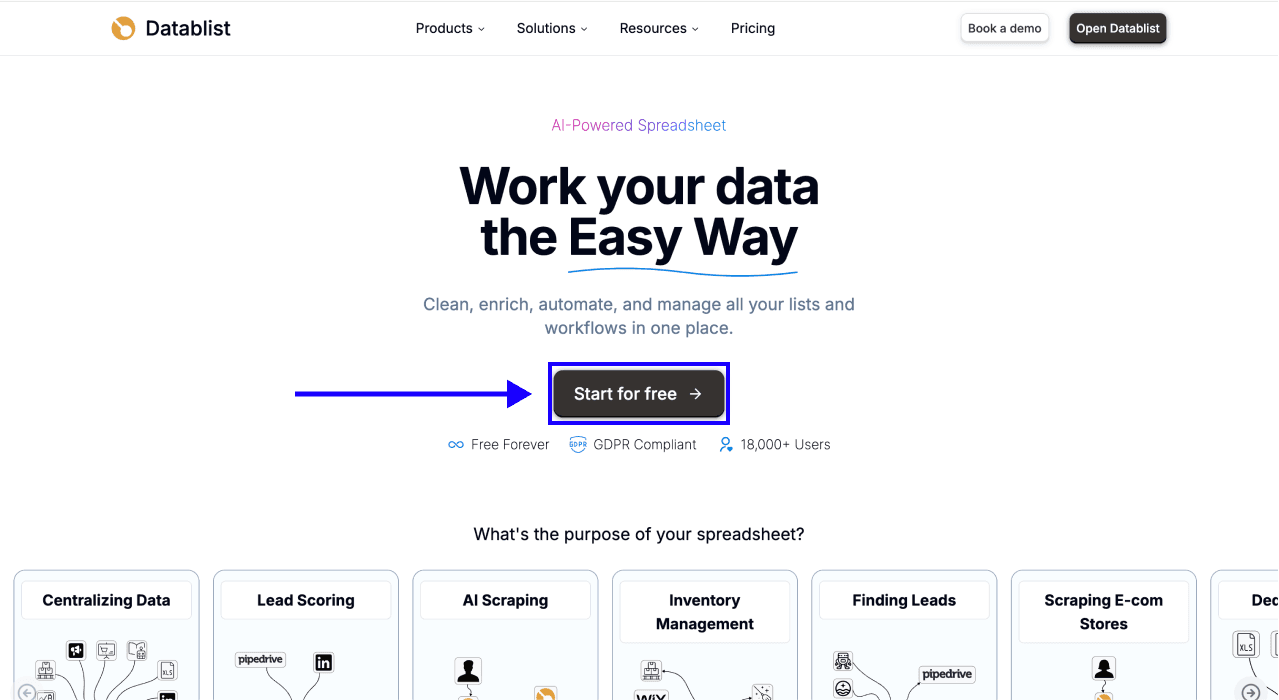
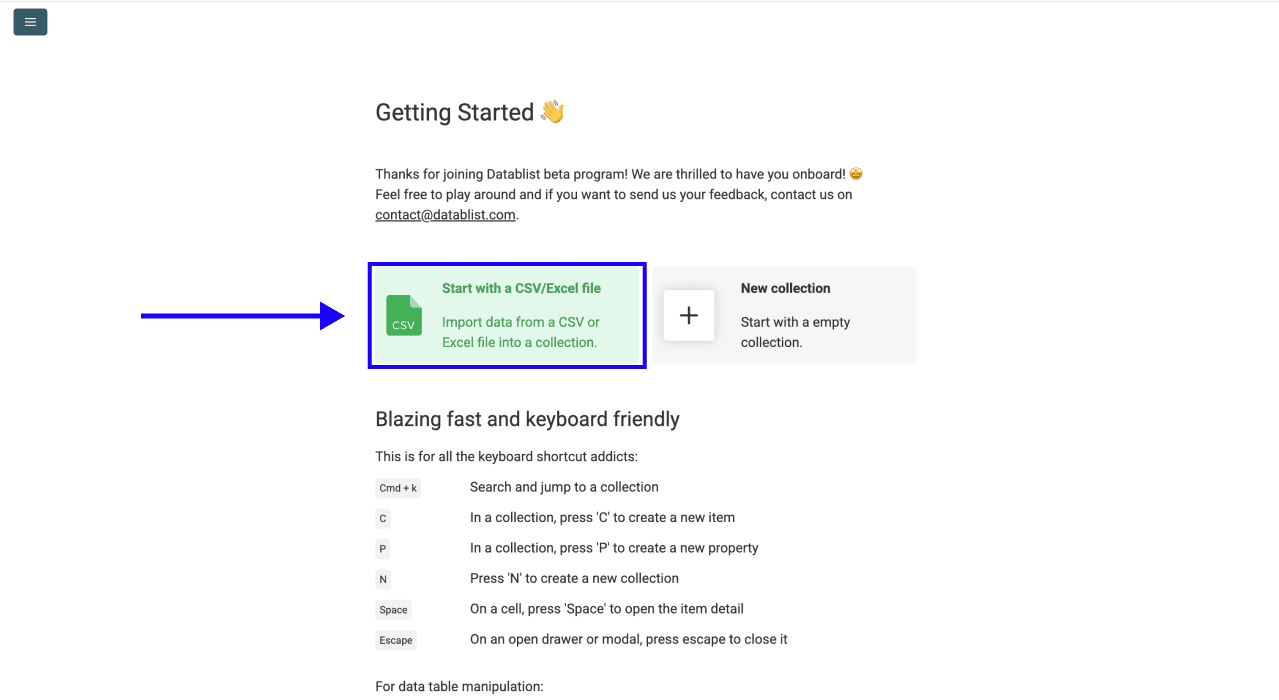
Check for missing URLs, company-page links and Sales Navigator links before the lookup. Remove repeated person-profile URLs from the intended run after checking whether they really refer to the same candidate. A row saying only “Sales Manager” does not identify a person to search.
If your source exported a Sales Navigator URL, obtain and check the corresponding public profile address before using this enrichment. Do not change a URL's path by guesswork and assume it now points to the intended person.
Step 2: Select the enrichment
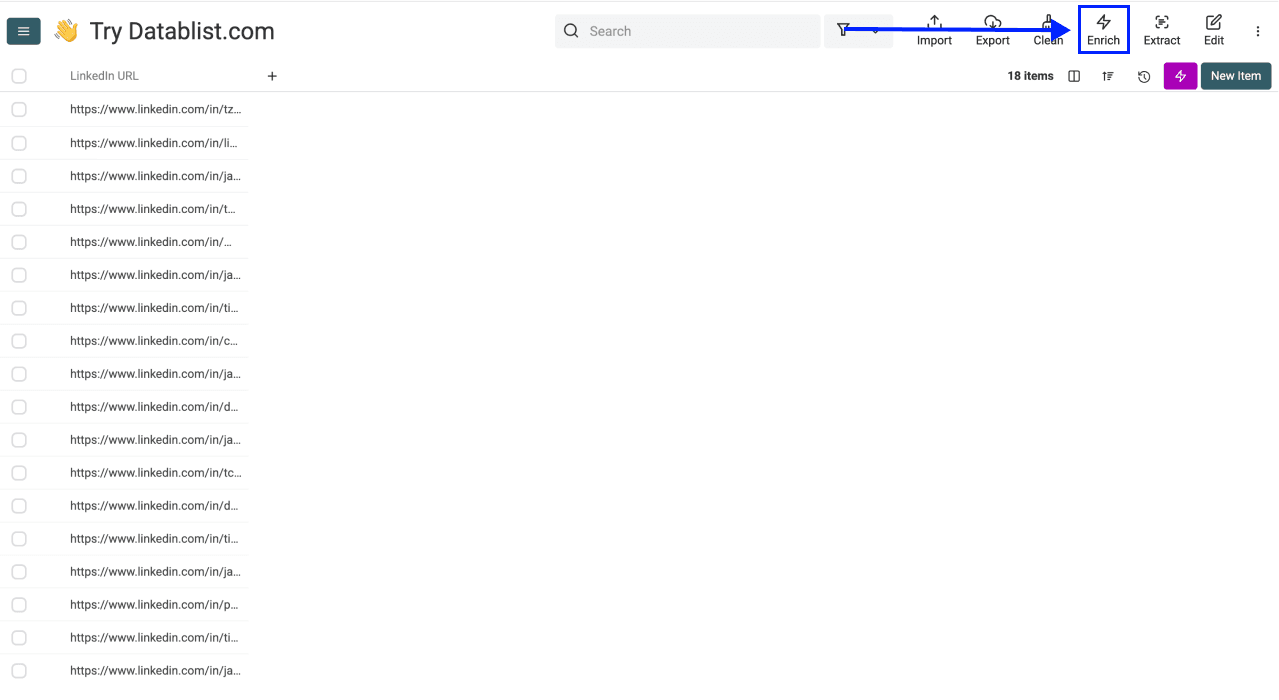
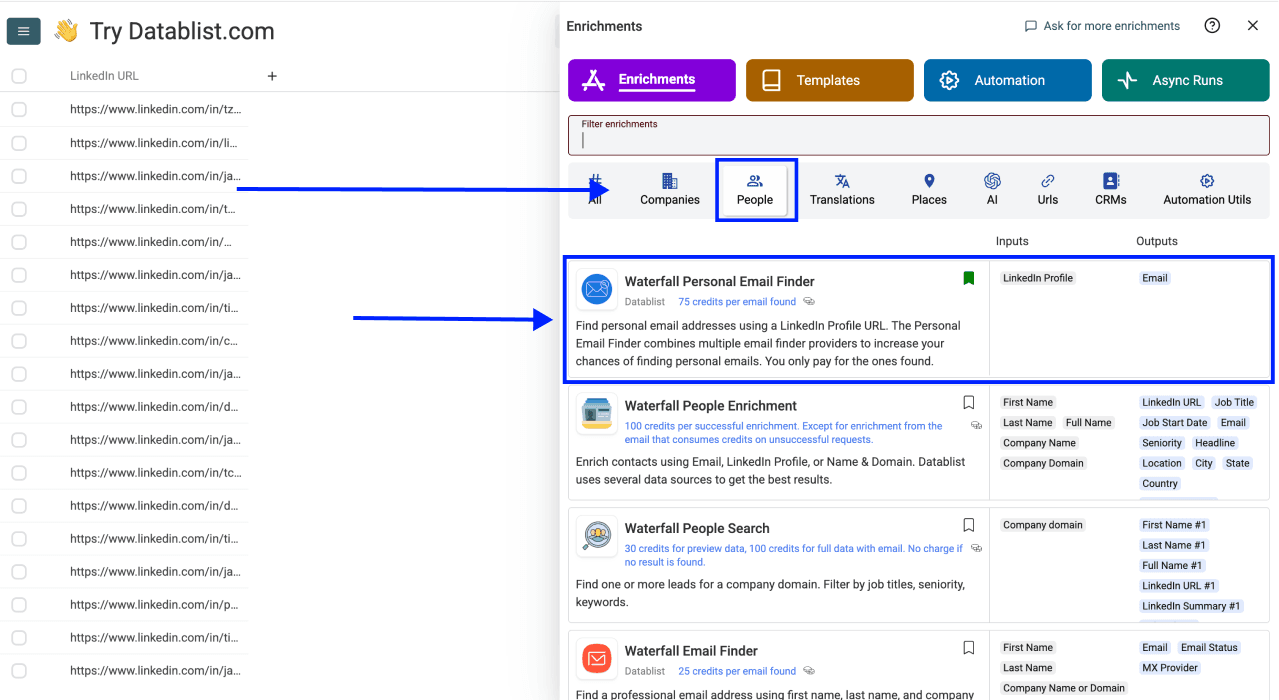
Click Enrich, then select Waterfall Personal Email Finder in the catalog. The screenshots show the setup sequence; use the current control labels when the interface differs.
Step 3: Inspect the configuration
The ordinary personal-email workflow does not require provider-selection settings. Review the displayed cost and available credits before selecting the batch. A provider sequence does not make the lookup certain to return an address for every profile.
Step 4: Map the input
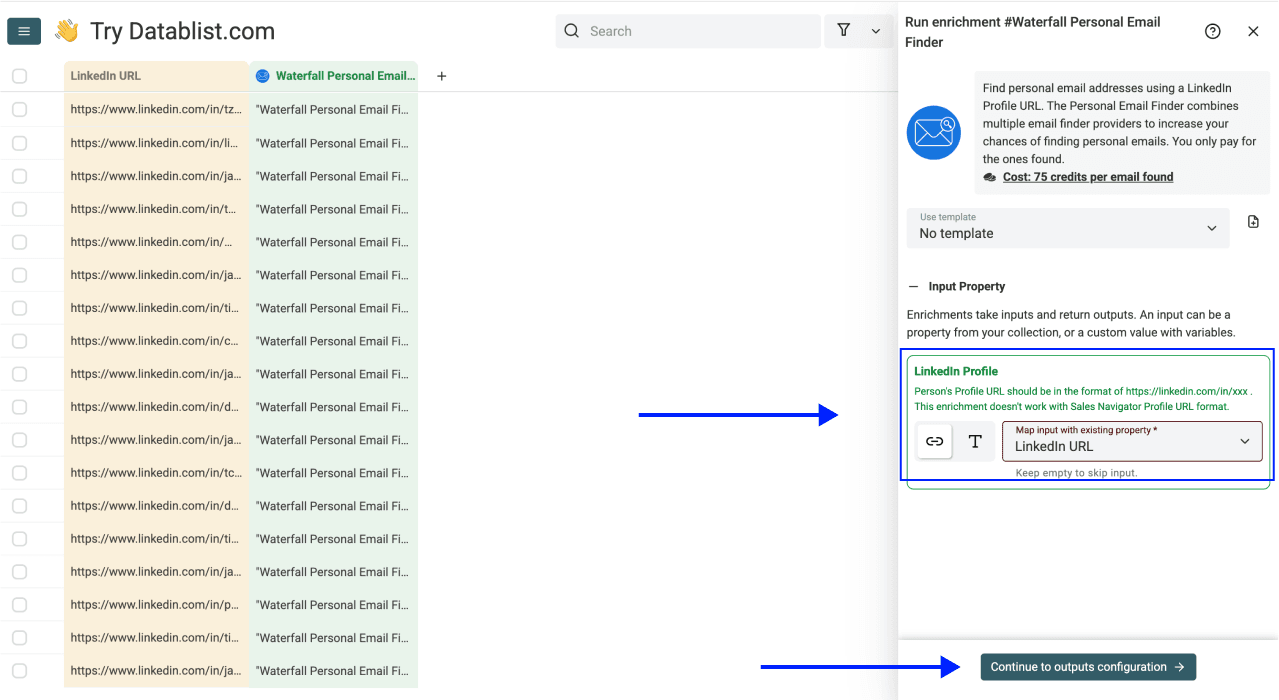
Map LinkedIn Profile to the property containing public person-profile URLs, then choose Continue to outputs configuration. Inspect several mapped values so you do not accidentally send the candidate's name or a company-page URL.
Step 5: Keep the Email output and run status
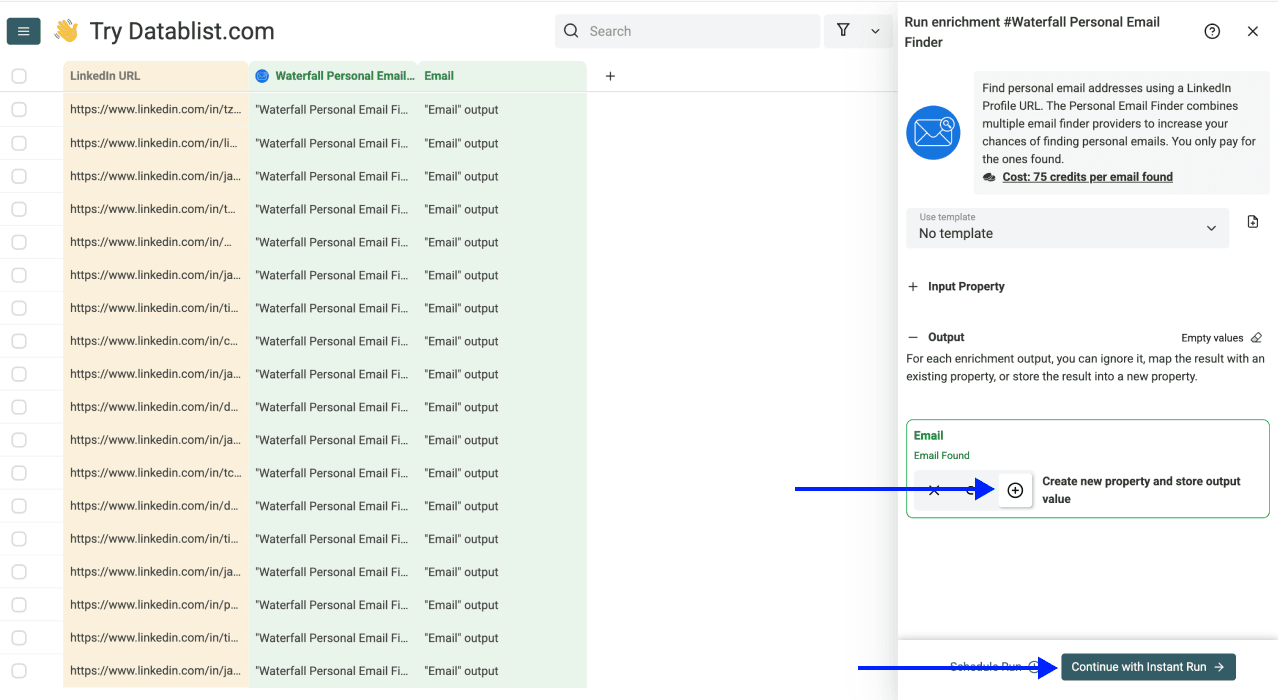
Create or select an output property for Email. If you already have accepted contact addresses, use a new property for the lookup results so your source values remain available for comparison. Choose Continue with Instant Run after reviewing the output destination.
Step 6: Run a sample and inspect it
Use the run-button menu to choose a small first batch, such as First 10 items, or a custom count appropriate to your list. The menu and button label reflect your current scope. Check filters and existing-data settings before starting; do not assume the full collection and the filtered view contain the same candidates.
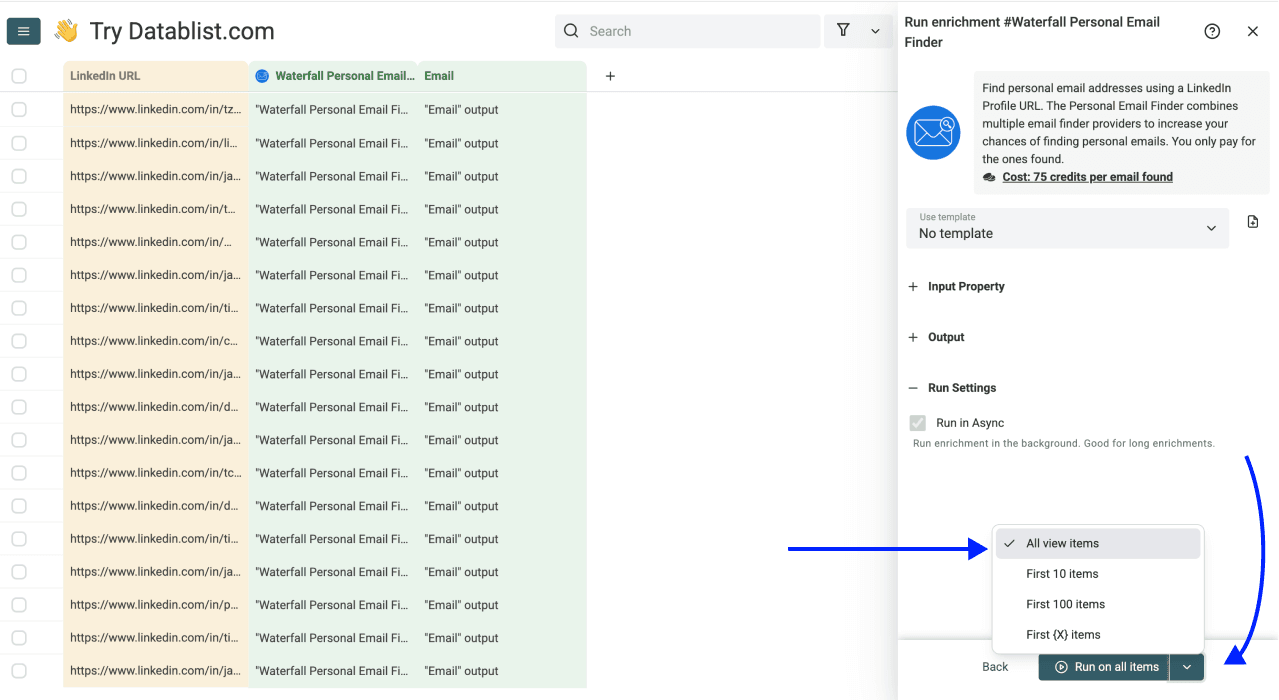
Start the selected run. Review returned emails beside the candidate's name and source profile rather than treating the completion notification as an identity check.
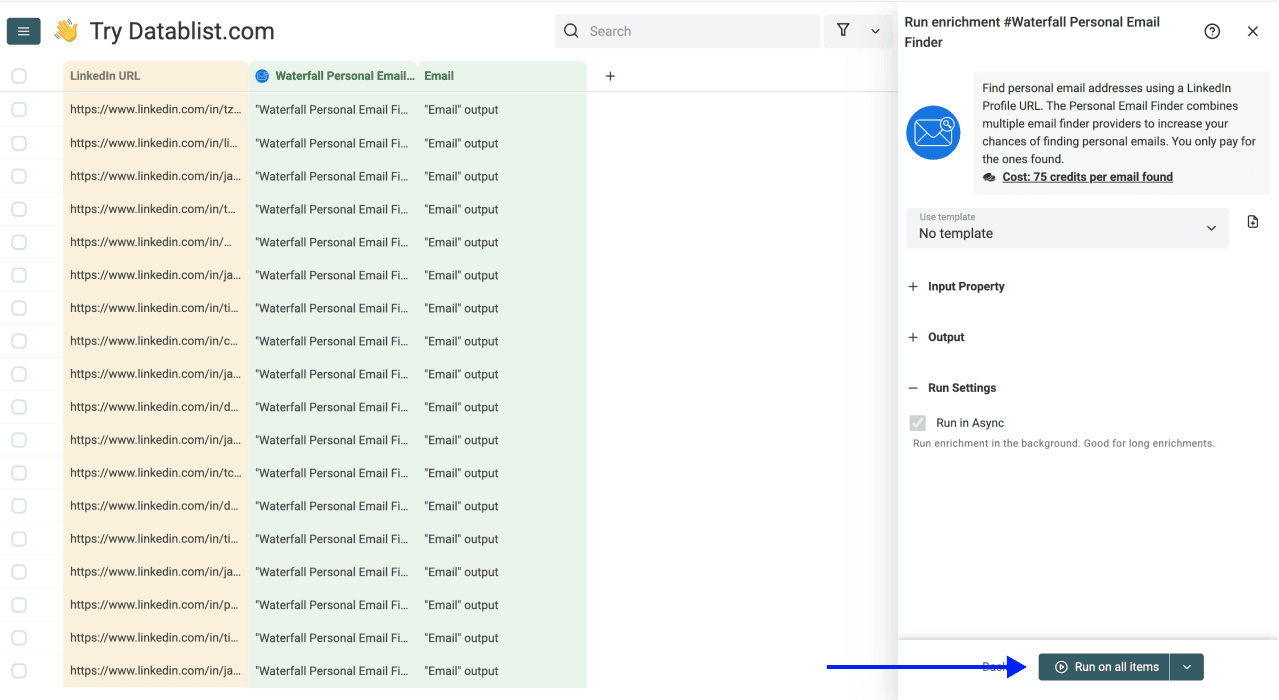
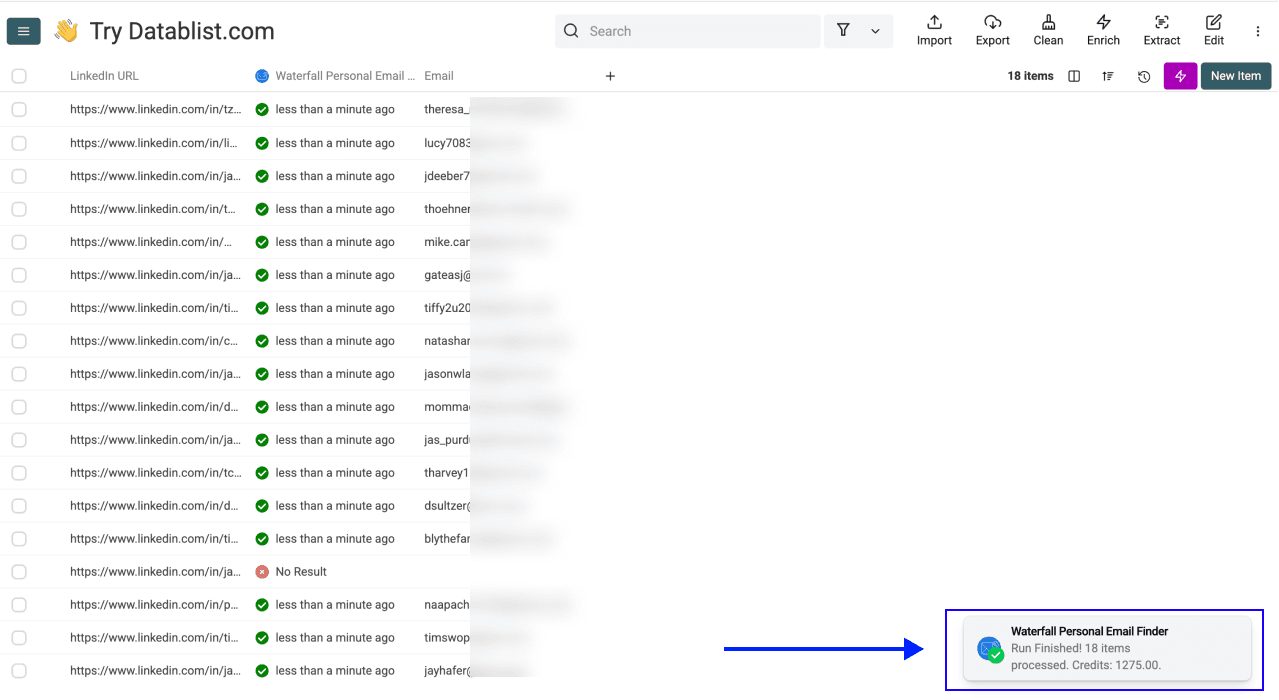
Review candidate lookup outcomes
This table describes review decisions, not measured success rates:
| Outcome | What it establishes | Next action |
|---|---|---|
| Email returned | A provider supplied an address for the input profile | Check candidate identity and retain the source URL |
| Completed with no result | The lookup did not return an address | Keep the candidate unresolved or use an appropriate alternative channel |
| Missing or invalid LinkedIn URL | The input needs correction | Supply the checked public person-profile URL before retrying |
| Pending lookup | The process is not finished | Review the run status later instead of immediately starting a duplicate lookup |
| Provider or balance error | The run encountered an execution problem | Inspect the error and fix its cause before retrying affected rows |
For example, a list of 100 candidates could contain 90 public-profile URLs, five missing values and five Sales Navigator links. That is an illustrative input check: correct the ten unsuitable rows before deciding which candidates to process. Do not interpret those rows as ten people with no personal email.
Keep an explicit review decision beside each result when handing the list to another recruiter. After checking the sample, process the remaining intended rows, inspect failures and export the approved fields with Candidate ID and the original profile URL.
Keep a Reviewed Candidate List
The useful result is a candidate list with traceable contact data and clear unresolved cases. Keep lookup results separate from existing accepted addresses, review the run status and retry only rows whose input or execution problem you have addressed.
If your task requires work addresses instead, use the work-email finder workflow. Switching enrichment does not establish that work email is the right recruiting channel for every candidate.
Frequently Asked Questions About Finding Candidate Emails
What does a lookup cost?
The personal-email lookup currently charges 75 credits for a found email. Check the displayed cost and balance before running. A cash-per-email estimate depends on your plan, credit package and currency; it is not a universal price.
How long does a batch take?
Duration depends on provider responses, retries and pending work. There is no fixed completion time for 500 candidates. Use the run history and sample results to plan your own batch.
Is there a monthly candidate limit?
Collection and import limits are separate from your enrichment credit budget. Check both for your account. A collection allowance is not a monthly quota of successful email lookups.
What information is required?
A public LinkedIn person-profile URL is required. Candidate name and your internal ID are useful reference fields, but they do not replace that input.
Do I need code?
No code is needed to import the list, map the profile URL, choose outputs and run the enrichment. You still need to review the identity and returned data.
Can I add other candidate information?
Yes. You can run other suitable enrichments on the collection, such as LinkedIn Profile Scraper. Review their inputs and results separately; finding an email does not verify every field in the candidate record.
If a phone lookup is appropriate, follow the name-to-phone workflow. Start from the candidate's reviewed profile URL and check the separate phone result rather than treating an email match as identity confirmation.
Does no result mean no personal email exists?
No. A completed no-result lookup means the configured search did not return an address for that input. It does not prove the person has no personal mailbox. Do not confuse this with a pending task or an invalid URL.
How is this different from work-email finding?
This enrichment searches for a personal address linked to a profile. A work-email workflow looks for a professional address associated with a person and employer. Choose the workflow for your actual task, and do not infer contact preference or deliverability from the email category alone.