 0.10 Credits per Page
 Emails and Social Links
 500 Free Credits to Try















 Easy to Use
 All Settings Are Optional
 Fully No-Code
Step-by-Step Guide
Step 1: Sign Up & Upload Your Data
First, sign up for Datablist.com
Then, upload your CSV or Excel file with the webpage URLs you want to scrape.
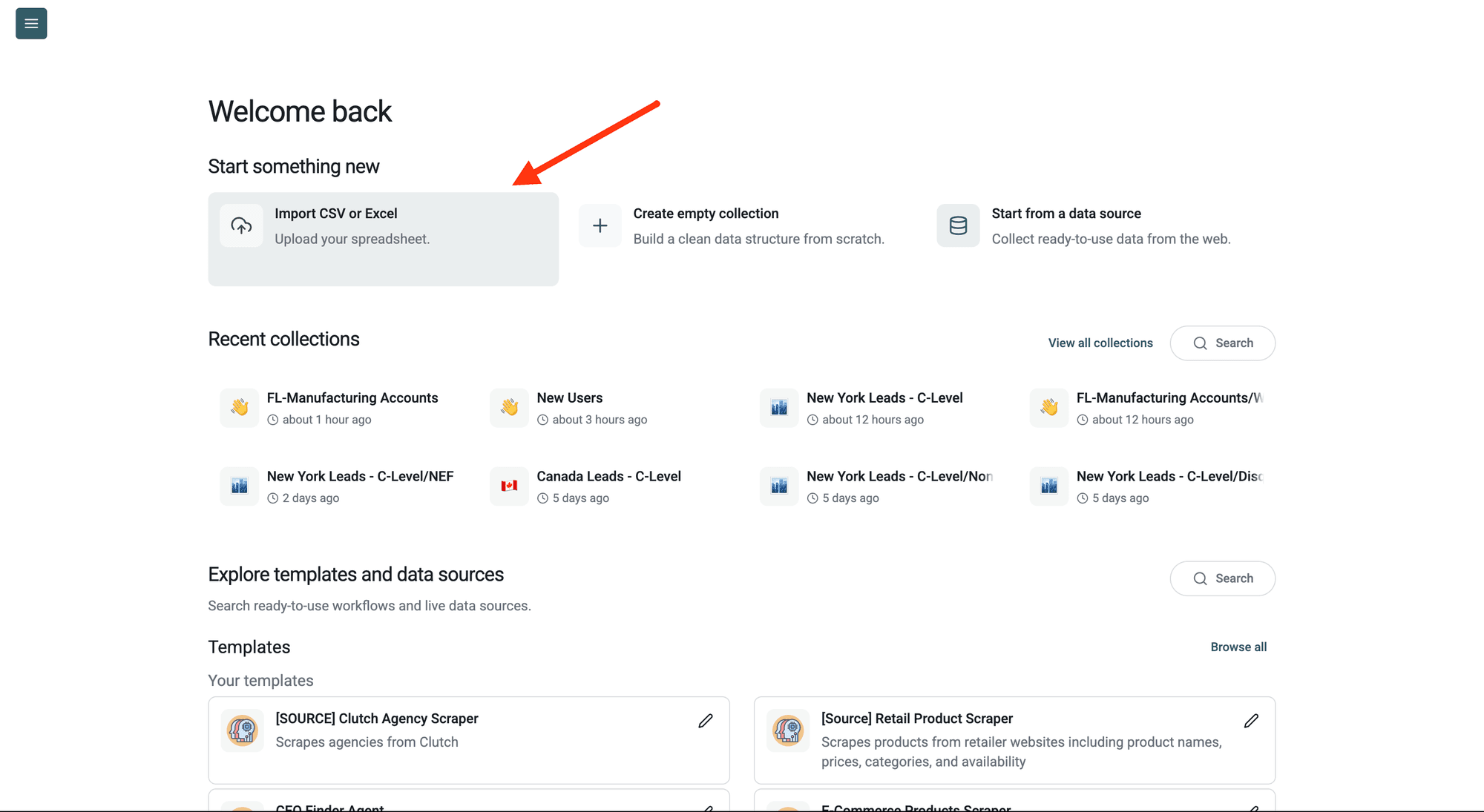
Step 2: Navigate to the Enrichment
Click Enrich in the top menu and search for Links & Email Addresses Scraper.
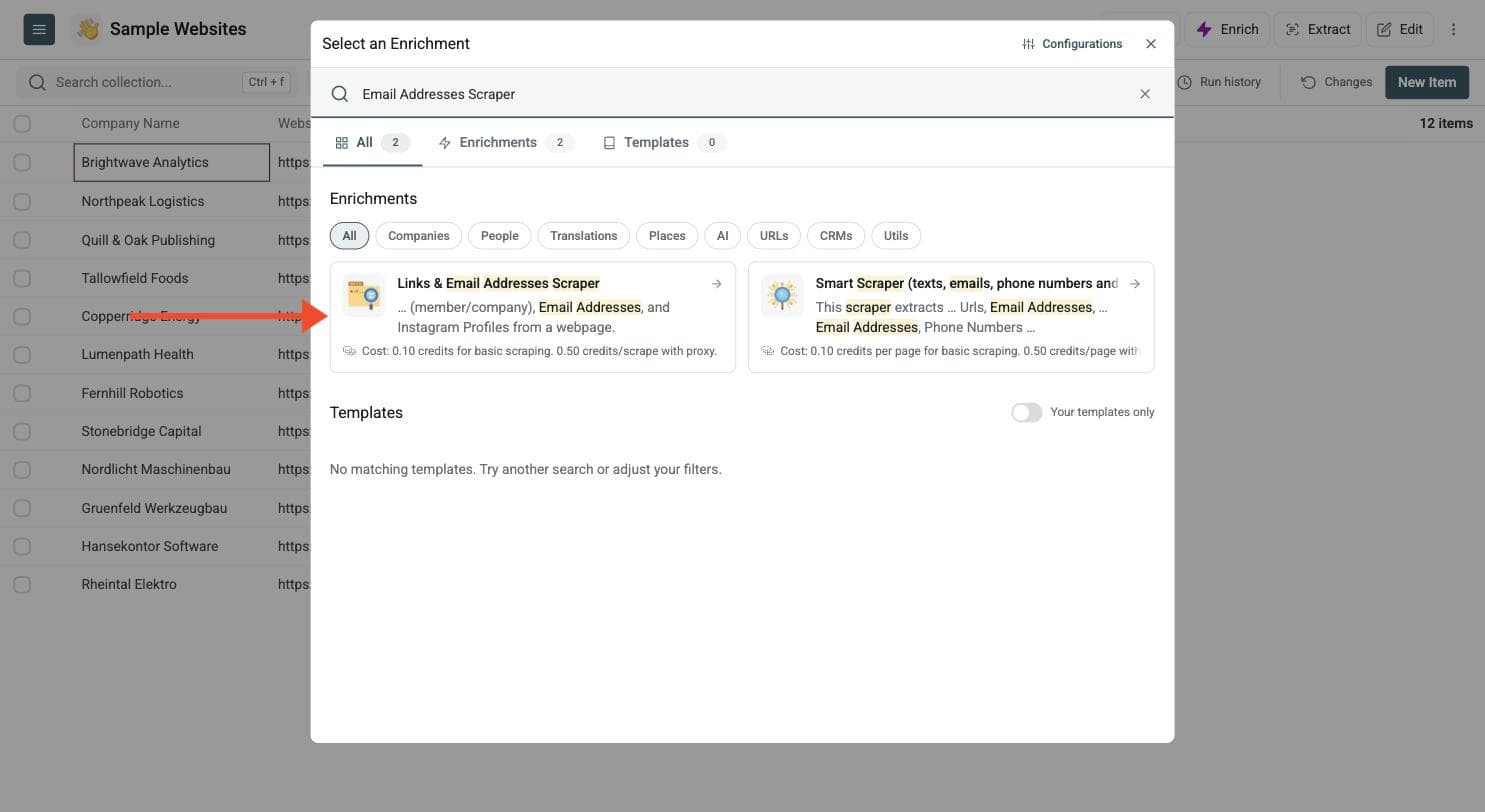
Step 3: Set Up the Enrichment
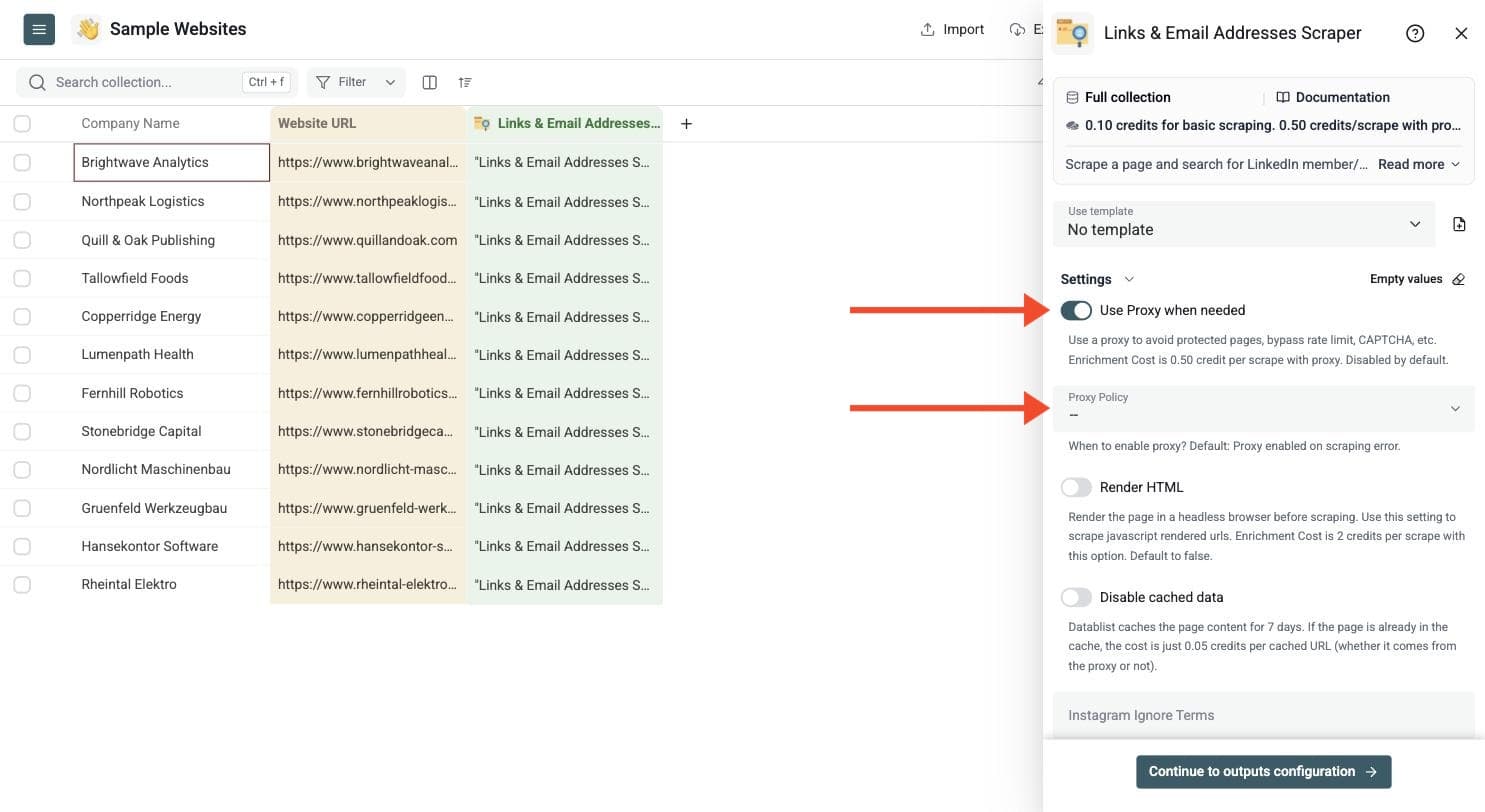
You'll see the following settings:
-
Use Proxy when needed: Use a proxy to avoid protected pages, bypass rate limits and CAPTCHAs. Disabled by default.
-
Proxy Policy: When to enable the proxy, available once Use Proxy when needed is on. The default is to enable it on a scraping error, and you can also force it from the start.
-
Render HTML: Available once Use Proxy when needed is on. Render the page in a headless browser before scraping, for JavaScript pages. Off by default.
-
Disable cached data: Datablist caches page content for 7 days. A cached URL costs 0.05 credits.
-
Instagram Ignore Terms and LinkedIn Ignore Terms: Comma-separated terms that filter out unwanted results.
-
Scrape Email Addresses in scripts/comments: Also extract hidden emails found in JavaScript code or comments. You might get debug or irrelevant addresses. Off by default.
A basic scrape costs 0.10 credits per URL. A proxy scrape costs 0.50 credits and a rendered page 2 credits.
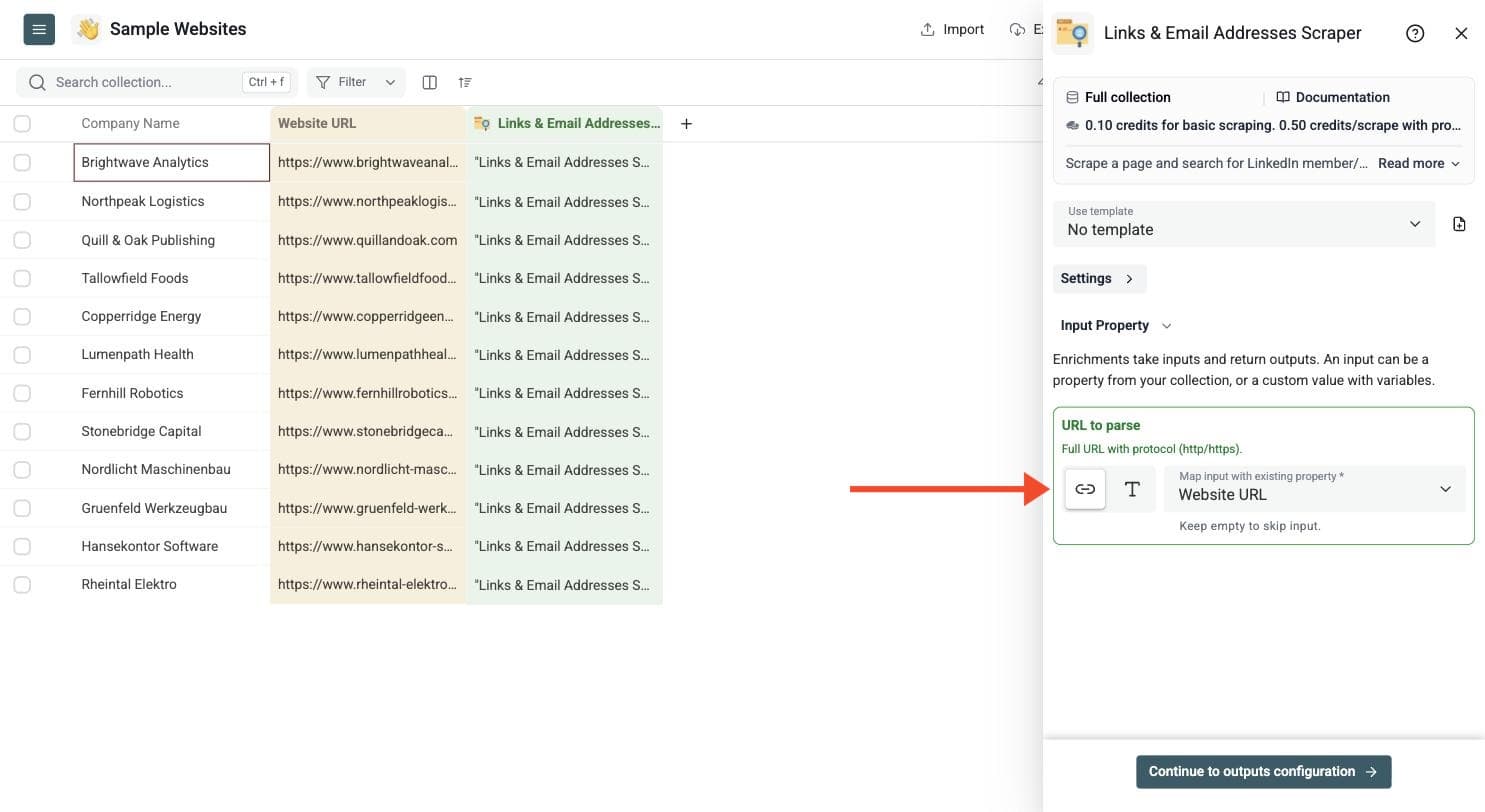
Step 4: Configure Your Inputs
- Map the column containing your webpage URLs to URL to parse. Use full URLs with the http:// or https:// protocol.
Then click Continue to outputs configuration.
Step 5: Select Outputs
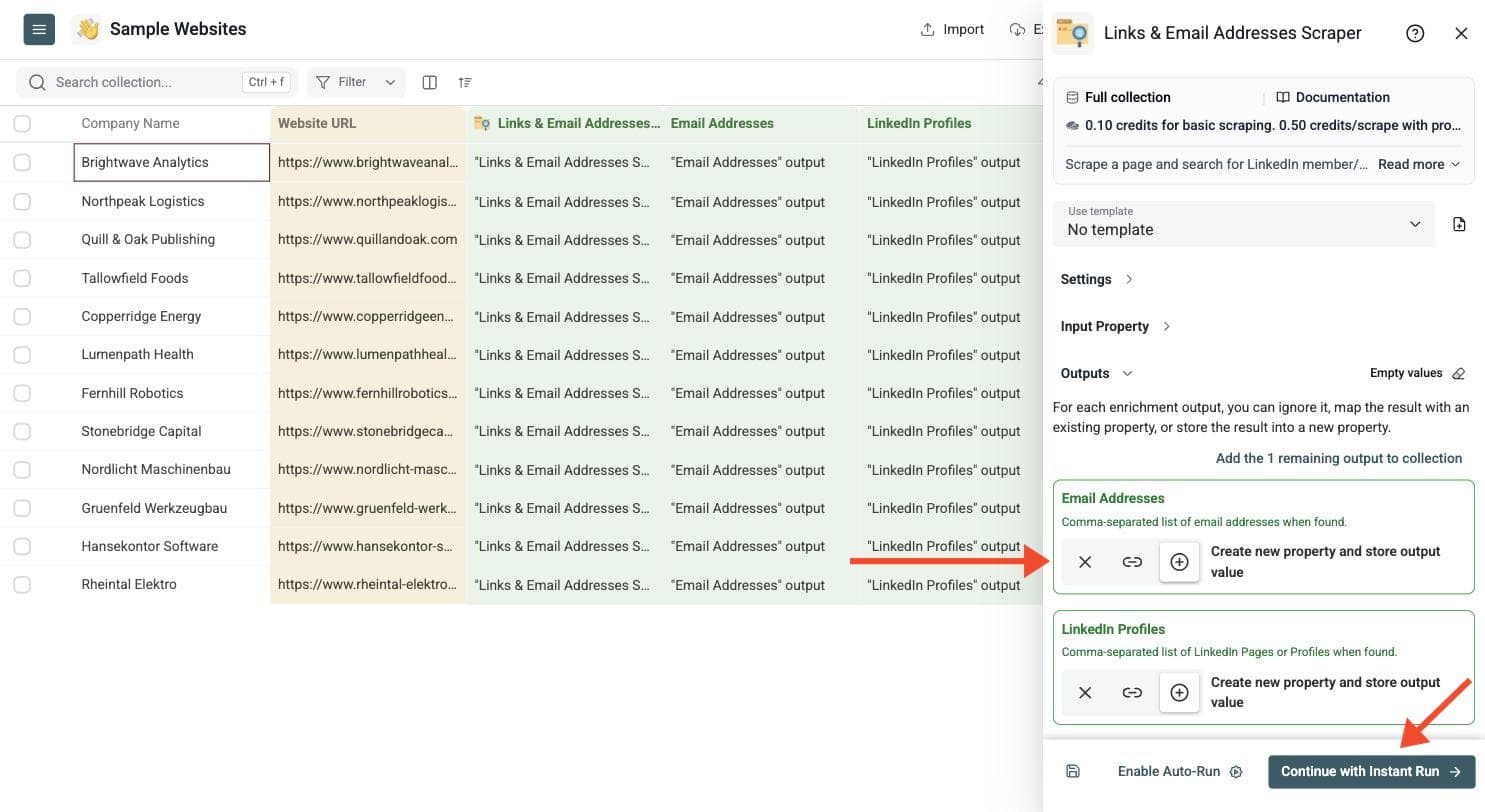
Create new properties or map the outputs to existing columns:
-
Email Addresses: a comma-separated list of the emails found
-
LinkedIn Profiles: LinkedIn pages and profiles found on the page
-
Instagram Profiles: Instagram profiles found on the page
-
Scraping Status: success, unreachable, http_error, invalid_url or empty_url
When Datablist finds several emails or links, it returns them as a comma-separated list.
Click the ⊕ icons to add them to your collection, then click Instant Run.
Step 6: Run the Enrichment
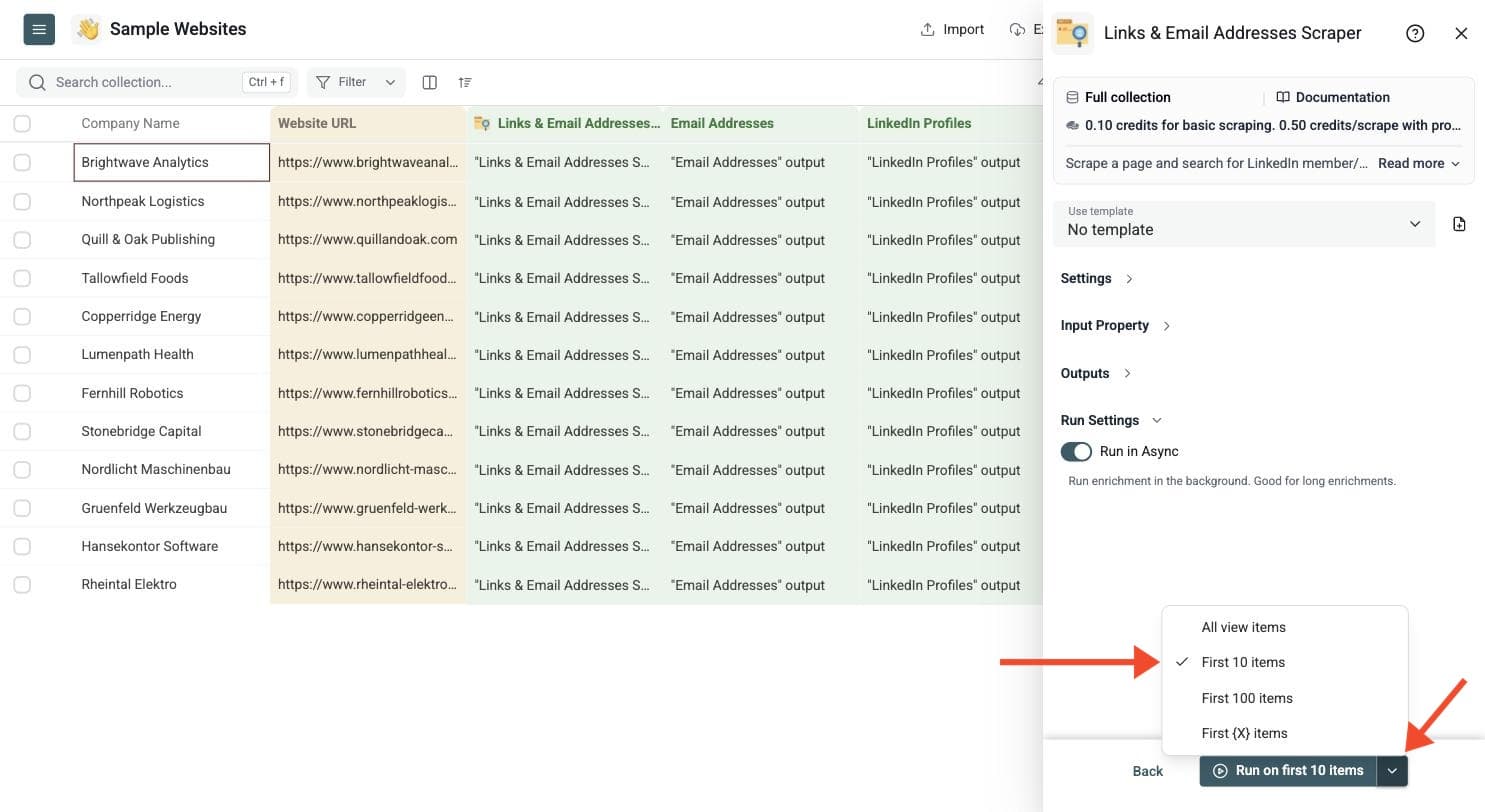
Run a sample first. Click the chevron on the right side of the run button to choose how many items to process:
-
Run on first 10 items: Good for checking results before committing
-
Run on first 100 items: Useful for validating larger samples
-
Run on all view items: Process your entire list (or view if you've enabled filters)
Choose Pages That Contain Contact Data
Use full webpage URLs. Homepages, contact pages, team pages and company profile pages often contain more relevant email and social links than directory search pages. This enrichment processes the supplied page; it does not automatically discover About or Contact pages elsewhere on the website.
For noisy pages, use the LinkedIn and Instagram ignore terms to filter unwanted social links. Script and comment extraction can find additional emails, but may also return test or irrelevant addresses. Review a sample before enabling it for the whole list. Extracting an email does not verify that its mailbox exists; use Waterfall Email Verifier before outreach when you need deliverability checks.
Review and Split Multiple Results
Email addresses and social links are returned as comma-separated values. If you need one email or profile per row after export, use the CSV Rows Splitter to expand those values. Keep the originating webpage URL so each expanded contact remains traceable to its source.
Check Scraping Status and the run status alongside the extracted fields. A successfully fetched page can contain no relevant contacts. That is different from an unreachable page or invalid URL. Fix bad URLs and review blocked pages before rerunning them.
How This Differs from Smart Scraper
Use Links and Email Addresses Scraper for focused email, LinkedIn and Instagram extraction from supplied webpages. Use Smart Scraper when you also need page text, phone numbers or About and Contact page discovery. Both can use proxy requests and rendering where configured.
This is useful for public contact research, local-business qualification and adding social links before deeper profile enrichment. It extracts links found on the page; it does not scrape the linked social profiles themselves.
Credit Examples
A thousand uncached basic fetches use 100 credits; a thousand ordinary proxy fetches use 500 credits. Rendering costs 2 credits per page instead, and a cached page costs 0.05 credits while its seven-day content cache remains usable. Disabling the cache requests fresh content. Use the calculator for package prices and compare its selected mode with your actual proxy and rendering settings.